- 対象年齢4+
- カテゴリユーティリティ
- 開発元LarsCo LLC
- 言語英語
- サイズ6.5 MB
ROAMiQは現在App Storeで入手できない可能性があります
前回の確認時、ストアのページにアクセスできませんでした。リンク先は引き続きApp Storeの公式ページです。
スクリーンショット

概要
開発元はこのテキストをお使いの言語で提供していません。
ROAMiQ is the iPhone app for the ROAMiQ Control Hub, the smart control system for RVs, campervans and off-grid builds. It puts your rig's alerts, status and scenes on your Lock Screen, Home Screen and in Siri, and opens your hub's full dashboard in one tap.
Requires a ROAMiQ Control Hub. The app connects to a ROAMiQ hub installed in your vehicle or cabin and does nothing without one. What you can see and control depends on the equipment connected to your hub.
BUILT FOR IPHONE
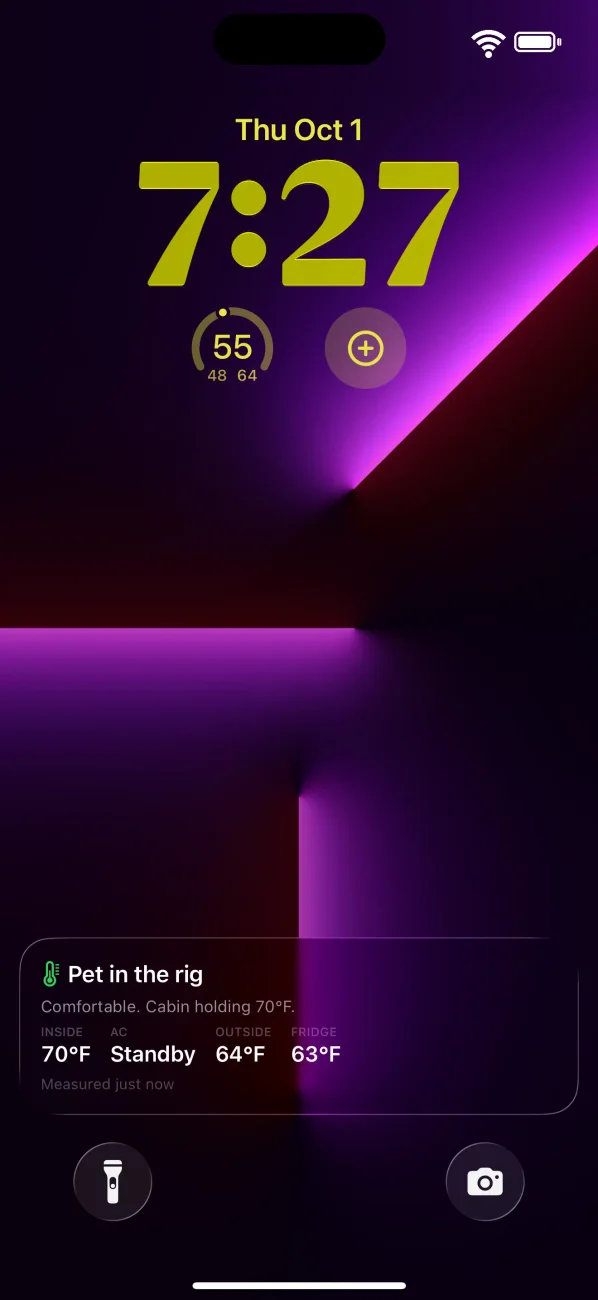
Live Activities
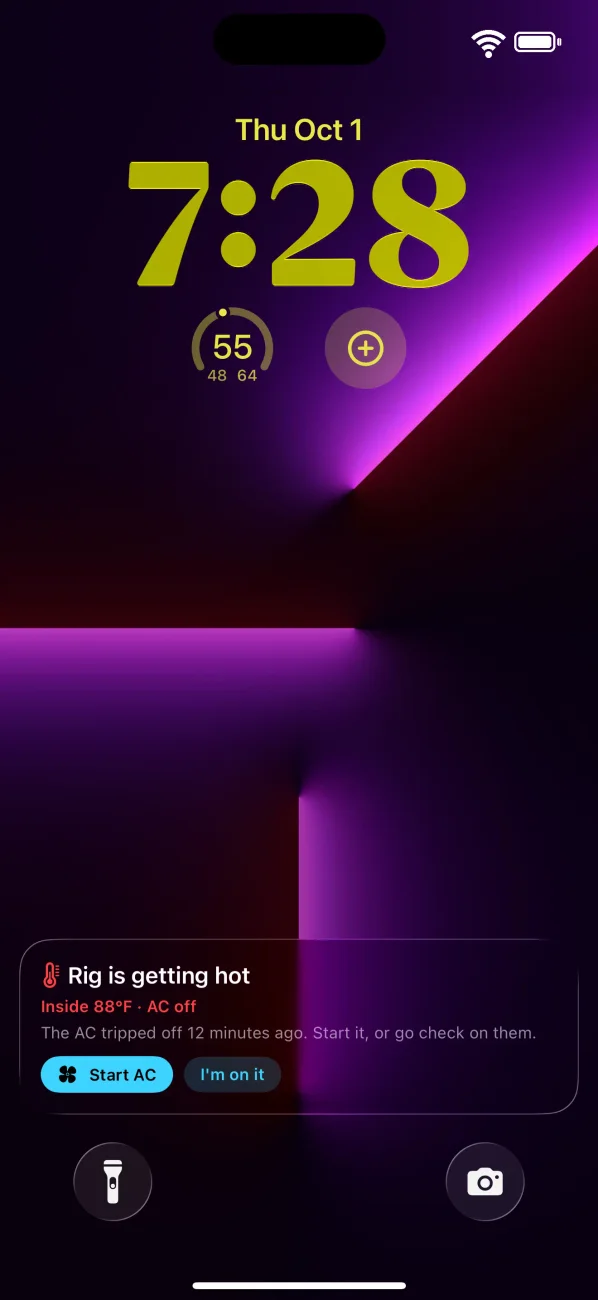
Your hub's automations can put a live card on the Lock Screen and in the Dynamic Island: a checkout-day checklist, a countdown to quiet hours, a battery gauge, a tank alert. Cards update in place and keep running with the app closed. When a reading stops updating, ROAMiQ removes the number instead of showing a stale one. Buttons that turn something off, like Stop pump, work right from the Lock Screen. Anything that starts, opens or unlocks asks you to open ROAMiQ first.
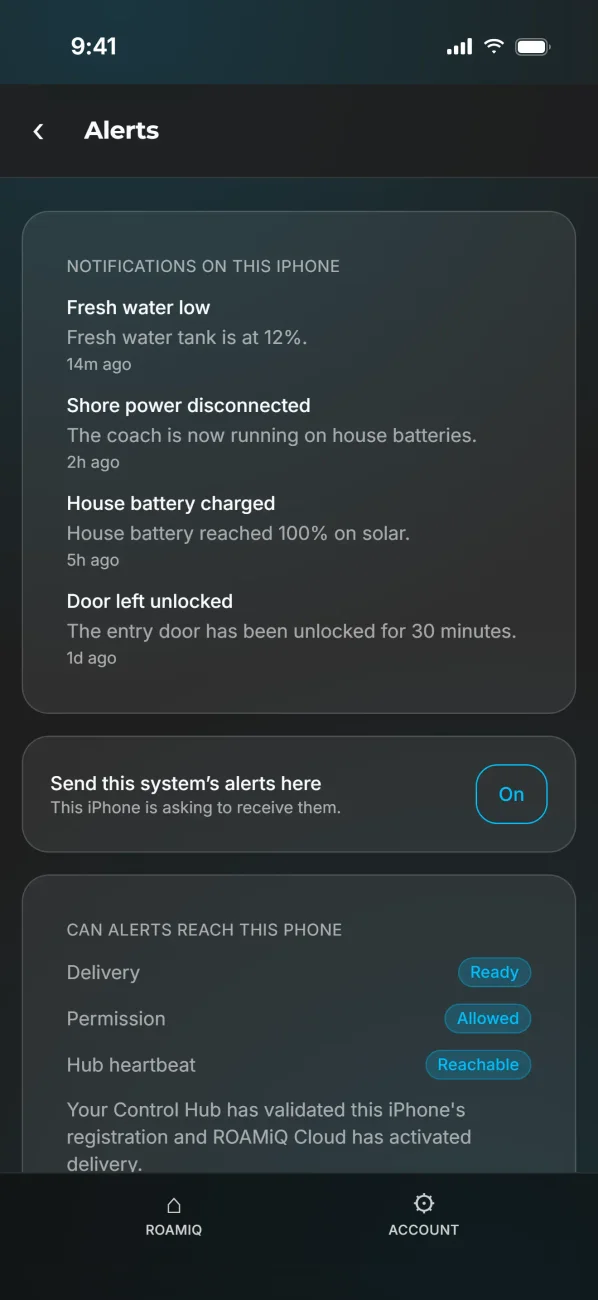
Alerts
Get notified when your hub needs you, even when ROAMiQ is closed. Time-sensitive alerts can break through Focus. Long-press an alert to acknowledge it or jump straight to your system. You choose which hubs send alerts to this iPhone.
Widgets and Controls
See on the Home Screen, the Lock Screen or in StandBy whether your system is reachable, along with its recent alerts. Run a scene or script from a widget, or add a Control to Control Center, the Lock Screen or the Action button. A Control asks for Face ID before it runs anything.
Siri and Shortcuts
"Run Goodnight with ROAMiQ." "Check ROAMiQ." Your scenes and scripts answer to Siri with nothing to set up, and they appear in the Shortcuts app.
Arrive and leave
Let a hub know when you get there or head out, so its automations can react. It is off until you turn it on, and you set it per hub: share only the name of the place, like Home, or your exact position. In the background ROAMiQ checks only for arrivals, departures and big moves, never continuous GPS. Your location goes only to your own hub.
Phone status
Share this iPhone's battery level, charging state and Low Power Mode with a hub, for dashboards and automations. Off until you turn it on.
Face ID app lock
Require Face ID or your passcode to open ROAMiQ. The app locks again as soon as you leave it, and hides its contents in the app switcher.
YOUR WHOLE SYSTEM, ONE TAP AWAY
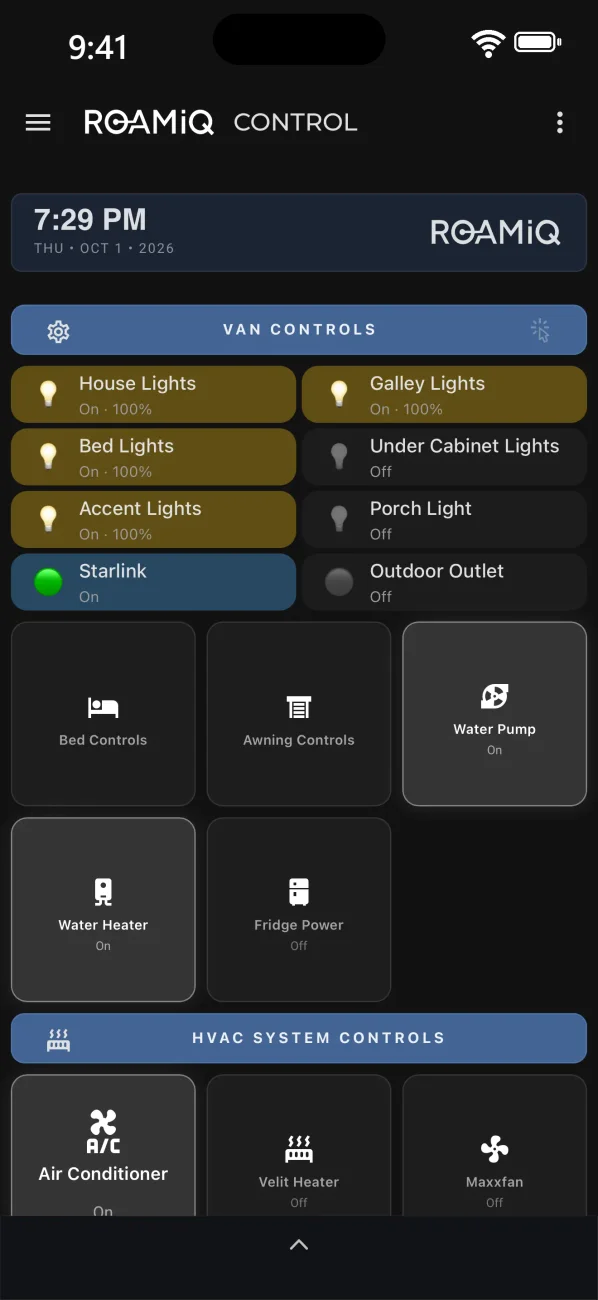
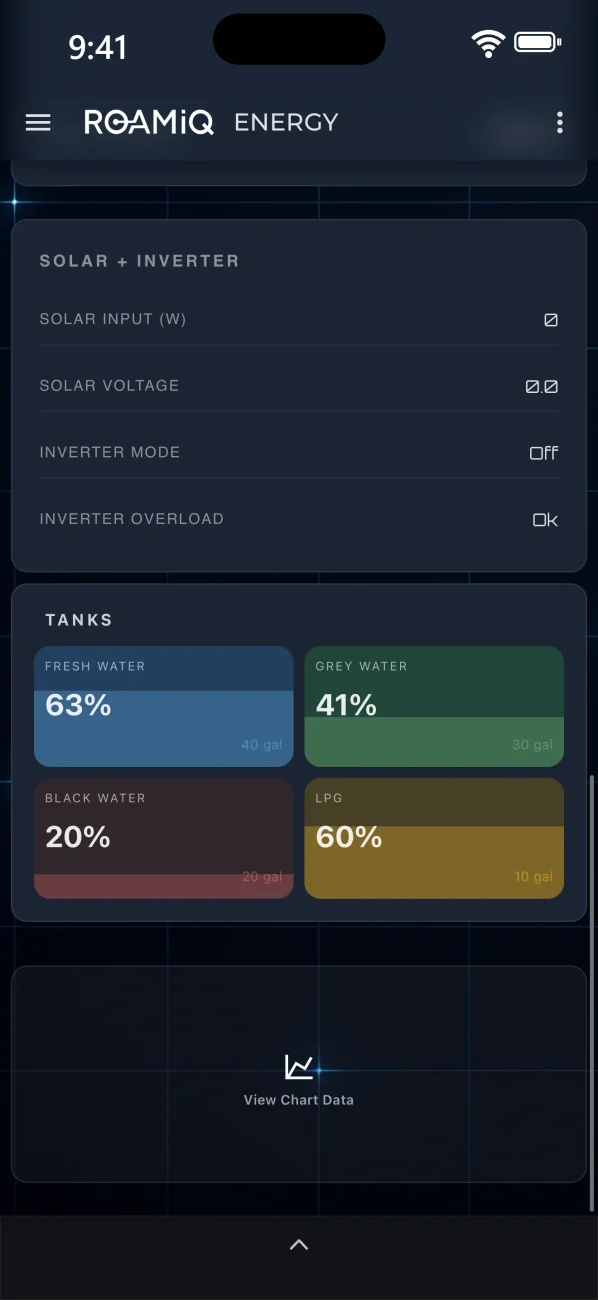
Open ROAMiQ and your hub's dashboard is right there, with everything your hub controls and every automation you have set up. The ROAMiQ Control Hub runs Home Assistant. The app opens your hub's own dashboard, already signed in, with a ROAMiQ menu at the bottom of the screen for switching hubs and settings.
On your hub's network, ROAMiQ finds the hub and connects to it directly, without going through the internet. Away from it, ROAMiQ connects through ROAMiQ Cloud remote access, an optional service for your hub.
More than one hub? Add each one, choose which opens at launch, and give each its own alerts, location and phone status choices.
PRIVACY
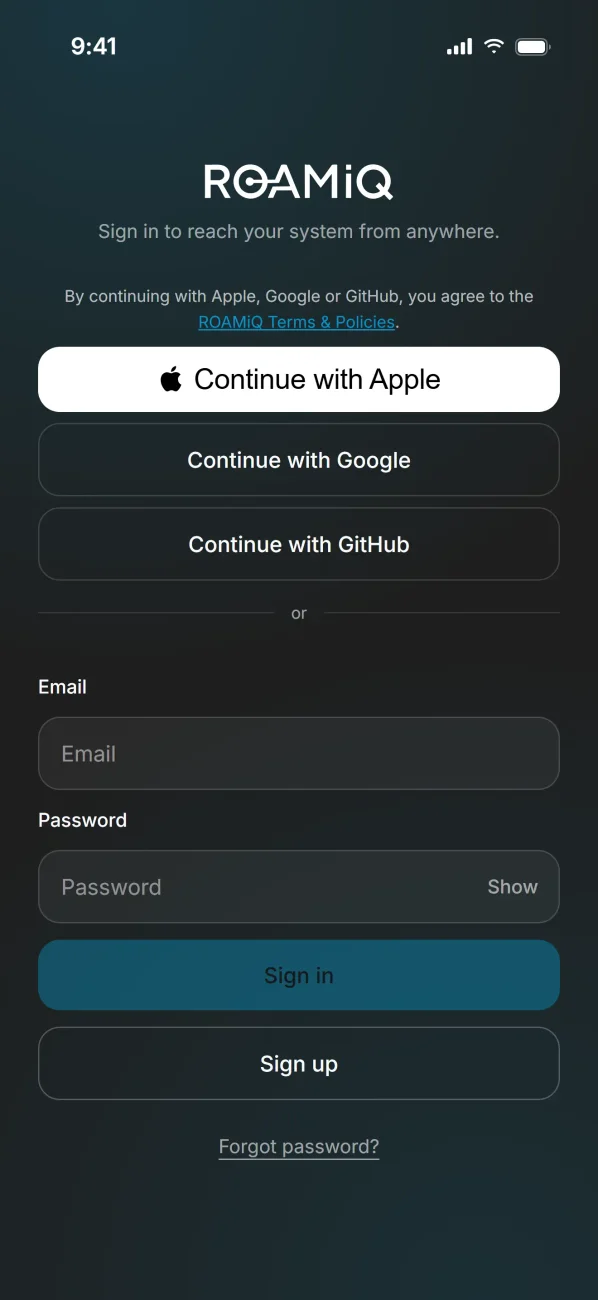
No ads, no tracking and no third-party analytics. Sign in with Apple, Google, GitHub or email. Delete your account at any time from Account in the app.
WHAT YOU NEED
- A ROAMiQ Control Hub, set up and online
- A ROAMiQ account (create one in the app)
- An iPhone with iOS 17 or later. Widgets, Controls and Live Activities need iOS 18 or later.
- ROAMiQ Cloud remote access, to reach your hub away from its network
Questions? roamiq.com/support
ROAMiQ. One System. Total Control.
新機能
バージョン 1.1.0 · 2026/11/4
ROAMiQ now runs on iPad.
A fresh look
- New dark design with cleaner icons, clearer buttons and simpler wording throughout.
- A redesigned sign-in screen and a reorganized Account page.
Hubs
- Add a hub by its address.
- Every hub you've added on this device now shows up in your hub list, ready to open.
- Switching between hubs is smoother, with no flashes or wrong screens along the way.
- The loading bar now finishes as soon as your hub is ready.
Alerts, widgets and Siri
- The Alerts page now shows exactly what's needed to turn notifications on and takes you straight there.
- If a widget or Siri shortcut can't open, ROAMiQ now tells you why.
Fixes
- The menu tour is now easy to read in Light Mode.
- "Back to sign in" on the terms screen no longer hides under the status bar.
- Plus many smaller fixes and improvements.
アプリのプライバシー
このアプリのデータの取り扱いについて、LarsCo LLCがApp Storeで申告している内容です。
-
ユーザーに関連付けられたデータ
収集され、ユーザーの識別情報に関連付けられる場合があります。
- 位置情報
- 連絡先情報
- ID
- 使用状況データ
- その他のデータ
プライバシーの取り扱いは、ご利用の機能やお客様の年齢などに応じて異なる場合があります。
情報
- 販売元
- LarsCo, LLC
- カテゴリ
- ユーティリティ
- バージョン
- 1.1.0
- 更新日
- 2026/11/4
- リリース
- 2026/10/13
- サイズ
- 6.5 MB
- 必要条件
- iOS 17.0以降
- 対象年齢
- 4+
- 言語
- 英語
- 著作権
- © 2026 LarsCo, LLC