
- 対象年齢17+
- カテゴリ仕事効率化
- 開発元Taehee Jung
- 言語英語
- サイズ69.1 MB
App Storeの公式ページにリンクしています
Download.orgはSafienceのファイルを一切ホストしていません。ボタンを押すと、Taehee Jungが公開しているApp Storeのアプリページが開きます。ページの最終確認:2026/11/7。
スクリーンショット


概要
開発元はこのテキストをお使いの言語で提供していません。
Safience is a web browser for iPad and iPhone, made for working in web apps such as a design tool, a whiteboard, a project board or a CMS. On iPad, sites load in their desktop versions, and trackpad pinches, scrolling and ⌘ shortcuts go to the page as on a Mac. On iPhone, Desktop View shows the same desktop versions. With iCloud sync on, your spaces, bookmarks and pinned tabs show on your other iPads and iPhones.
TRACKPAD AND KEYBOARD ON IPAD
• A trackpad pinch and two-finger scrolling go to the page, so a design canvas zooms at the pointer.
• ⌘ shortcuts go to the page, including undo, find, copy and each web app's own. Safience keeps only the ones every browser keeps, such as ⌘T, ⌘W and ⌘N, and puts its other shortcuts on Control-Option.
ON IPHONE
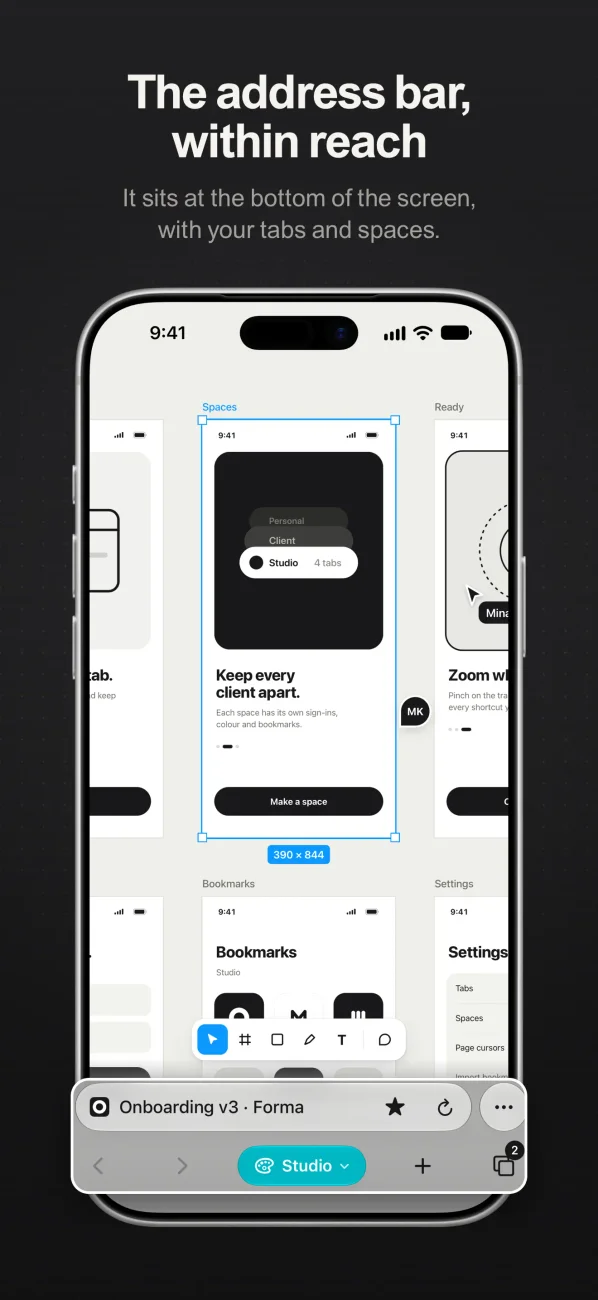
• The bar is at the bottom of the screen, and sites load their mobile versions, as in Safari. Swipe up on the bar for your tabs as cards, with your pinned tabs in a dock.
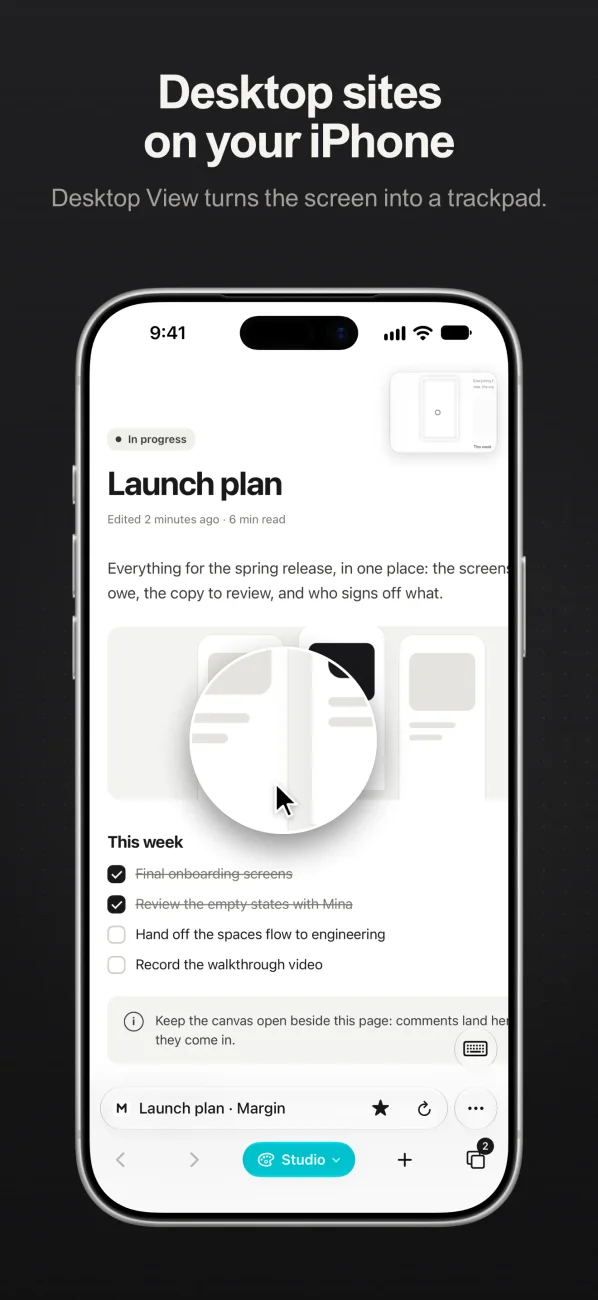
• Desktop View, in the page's menu, lays out the page at the size of a 13-inch iPad Pro and turns the screen into a trackpad: one finger moves the cursor, a tap clicks, two fingers scroll.
ON IPHONE DUO
• Closed, Safience has the iPhone's bar, with back, forward and new tab in the strip beside the screen.
• Open, it has the iPad's tabs, Split View and desktop sites.
TABS ON IPAD
• Tabs share one row along the top, or sit in a sidebar: choose in Settings › Window. Tap the tab you're on to type a new address.
• Split View puts two tabs side by side in one window. Drag the divider to give one side more room, or drag a tab onto the page to open it beside the one you're on.
• Pinned tabs show the web apps you use every day as icons at the front of the row. Settings › Pinned Tabs puts them in order and chooses which show on each device.
A SPACE FOR EVERY CLIENT
• Each space has its own sign-ins and site data, so you can stay signed in to two accounts of the same web app at once.
• Give each space a colour and an icon. The colour fills the space's button and the window around the page, so you can see which space you're in.
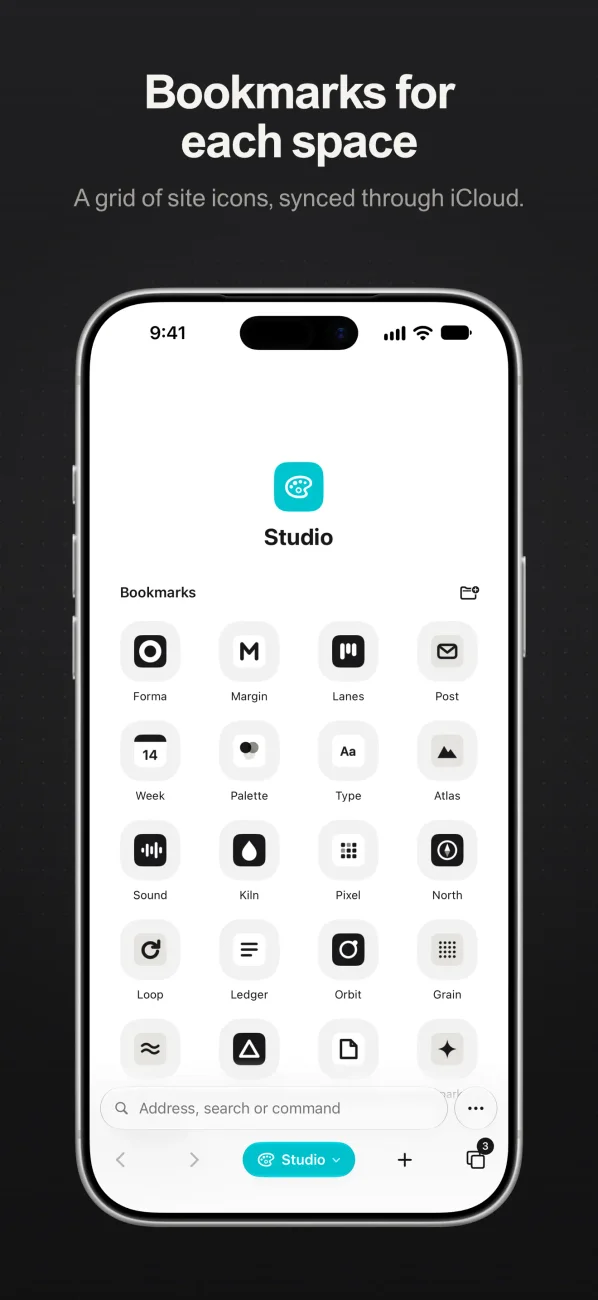
• Each space has its own bookmarks and folders, shown as a grid of site icons on a new tab, in the sidebar or in a bookmarks bar.
• Import bookmarks from Chrome, Firefox or Safari.
HISTORY
• Each space keeps the pages you go to, for a month unless you choose otherwise in Settings › History.
• Show All History lists them by day. Search them by words or by when, such as "yesterday" or "last friday".
• A new tab shows the pages you went to last, and the ones your other devices went to. Customize turns each part on or off.
SYNC WITH ICLOUD
• Turn on iCloud sync in Settings, and your spaces, their bookmarks and pinned tabs show on every iPad and iPhone signed in to your Apple Account. Sync uses your private iCloud and no other server.
• The last change to each setting wins, so a device that was offline doesn't undo newer edits.
• Turn on Sync history to share your history between your devices too, in iCloud's encrypted fields.
• Open tabs, sign-ins, cookies and site data stay on each device.
YOUR DEFAULT BROWSER
• Make Safience your default browser on iPad and iPhone, and links from other apps open in a new tab.
• Sites can use passkeys, and Share Page has Add to Home Screen.
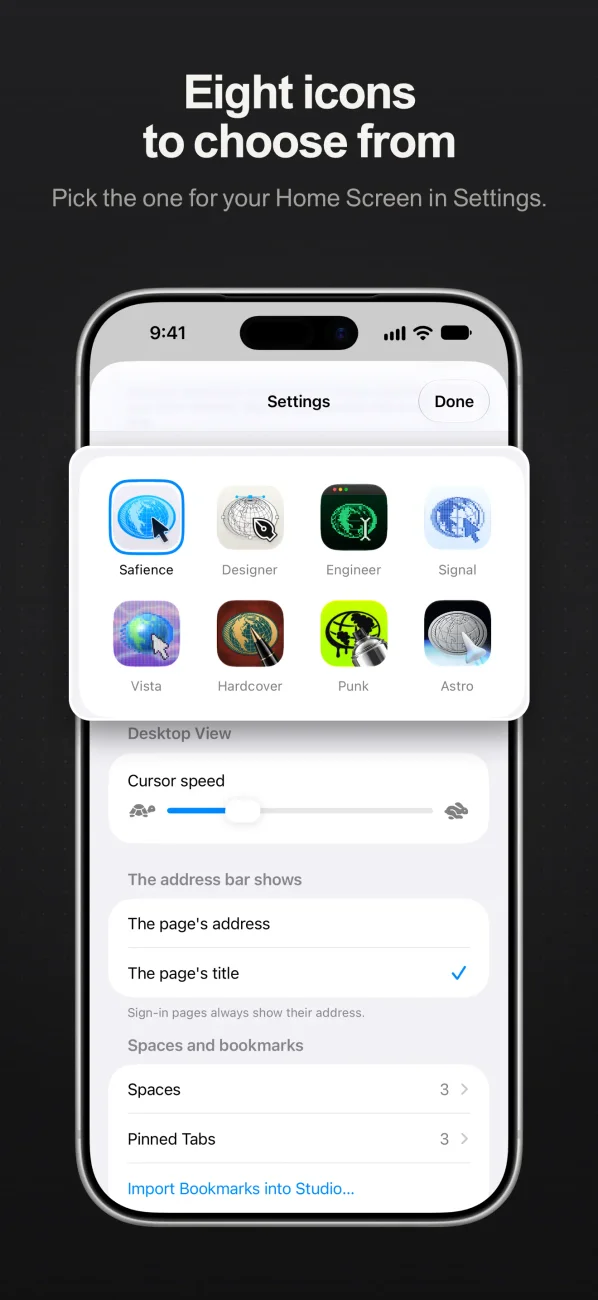
• Choose from eight app icons in Settings.
HANDOFF TO AN ASSISTANT
• On a device with Apple Intelligence, Handoff gives the page you're on to an assistant app you pick, as a file of its text. Turn it on in Settings.
COMMAND BAR
• The command bar (Control-Option-K) is the address field and a command palette in one. It finds tabs in every space, spaces, bookmarks, history, commands and settings.
PRIVACY
• Safience blocks ads and trackers before they load, with WebKit's content blocker and the EasyList, EasyPrivacy and YousList lists. It's on by default; allow a site from its menu, or turn it off everywhere in Settings.
• Safience collects no data and doesn't track you.
新機能
バージョン 1.0.3 · 2026/10/23
• History: each space keeps the pages you go to, for a month unless you choose otherwise in Settings › History. Find them in Show All History or the command bar, by words or by when ("yesterday", "last friday"). Turn on Sync history in Settings › iCloud to share it between your devices.
• A new tab shows the pages you went to last under your bookmarks, and the ones your other devices went to. Customize turns each part on or off.
• On iPad, the tabs share one row along the top, or sit in a sidebar (Settings › Window). Bookmarks can show in the sidebar or a bookmarks bar.
• iPhone Duo: closed, the bar has back, forward and new tab in the strip beside the screen; open, you get the iPad's tabs, Split View and desktop sites.
• Split View shows its two pages as cards. On iPadOS 27, drag a tab onto the page to open it beside the one you're on.
• Settings › Pinned Tabs puts each space's pinned tabs in order and chooses which show on this device.
• A search shows its words in the address bar.
• iCloud sync keeps the last change to each setting, so a device that was offline doesn't undo newer edits. Open tabs now stay on each device.
アプリのプライバシー
このアプリのデータの取り扱いについて、Taehee JungがApp Storeで申告している内容です。
-
データの収集なし
開発元はこのアプリからデータを収集しません。
プライバシーの取り扱いは、ご利用の機能やお客様の年齢などに応じて異なる場合があります。
情報
- 販売元
- Taehee Jung
- カテゴリ
- 仕事効率化
- バージョン
- 1.0.3
- 更新日
- 2026/10/23
- リリース
- 2026/10/12
- サイズ
- 69.1 MB
- 必要条件
- iOS 17.0以降
- 対象年齢
- 17+
- 価格
- 無料
- 言語
- 英語
- 著作権
- © 2026 Taehee Jung
こちらもおすすめ
-
 Detour: ファイル管理&ブラウザオフライン音楽・ビデオプレーヤー
-
 LastTime - トラッカー&リマインダー薬・請求書・日課を追跡
-
 LIFE/CTRL -忘れ物防止・タスク管理-1日の型を部品で組み立てる。
-
 Xave: Encrypted Data Vault仕事効率化
-
 デスクトップモード OS: ProDocktive外部ディスプレイマルチタスク, ミラーリング, PC,OS
-
 Walling仕事効率化
-
 AI Agent Assistant: Agentic AI仕事効率化
-
 Norton Neo仕事効率化
-
 プリント管理: ポストック学校のおたより・書類・ブックマークを簡単整理
-
 AnyPlanner: タスク管理・ToDoリスト予定と習慣を見える化。ADHDの時間管理にも