- 対象年齢4+
- カテゴリショッピング
- 開発元Andrzej Siemion
- 言語ポーランド語
- サイズ2.1 MB
App Storeの公式ページにリンクしています
Download.orgはScandioのファイルを一切ホストしていません。ボタンを押すと、Andrzej Siemionが公開しているApp Storeのアプリページが開きます。ページの最終確認:2026/11/17。
スクリーンショット




概要
開発元はこのテキストをお使いの言語で提供していません。
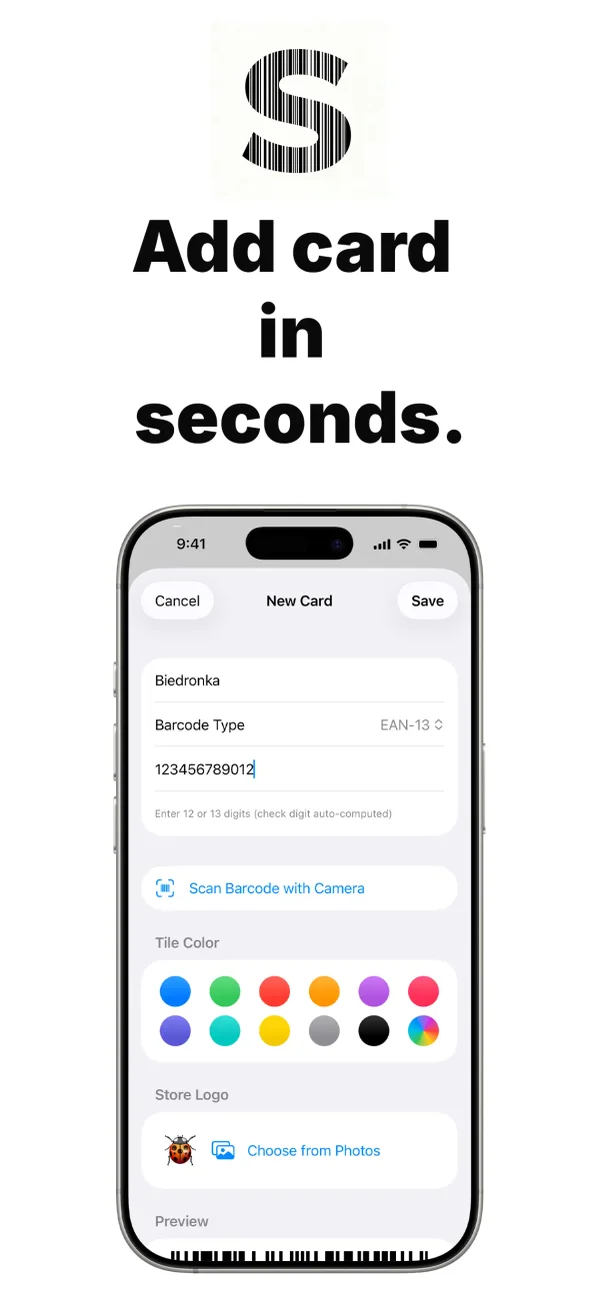
Scandio keeps all your loyalty cards in one place on your iPhone. Add a card by scanning its barcode, give it a name and a colour, and
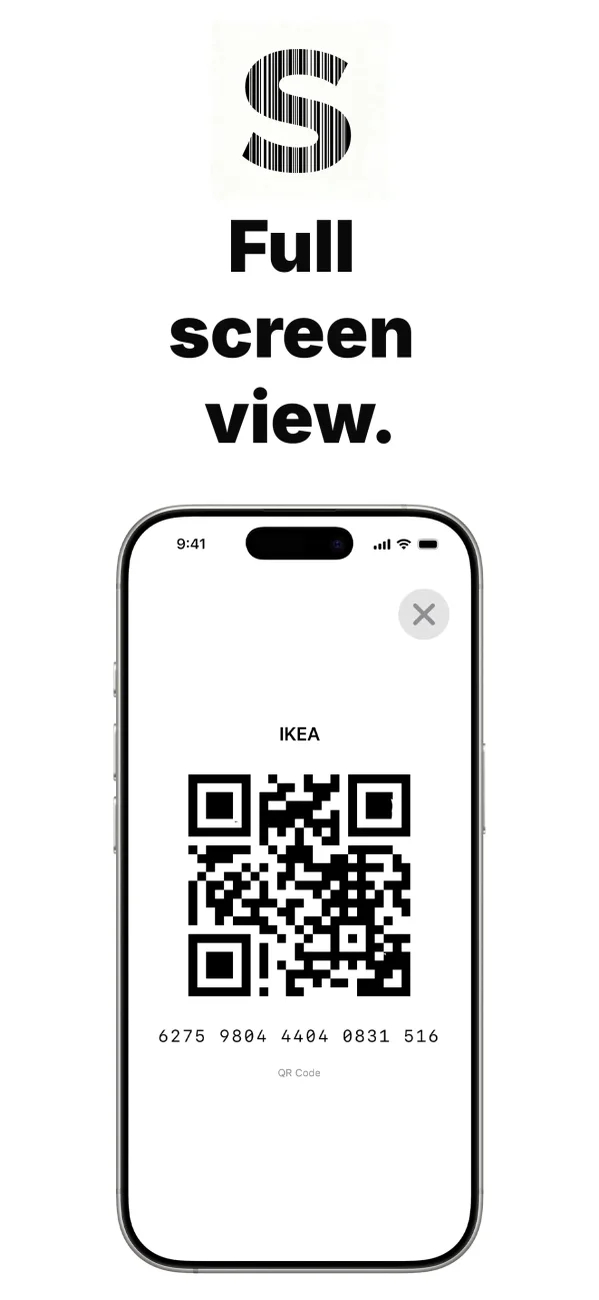
the next time you're at the checkout you open it in two taps and let the cashier scan it off the screen.
Everything stays on your device. No account, no sign-in, no cloud, no tracking. The app has no analytics, no advertising identifiers,
no crash reporters, and no third-party SDKs.
WHAT YOU CAN DO
• Add cards by scanning a barcode with the camera or typing the number manually
• Render seven barcode types: EAN-13, EAN-8, ITF, QR, Code 128, PDF417, and Aztec
• Show any card full-screen with an automatic brightness boost so it scans cleanly even on supermarket scanners
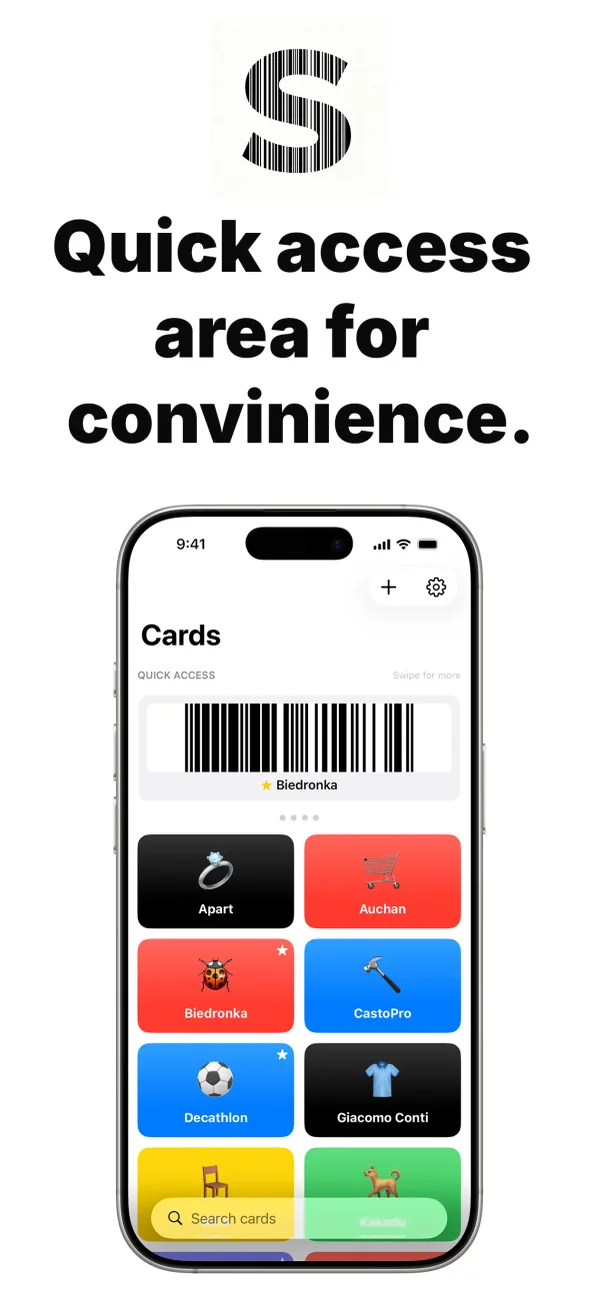
• Pin favourites to the Quick Access carousel at the top of the home screen
• Sort alphabetically, by date added, or by last used
• Search by card name
• Pick a tile colour from the brand palette or with a custom hex picker
• Attach a store logo from your photo library
• Choose a category icon from twelve emoji, or let the on-device language model suggest one
BUILT-IN STORE RECOGNITION
Scandio recognises common store names and fills in the brand colour and a built-in icon automatically — Biedronka, Lidl, Rossmann,
IKEA, Auchan, Carrefour, Decathlon, MediaMarkt, and many more.
APPLE INTELLIGENCE
On supported iPhones running iOS 26 or later, Scandio uses Apple's on-device Foundation Models framework to suggest a category icon
from the store name you typed. The suggestion runs entirely on your iPhone — no prompt or response is logged or transmitted.
BACKUP AND RESTORE
Built-in export creates a .scandiobackup file with all your cards, colours, logos, and preferences embedded. AirDrop it to a new
iPhone or save it anywhere iOS lets you save documents. On import, Scandio asks how to handle duplicates — skip, merge, or add as new
— and you can set a default for the dialog if you'd rather not be asked.
PRIVACY BY DESIGN
Scandio collects nothing and transmits nothing. Loyalty cards, photos, and preferences live only on your device, in the app's private
container. The full privacy policy is at siemion.pro/scandio/privacy.
OPEN SOURCE
Scandio is open source under the MIT license. The full source code — SwiftUI views, SwiftData model, barcode renderers, backup format
— lives at github.com/andrzejsiemion/scandio-ios.
LANGUAGES
English and Polish.
REQUIREMENTS
iPhone running iOS 17 or later. Camera permission is requested only when scanning a barcode; Photo Library permission only when
attaching a logo image.
新機能
バージョン 1.1 · 2026/5/16
This release is all about speed and polish:
• Cards open instantly — barcodes are pre-rendered in the background and shared across screens.
• Smoother scrolling in the card grid, especially with photo logos.
• Crisper EAN-13, EAN-8 and ITF barcodes thanks to pixel-aligned rendering.
• Faster restore when importing a backup with many cards.
• Snappier taps — haptic feedback responds instantly.
• Lower memory use during long sessions.
Thanks for using Scandio!
アプリのプライバシー
このアプリのデータの取り扱いについて、Andrzej SiemionがApp Storeで申告している内容です。
-
データの収集なし
開発元はこのアプリからデータを収集しません。
プライバシーの取り扱いは、ご利用の機能やお客様の年齢などに応じて異なる場合があります。
情報
- 販売元
- Andrzej Siemion
- カテゴリ
- ショッピング
- バージョン
- 1.1
- 更新日
- 2026/5/16
- リリース
- 2026/5/12
- サイズ
- 2.1 MB
- 必要条件
- iOS 17.0以降
- 対象年齢
- 4+
- 価格
- 無料
- 言語
- ポーランド語
- 著作権
- © 2026 Andrzej Siemion