
- 対象年齢4+
- カテゴリビジネス
- 開発元Kandasamy Kaleeswaran
- 言語英語
- サイズ6.6 MB
App Storeの公式ページにリンクしています
Download.orgはSealSignDateのファイルを一切ホストしていません。ボタンを押すと、Kandasamy Kaleeswaranが公開しているApp Storeのアプリページが開きます。ページの最終確認:2026/11/28。
スクリーンショット



概要
開発元はこのテキストをお使いの言語で提供していません。
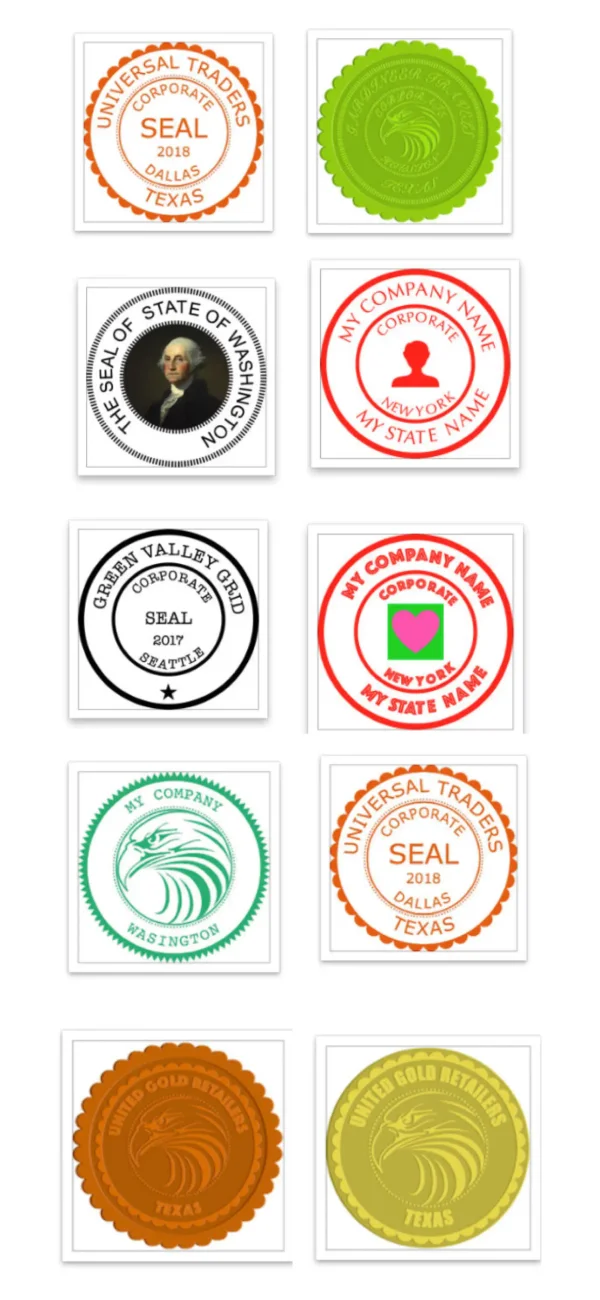
This app creates Signature seals, digital Company Seals and Date seals.
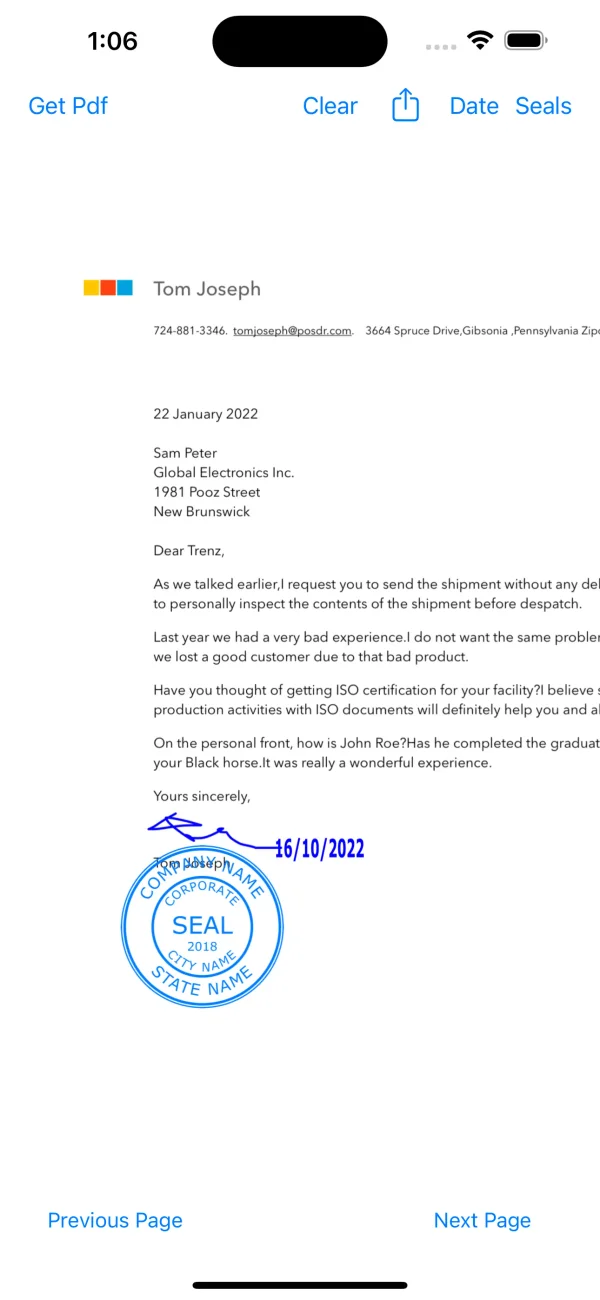
The user can stamp the Company seal, the Signature seal and the Date seal on pdf and save it.
The user can lock the pdf document with password.
The user can unlock pdf document, sign/seal/date the document and save it as new copy and lock the new document if required.
The user can lock the pdf document with empty password(Encrypt only).
Original pdf documents are not changed.
But,Seal impressions are permanent on saved Pdf Documents.Seal impressions are not pdf annotations.
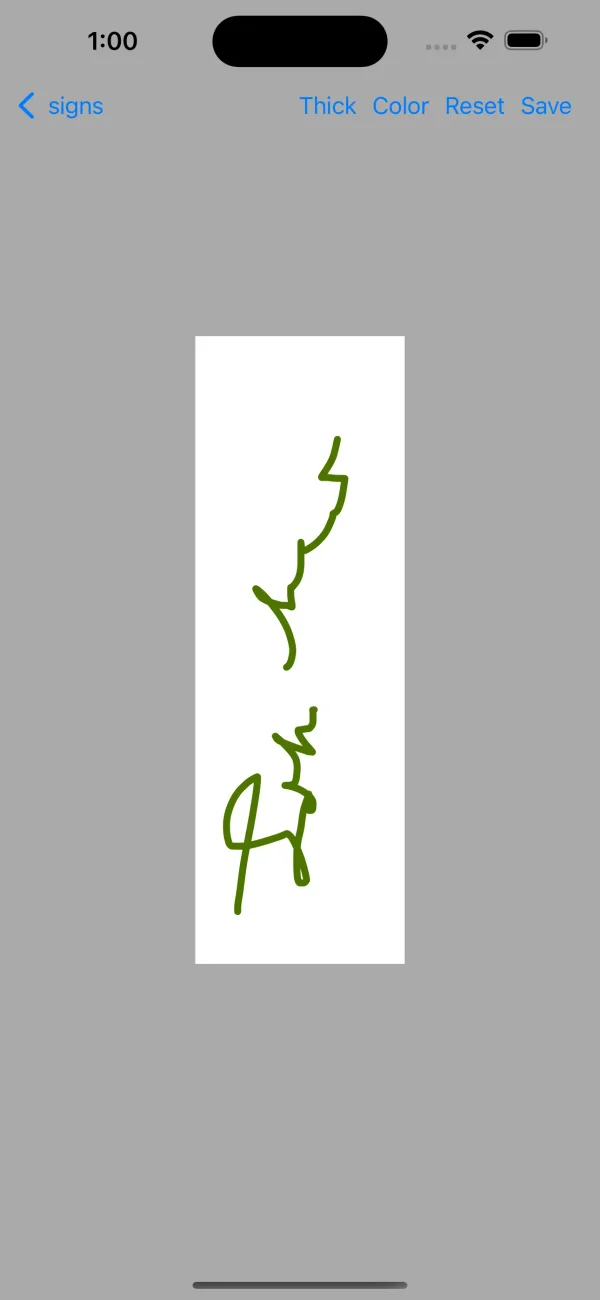
Create A New Signature:-
Hit + button
Select Pen thickness.
Select Pen colour.
Sign in the white box(iPhone - bottom to top)
Save the seal.The user can create as many signs as he requires.
The sign can be exported(shared) if required.
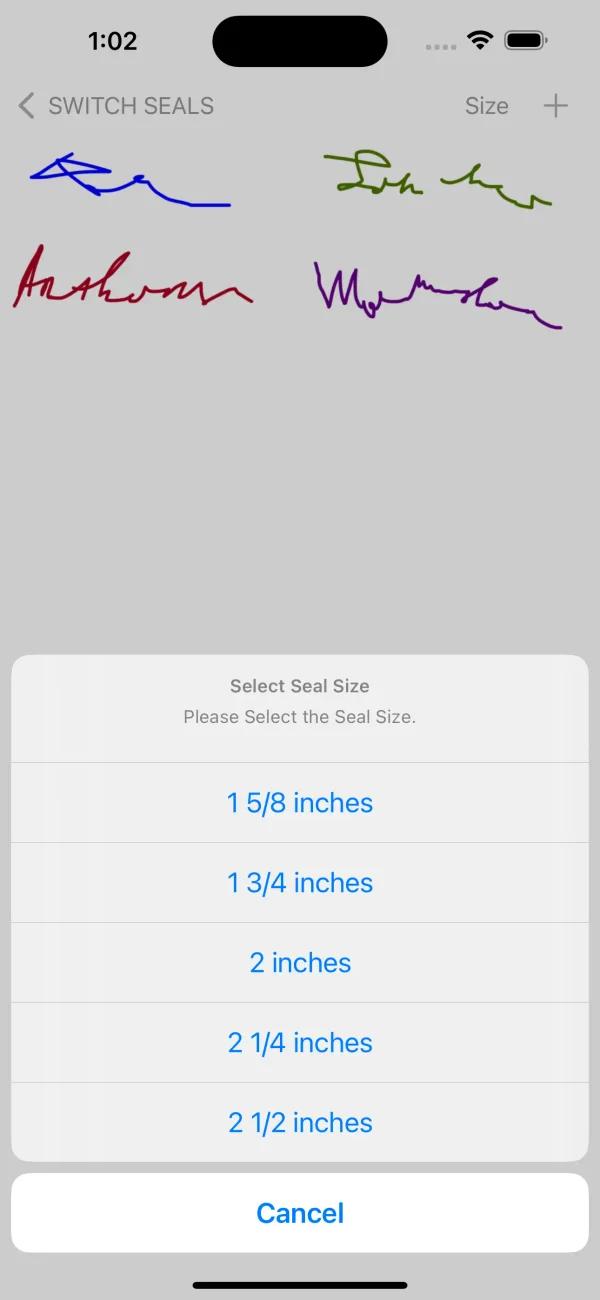
Signature size in inches can be changed(1 5/8 inches to 2 1/2 inches).
Other signature images can be imported to this app.
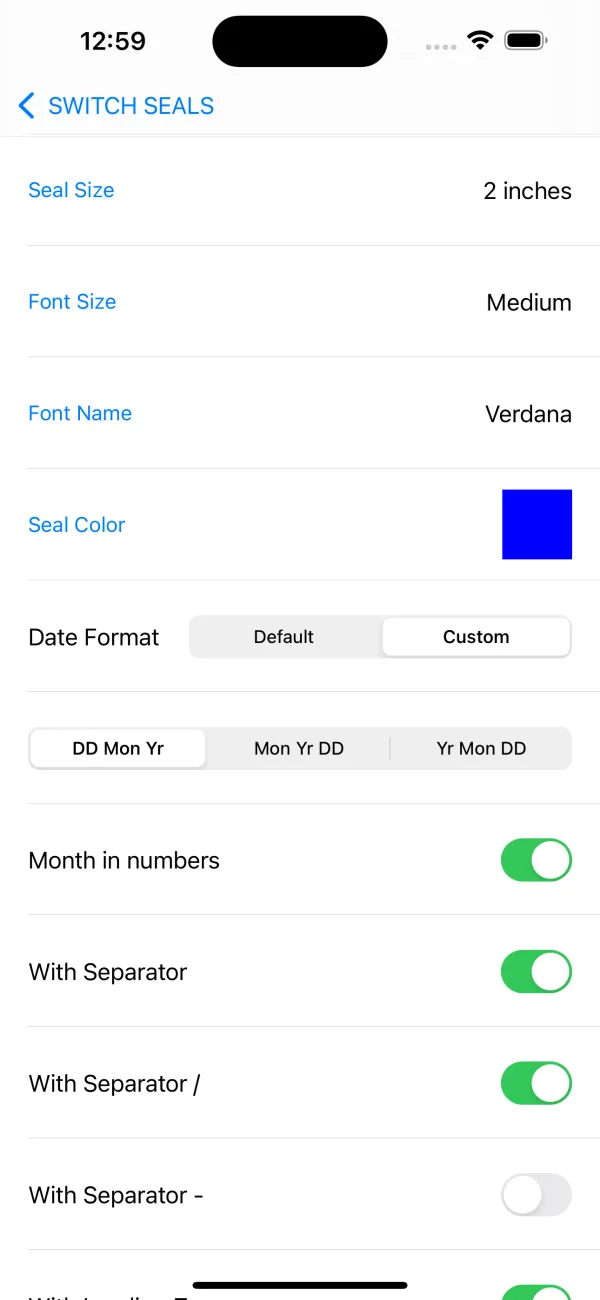
Date seal settings:-
Date seal size in inches can be changed(1 5/8 inches to 2 1/2 inches).
Font size and font name can be changed.
Seal colour can be changed.
Default date gives the device default date format.
The user can customise date format.
Date format with / or - separator can be used.
Date format with leading zeros(eg. 02/02/2020)can be selected or unselected.
Month in letters can be selected(eg. June, 11 2020).
Four digit or two digit year can be selected.
Create A New Seal:-
Hit + Button and
1)Select a seal Template,
2)Edit Text,
3)Leave blank for no text,
4)Select icon image if required by the template,
5)Select Other Properties of the seal
6)Preview and
7)Save the seal.
Note:- Company Icon Images needs to be 1024 pt x 1024 pt image with/without transparent background.Lower resolution icons may give poor quality seal images.
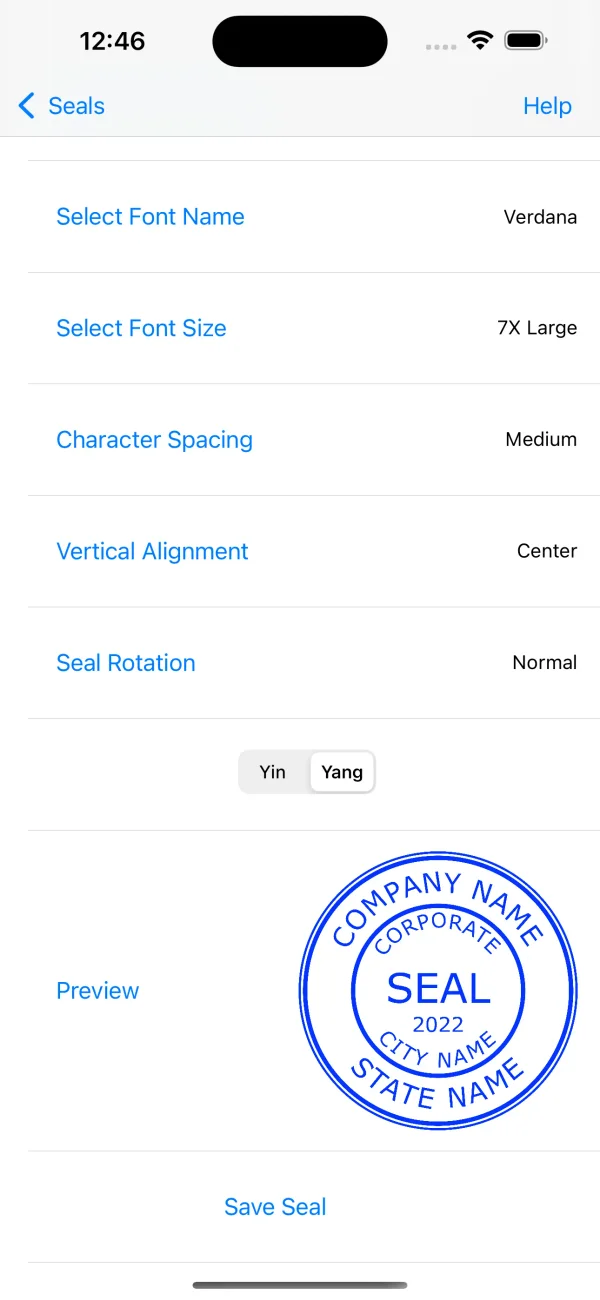
Eight seal templates are provided.
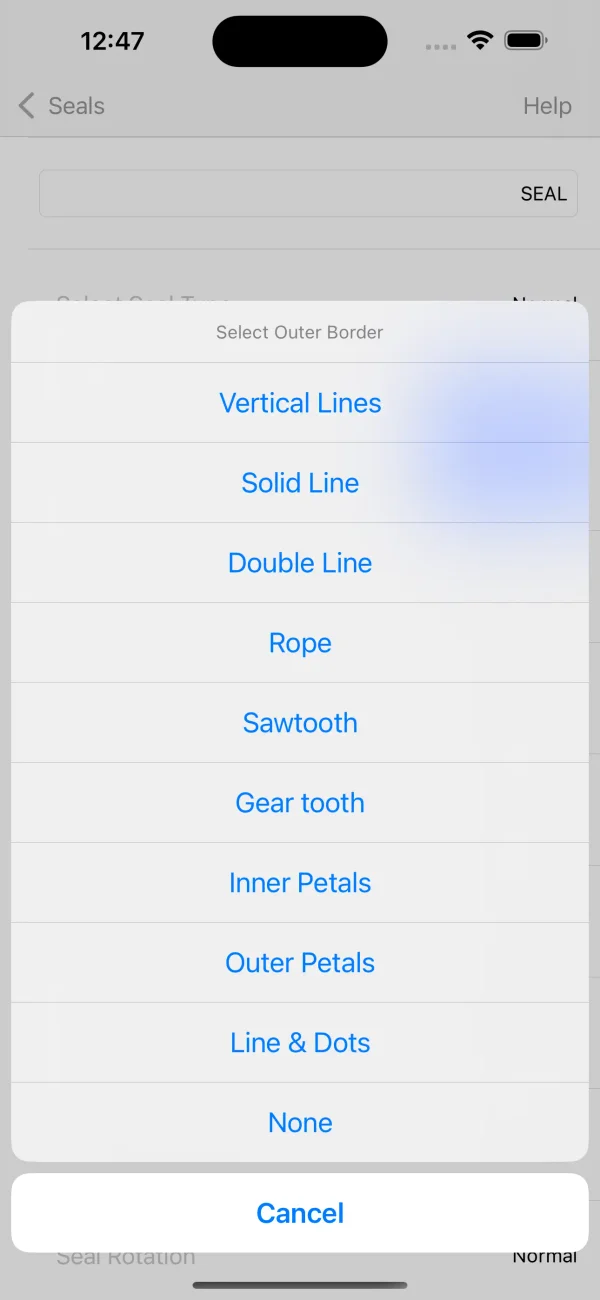
The following can be chosen by the user:-
1)Seal colour
2)Seal Type
3)Border Type
4)Inner Border Type
5)Font Size
6)Font Name
7)Icon type(Round or Square)
8)Icon colour (seal colour mask or original).
9)Rotation 0-30 deg left/right
10)Yin or Yang Seal.
Yang seal - Transparent background with Letters in Seal colour.
Yin Seal - Background in seal colour and Letters are transparent.
Select an Available Seal for stamping:-
1)Select a seal
2)Hit Pick seal
Export an Available Seal:-
1)Select a seal
2)Hit Export Seal
3)Save the seal image to your location
Company Seal size in inches can be changed(1 5/8 inches to 2 1/2 inches).
Other seal images can be imported to this app.
You need to import a 1024 pt x 1024 pt png/tiff image.The seal image background needs to be transparent.
Note:- Avoid very Dark Colours for Emboss or Wax Seal types.
Delete an Available Seal:-
1)Select a seal
2)Hit Delete Seal
Stamping On Pdf:-
Hit Import Pdf & Choose a Pdf Document.
Hit Switch. Select seal:-
1)Company seal
2)Signature seal
3)Date seal
Go to the page where you want to stamp.
Move to the required location on the page.
Tap to stamp.
Reset Selected page:-
1)Select the page
2) Hit Clear
www.appskou.com for support
新機能
バージョン 3.0 · 2026/11/26
Tested for iPhone Duo.
Updated to recommended settings.
アプリのプライバシー
このアプリのデータの取り扱いについて、Kandasamy KaleeswaranがApp Storeで申告している内容です。
-
データの収集なし
開発元はこのアプリからデータを収集しません。
プライバシーの取り扱いは、ご利用の機能やお客様の年齢などに応じて異なる場合があります。
情報
- 販売元
- Kandasamy Kaleeswaran
- カテゴリ
- ビジネス
- バージョン
- 3.0
- 更新日
- 2026/11/26
- リリース
- 2020/6/20
- サイズ
- 6.6 MB
- 必要条件
- iOS 17.0以降
- 対象年齢
- 4+
- 価格
- ¥5,000
- 言語
- 英語
- 著作権
- © 2020_2024_AppKouSika