- 対象年齢4+
- カテゴリブック
- 開発元Nicholas Kinloch
- 言語英語
- サイズ8.0 MB
App Storeの公式ページにリンクしています
Download.orgはSecond Readingのファイルを一切ホストしていません。ボタンを押すと、Nicholas Kinlochが公開しているApp Storeのアプリページが開きます。ページの最終確認:2026/11/12。
スクリーンショット

概要
開発元はこのテキストをお使いの言語で提供していません。
You read something great on your Kindle and highlighted it. Now what?
Second Reading imports the highlights you saved on your Kindle and gives them somewhere to live: a customizable Home Screen widget, a searchable library, and a cozy daily page worth returning to. Every highlight arrives on a color of its own, so no two quite feel the same.
No account is needed. No analytics collected. Your library stays on your device and on your other devices too, through your own iCloud, if you turn it on.
HOME SCREEN WIDGET
Small, medium, or large. Rotates hourly or daily, in your choice of four typefaces, and shifts color as it goes. Pin a single shade if you would rather it sat still beside your wallpaper, or pick a neutral and have no color there at all. Tap a highlight to open it in the app. Show only your favorites if you would rather see only a few quotes.
TODAY
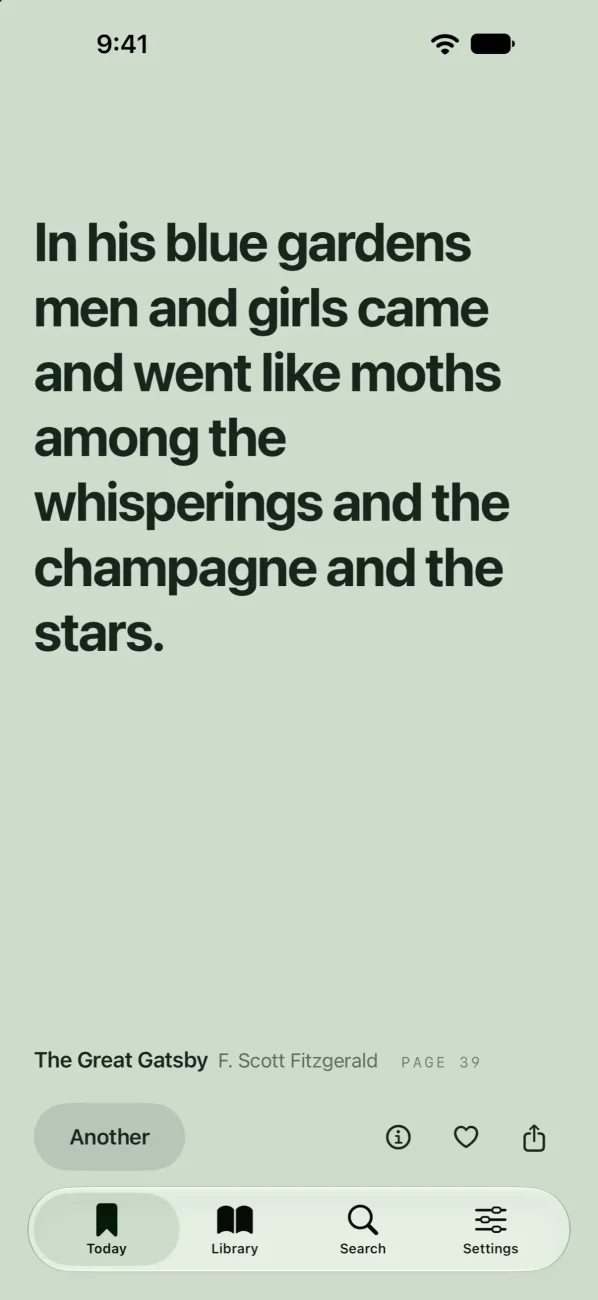
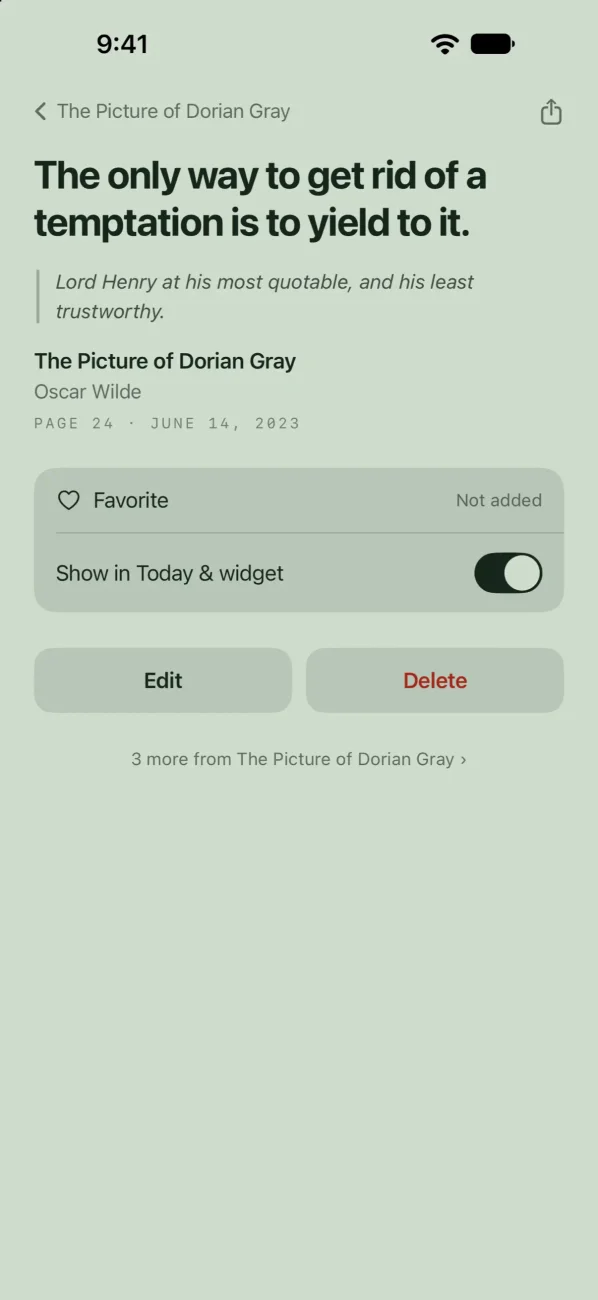
One highlight, full page, nothing competing for attention — on a field of color that changes along with it. Pull another whenever you like, mark a favorite, or share it.
YOUR LIBRARY
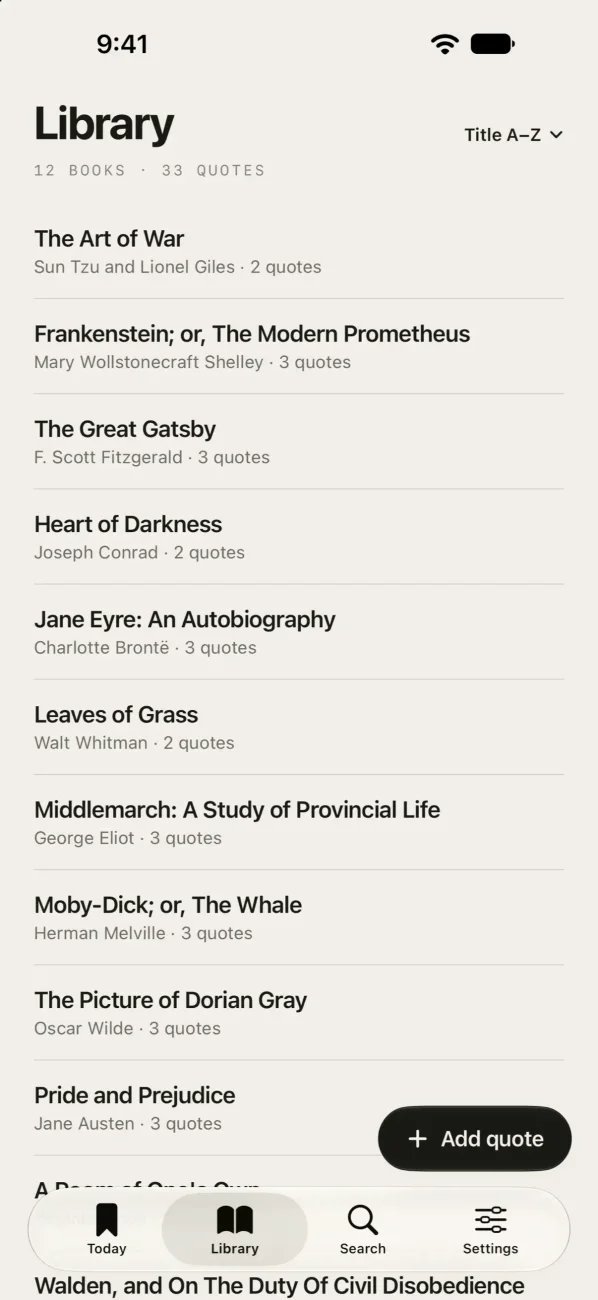
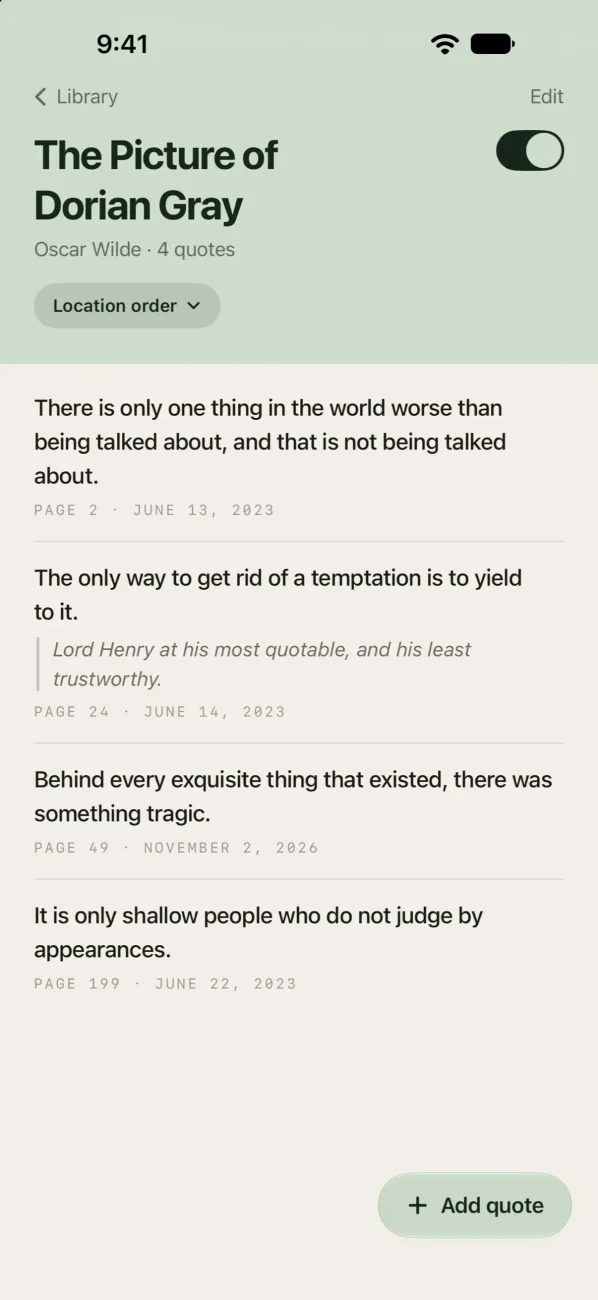
Every book you have highlighted, sorted by title, author, or most recently read. Turn a book off to keep it out of the rotation without deleting anything — or turn off a single highlight and leave the rest of the book showing.
SEARCH
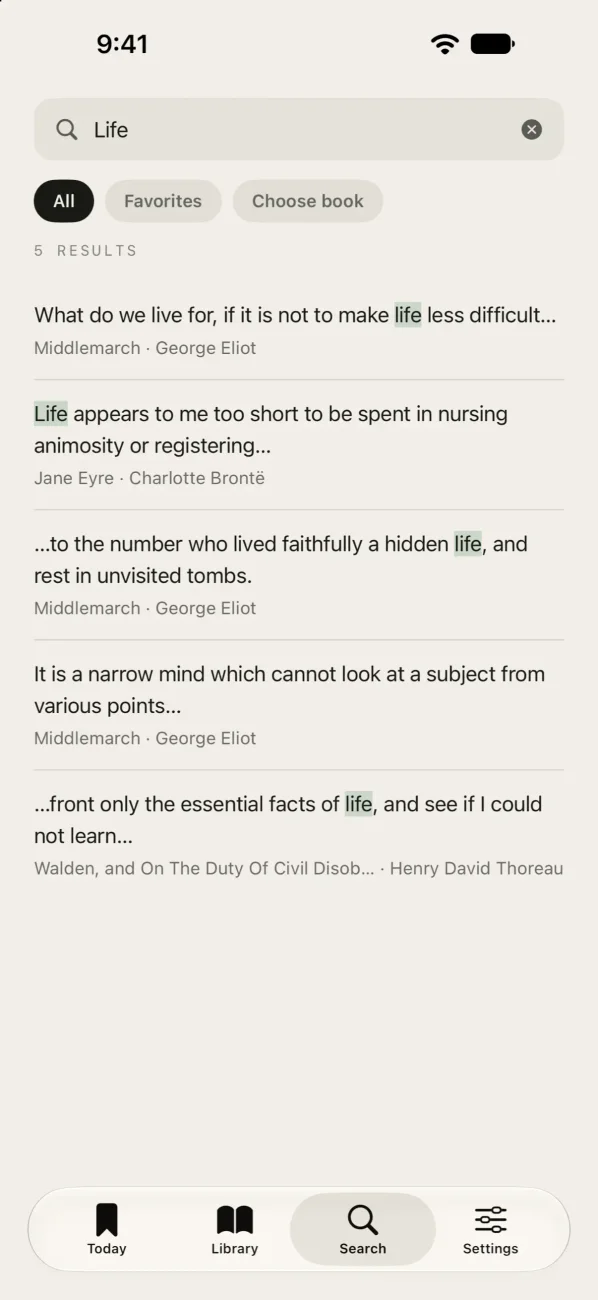
Full-text search across everything you have imported, including books you have switched off.
RE-IMPORTING IS SAFE
Import your clippings file as often as you like. Second Reading works out what is genuinely new, leaves the edits you have made alone, and asks which version to keep only in the rare case where it cannot tell.
QUOTES OF YOUR OWN
Type in a line from a paper book and keep it alongside the rest.
BUILT FOR IPHONE AND IPAD
One app, both devices, with a layout that uses the space it is given.
CROSS-DEVICE SYNC
Off until you switch it on. Turn it on and your highlights, notes and favorites stay in step across your iPhone and iPad, through your own iCloud account with no server of ours in the middle.
PRIVACY
Second Reading is privacy focused. There is no server, no account, no tracking, and no third-party SDK collecting anything. Nothing you import ever leaves your device unless you choose to sync with your iCloud account.
Free. No subscription, no in-app purchases, no advertising.
Second Reading is not affiliated with, endorsed by, or connected to Amazon. "Kindle" is used only to describe the highlights file the app reads.
新機能
バージョン 1.4 · 2026/11/3
Add a quote from any book.
Each book now has an Add quote button that stays in reach however far you scroll. Tap it to add a quote straight to that book, with an optional page number, without retyping its title or author. Typed quotes with a page now sit in page order alongside your Kindle highlights.
Notes you add to a quote now show on the quote and in its book, and Search finds them. Edit can change the note and, for quotes you typed, the page.
A cleaner look throughout: a calmer Library, tidier Settings, and subtitles set apart from book titles.
アプリのプライバシー
このアプリのデータの取り扱いについて、Nicholas KinlochがApp Storeで申告している内容です。
-
データの収集なし
開発元はこのアプリからデータを収集しません。
プライバシーの取り扱いは、ご利用の機能やお客様の年齢などに応じて異なる場合があります。
情報
- 販売元
- Nicholas Kinloch
- カテゴリ
- ブック
- バージョン
- 1.4
- 更新日
- 2026/11/3
- リリース
- 2026/8/13
- サイズ
- 8.0 MB
- 必要条件
- iOS 17.0以降
- 対象年齢
- 4+
- 価格
- 無料
- 言語
- 英語
- 著作権
- © 2026 Nicholas Kinloch