- 対象年齢4+
- カテゴリナビゲーション
- 開発元Stolk.cc
- 言語英語
- サイズ1.7 MB
App Storeの公式ページにリンクしています
Download.orgはSextant — Celestial Navのファイルを一切ホストしていません。ボタンを押すと、Stolk.ccが公開しているApp Storeのアプリページが開きます。ページの最終確認:2026/11/10。
スクリーンショット

概要
開発元はこのテキストをお使いの言語で提供していません。
A complete celestial navigation toolkit for sailors, students, and the curious.
When the GPS quits, the sun, moon, planets, and stars still work. Sextant takes you all the way from a single sextant reading to a line of position on a map — with every correction shown, so you can check the math by hand if you want to.
Point the camera at the sky
The Sky tab labels every navigational body in view — the sun, the moon, all four navigational planets, and 58 navigational stars — using the magnetic compass and on-device ephemeris. Spot a star, tap its name, and a sight starts with that body identified and the time stamped.
Sight with your camera, or a real sextant
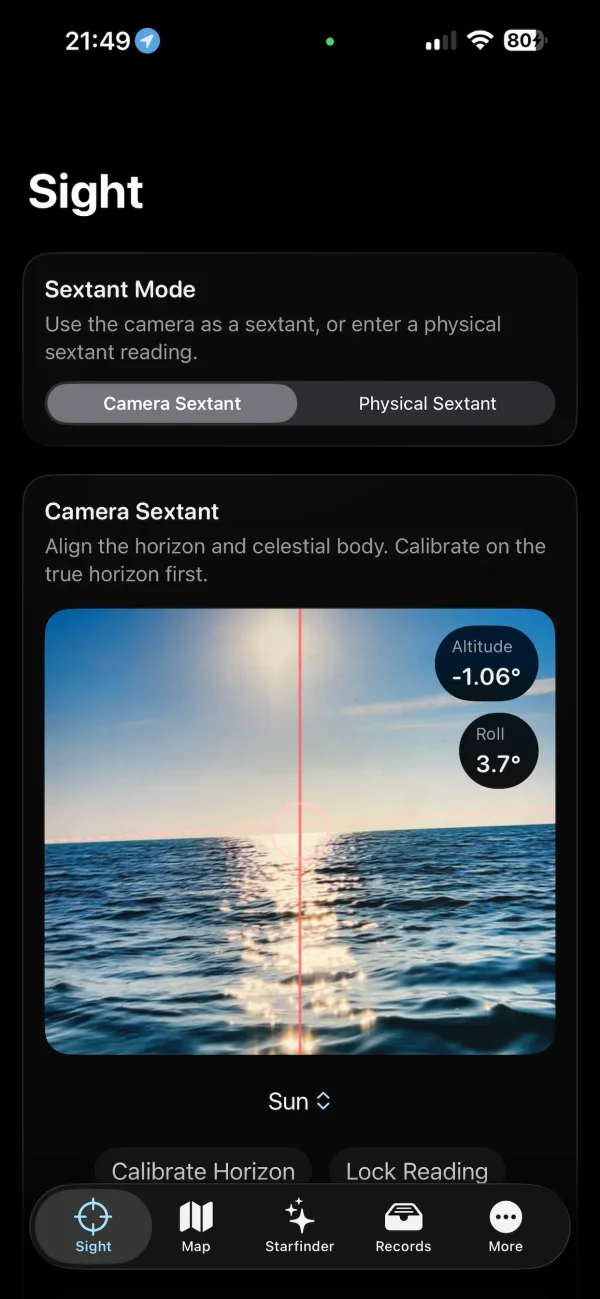
The camera flow measures altitude along the camera's line of sight from the phone's gravity sensor and shows how upright you're holding it. Multi-shot mode takes a series and saves the trimmed mean. Or just type your altitude from a brass sextant and let the app do the reduction.
Every body you'll ever shoot
Sun, moon, all four navigational planets — Venus, Mars, Jupiter, Saturn — and all 58 standard navigational stars. Positions computed from astronomical theory (VSOP87 for the Sun and planets, ELP-2000 for the Moon, star positions with precession and proper motion), not stale tables, and tested against U.S. Naval Observatory data. Works fully offline.
Noon Sight in one tap
Take the sun's altitude at meridian passage; the app gives you latitude. It also predicts the exact UTC of local apparent noon so you know when to look.
Plot your fix
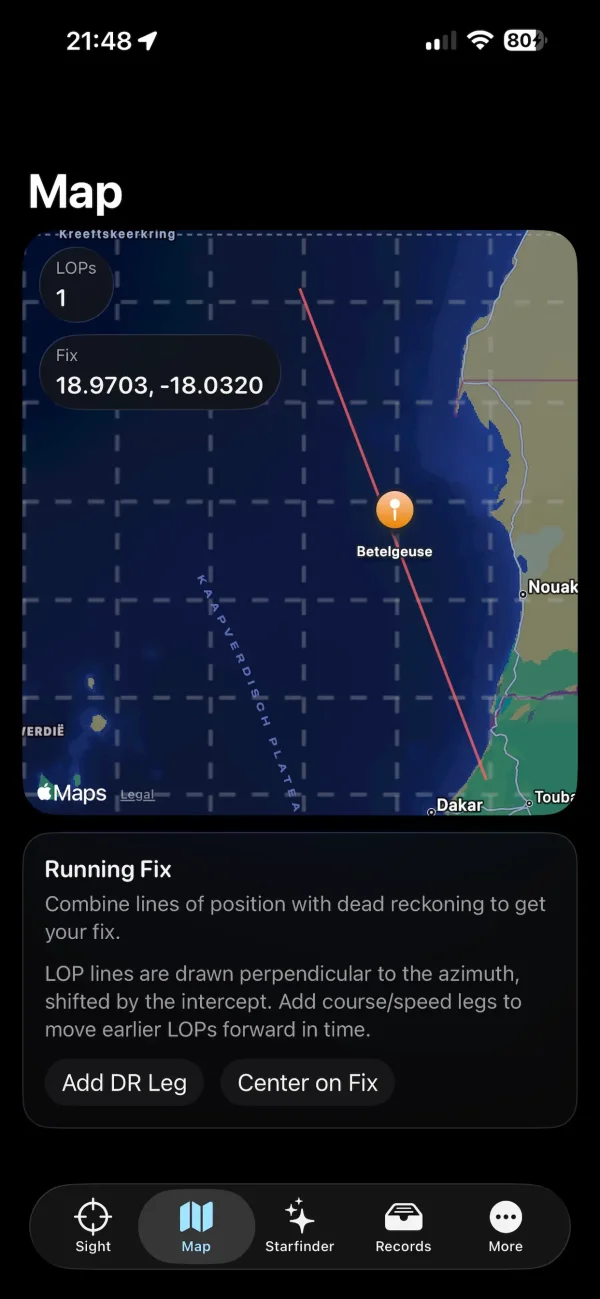
Every sight draws a line of position on a real map. Take more than one, apply dead reckoning between them, watch your running fix come together — exactly like the paper-chart workflow.
Tools sailors actually use
- Polaris one-shot latitude
- Solar Compass — true bearing of the sun, for compass deviation checks
- Starfinder — what's above the horizon right now
- Reduction tables (dip, refraction, semi-diameter)
- DMS / decimal converter
Learn celestial navigation as you go
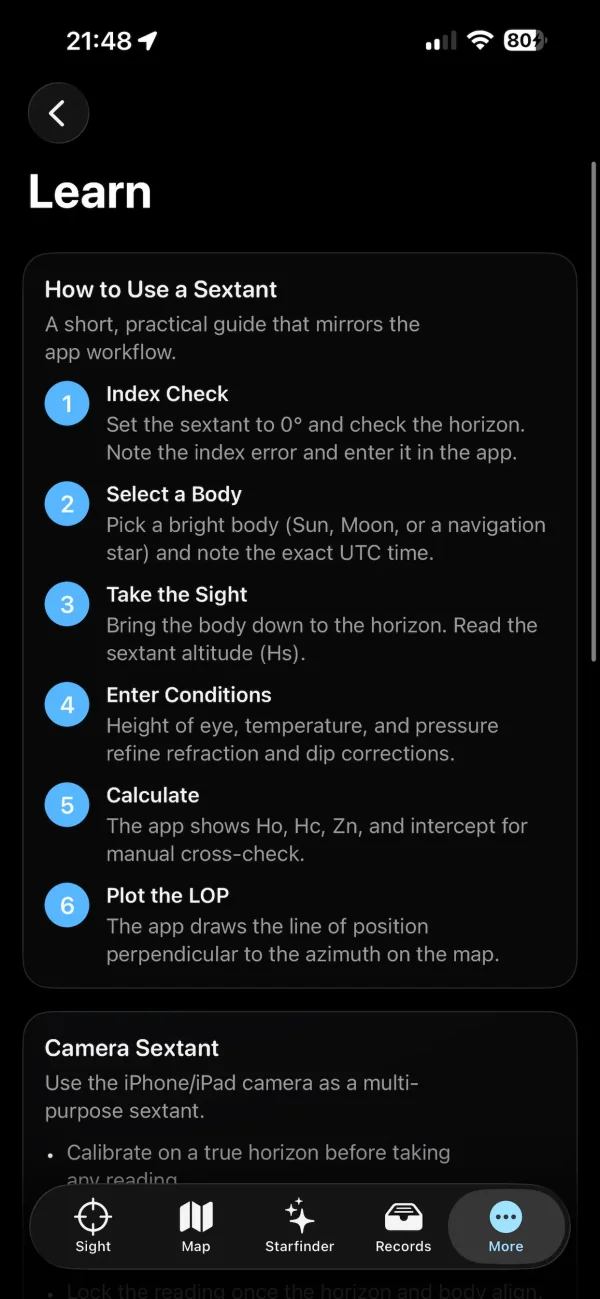
Step through your first sight with a guided walk-through. Every screen has inline help, and every correction in the sight reduction — dip, refraction, semi-diameter, parallax — has an explanation a tap away. Check the app against your hand calculations, or let it do all the work.
Share your work
Export sight records as CSV or as a printable PDF work-form in the classic HO 229 layout.
No subscription. No ads. No internet. One purchase, everything included.
新機能
バージョン 1.7 · 2026/10/5
Earlier versions worked the hour angle on the wrong side of Greenwich, so sights taken anywhere but longitude 0 plotted in the wrong place. Sorry. This update fixes it and rebuilds the almanac:
• Camera sextant: the level check no longer blocks sights above the horizon, and Sun and Moon sights use the centre of the disc you aim at
• Sky tab: labels now sit on the bodies they name, and the heading shows where the camera points
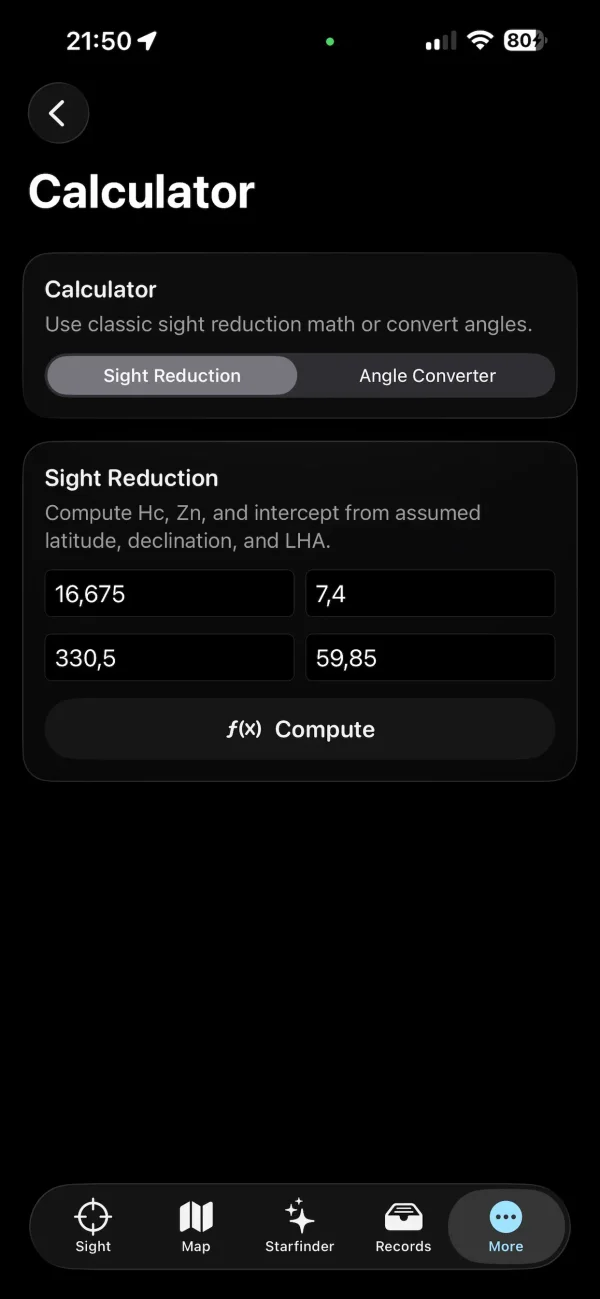
• Sight reduction tested against U.S. Naval Observatory data: within 0.2' for Sun, Moon, planets and all 58 stars
• New almanac: VSOP87 planets, ELP-2000 Moon, star positions with precession and proper motion
• Set your assumed position once, or take it from GPS; camera and noon sights use it too
• Sextant altitude in degrees and minutes, time to the second
• Running fixes: DR legs have a start time and only the run between sights is used
• Tap a body on the Sky tab to start a sight on it, with a sextant or the camera
• Polaris latitude solved exactly from your sextant reading; noon sight uses your Settings
• Sights saved with earlier versions are worked again with the corrected calculation
• A new icon
アプリのプライバシー
このアプリのデータの取り扱いについて、Stolk.ccがApp Storeで申告している内容です。
-
データの収集なし
開発元はこのアプリからデータを収集しません。
プライバシーの取り扱いは、ご利用の機能やお客様の年齢などに応じて異なる場合があります。
情報
- 販売元
- Creative4Vision
- カテゴリ
- ナビゲーション
- バージョン
- 1.7
- 更新日
- 2026/10/5
- リリース
- 2026/2/5
- サイズ
- 1.7 MB
- 必要条件
- iOS 26.0以降
- 対象年齢
- 4+
- 価格
- ¥1,500
- 言語
- 英語
- 著作権
- © 2026 Driftwatch