- 対象年齢4+
- カテゴリブック
- 開発元Sadik Bajracharya
- 言語英語
- サイズ27.5 MB
App Storeの公式ページにリンクしています
Download.orgはShelf Readerのファイルを一切ホストしていません。ボタンを押すと、Sadik Bajracharyaが公開しているApp Storeのアプリページが開きます。ページの最終確認:2026/11/24。
スクリーンショット
概要
開発元はこのテキストをお使いの言語で提供していません。
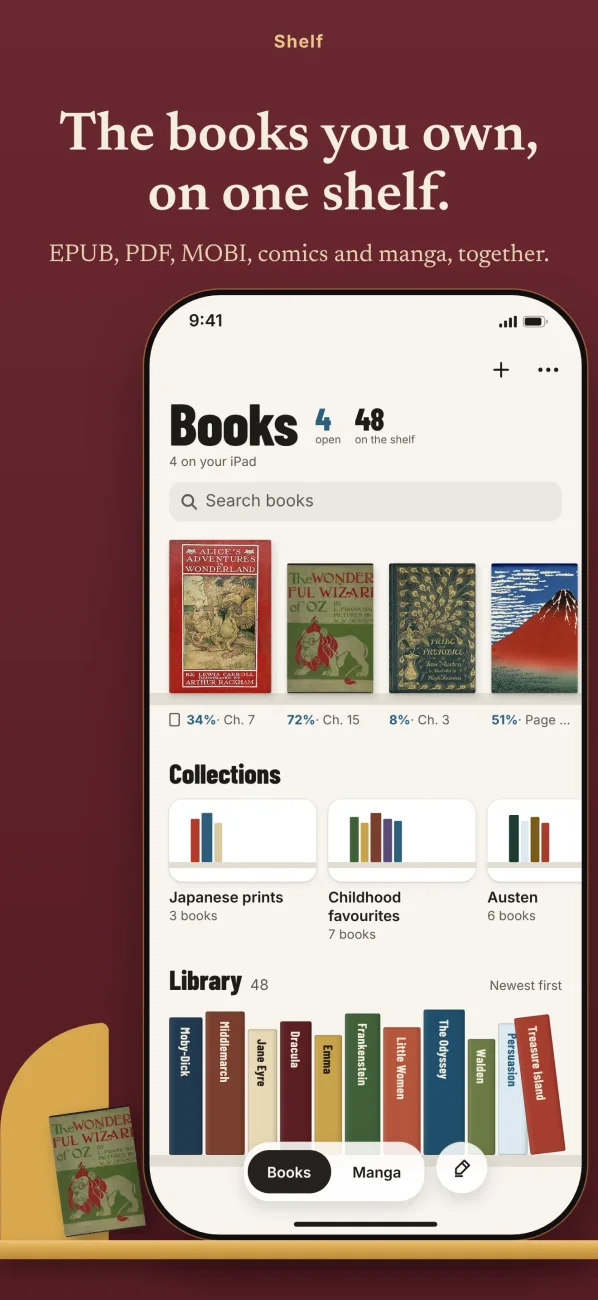
Shelf is a reading app for the DRM-free ebooks, manga and comics you already own. There is no store and no account. You bring the files, and Shelf puts them on a shelf and opens them on a good page.
TWO ROOMS
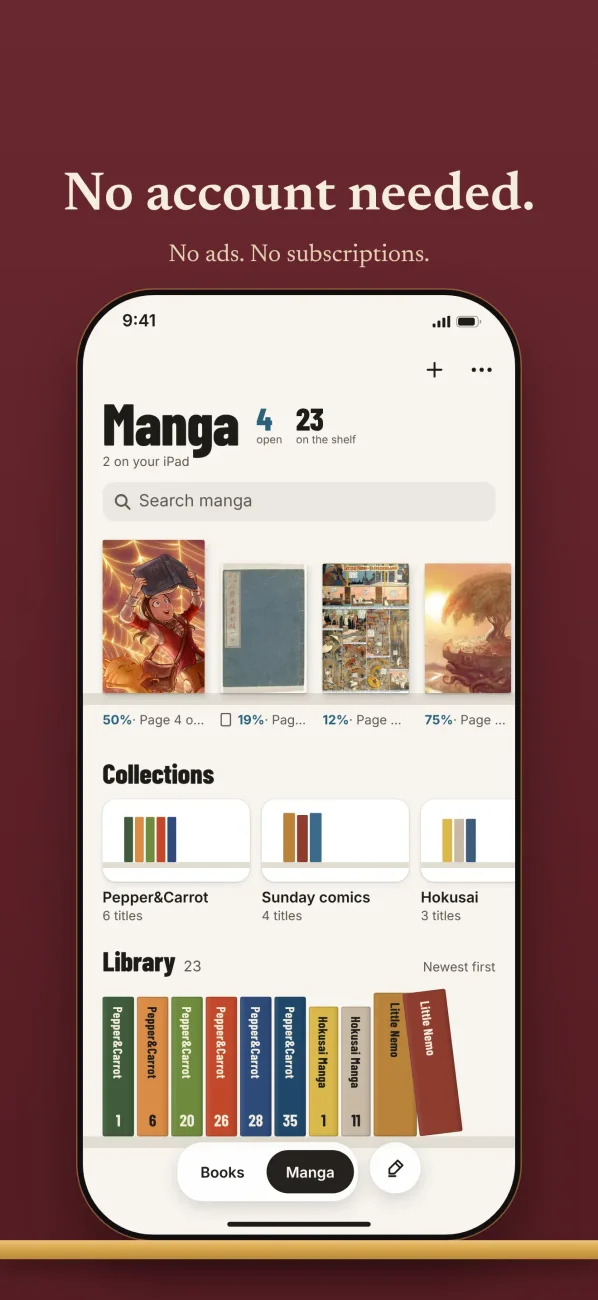
Books and Manga each have their own room on Home, with their own library and collections. Any title can move to the other room from its menu. A PDF moved to Manga reads like a comic, right to left.
BRING YOUR OWN FILES
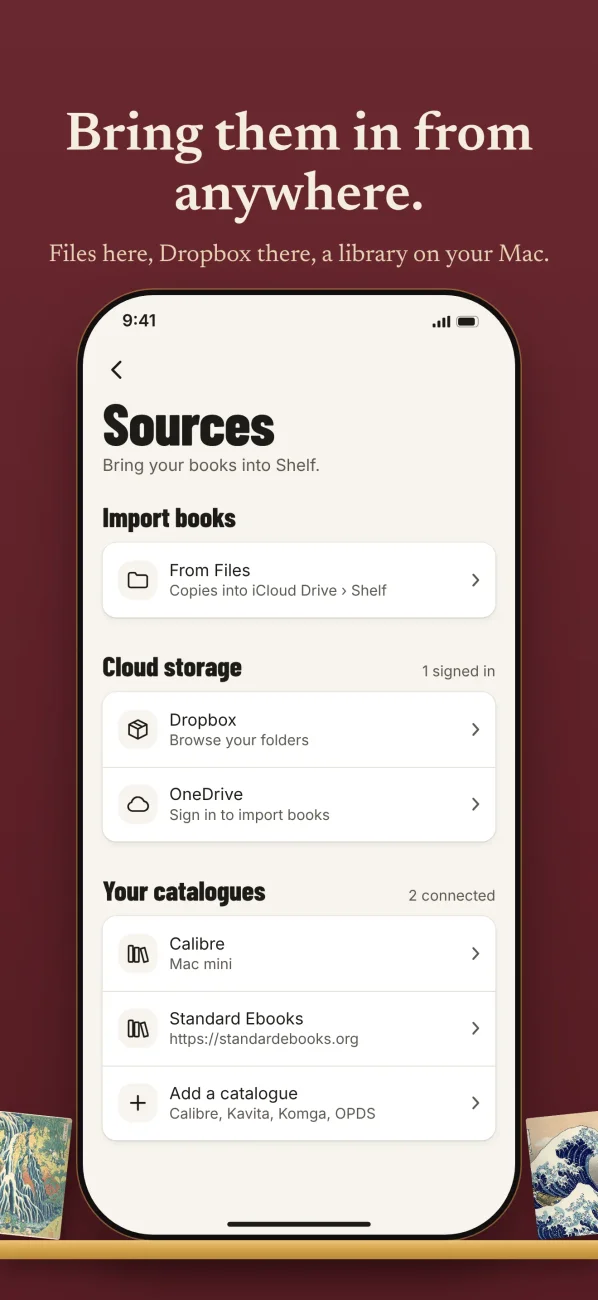
Import EPUB, PDF, CBZ and CBR files from Files. DRM-free MOBI and AZW3 books are converted to EPUB as they import. Shelf doesn't open DRM-protected books.
If you use Calibre, Shelf can download books from your Calibre library while Calibre's Content server is running. It finds Calibre on your Wi-Fi, or at an address you enter, and downloads only the books you pick. It never changes your Calibre library.
YOUR OWN ICLOUD DRIVE
Choose to keep books on all your devices and Shelf saves its copy in iCloud Drive › Shelf, a plain folder you can open in Files or in Finder on a Mac. Your iPhone and iPad then have the same books. The original file stays where it was.
PICK UP WHERE YOU STOPPED
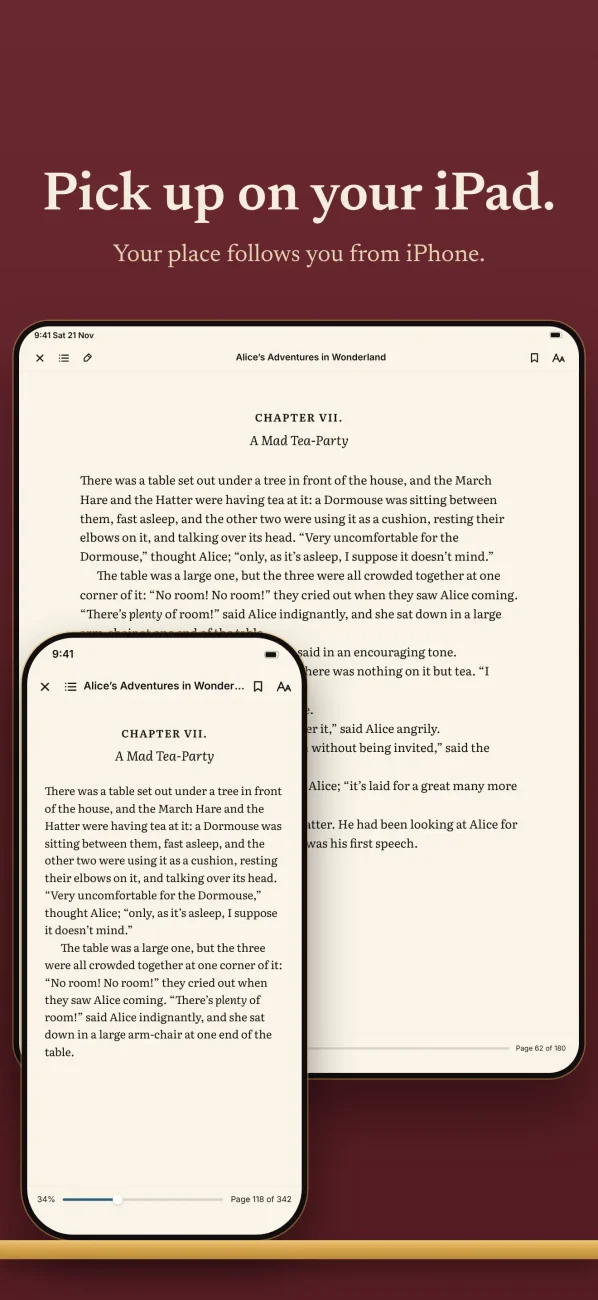
Every title opens where you left it, offline too. With Sync on, your place, bookmarks, highlights and read marks go between your iPhone and iPad through your own iCloud. If a book is open when a newer place arrives, Shelf offers it instead of moving the page.
READING
• Books read page by page, or in one long scroll.
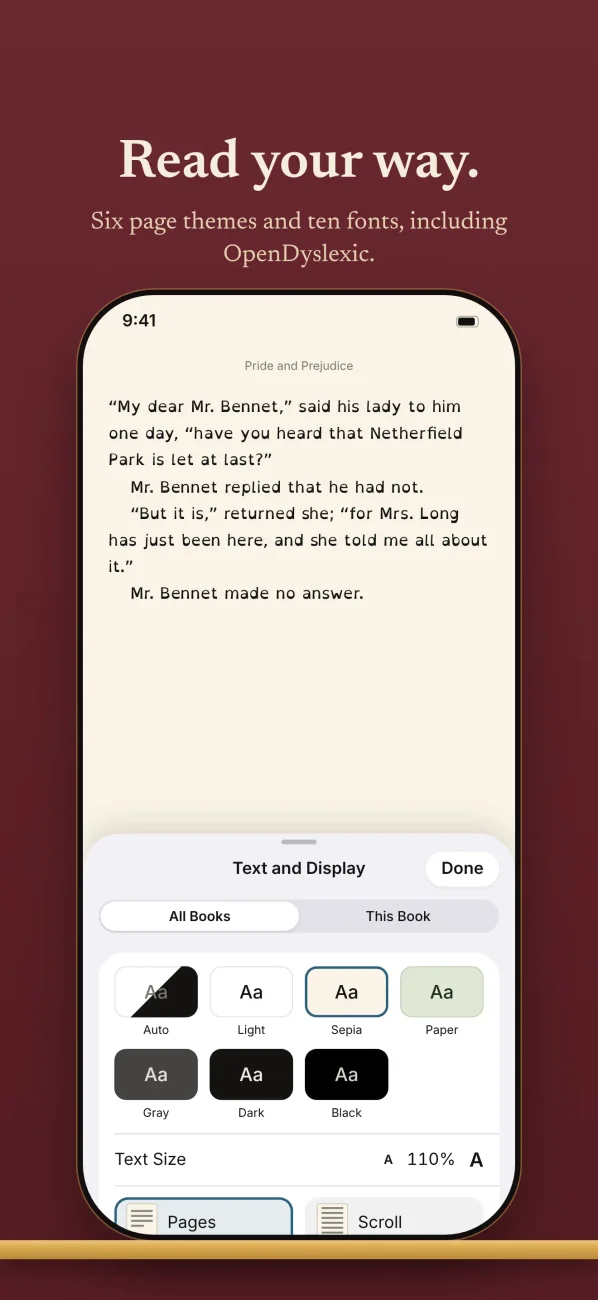
• Six page colours (Light, Sepia, Paper, Gray, Dark and Black), or Auto, which follows the library.
• The publisher's typeface or one of ten others, including Literata, Atkinson Hyperlegible and OpenDyslexic.
• Text size, line spacing, margins, paragraph spacing and justification.
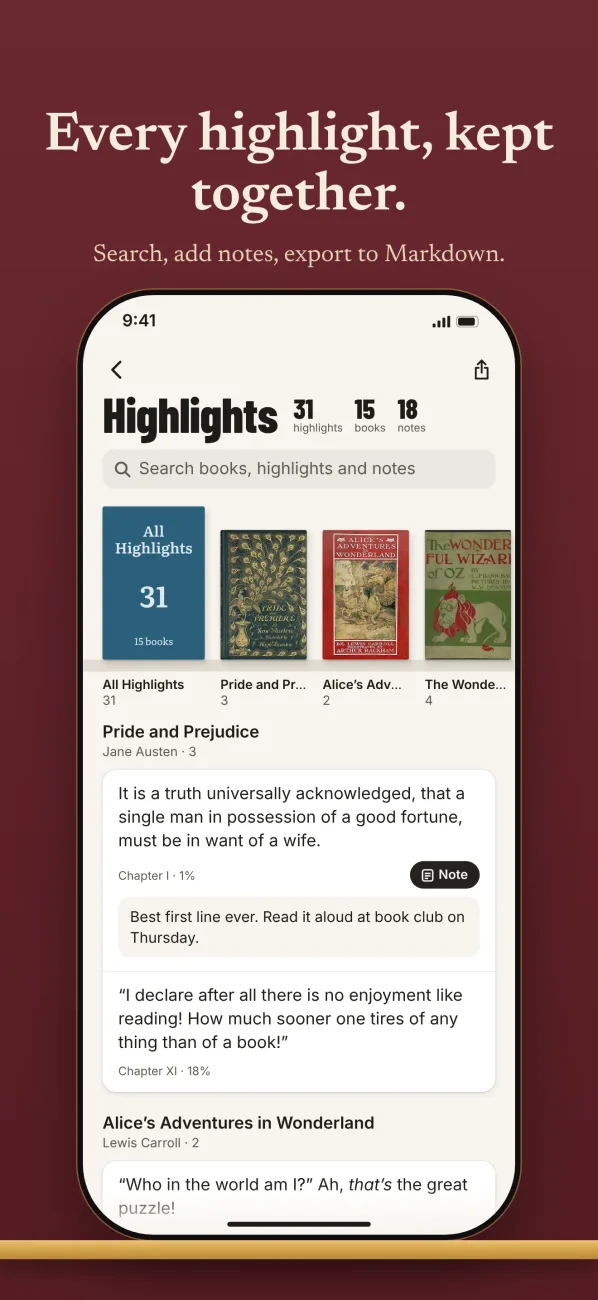
• A table of contents, bookmarks, and EPUB highlights you can export as Markdown.
• Drag the progress bar to jump anywhere, with a preview of the chapter or page. After a jump, Back returns you to where you were.
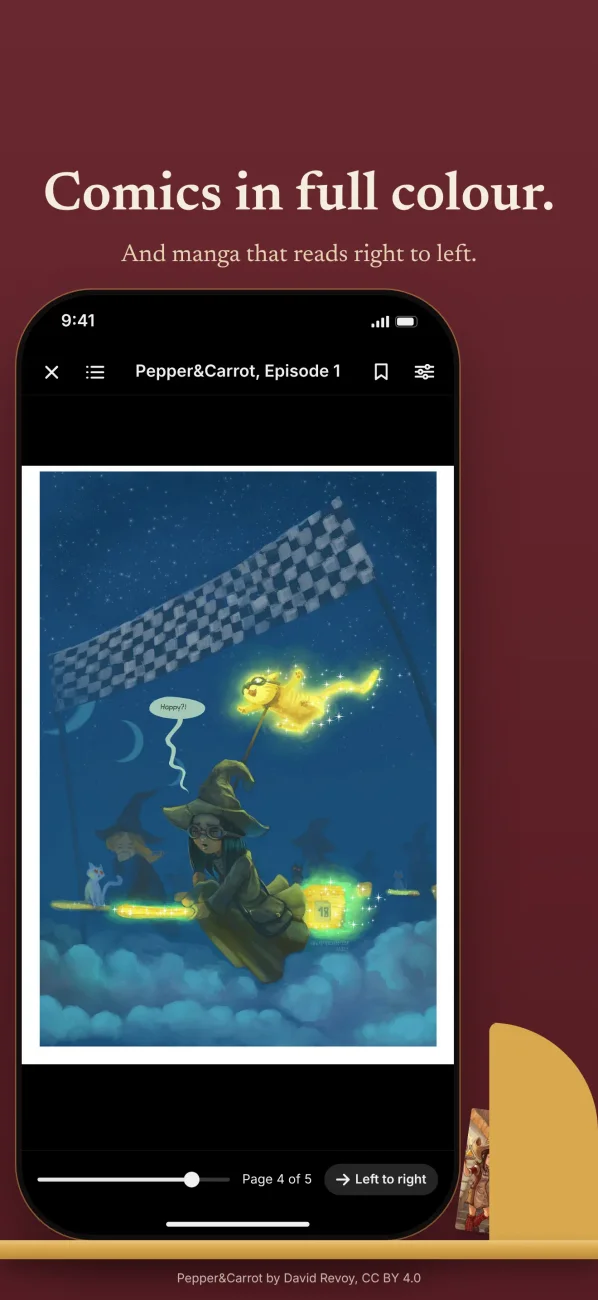
• Comics read right to left or left to right.
YOUR LIBRARY
Sort by title, author or date added, search a room by title or author, and group titles into your own collections. Mark a book as read and it shows a finished badge on every device. Paint the library Light, Dark or Warm, or let it follow the system.
PRIVACY
No account, no ads and no tracking across apps or websites. Shelf counts a few anonymous moments of use, which you can turn off in Settings › Analytics. Your books never go to the developer. If you send feedback from the app, it carries your message, the tags you chose, the screen you were on, and the app, device and iOS versions, plus your email address if you choose to add one so I can reply. Nothing else.
Questions or ideas? Send feedback from the More menu on Home.
Screenshots show Pepper&Carrot by David Revoy (peppercarrot.com), CC BY 4.0, cropped; and public-domain works by Winsor McCay, Katsushika Hokusai, W. W. Denslow, Arthur Rackham and Hugh Thomson.
新機能
バージョン 1.3 · 2026/11/23
Set text flush left or justified. In Text and Display, Alignment has Book's Choice, Left and Justified, with Hyphenation.
Give a book its own settings. Choose This Book in Text and Display, and what you change stays with that book.
Turn the page with a curl, or keep the slide, which now follows your finger.
Reading settings open on one card, with Font, Alignment, Spacing, Margins and Progress a tap away, and Pages or Scroll chosen from a picture of each.
New to Shelf? It now opens on a short welcome book.
A book that opens partway into a chapter keeps your place, and a highlight made just after a new chapter starts is saved where you made it.
Shelf now counts a few anonymous things, such as an import finishing, to help decide what to build next. Never your books or what you type, and no tracking across apps. Turn it off in Settings › Analytics.
アプリのプライバシー
このアプリのデータの取り扱いについて、Sadik BajracharyaがApp Storeで申告している内容です。
-
ユーザーに関連付けられたデータ
収集され、ユーザーの識別情報に関連付けられる場合があります。
- 連絡先情報
- ユーザーコンテンツ
- 診断
-
ユーザーに関連付けられないデータ
収集される場合がありますが、ユーザーの識別情報には関連付けられません。
- 連絡先情報
- 使用状況データ
- 診断
プライバシーの取り扱いは、ご利用の機能やお客様の年齢などに応じて異なる場合があります。
情報
- 販売元
- Sadik Bajracharya
- カテゴリ
- ブック
- バージョン
- 1.3
- 更新日
- 2026/11/23
- リリース
- 2026/11/6
- サイズ
- 27.5 MB
- 必要条件
- iOS 18.0以降
- 対象年齢
- 4+
- 価格
- 無料
- アプリ内課金
- あり
- 言語
- 英語
- 著作権
- © 2026 Sadik Bajracharya
こちらもおすすめ
-
 Andrea - 漫画・コミック・電子書籍リーダーCBZ・CBR・EPUB・PDF対応 自炊漫画ビューア
-
 Refrain:言葉と思いことわざも、本の一節も
-
 BookShelves eBook ReaderEPUB・PDF・コミックリーダー
-
 Readora - EPUB・PDF電子書リーダー読書記録・読書ノート・ハイライト・ウィジェット
-
 EPUB Reader - JustRead電子書籍・PDFリーダー、オーディオブック
-
 EPUB・PDFリーダー - Readgio読書の進捗を記録・管理
-
 Prologue Audiobook Playerブック
-
 Kobo Books & Audiobooksブック
-
 eBoox - fb2 ePub book readerブック
-
 Libro.fm Audiobooksブック