- 対象年齢4+
- カテゴリユーティリティ
- 開発元晨 李
- 言語英語
- サイズ1.9 GB
App Storeの公式ページにリンクしています
Download.orgはSimionic G1000 (PFD)のファイルを一切ホストしていません。ボタンを押すと、晨 李が公開しているApp Storeのアプリページが開きます。ページの最終確認:2026/11/12。
スクリーンショット
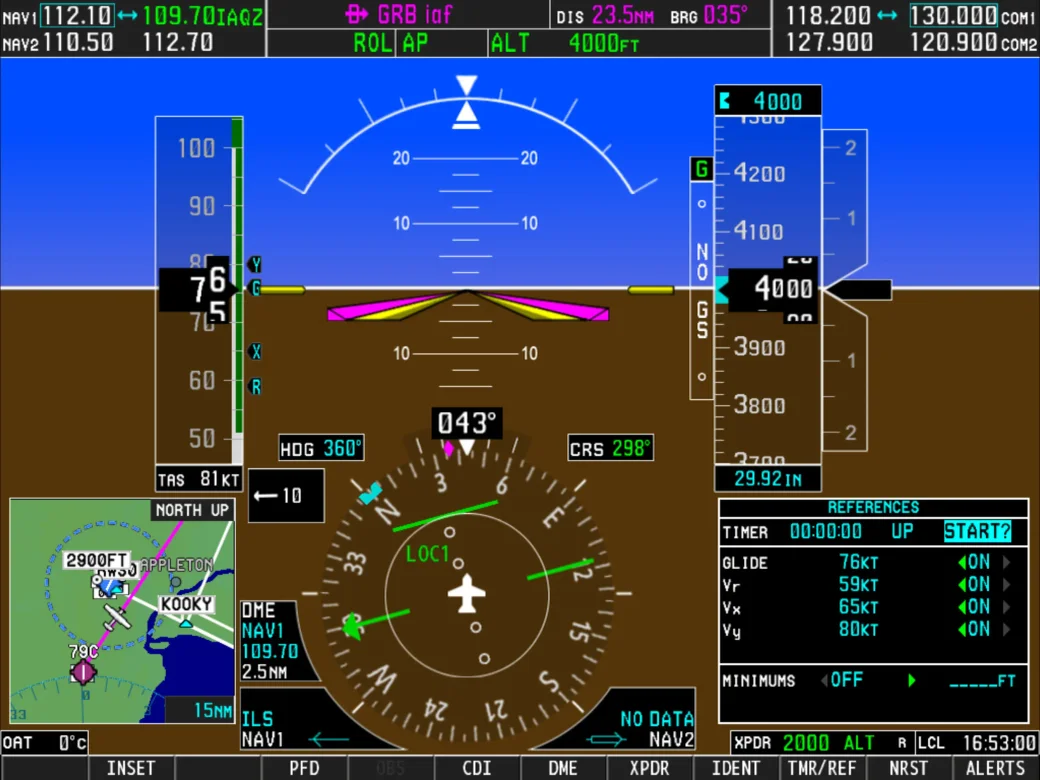
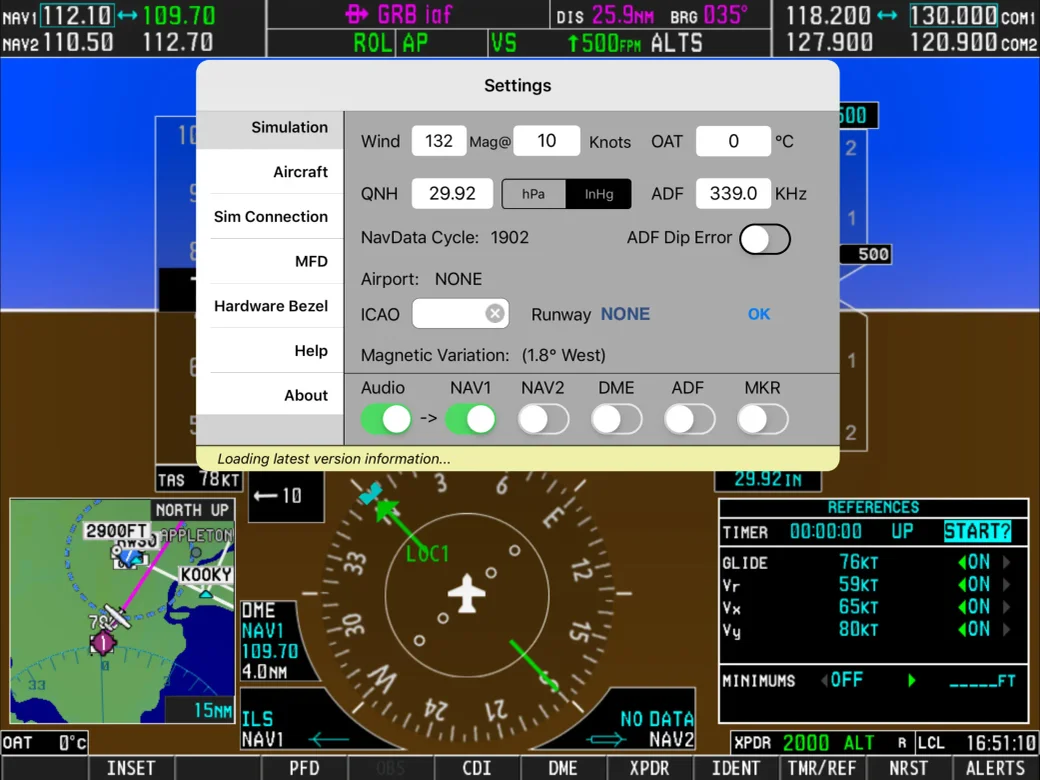
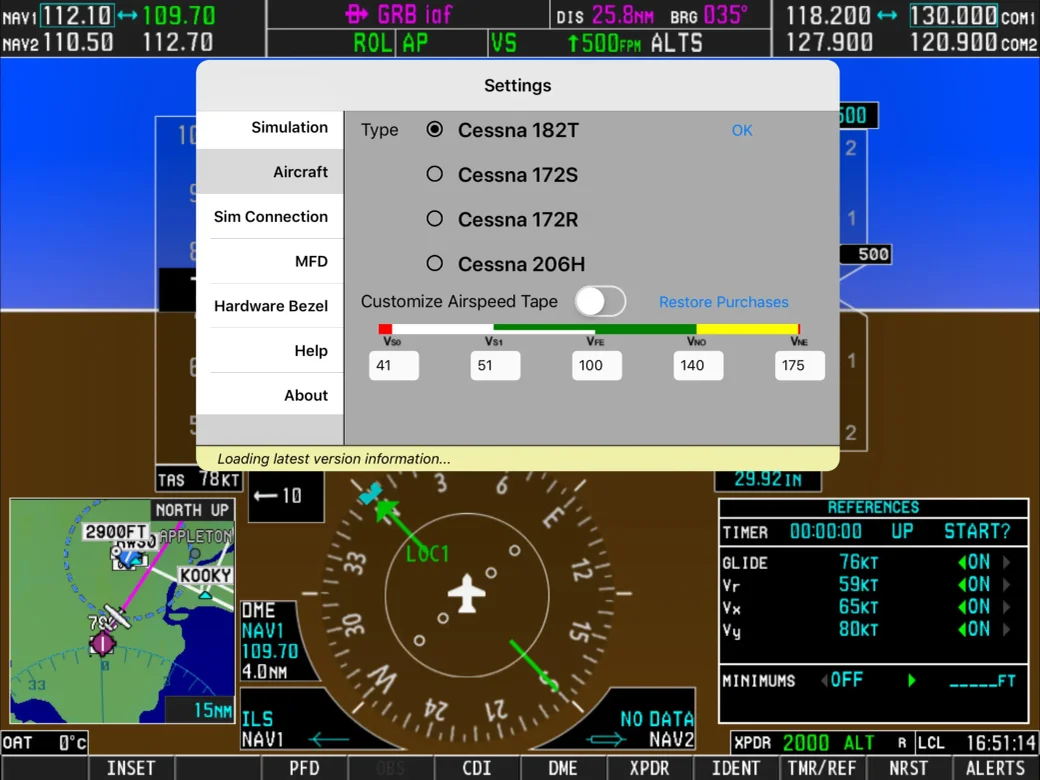
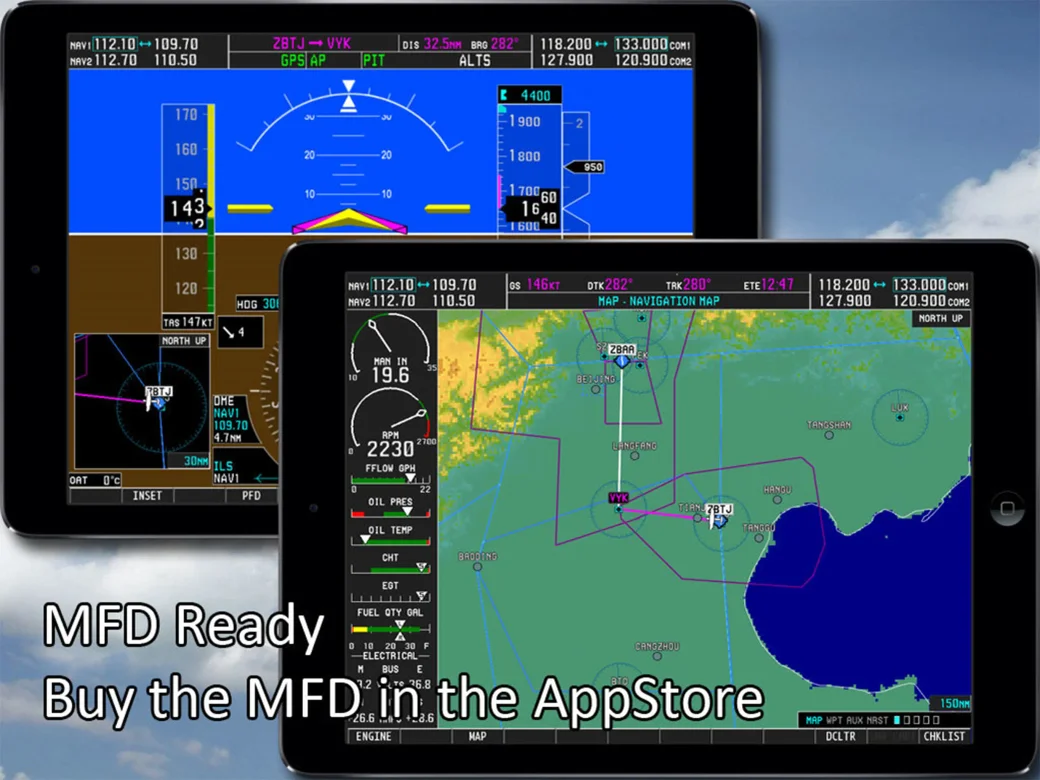

概要
開発元はこのテキストをお使いの言語で提供していません。
Check out this video:
https://www.youtube.com/watch?v=3xePnu3MsBQ
IMPORTANT NOTICE:
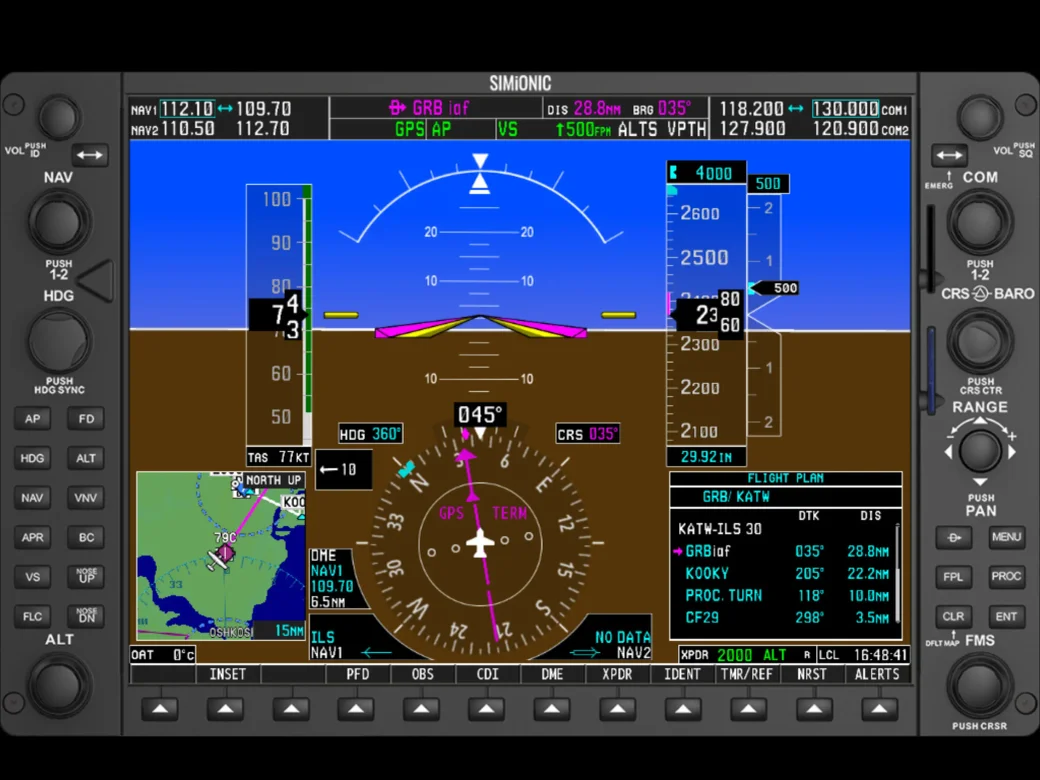
1. This app emulates G1000 PFD functionalities only. It does not include MFD functionalities. To obtain MFD functionalities, download the MFD app from AppStore which can co-operate with this app(PFD) via wifi connection.
Download address of PFD app: http://itunes.apple.com/us/app/id827464105?mt=8
2. This app is for practice only. The navigation database included in this app may be outdated and very possible to be different from what it is in real life.
Disclaimer:
-Simionic and the seller are not affiliated with Garmin,
-The app is not provided, approved, endorsed, or otherwise supported by Garmin.
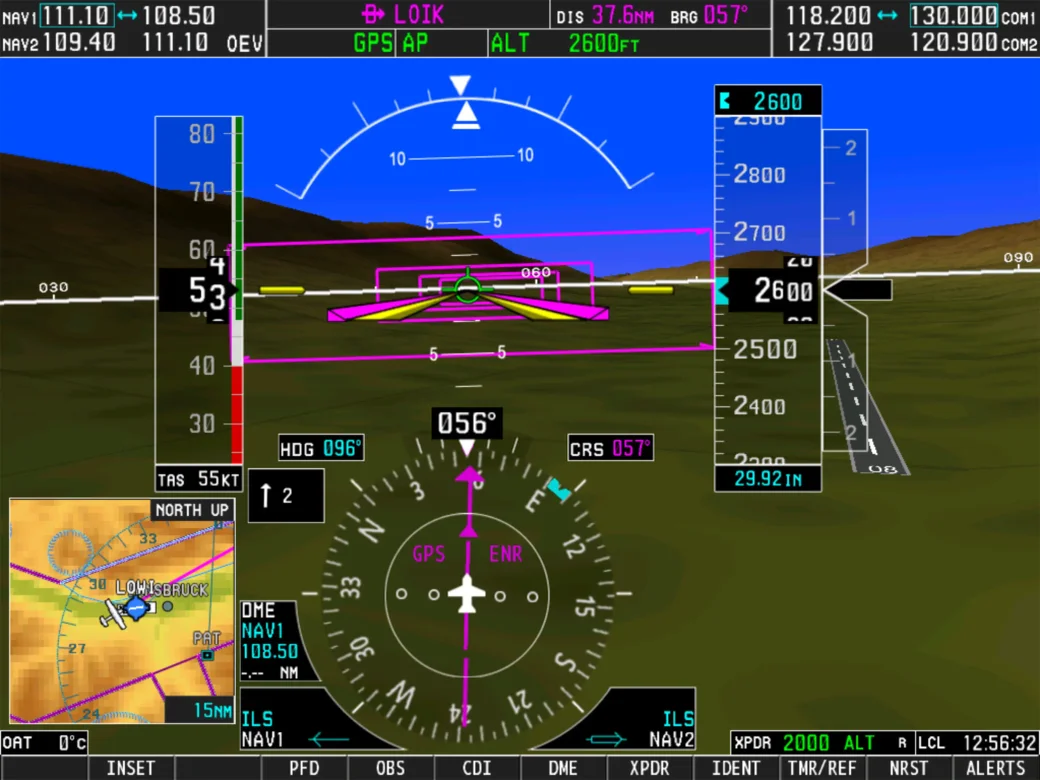
Garmin G1000 is an integrated avionic system used in many small aircrafts. This simulator simulates a primary flight display(PFD) which is used on Cessna 182T, 172S, 172R, 206H and Beechcraft Baron G58. It can also be configured to adapt piston, turboprop and jet engines. Most of the useful functionalities has been implemented in this simulator, such as navigation, inset map, flight plan, flight director, and autopilot. Besides of that, nearly every nob/button is functioning just like they were on the real G1000.
G1000 is a highly integrated system, it is very powerful and also very complicated. It is recommended that you have a real G1000 user guide from Garmin. This simulator can be used by aviation enthusiasts as well as pilots to perform either an IFR training or just fly for fun. There is a global navigation database included in this simulator, and you can fly any where in the world.
This simulator supports FSX, Prepar3D, MSFS2020, X-Plane and InfiniteFlight. You can use this simulator either as a stand alone trainer or as an instrument for FSX, Prepar3D, X-Plane or InfiniteFlight.
You need G1000Bridge(X) to make this simulator working with FSX, Prepar3D, MSFS2020 or X-Plane. Please visit http://www.simionic.net to download G1000Bridge(X).
Detail list of functionalities:
*Control surface implementation
+Pitch and bank are controlled by tilting the device using built-in accelerometer.
+Throttle and rudder are controlled by touching the screen.
*Flight director modes implementation
+Pitch modes
-Pitch Hold: Yes
-Selected Altitude Capture: Yes
-Altitude Hold: Yes
-Vertical Speed: Yes
-Flight Level Change: Yes
-Vertical Path Tracking: Yes
-VNV Target Altitude Capture: Yes
-Glidepath: Yes
-Glideslope: Yes
-Go Around: Yes
+Roll modes
-Roll Hold: Yes
-Heading Select: Yes
-Navigation: Yes
-Backcourse: Yes
-Approach: Yes
-Go Around: Yes
*Autopilot: Yes
*Flight plan
+Store Flight Plan: Yes(only when MFD connected)
+Invert Flight Plan: Yes
+Closest Point Of FPL: No
+Parallel Track: Yes
+Create ATK Offset Waypoint: Yes
+Direct-to: Yes, with vertical constraints and offset
+Terminal Procedures: Yes
+User defined holding patterns: Yes
*Navigation database: Global, but may not as detailed or updated as they are in the real G1000.
*Inset map: Zoom in/out, browsing, partly de-clutter, topo and terrain are implemented, all the navaids are displayed properly. No traffic, storm scope, NEXRAD radar information and XM information.
*Other functionalities
+Synthetic Vision as an In-App-Purchase item
+All the navaids operations(VOR/ILS course select, ADF/VOR/Waypoint bearing indicator, CDI indicator, etc)
+All the PFD settings(Wind, Bearing1/2, HSI format, Alt unit, Standard baro, etc)
+DME source select: Yes
+Transponder settings: Yes
+Timer and references(V speeds and minimums): Yes
+Advisory and alerts: Yes
+ADF dip: Yes
+Magnetic variation: automatic
*Flight simulator connection
+FSX: Yes
+Prepar3D: Yes
+MSFS2020: Yes
+X-Plane: Yes
+Infinite Flight: Yes, requires 19.4 and later
*MFD connection: Via wifi
新機能
バージョン 7.6.1 · 2026/9/8
1. CDI in LPV mode is now more sensitive as it should, and the sensitivity increases gradually from FAF to runway threshold
2. When FAF leg of an RNAV approach is active, a 20NM magenta line will be drawn on the map from the FAF towards the back course of the approach heading
3. Fixes a bug causing flight phase shows ENR or TERM when LPV should shown
4. Approach names for circle-to-land approaches now are shown correctly, also fixes same approach names with different letter suffixes
アプリのプライバシー
このアプリのデータの取り扱いについて、晨 李がApp Storeで申告している内容です。
-
データの収集なし
開発元はこのアプリからデータを収集しません。
プライバシーの取り扱いは、ご利用の機能やお客様の年齢などに応じて異なる場合があります。
情報
- 販売元
- 晨 李
- カテゴリ
- ユーティリティ
- バージョン
- 7.6.1
- 更新日
- 2026/9/8
- リリース
- 2012/2/17
- サイズ
- 1.9 GB
- 必要条件
- iOS 9.0以降
- 対象年齢
- 4+
- 価格
- ¥1,500
- アプリ内課金
- あり
- 言語
- 英語
- 著作権
- © Simionic