- 対象年齢9+
- カテゴリ仕事効率化
- 開発元ShapeHaven Innovations LLC
- 言語英語
- サイズ22.3 MB
App Storeの公式ページにリンクしています
Download.orgはWaymark: Student Plannerのファイルを一切ホストしていません。ボタンを押すと、ShapeHaven Innovations LLCが公開しているApp Storeのアプリページが開きます。ページの最終確認:2026/11/23。
スクリーンショット
概要
開発元はこのテキストをお使いの言語で提供していません。
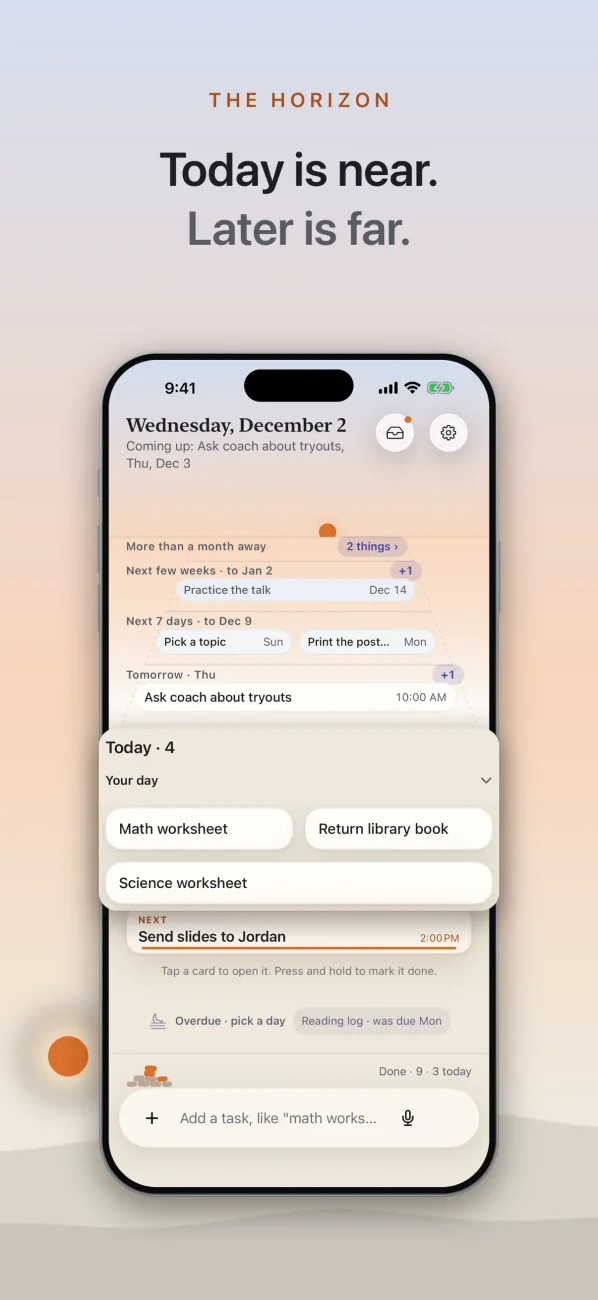
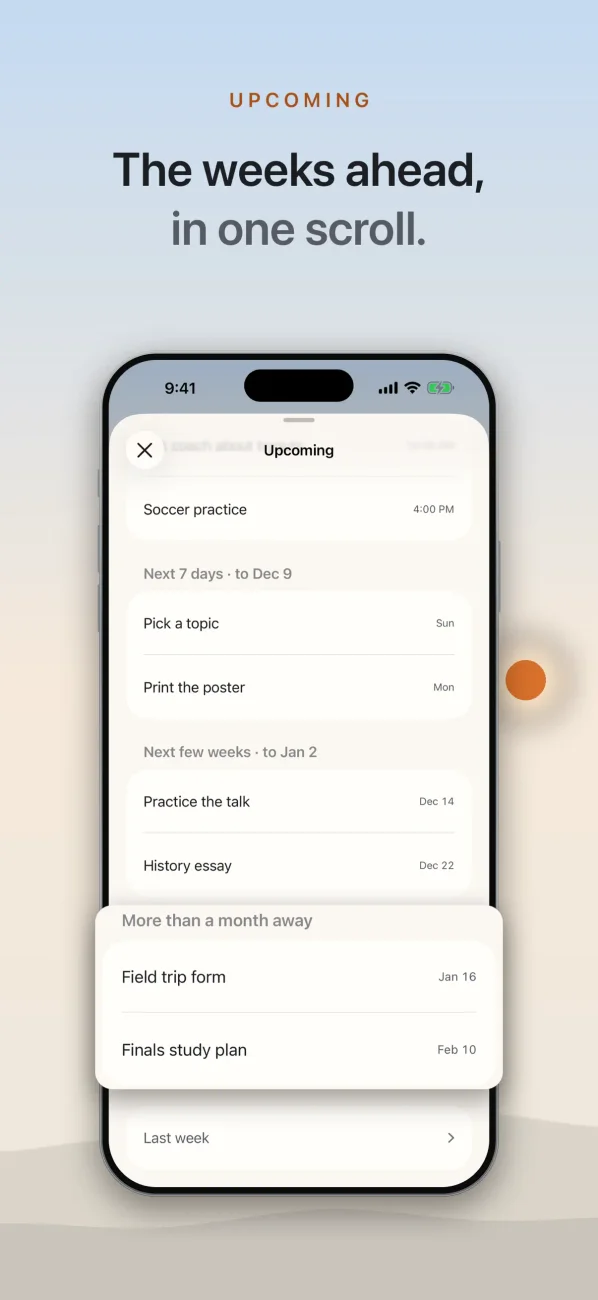
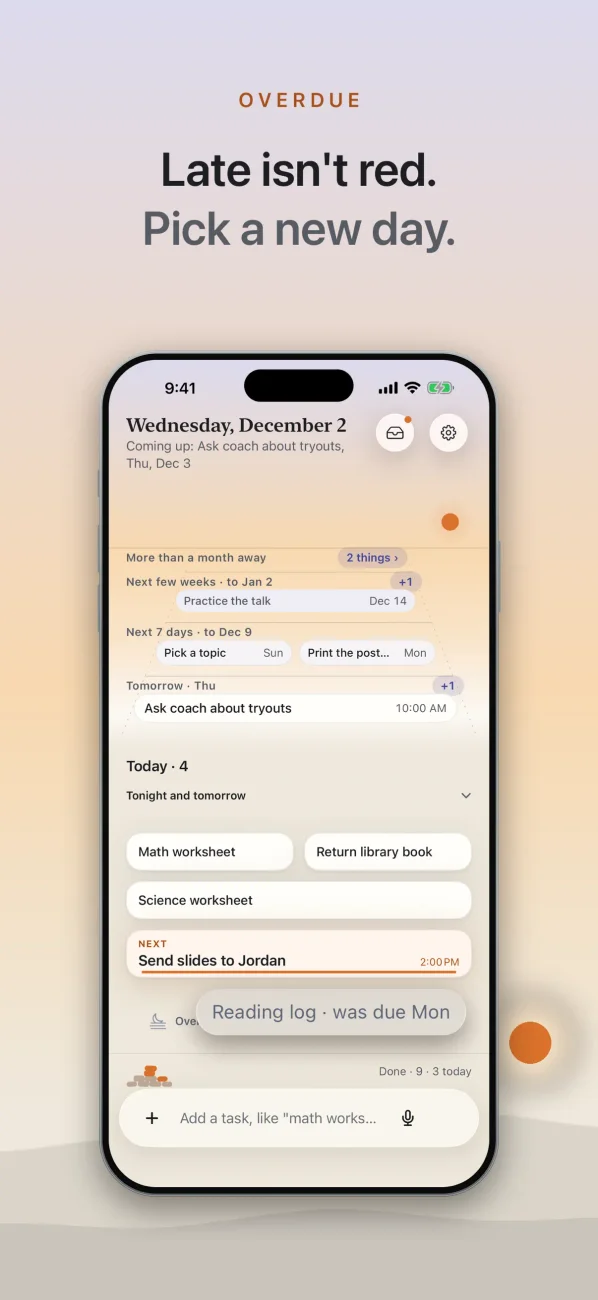
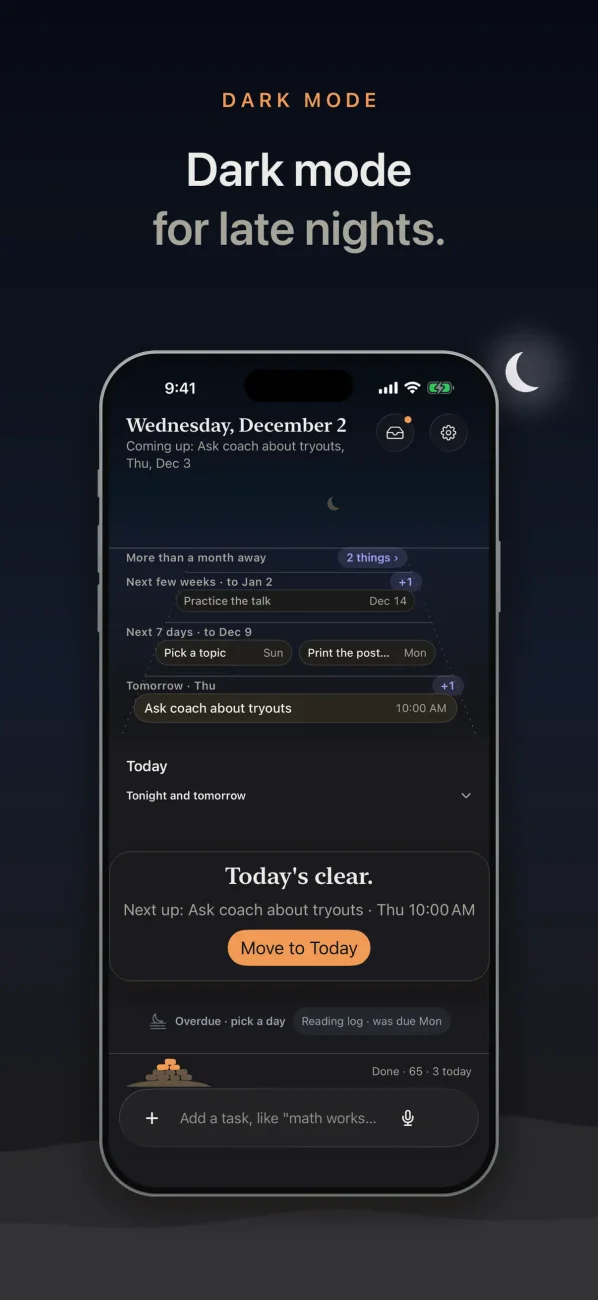
Waymark is a calm planner for school. Instead of a list, it shows your work as a landscape of time: what is due soon is near and large, what is later climbs toward the horizon, smaller and fainter.
HORIZON
• Today shows at most five things, so the day stays doable.
• Size is weight: mark a task small, medium or large.
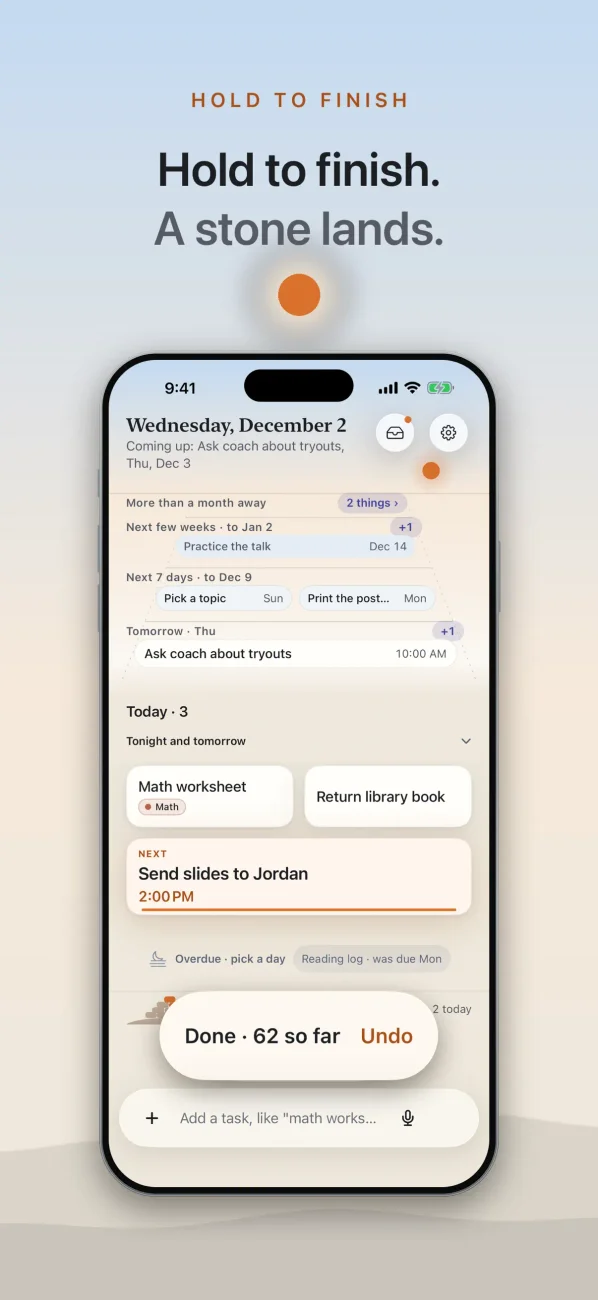
• Hold a card to finish it. It drops into the Cairn, a pile of stones that only grows. Undo stays for five seconds.
• No red. Overdue work turns dusk grey and moves quietly to the Shelf after a week.
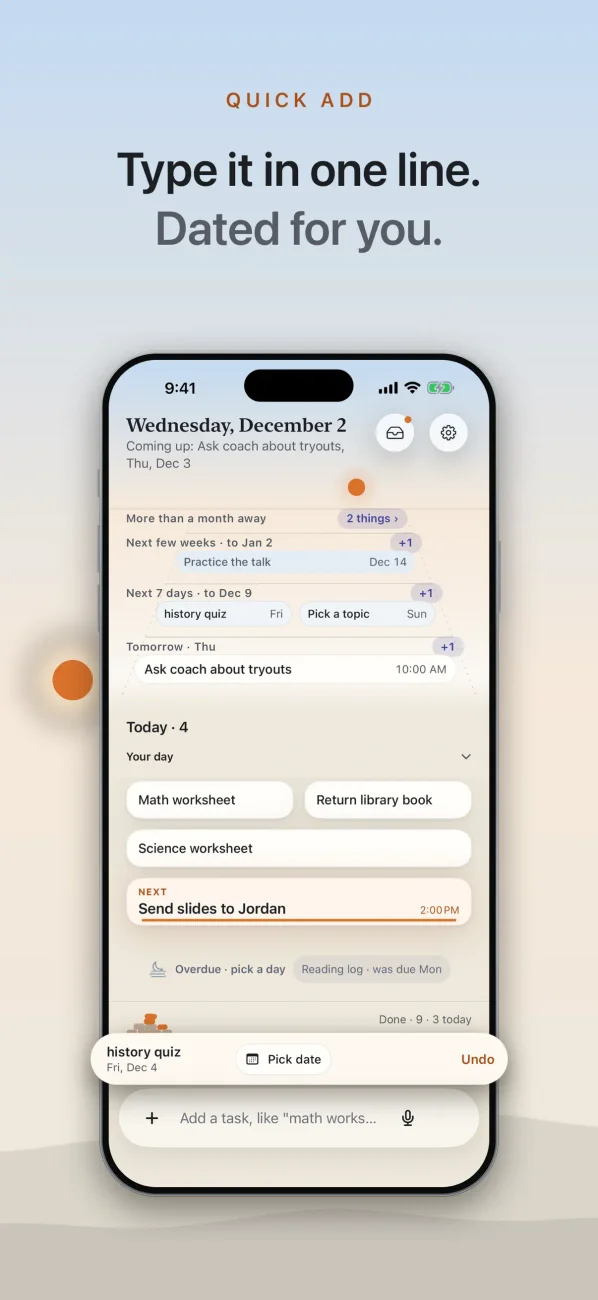
CAPTURE IN ONE LINE
Type "dinner w/ Sam fri 7pm #home @Sam" and Waymark sets the time, tag and person. Add tasks with Siri and Shortcuts, finish them from the Next widget, or ask "What's next in Waymark".
BUILT FOR STUDENTS
• Classes: add yours by hand, or from a photo or file of your schedule. You review them before anything is added.
• School calendars: import an ICS calendar link when you tap Refresh.
• Notion: share a page, import a CSV, or connect one database. Waymark only reads.
• Add to Calendar: adds one event when you tap, without reading your calendar.
• Focus timer, with an optional alarm that rings even on silent.
• Share my week: a one-page picture of your next seven days, sent wherever you choose.
• Apple Intelligence (a device that supports it, iOS 26, Apple Intelligence on): ask about a photo of schoolwork for steps, a hint or a worked answer, and get suggestions for clearer task names and dates. It runs on your device and can be wrong, especially with math and dates. Each feature has its own switch.
• If you're having a hard time: crisis lines for your region.
YOUR DATA STAYS WITH YOU
No account, no ads, no analytics. Tasks live on your device. In Settings, Your data exports a copy, restores from one, and deletes everything. There is no sync between devices and no Apple Watch app.
WAYMARK PLUS (OPTIONAL)
Plus adds extra themes. Everything above stays free. Choose a one-time purchase, or a monthly or yearly subscription. Monthly includes a 14-day free trial for new subscribers who are eligible. Subscriptions renew until you cancel; manage them in Settings > your name > Subscriptions. Family Sharing covers the one-time and yearly options.
Terms of Use: https://www.apple.com/legal/internet-services/itunes/dev/stdeula/
Privacy Policy: https://shapehaveninnovations.com/privacy
Requires iOS 26 or later.
新機能
バージョン 2.0 · 2026/11/22
Waymark 2.0 (formerly Simple Task)
• A new Horizon: your work as a landscape of time, near and large when due soon.
• Hold to finish, and a Cairn that only grows. No red for overdue work.
• Classes, school calendar import and Notion import.
• Optional Apple Intelligence help on supported iPhones.
• Siri, Shortcuts and a Next widget.
• Waymark Plus: optional extra themes.
• Now on iPhone and iPad. Requires iOS 26.
アプリのプライバシー
このアプリのデータの取り扱いについて、ShapeHaven Innovations LLCがApp Storeで申告している内容です。
-
データの収集なし
開発元はこのアプリからデータを収集しません。
プライバシーの取り扱いは、ご利用の機能やお客様の年齢などに応じて異なる場合があります。
情報
- 販売元
- ShapeHaven Innovations LLC
- カテゴリ
- 仕事効率化
- バージョン
- 2.0
- 更新日
- 2026/11/22
- リリース
- 2024/9/24
- サイズ
- 22.3 MB
- 必要条件
- iOS 26.0以降
- 対象年齢
- 9+
- 価格
- 無料
- アプリ内課金
- あり
- 言語
- 英語
- 著作権
- © ShapeHaven Innovations LLC