- 対象年齢4+
- カテゴリファイナンス
- 開発元Otis Kelley
- 言語英語ほか4言語
- サイズ67.6 MB
App Storeの公式ページにリンクしています
Download.orgはSimplifyPocket Expense Trackerのファイルを一切ホストしていません。ボタンを押すと、Otis Kelleyが公開しているApp Storeのアプリページが開きます。ページの最終確認:2026/11/15。
スクリーンショット
概要
開発元はこのテキストをお使いの言語で提供していません。
Add an expense just by saying it out loud. No bank logins, no spreadsheet.
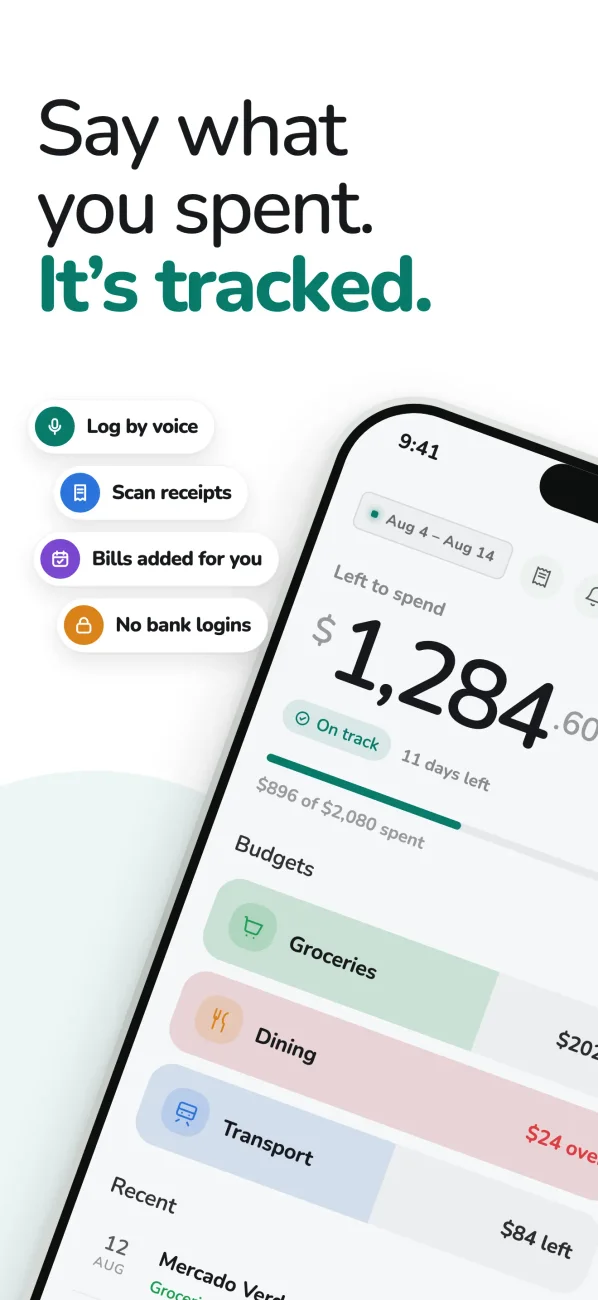
SimplifyPocket is a personal finance tracker and budget app that keeps money simple: log spending by voice, scan a receipt or bill, or ask your own money assistant, then see exactly what's left to spend. Bills and paychecks add themselves, and savings goals keep money set aside. Nothing to connect, so you are tracking in under a minute.
WHAT YOU CAN DO
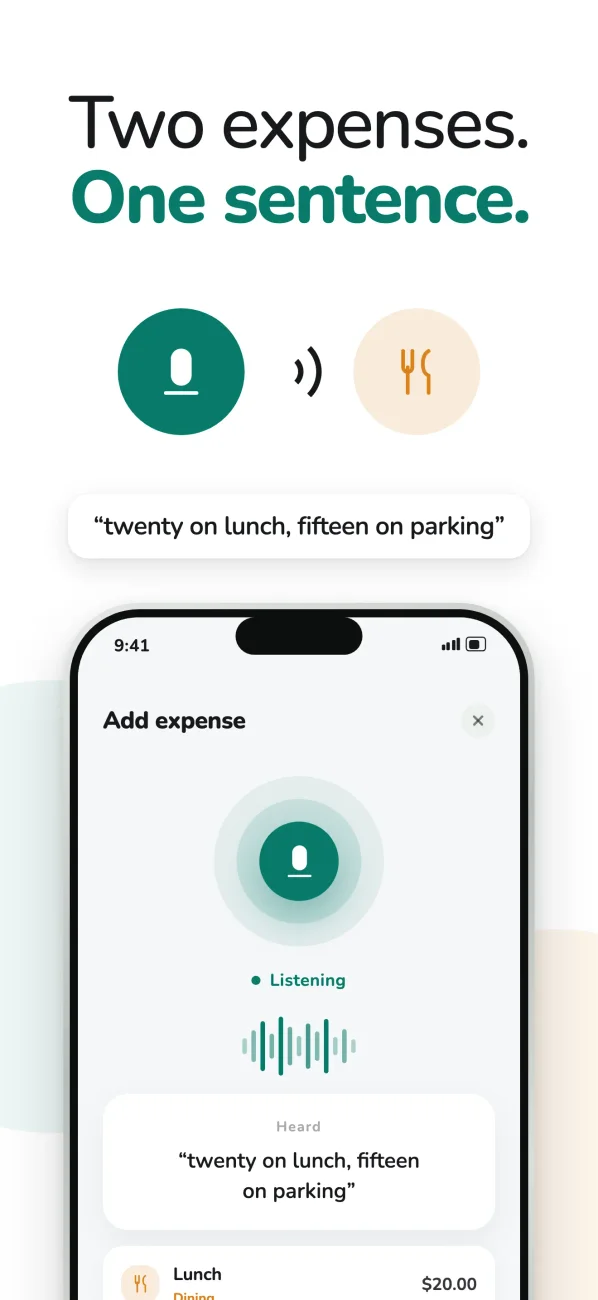
• Add expenses by voice
Hold the mic and say what you spent. "Twenty on lunch, fifteen on parking." SimplifyPocket fills in the amount, merchant, category, and date, then you review and save. Add a note the same way: "45 at the flower shop, note: mom's birthday." Speech is transcribed on your iPhone, so audio never leaves the device.
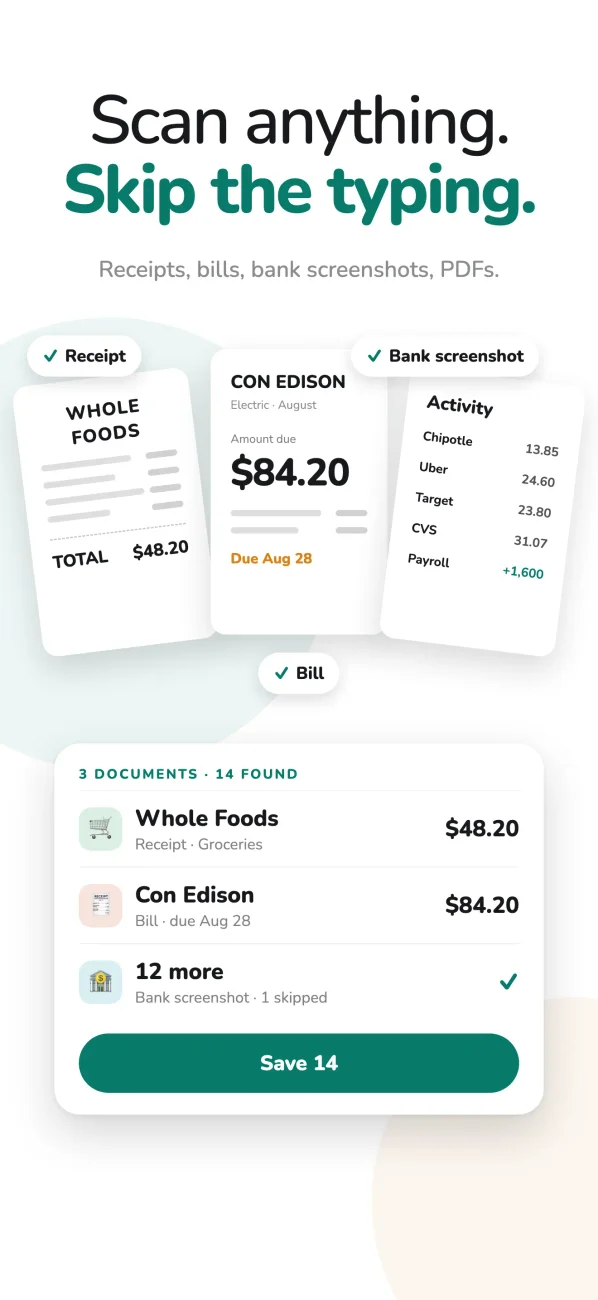
• Scan anything
Snap a receipt, a bill, or a bank screenshot, or pick a PDF. Pocket works out what it is: a receipt becomes an expense, a bill becomes an upcoming payment, and a bank screenshot becomes a list of transactions. Anything you already logged is skipped, and documents are read once and never stored.
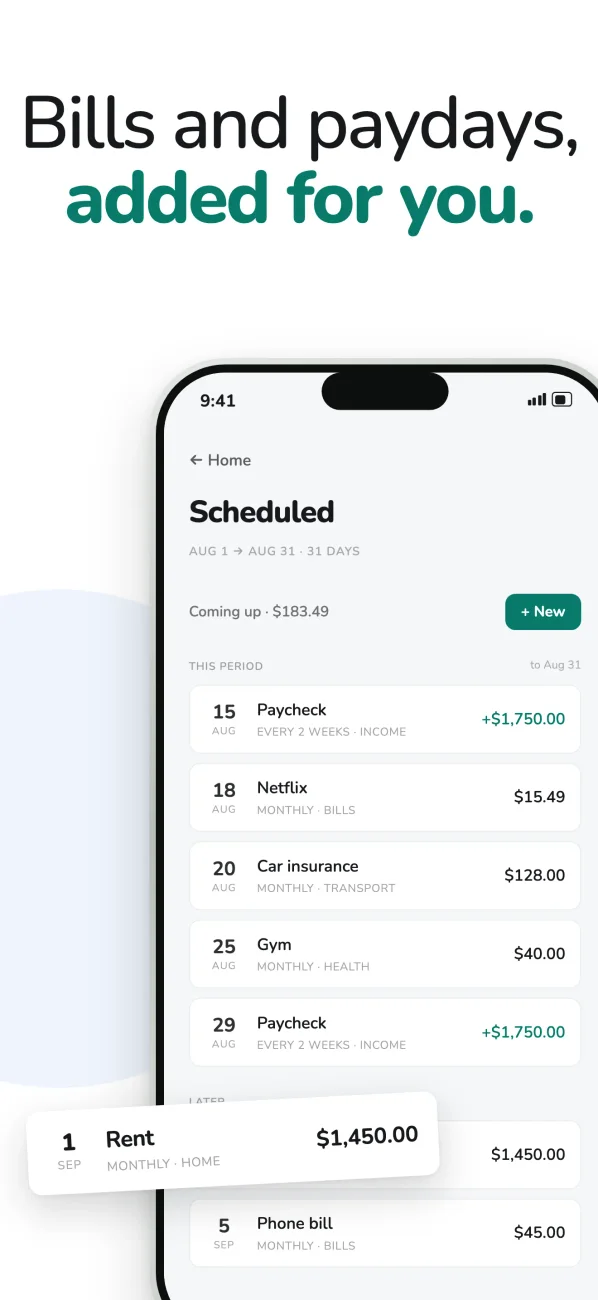
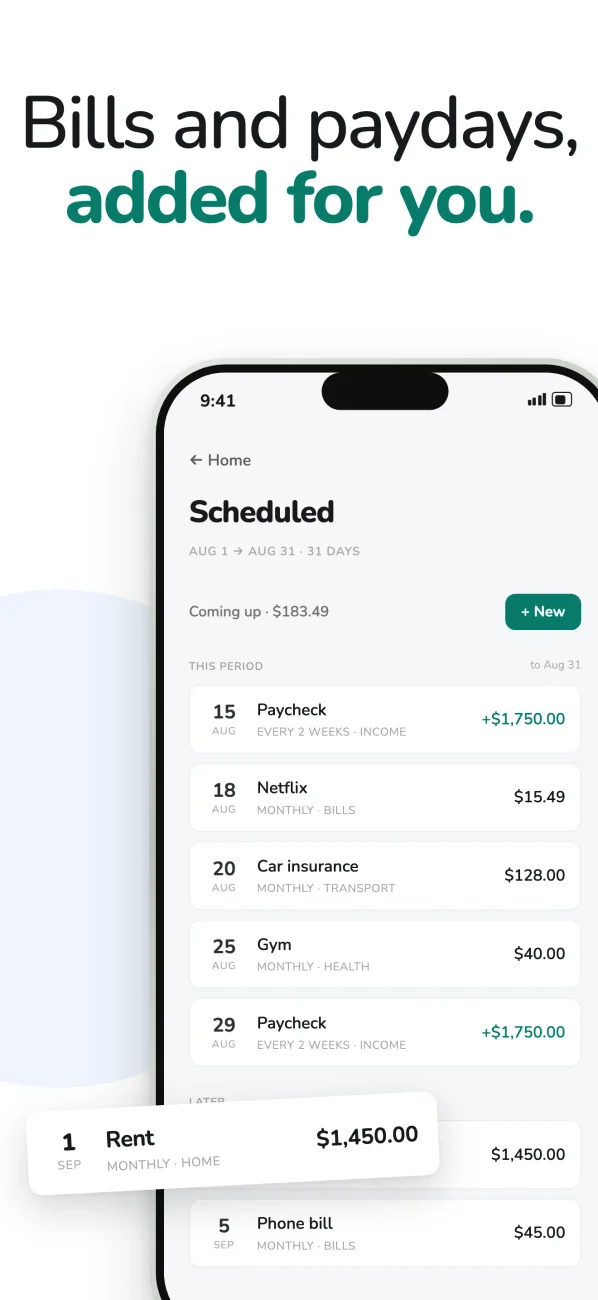
• Bills and paychecks that add themselves
Set rent, subscriptions, or a paycheck to repeat weekly, every 2 weeks, monthly, or yearly, or schedule a one-off. It's added on the day, and you get a notification you can undo or edit. Turn on bill reminders to get a heads-up before each bill.
• Savings goals
Make a goal, then say "put 50 toward Japan" or add a set amount every month. Money in a goal comes out of Left to spend, so it doesn't get spent by accident. When you use it, pay with goal money.
• Know what's left to spend
Left to spend starts from what you earn and subtracts your expenses, including bills that are still coming. Tap the number to see the math.
• A widget on your Home Screen
See what's left to spend without opening the app, in small, medium, and large sizes. On the medium and large widgets, tap Say it to log by voice.
• Ask Siri
Say "Hey Siri, log a purchase in SimplifyPocket", ask how much you have left, check a budget, or add money to a goal, all without opening the app.
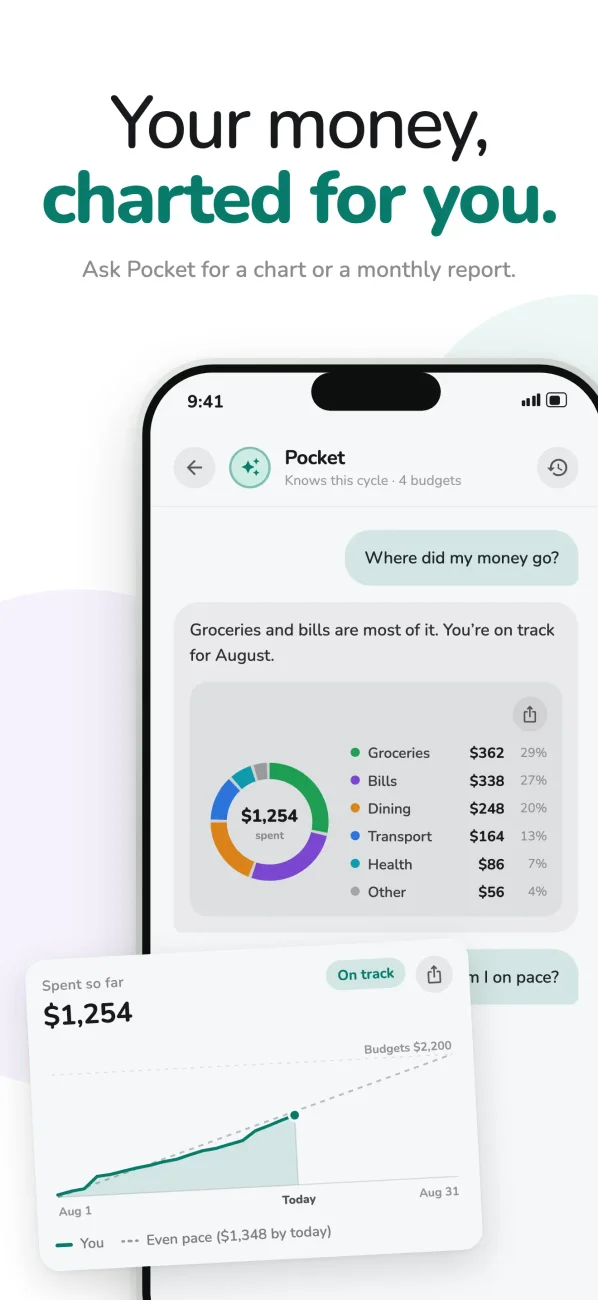
• Ask Pocket anything
Chat with a money assistant that actually knows your budget. "Can I afford dinner out?" "Where did my money go this month?" Pocket answers in plain language, with charts and a monthly report built from your real numbers.
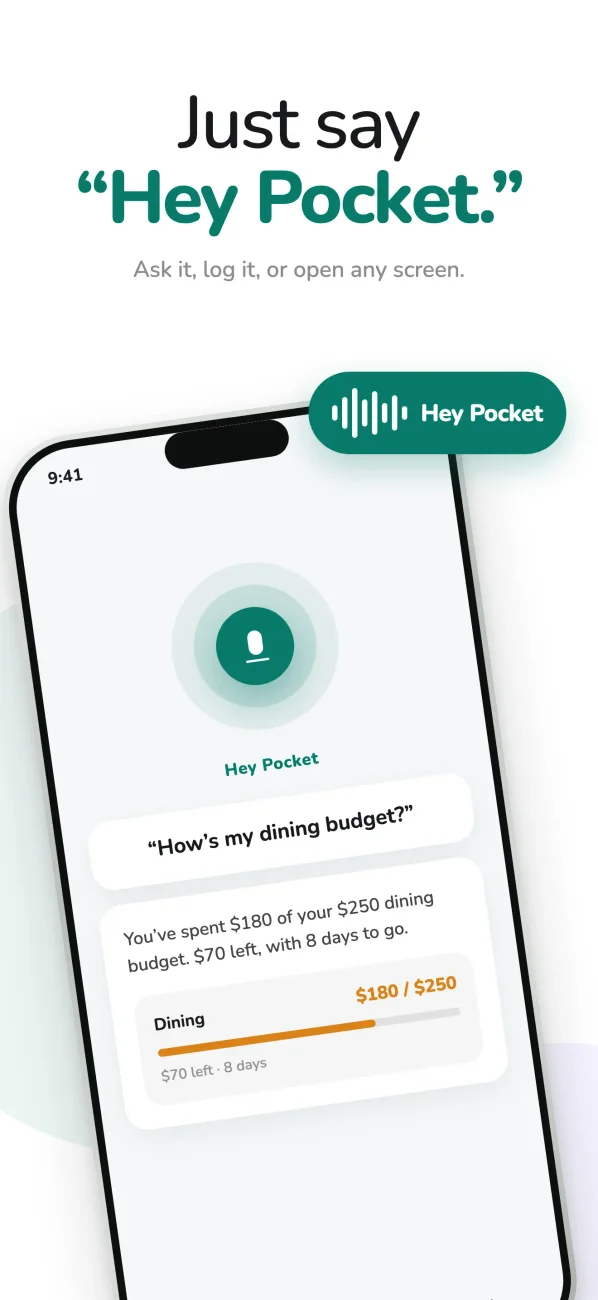
• Just say "Hey Pocket"
Turn it on in Settings, and while the app is open just say "Hey Pocket" to log a purchase, jump to a screen, or ask about your money.
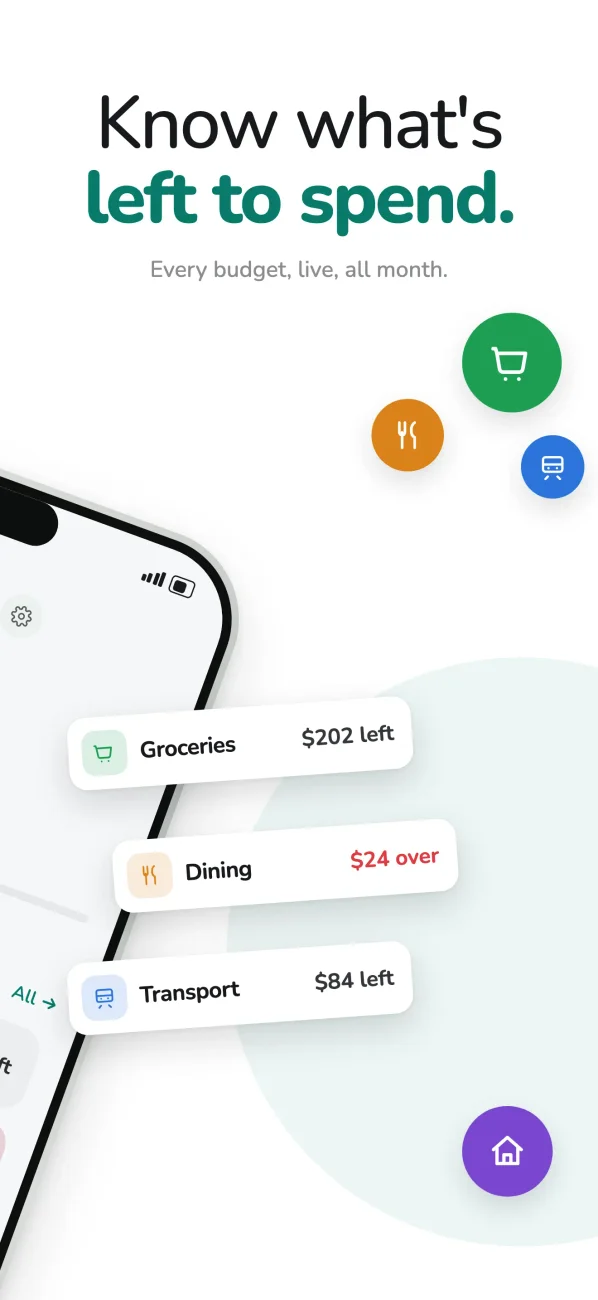
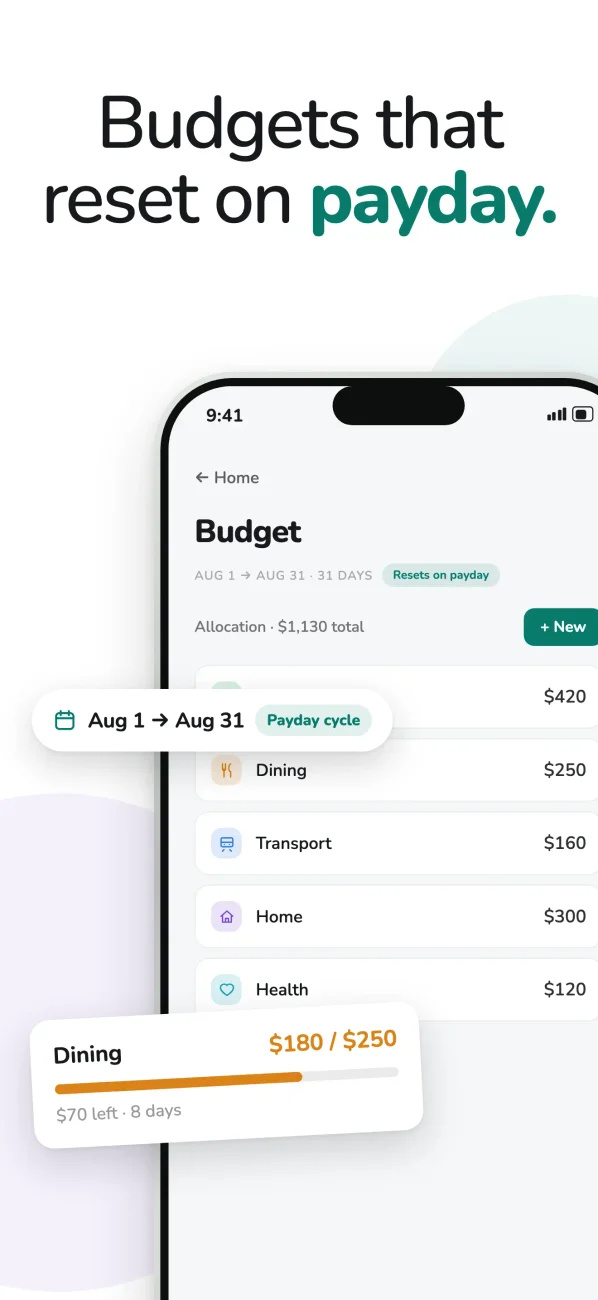
• Budgets that update live
Set a budget for each category and watch the progress move as you spend, with alerts before you go over. A budget planner that works the way you actually spend.
• Start your budget month on payday
Your paycheck doesn't arrive on the 1st, so your budget month doesn't have to start then either. Pick the day it starts.
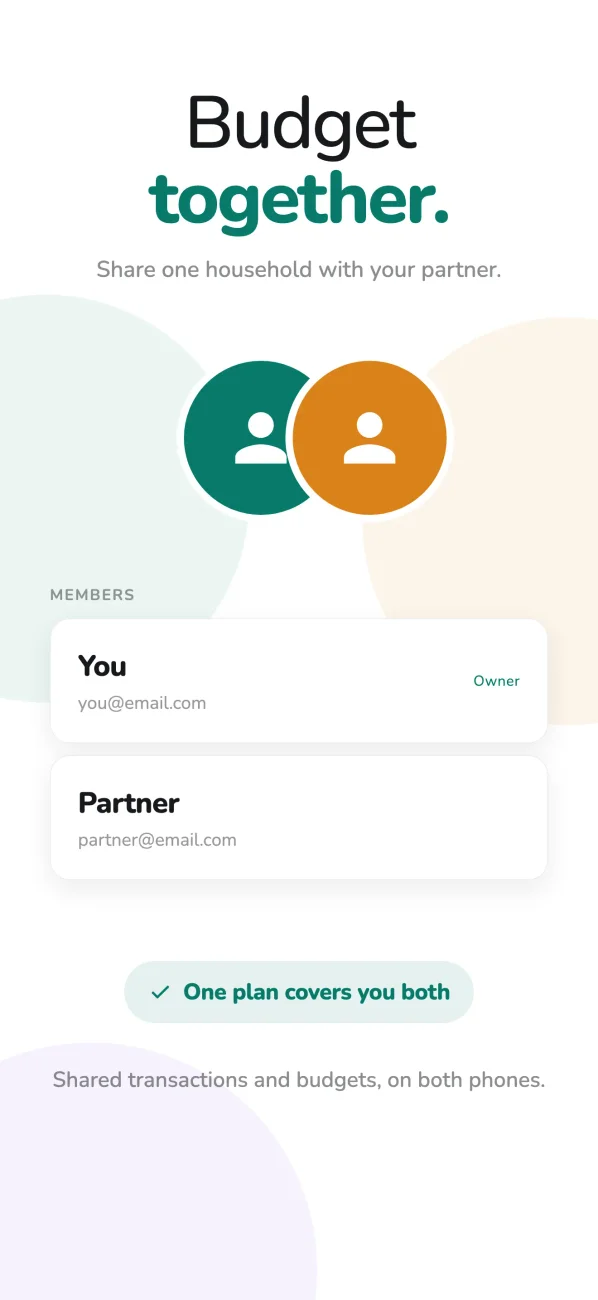
• Share it with your partner
Budget together in one shared space. Invite your partner by email and you both see the same transactions, bills, goals, and budgets, kept in sync. One subscription covers you both.
• Catch up in one go
Add several expenses at once, each with its own date, or write them out like "coffee 4.50 this morning, lunch 18 yesterday" and Pocket finds each one.
• Speak and chat in your language
Voice entry, scanning, and Pocket work in English, Spanish, French, German, and Portuguese.
PERFECT FOR
Couples who budget together, anyone who quit a bank-syncing budget app, and spreadsheet trackers who want something faster.
PRIVACY YOU CAN VERIFY
• No bank connections. Ever. You enter what you want to track.
• No ads. No tracking across apps.
• Audio from voice entry stays on your iPhone. Only the transcript reaches our backend.
• Delete your account in the app any time.
Privacy Policy: https://simplifypocket.com/privacy
Terms of Use: https://simplifypocket.com/terms
Support: support@simplifypocket.com
新機能
バージョン 1.8.0 · 2026/11/1
What's new in 1.8.0
• Pocket heads-ups: a heads-up when a budget is heading over, a charge you could schedule, or you haven't logged in a while, with options that fit how you use the app.
• Streaks and milestones: log something each week to keep a streak going, and earn badges for money left over, budgets kept and goals reached.
• Carry over: move what's left (or what you went over) into your next cycle. Off until you turn it on in Settings.
アプリのプライバシー
このアプリのデータの取り扱いについて、Otis KelleyがApp Storeで申告している内容です。
-
ユーザーに関連付けられたデータ
収集され、ユーザーの識別情報に関連付けられる場合があります。
- 購入
- 財務情報
- 連絡先情報
- ユーザーコンテンツ
- ID
- 使用状況データ
-
ユーザーに関連付けられないデータ
収集される場合がありますが、ユーザーの識別情報には関連付けられません。
- 使用状況データ
- 診断
プライバシーの取り扱いは、ご利用の機能やお客様の年齢などに応じて異なる場合があります。
情報
- 販売元
- Otis Kelley
- カテゴリ
- ファイナンス
- バージョン
- 1.8.0
- 更新日
- 2026/11/1
- リリース
- 2026/6/5
- サイズ
- 67.6 MB
- 必要条件
- iOS 17.0以降
- 対象年齢
- 4+
- 価格
- 無料
- アプリ内課金
- あり
- 言語
- 英語, フランス語, ドイツ語, ポルトガル語, スペイン語
- 著作権
- © 2026 SimplifyPocket
こちらもおすすめ
-
 Monthly: 固定費がわかる家計簿予算もサブスクも支払いもまとめて管理
-
 家計簿 サブスク管理 - DaTrackAIレシート読み取りで支出・予算・貯金をまとめて管理
-
 Buddy: Budget Planner Appファイナンス
-
 Spendee: マネーフロー管理アプリ支払い履歴と出費の可視化
-
 Weekly: Budget Planner & Billsファイナンス
-
 Spending Tracker - Budget App家計簿アプリ 共有
-
 Expenses OK - expenses trackerファイナンス
-
 Budget Bestieファイナンス
-
 Goodbudget Budget Plannerファイナンス
-
 PocketGuard - Budget Appファイナンス