
- 対象年齢4+
- カテゴリ仕事効率化
- 開発元CyberWorks
- 言語英語ほか10言語
- サイズ88.2 MB
App Storeの公式ページにリンクしています
Download.orgはSiteWorks 2のファイルを一切ホストしていません。ボタンを押すと、CyberWorksが公開しているApp Storeのアプリページが開きます。ページの最終確認:2026/11/17。
スクリーンショット


概要
開発元はこのテキストをお使いの言語で提供していません。
Collaborative site supervision on iPhone, iPad and Mac
Eliminate the need for paper drawings and manual snag/punch list creation.
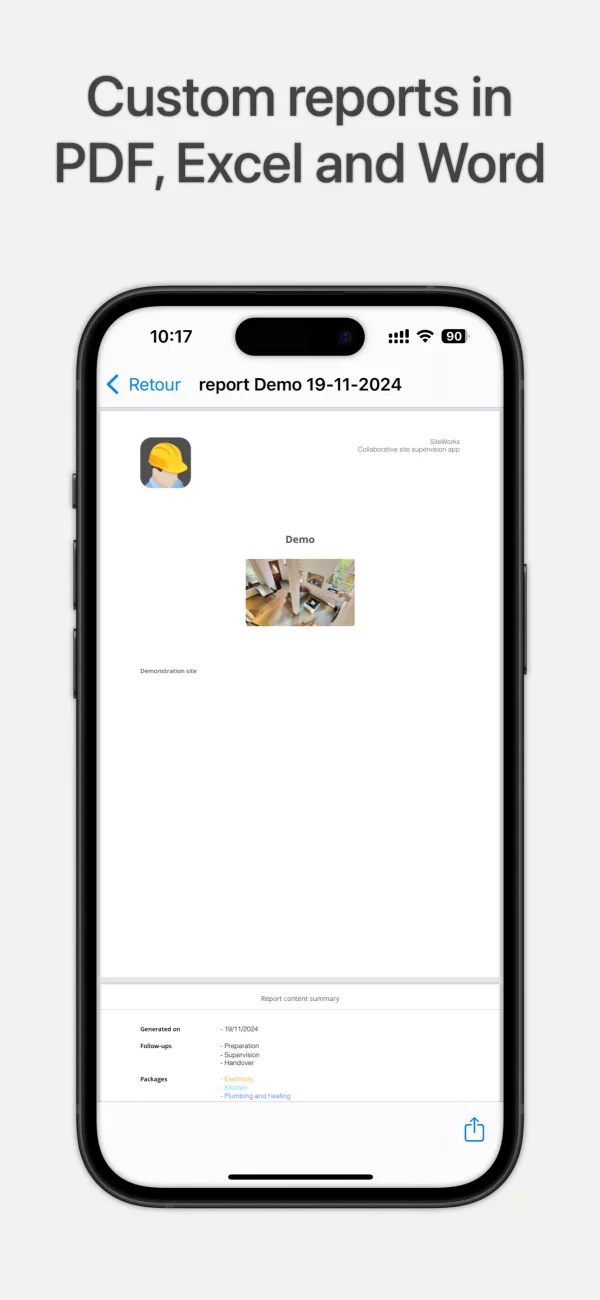
Track detailed observations directly on drawings and instantly generate reports in PDF, Word, Excel, and CSV formats.
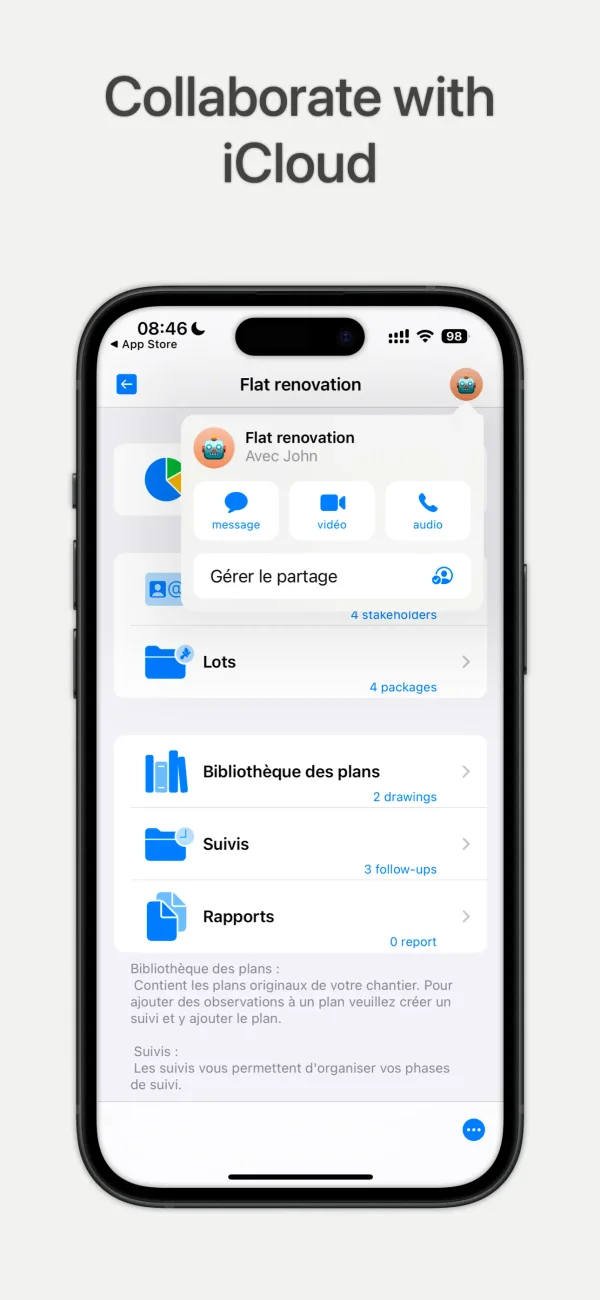
With iCloud integration, you and your team will always stay updated.
Get ready to save time!
To access SiteWorks 2 features and content, you will need to purchase a subscription or an unlimited license.
New users get 2 weeks of free trial to test the app with both the monthly and yearly subscriptions.
If cancelled before the end of the trial period the subscriptions won't be charged.
# Mensual subscription:
Pay monthly for all app features and content access.
# Annual subscription:
Pay annually for all app features and content access.
# Unlimited license:
Pay once for all app features and content access.
See detail infos about licenses:
https://documentation.siteworks.io/license-intallation-purchase-promocode
Terms of use:
https://www.apple.com/legal/internet-services/itunes/dev/stdeula/
Effortless defect tracking
Add detailed observations, punch/snag list items directly onto your PDF drawings, exactly where contractors and your team need to see them
Create personalized lists to track general observations.
Track progress over time:
- Status (opened, in progress, finished, closed)
- Package and stakeholders
- Detailed description
- Photos and annotations
- Comments
- Edit history
Efficient and streamlined project management
Tailored projects
- Projects visuals,
- Packages and stakeholders lists,
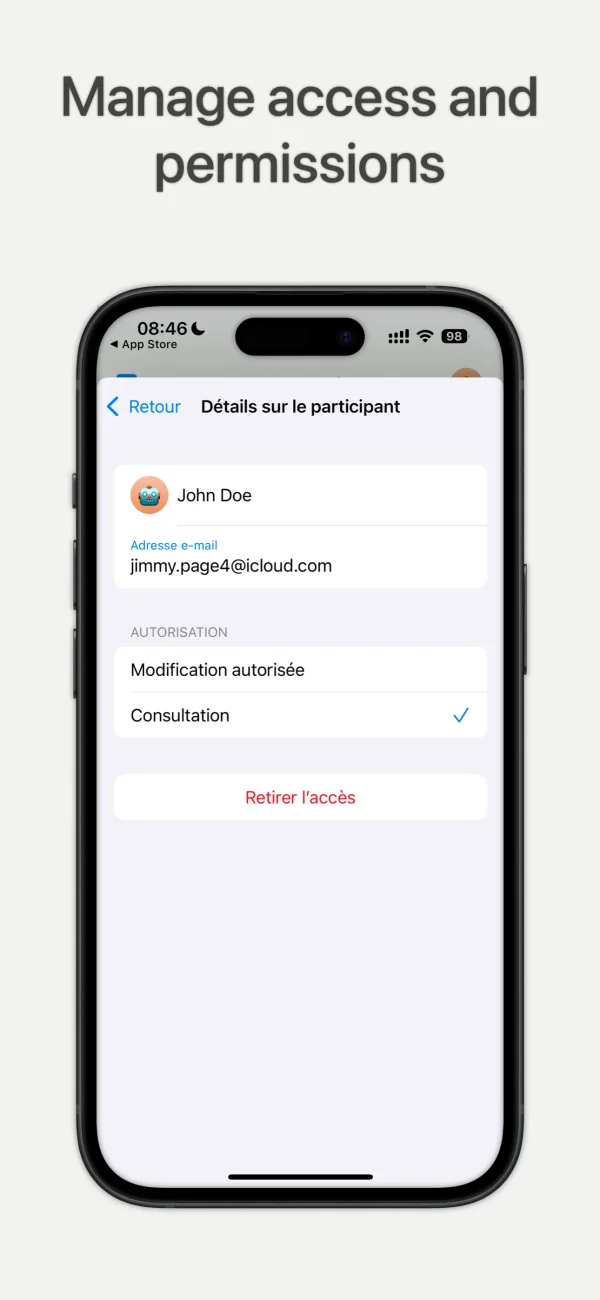
- iCloud Collaborators with read or read/write permissions,
- Reports customization (format, layout, content, logo, etc),
- Standardized descriptions,
- Numbering system for observations,
- Project templates.
Drawings always at hand
- All your drawings are stored centrally in each project's library, available anytime, whether you're using your iPhone, iPad, or Mac.
- Structured follow-ups
- Create unlimited follow-ups to keep your annotated drawings and observation lists well-organized.
Site dashboard
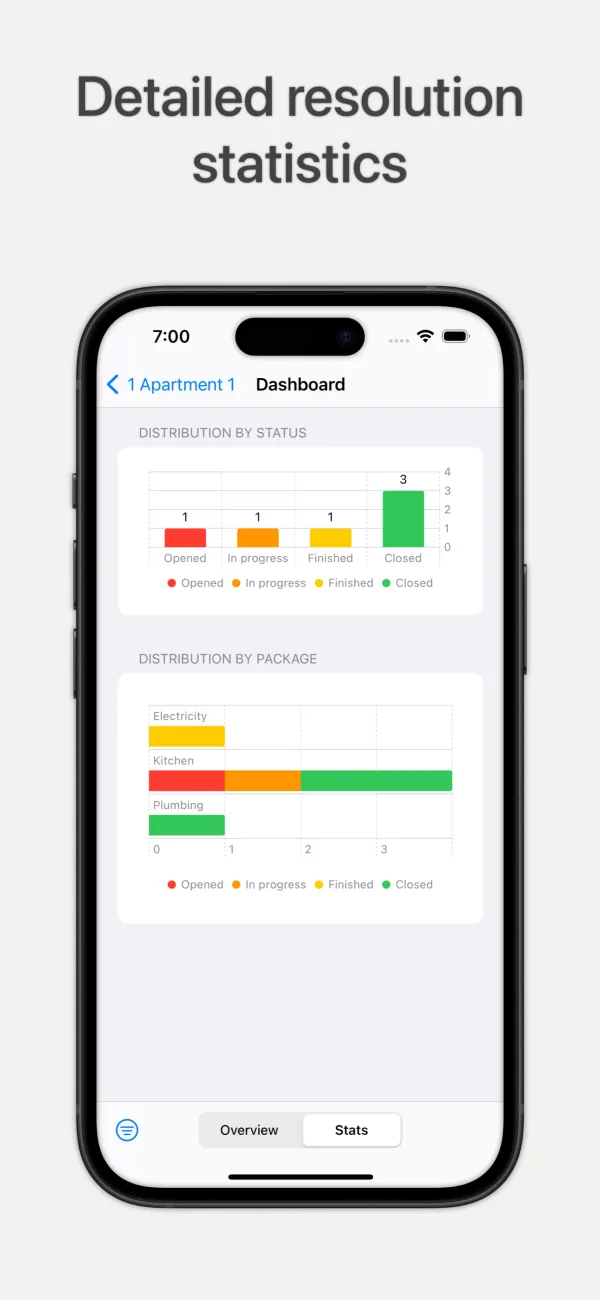
- Get a real-time snapshot of your observation statuses and easily access recently updated or due items.
- Check resolution statistics for each package.
- Tap any observation on the dashboard to jump directly to the detailed on-drawing view.
- Easily view observations assigned to specific packages and stakeholders, and tap to instantly access detailed on-drawing observations.
Tailored reports
Generate, archive, and share unlimited customized reports, punch/snag lists.
Available formats:
- PDF
- Word
- Excel
- CSV
Fully customizable reports:
- Company and project logo,
- Report title and description,
- Paper format and orientation,
- Drawings dimensions,
- Report content (packages, statuses, photos, statistics, etc.),
- Photo sizes, and more.
Always on the same page
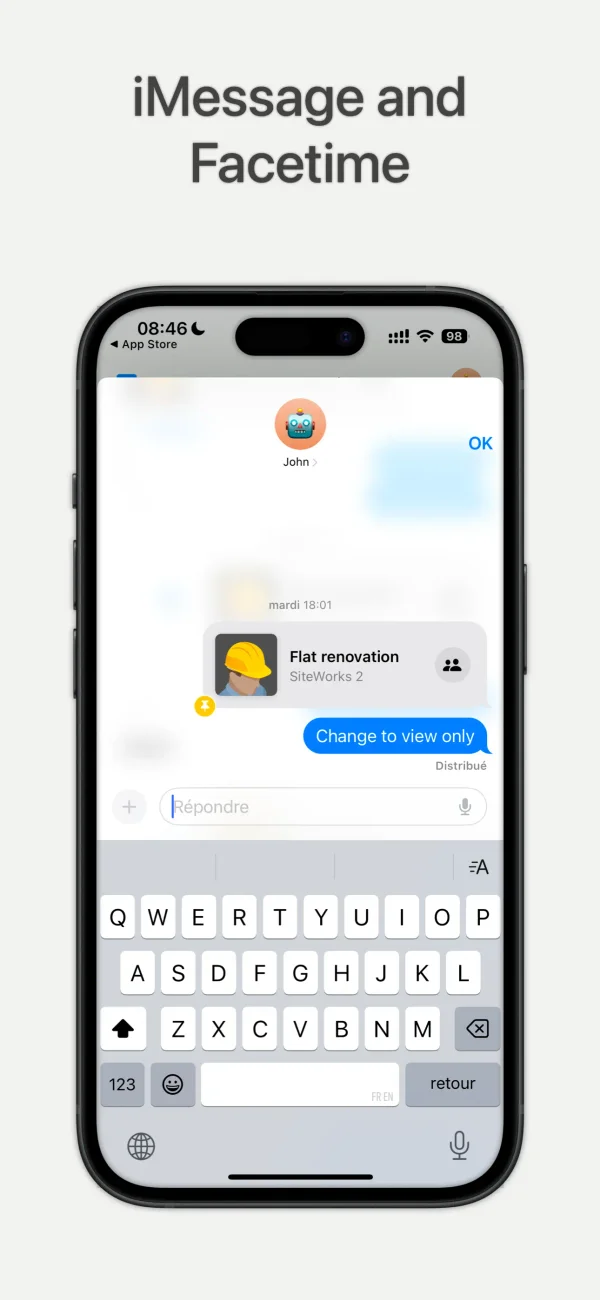
With seamless iCloud integration, SiteWorks 2 allows you to share any project with team members and stakeholders in read-only or read/write modes, just like your favorite native apps.
Simply tap the share button, choose collaborators, and start working together on your project—everything syncs automatically.
Work seamlessly from any device
Switching between your Mac, iPad, and iPhone is effortless with SiteWorks 2.
Start a project on your iPad at home, continue on your iPhone at the construction site, and finish on your Mac at the office — your data stays with you every step of the way.
With Handoff, moving between devices has never been easier.
Quick and easy data import/export
Effortlessly import and export your drawings, photos, reports, and more through multiple options:
- Using the Files app or Finder (compatible with third-party cloud services,
- Through the Mail app,
- Via WebDAV by connecting to your WebDAV server from the app
- From your Photo library or Camera,
- Through any app that supports document import and export
新機能
バージョン 2.3.1 · 2026/9/14
What’s new in 2.3.1:
• Easier pin positioning: When moving an observation, press and hold anywhere on the drawing to place it in a new location. Adjust its position, then lift your finger to confirm.
• A refreshed observation editor: View and edit observations in a dedicated sheet.
• Better drawing order: Imported drawing pages now use three-digit numbering (001, 002, 003), keeping them in the right order when sorted by name.
アプリのプライバシー
このアプリのデータの取り扱いについて、CyberWorksがApp Storeで申告している内容です。
-
データの収集なし
開発元はこのアプリからデータを収集しません。
プライバシーの取り扱いは、ご利用の機能やお客様の年齢などに応じて異なる場合があります。
情報
- 販売元
- CyberWorks SL
- カテゴリ
- 仕事効率化
- バージョン
- 2.3.1
- 更新日
- 2026/9/14
- リリース
- 2024/10/17
- サイズ
- 88.2 MB
- 必要条件
- iOS 17.0以降
- 対象年齢
- 4+
- 価格
- 無料
- アプリ内課金
- あり
- 言語
- 英語, デンマーク語, オランダ語, フランス語, ドイツ語, イタリア語, ノルウェー語 (ブークモール), ポルトガル語, 簡体字中国語, スペイン語, 繁体字中国語
- 著作権
- © 2026 CyberWorks S.L.