- 対象年齢4+
- カテゴリユーティリティ
- 開発元PROF MASSIMILIANO ZECCA
- 言語英語
- サイズ2.9 MB
App Storeの公式ページにリンクしています
Download.orgはSlideScannerのファイルを一切ホストしていません。ボタンを押すと、PROF MASSIMILIANO ZECCAが公開しているApp Storeのアプリページが開きます。ページの最終確認:2026/11/11。
スクリーンショット

概要
開発元はこのテキストをお使いの言語で提供していません。
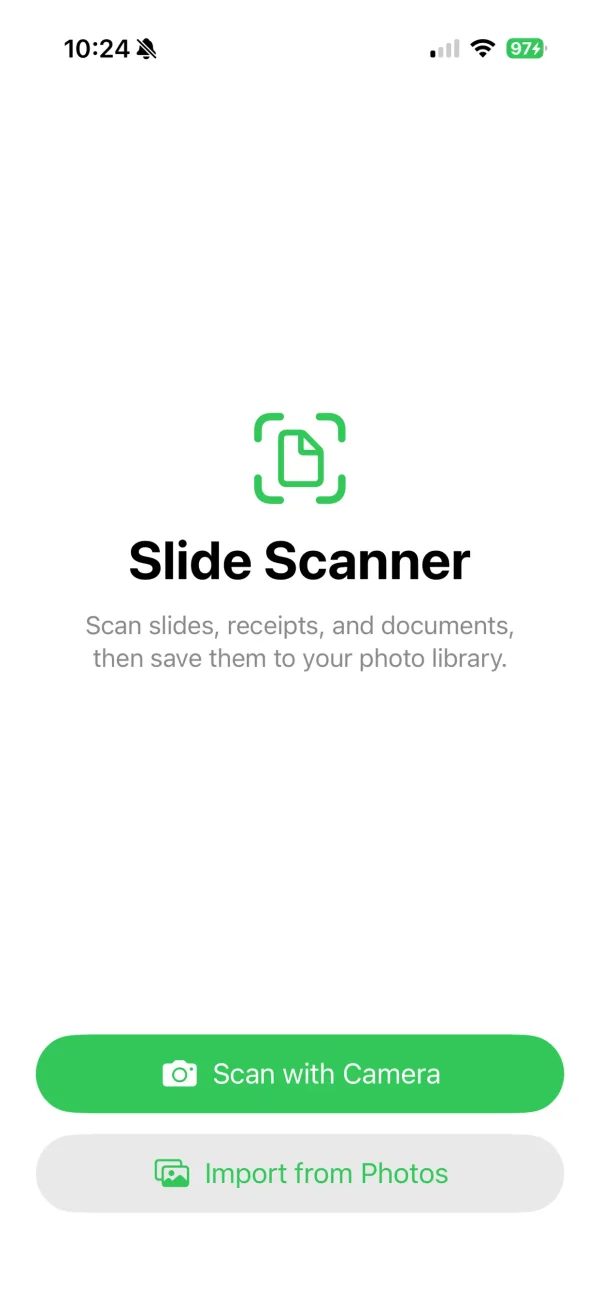
Slide Scanner turns your iPhone or iPad into a fast, precise document scanner for slides, receipts, papers, and even projected presentations. Aim the camera, watch the green frame lock onto the edges in real time, tap once, and a perfectly flattened scan lands straight in your photo library.
That's the whole app. No accounts to create, no subscription to cancel, no cloud to trust, no watermarks to pay off. Just scanning, done properly.
Open the app. Scan the thing. Get on with your day.
The No-Nonsense Promise
No registration. No subscriptions. No ads. No tracking. No cloud. No watermarks. Slide Scanner never asks who you are, never phones home, and never holds your own scans hostage. Every feature works from the first launch, forever, entirely on your device.
Why Slide Scanner?
Most scanner apps bury a thirty-second job under sign-up walls, "premium" upsells, and export limits. Slide Scanner takes the opposite path: the bare minimum of features, each one polished until it's genuinely fast. Live edge detection frames your document before you even press the shutter. A precision crop editor with a magnifying loupe, magnetic edge snapping, and pinch-zoom gets the corners exactly right. Perspective correction flattens the result into a clean rectangle. Then it's saved to Photos and you're already lined up on the next one.
And because it drives the camera hardware directly, from every physical lens to manual shutter speed, focus, and exposure, it handles the scans other apps fumble: glossy receipts, tilted slides, and modern projectors that turn into rainbow stripes on auto settings.
Features
Live Edge Detection
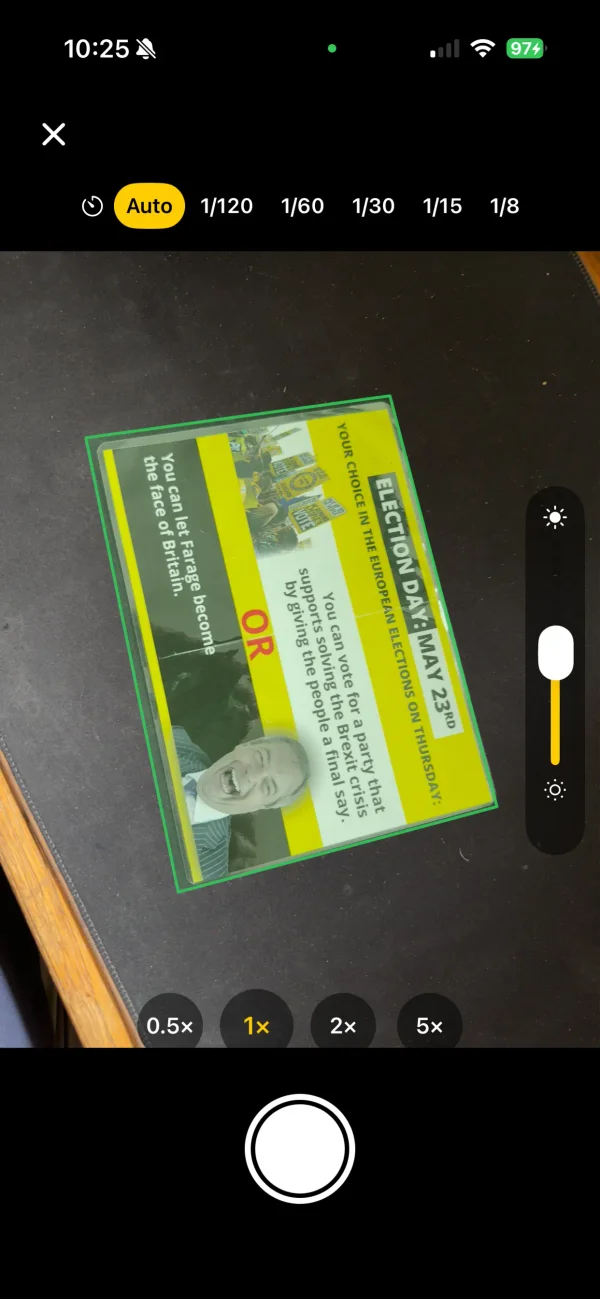
A green frame tracks your document in the live camera view, so you know the scan is lined up before you ever tap the shutter.
Every Lens on Your Phone
Switch between all physical cameras — ultra-wide 0.5×, wide 1×, sensor-crop 2×, and telephoto — with their true zoom factors, not just the default 1× lens.
Projector & Screen Mode
Manual shutter speed presets (1/120 down to 1/8) average out display refresh cycles, killing the rainbow banding that ruins photos of modern projectors and screens.
Manual Focus & Brightness
Tap to focus like the stock camera, then fine-tune with a manual focus slider and a vertical exposure control — indispensable for glossy paper and low-contrast slides.
Precision Crop Editor
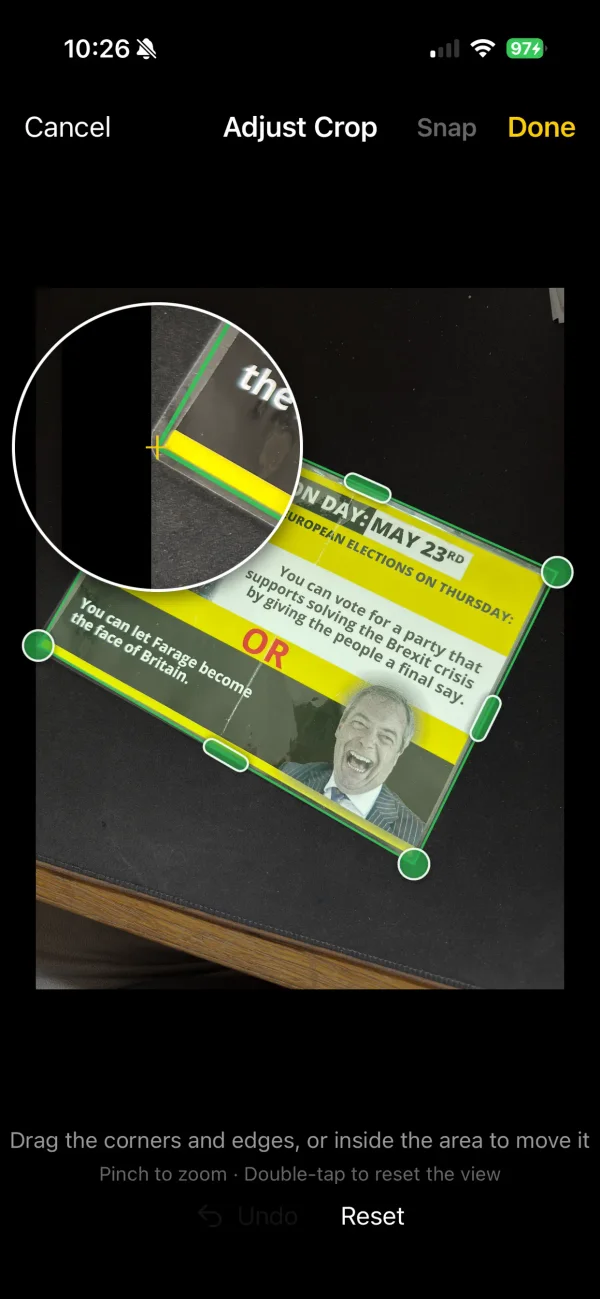
Draggable corners and edges with a magnifying loupe, magnetic snap-to-edge with haptic feedback, pinch-zoom for pixel-level placement, and one-tap undo for slips.
Perspective Correction
Shot at an angle? The crop is warped into a perfectly flat, rectangular scan — as if you'd used a flatbed scanner instead of a phone.
Import from Photos
Already photographed it? Pull any image from your library and run it through the same detection, cropping, and flattening pipeline.
Straight to Photos
Inspect the result with pinch-zoom, rotate it, or re-crop it — then save and jump immediately to the next scan. Batches of slides fly by.
Privacy & Data Collection
Slide Scanner is private by architecture, not by policy. Everything — capture, edge detection, cropping, perspective correction — happens on your device, with on-device Apple frameworks. The app has no accounts, no analytics, no third-party SDKs, and no network features of any kind. It asks for exactly two permissions: the camera to scan, and add-only access to save finished scans into your photo library. Your documents never leave your phone unless you share them yourself.
アプリのプライバシー
このアプリのデータの取り扱いについて、PROF MASSIMILIANO ZECCAがApp Storeで申告している内容です。
-
データの収集なし
開発元はこのアプリからデータを収集しません。
プライバシーの取り扱いは、ご利用の機能やお客様の年齢などに応じて異なる場合があります。
情報
- 販売元
- PROF MASSIMILIANO ZECCA
- カテゴリ
- ユーティリティ
- バージョン
- 1.0
- 更新日
- 2026/8/18
- リリース
- 2026/8/17
- サイズ
- 2.9 MB
- 必要条件
- iOS 17.0以降
- 対象年齢
- 4+
- 価格
- 無料
- 言語
- 英語
- 著作権
- © 2026 Massimiliano Zecca