- 対象年齢4+
- カテゴリミュージック
- 開発元daenu
- 言語英語ほか2言語
- サイズ1.3 MB
App Storeの公式ページにリンクしています
Download.orgはSmartPlaylistのファイルを一切ホストしていません。ボタンを押すと、daenuが公開しているApp Storeのアプリページが開きます。ページの最終確認:2026/11/25。
スクリーンショット

概要
開発元はこのテキストをお使いの言語で提供していません。
SmartPlaylist is the most advanced playlist generator for iPod/iPhone/iPad with many unique features.
SmartPlaylist uses the titles stored in your Music library on your device.
There are 26 smart playlists (SmartPlaylist A-Z) which you can use and name as you wish.
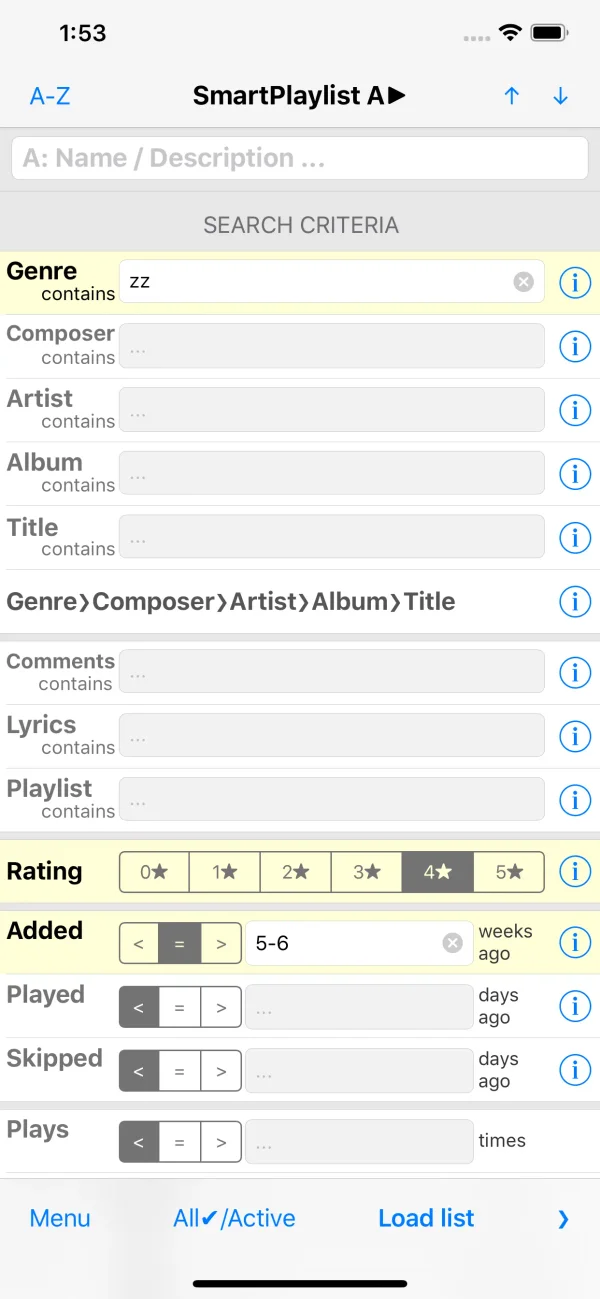
In each SmartPlaylist you can combine more than 20 search rules to filter and sort your iTunes music library. These rules can be saved in iCloud.
Available search criteria:
● Text search: Genre, Grouping, Composer, Artist, Album-Artist, Album, Title, Comments, Lyrics and/or iTunes-Playlist
Search for exact matches („is equal to“), for any partial matches („contains“) or use wildcards („is like“ ?/*).
Use logical operators to unite (" OR “), intersect (" AND “) or exclude (“ NOT “) certain songs
Example: The rule "Genre contains blu OR zz" will give you all your blues and jazz songs in 1 playlist.
● Numerical search: Rating, Play Count, Skip Count, Duration, Track Number, BPM and/or Year.
● Date search: Added, Last Played, Last Skipped, Released (how many days, weeks, months or years ago)
You can search for values less than, equal to / from-to (=) or more than the limit you set
● Property search: is in compilation, is in iCloud, is music video (all/yes/no)
The titles loaded in SmartPlaylist also become the playback queue of the Music app and the now playing title is also shown in the lock screen and the control center, where you can play/pause, fast-forward, skip, etc.
There are many settings to configure, e.g. what search rules you want to use and what info you want to see in the list of titles.
General procedure:
1. Select a smart playlist (a)
2. Set the search rules (a)
3. Tap „Load titles“ (a)
4. Scroll through the list of matching titles (b)
5. Press on a title in the list to play it or tap to see all its details (c).
a) THE MAIN SCREEN: The search rules of a smart playlist (e.g. „SmartPlaylist A“)
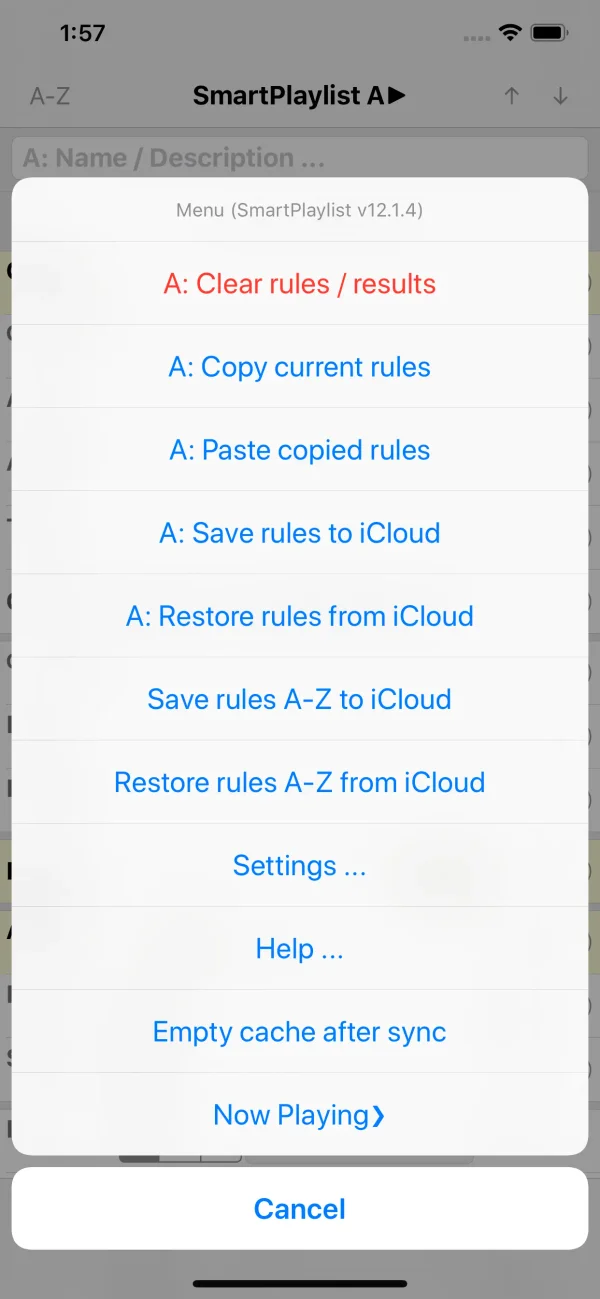
● Use „Menu“ to open the settings and help, copy/paste rules and backup/restore with iCloud
● Use „(i)“ to open the details of a search rule (there, use „(+)“ to open the pick list for genre, artist, etc.)
● Use „All/Active“ to toggle between showing all search rules and showing only the active rules (yellow)
● Browse your music collection hierarchically by Genres > Composers > Artists > Albums > Titles
● Use list operations to add, subtract or intersect the results of SmartPlaylists
● Limit the number of titles per artist or per album, or limit the list to x minutes, hours or titles
● Sort with multiple criteria, e.g. 1. by Artist, 2. by Rating (per artist), 3. by playCount (per rating)
● With „Show only“ you can load another SmartPlaylist while the previous list is still playing in the background
● If you do not set any search rules „Load titles“ will load all titles in your music library
b) THE LIST VIEW: The list of titles matching the search rules
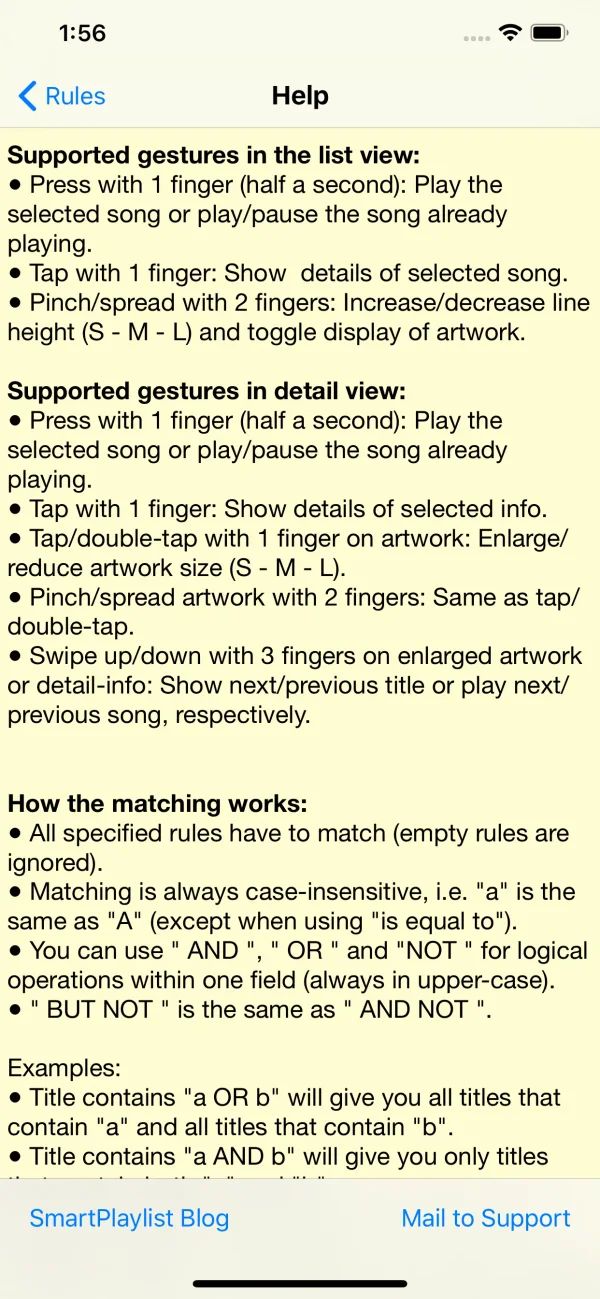
● Long-press on a title to play/pause
● Pinch in/out to change the row height (S-M-L) and toggle the display of the artwork
● Use quick-search to search within the loaded list or mark certain titles
● Scroll to the now playing song in the list with „Now playing“
c) THE DETAIL VIEW: All the details/infos for the selected song
● If you have selected a song which is not being played, you can scroll up and down through the title list with „^“ / „v“
● When you are in the „Now playing mode“, „^“ / „v“ will play the previous or next song, respectively.
● Enlarge the cover artwork up to full screen (tap/double-tap or pinch in/out)
● Tap on a line to open the values in a text view where you can copy the text or look up the definition of words, etc. (e.g. in the lyrics)
● Add the selected song to another smart playlist or remove it from the current one (i.e. make exceptions to the rules, which can also be edited in the corresponding search rule)
● Load all songs with the same genre, artist, year, etc. as the selected song
新機能
バージョン v13.5.0 · 2026/11/24
Transparent UI elements, UI corrections
アプリのプライバシー
このアプリのデータの取り扱いについて、daenuがApp Storeで申告している内容です。
-
データの収集なし
開発元はこのアプリからデータを収集しません。
プライバシーの取り扱いは、ご利用の機能やお客様の年齢などに応じて異なる場合があります。
情報
- 販売元
- Daniel Habluetzel-Laville
- カテゴリ
- ミュージック
- バージョン
- v13.5.0
- 更新日
- 2026/11/24
- リリース
- 2009/9/22
- サイズ
- 1.3 MB
- 必要条件
- iOS 17.0以降
- 対象年齢
- 4+
- 価格
- ¥300
- 言語
- 英語, フランス語, ドイツ語
- 著作権
- © 2024 Daniel Habluetzel-Laville