- 対象年齢4+
- カテゴリ仕事効率化
- 開発元Samay LLC
- 言語英語
- サイズ1.3 MB
App Storeの公式ページにリンクしています
Download.orgはSnapRecallerのファイルを一切ホストしていません。ボタンを押すと、Samay LLCが公開しているApp Storeのアプリページが開きます。ページの最終確認:2026/11/13。
スクリーンショット



概要
開発元はこのテキストをお使いの言語で提供していません。
Screenshots are how we save things for later. Then later never comes, and they sink into your camera roll.
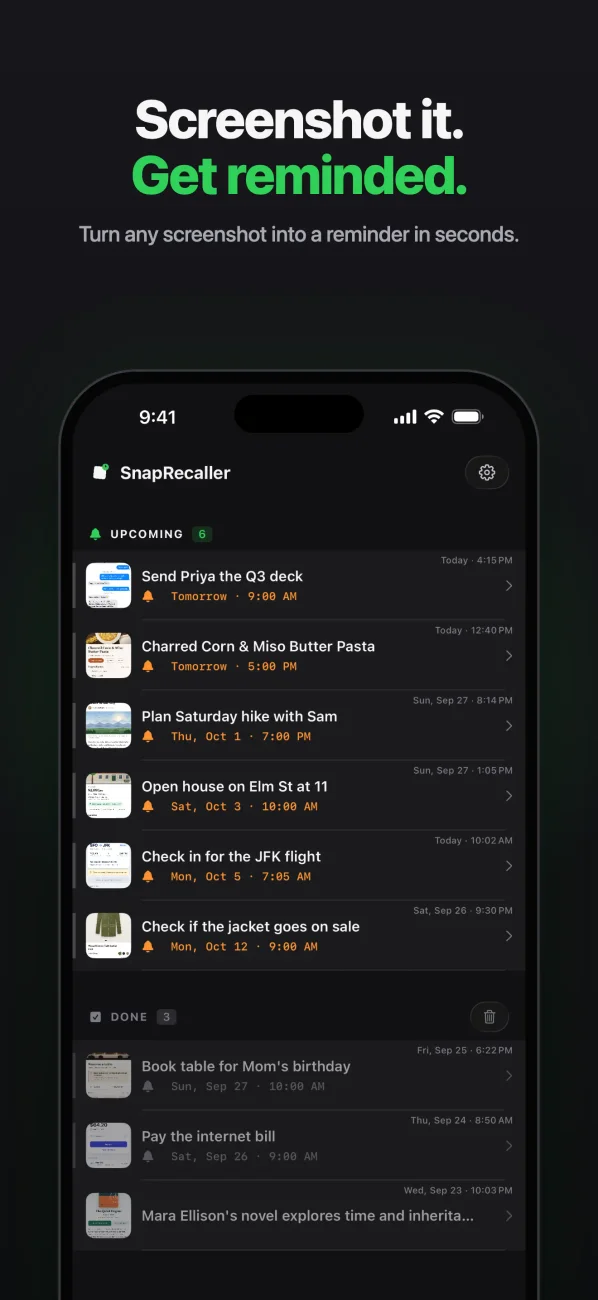
SnapRecaller turns a screenshot into a reminder in a few seconds, and brings it back exactly when you need it.
HOW IT WORKS
1. Take a screenshot and tap Share.
2. Choose SnapRecaller.
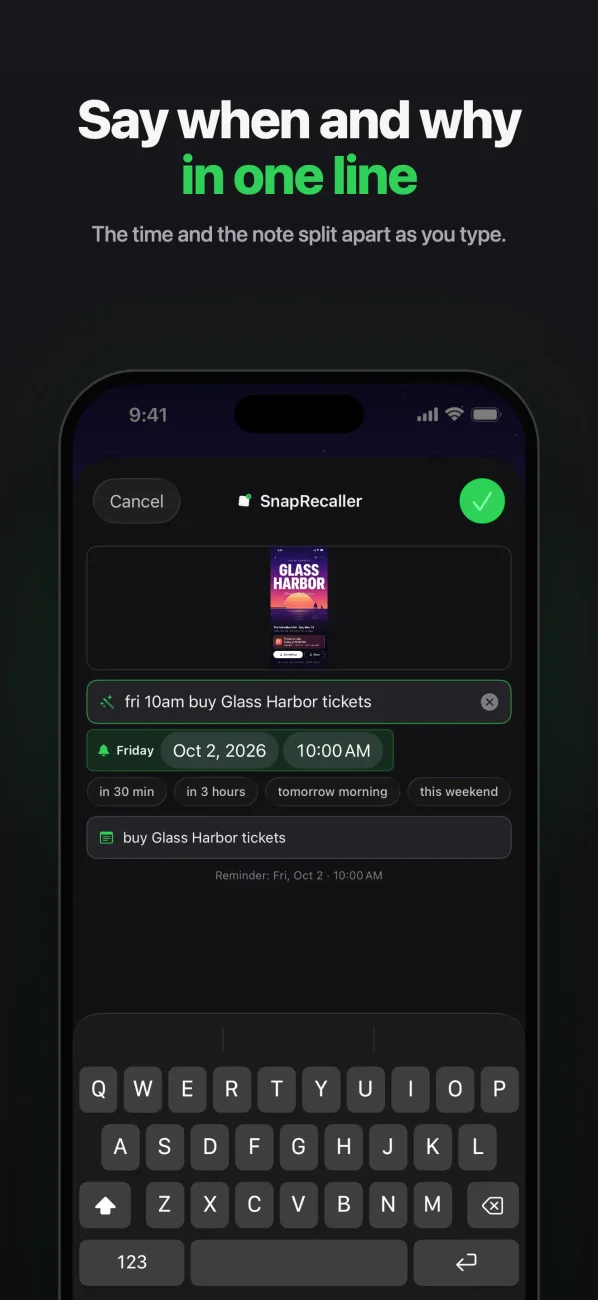
3. Type when and why in one line, like “tomorrow 9am send Priya the deck”, or just the time, and tap Save.
At the time you picked, a notification arrives with the screenshot attached, so you know what it was about before you even open it.
ONE LINE, NO PICKERS
Type the time and the note together. SnapRecaller splits them apart as you type: “fri 10am” becomes the reminder and “buy tickets” becomes the note. Adjust either one before saving, or tap a quick option like “in 3 hours”, “tomorrow morning”, “this weekend” or “next week”. The options you use most move to the front.
NO TIME TO WRITE A NOTE?
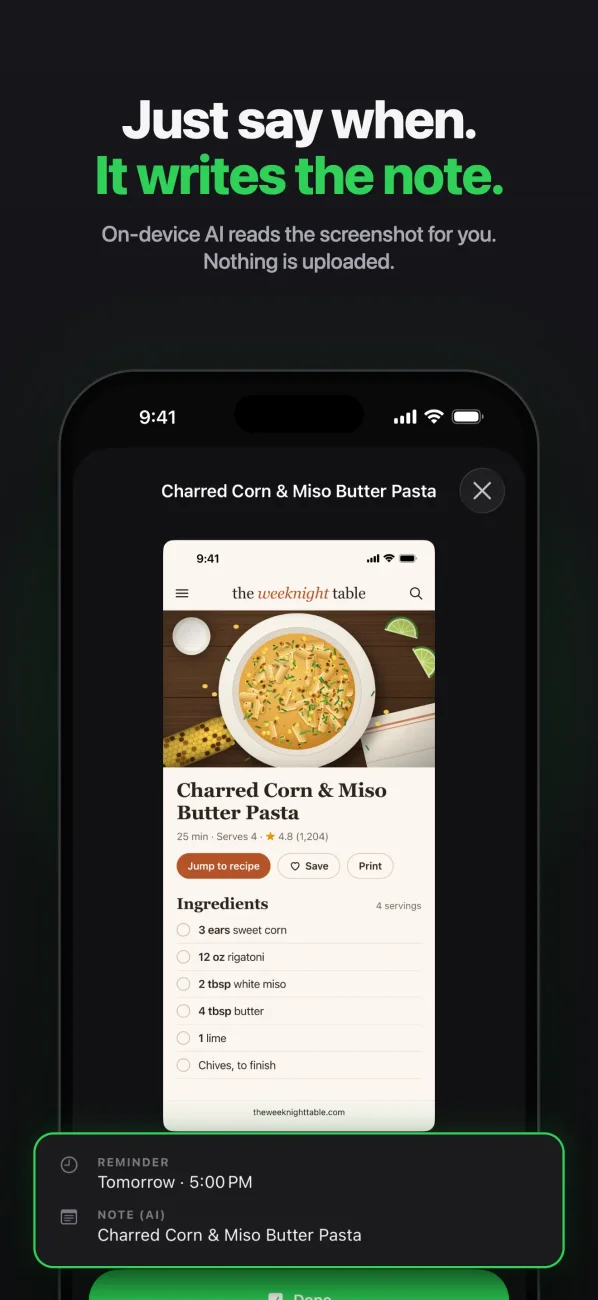
Just type the time. SnapRecaller reads the text in your screenshot and suggests a short note for you, like “Charred Corn & Miso Butter Pasta” or “Flight from San Francisco to New York.” Keep it, tweak it, or type your own. Suggested notes are labeled AI when you open the reminder, so you always know which ones you wrote.
The suggestion is made entirely on your iPhone by Apple’s on-device language model. Your screenshot is never sent to a server or an AI service. On iPhones without Apple Intelligence, SnapRecaller suggests a simpler note from the screenshot’s text instead.
MADE FOR THE THINGS YOU SCREENSHOT
• Tickets that go on sale Friday at 10
• A recipe to cook this weekend
• A message you need to reply to properly
• A price you want to check again next week
• A flight check-in, an open house, a bill that’s due
• A book, a hike, a gift idea
SWIPE TO KEEP IT MOVING
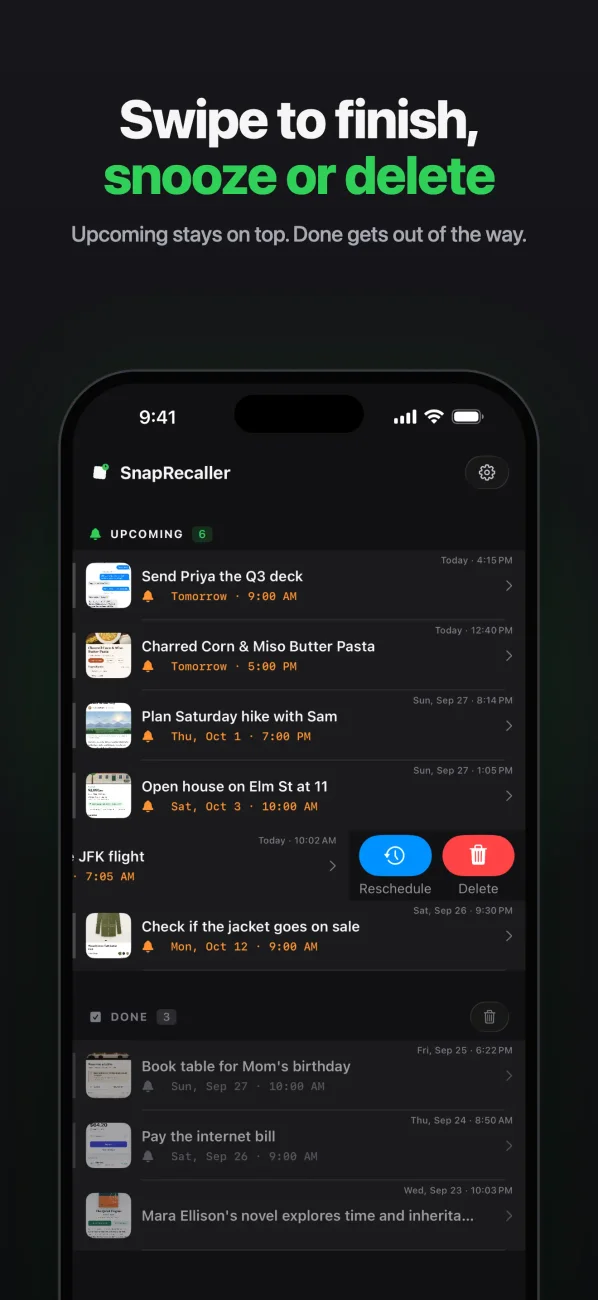
Upcoming reminders sit at the top, soonest first. Swipe right to mark one done. Swipe left to reschedule or delete. Changed your mind? Undo is one tap away.
TAP TO SEE IT AGAIN
Open any reminder to see the full screenshot and its note. Edit the note or mark it done right there.
NOT SURE WHEN?
Save a screenshot without a time and it’s kept with its note, ready when you are.
PRIVATE BY DESIGN
• No account and no sign-up
• No ads, no analytics, no tracking
• Your screenshots stay on your iPhone and are never sent to us or anyone else
• AI note suggestions run on your iPhone, not in the cloud
• SnapRecaller only sees the screenshot you share with it. It never asks for access to your photo library.
PAY ONCE
Your first 20 reminders are free. After that, unlock unlimited reminders with a single one-time purchase. No subscription, ever.
アプリのプライバシー
このアプリのデータの取り扱いについて、Samay LLCがApp Storeで申告している内容です。
-
データの収集なし
開発元はこのアプリからデータを収集しません。
プライバシーの取り扱いは、ご利用の機能やお客様の年齢などに応じて異なる場合があります。
情報
- 販売元
- Samay LLC
- カテゴリ
- 仕事効率化
- バージョン
- 1.0
- 更新日
- 2026/11/2
- リリース
- 2026/11/1
- サイズ
- 1.3 MB
- 必要条件
- iOS 26.0以降
- 対象年齢
- 4+
- 価格
- 無料
- アプリ内課金
- あり
- 言語
- 英語
- 著作権
- © 2026 Samay LLC
こちらもおすすめ
-
 Dimmly: タスク・習慣トラッカーToDoリスト・習慣・リマインダー
-
 Drime: Files Cloud Storage仕事効率化
-
 Hyperduck仕事効率化
-
 AI Chatbot & Writer: KnowIt仕事効率化
-
 Habitz — 習慣トラッカー日課プランナー & 目標トラッカー
-
 BusyCal: 予定とタスクのカレンダースケジュール管理、日程表、手帳、リマインダー
-
 Tempus:デイリープランナー・ToDoリスト・予定表ADHD向けタイムブロッキング・集中・タスク管理
-
 Vimcal: AI Calendar & Schedule仕事効率化
-
 RE+ Connect by RE+ Events仕事効率化
-
 Routine: Calendars & TasksPlanner, Notes & Contacts