- 対象年齢4+
- カテゴリ開発ツール
- 開発元Codedatda.casa
- 言語英語ほか2言語
- サイズ11.9 MB
App Storeの公式ページにリンクしています
Download.orgはSofaCode - VS Code Vibe Codingのファイルを一切ホストしていません。ボタンを押すと、Codedatda.casaが公開しているApp Storeのアプリページが開きます。ページの最終確認:2026/11/12。
スクリーンショット
概要
開発元はこのテキストをお使いの言語で提供していません。
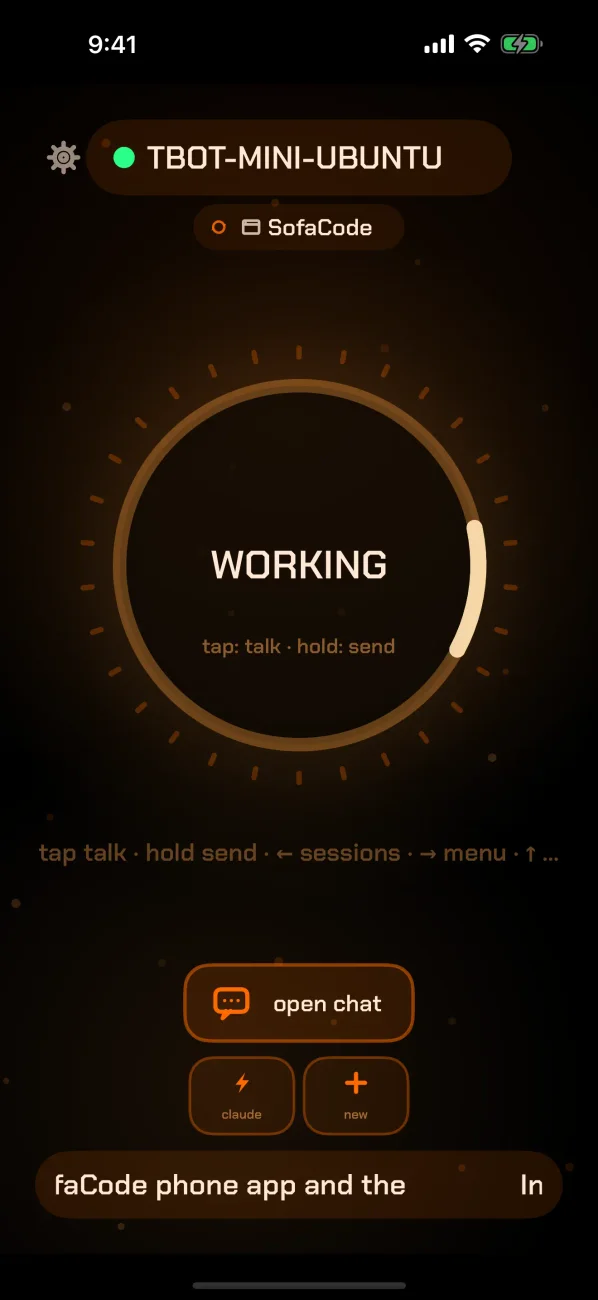
SofaCode turns your phone or tablet into a remote control for the AI coding assistant already running on your computer — Claude Code, Codex, GitHub Copilot Chat or Local LLMs in VS Code.
Vibe coding, off the desk. Talk to your agent from the couch. Approve its actions from the kitchen. Watch it work from anywhere on your network.
NOT JUST VS CODE — NOW IN BETA
SofaCode started as a VS Code remote. Now it drives your agent in the VS Code editor you actually use: Cursor, VS Code Insiders, VSCodium, Devin (formerly Windsurf) and Antigravity (Google's IDE) — all in beta, right alongside stock VS Code. Same deck, same voice, same real approvals, whichever one you open. (Copilot Chat features apply only where Copilot Chat itself runs: VS Code and Insiders.)
HOW IT WORKS
A small companion daemon runs on your computer next to VS Code — free for Mac, Windows and Linux at https://sofacode.app. The app connects to it directly over your own Wi-Fi, VPN, or mesh network. Nothing routes through a cloud: no relay servers, no accounts, and your code, voice, and sessions never leave your network.
WHAT YOU CAN DO
• Push-to-talk dictation straight into your coding agent
• Live deck that shows working / needs-you / error states at a glance
• Approve or deny permission prompts remotely — real approvals, not keystroke hacks
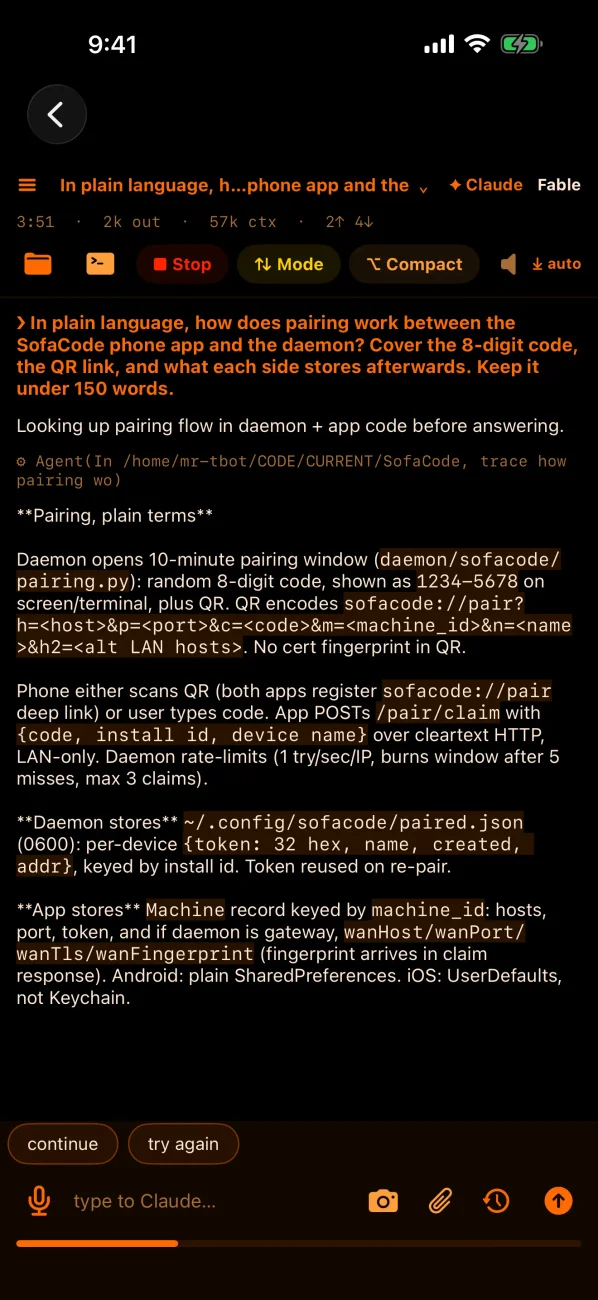
• Full chat with code boxes, task checklists, and session transcripts
• Drive all three assistants alike — skills, model picker, usage, tasks, permissions and more work the same for Claude Code, GitHub Copilot Chat and OpenAI Codex
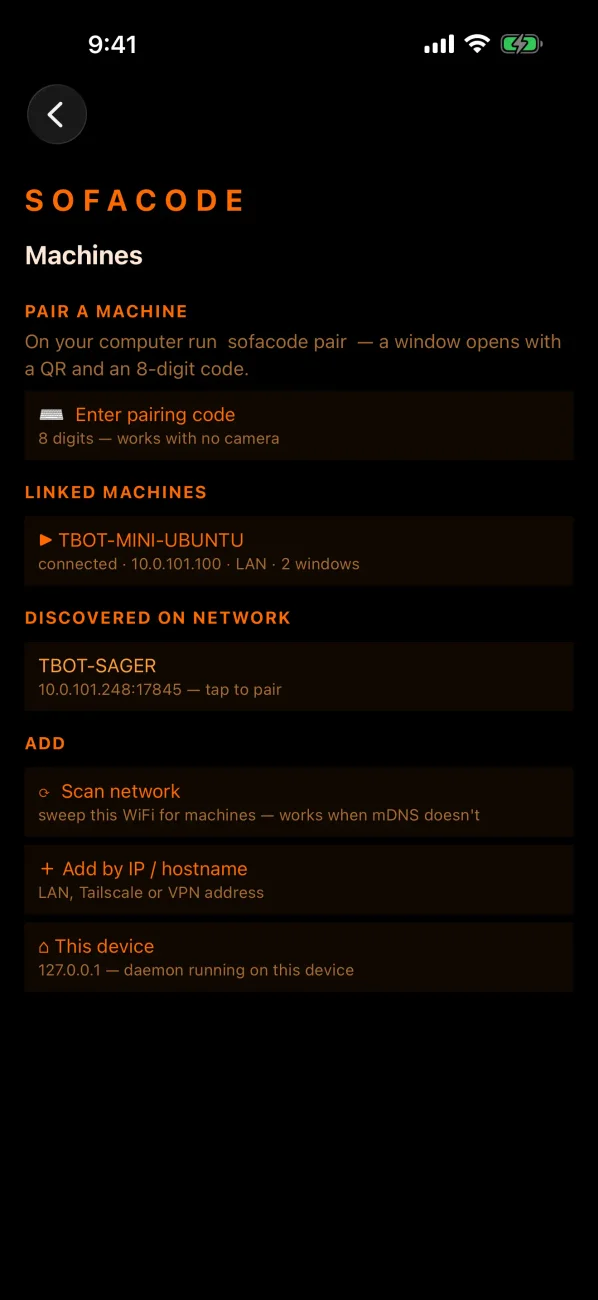
• Browse sessions across machines, switch windows, open projects
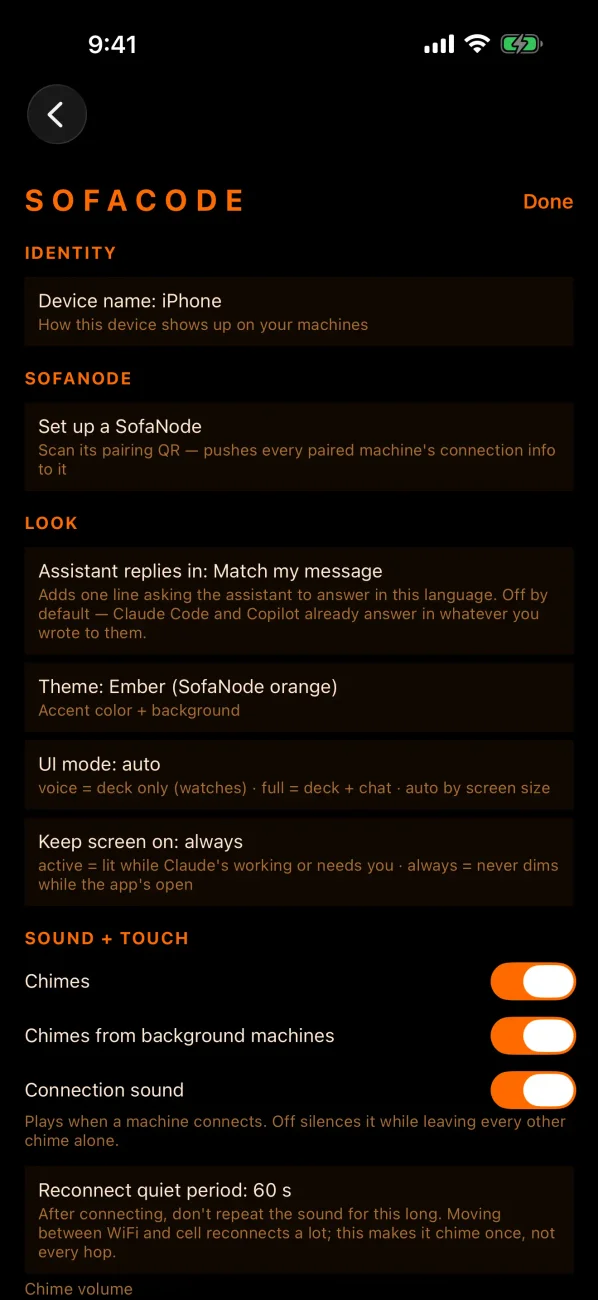
• File browser, terminal, saved prompts, themes (including LCARS), TTS read-aloud
• Works across editors — VS Code, plus Cursor, Insiders, VSCodium, Devin and Antigravity in beta
• Multiple machines and multiple devices at once
WHAT YOU NEED
A computer running VS Code with Claude Code, Codex or GitHub Copilot Chat — your own assistant subscription — plus the free SofaCode daemon. Copilot Chat can also run local models from LM Studio or Ollama. Setup takes a few minutes with QR pairing. SofaCode is an independent product and is not affiliated with OpenAI, Anthropic, GitHub, or Microsoft.
PRICING
One subscription, one week free, then $5/month or $50/year. Cancel anytime in Settings.
Terms of Use (EULA): https://www.apple.com/legal/internet-services/itunes/dev/stdeula/
Privacy Policy: https://sofacode.codedatda.casa/privacy.html
Your coding agent. In your comfy place.
by Codedatda.casa
新機能
バージョン 2.47.1 · 2026/11/7
A way back to the setup step: the Machines screen offers "No helper on your computer yet? Install it" and reopens setup, which gains "Send to my computer" to message you the install line, and the empty deck says "tap ring to set up a computer". One thing at a time on the first return to the deck: the tour runs first and the SofaNode introduction waits for a later visit. The notifications prompt now comes after the first-run wizard instead of over the Terms.
アプリのプライバシー
このアプリのデータの取り扱いについて、Codedatda.casaがApp Storeで申告している内容です。
-
データの収集なし
開発元はこのアプリからデータを収集しません。
プライバシーの取り扱いは、ご利用の機能やお客様の年齢などに応じて異なる場合があります。
情報
- 販売元
- BOT-HOLDINGS, LLC
- カテゴリ
- 開発ツール
- バージョン
- 2.47.1
- 更新日
- 2026/11/7
- リリース
- 2026/8/29
- サイズ
- 11.9 MB
- 必要条件
- iOS 16.0以降
- 対象年齢
- 4+
- 価格
- 無料
- アプリ内課金
- あり
- 言語
- 英語, 繁体字中国語, 簡体字中国語
- 著作権
- © 2026 Codedatda.casa // BOT-HOLDINGS, LLC