
- 対象年齢4+
- カテゴリ写真/ビデオ
- 開発元Meet Pi LLC
- 言語英語ほか2言語
- サイズ6.9 MB
App Storeの公式ページにリンクしています
Download.orgはSplit Video: Lossless Cutのファイルを一切ホストしていません。ボタンを押すと、Meet Pi LLCが公開しているApp Storeのアプリページが開きます。ページの最終確認:2026/11/28。
スクリーンショット

概要
開発元はこのテキストをお使いの言語で提供していません。
Pick your best clips — or just the sound.
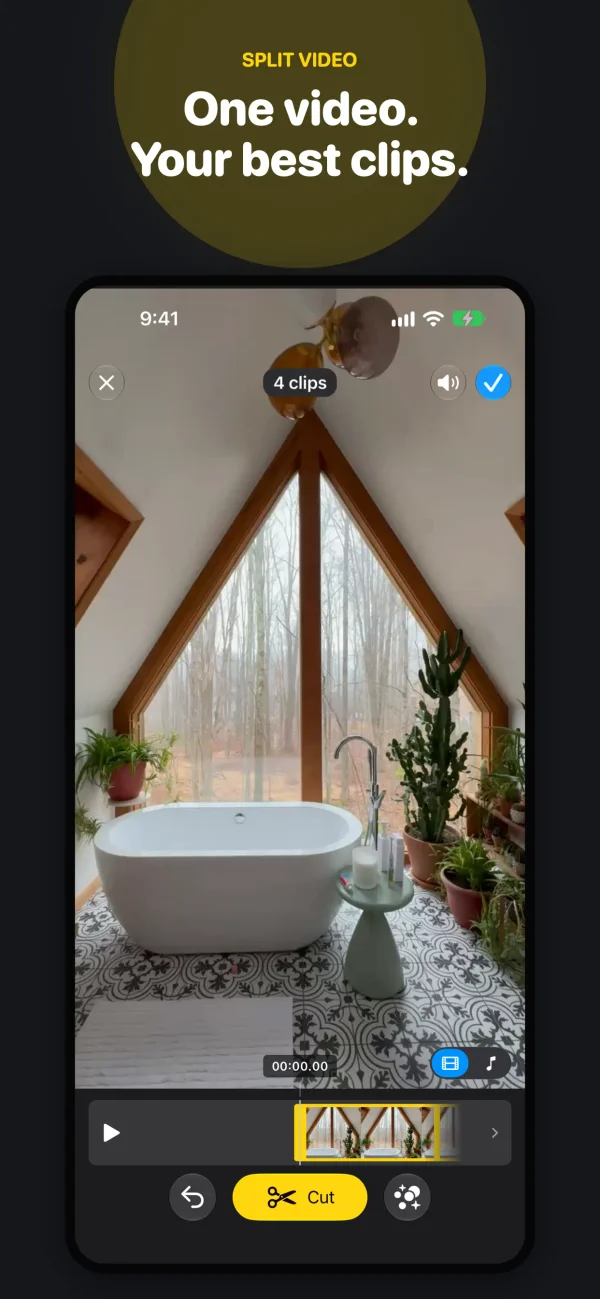
Split a long video into the parts you want to keep. Add your own cuts or let on-device AI suggest them, trim the ends, and preview the results. Then save your selected clips to Photos, join them into one video, or share them to other apps.
FAST CUTS, ORIGINAL QUALITY
Fast export copies the original video without re-encoding. Cut points align to nearby keyframes. Precise encoding gives frame-accurate cuts and re-encodes the video, as do ratio and resolution changes, Moments clips, and rendered slow-motion playback. Re-encoding may change HDR or specialized metadata.
• Scrub the timeline and tap to add cuts
• Hold and drag either end to trim
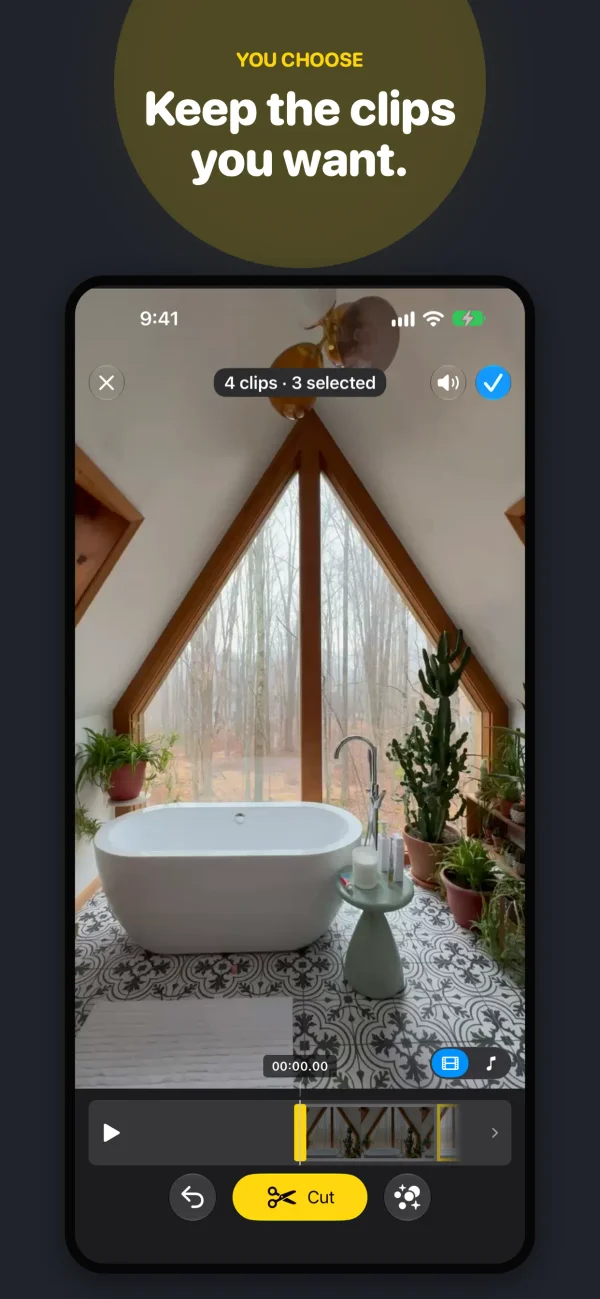
• Choose which clips to keep or skip
• Undo changes and preview before saving
• Save selected clips to Photos in one go, or join them into one video
AUDIO MODE
Switch to the music note to edit audio on a large waveform. Tap to play or pause, hold and drag to move, and use the same cuts, trim, and clip selection. Export M4A (AAC) or WAV (48 kHz, 16-bit PCM) and save the files to Files or another app from the share sheet. WAV files are larger and can’t restore quality missing from the source.
EXPORT YOUR WAY
• Share clips to other apps without saving to Photos first
• Resolution: Original, 1080p, or 720p
• Ratio: 9:16, 1:1, or 4:5, with fit or blurred fill
• Fast or Precise encoding, and an option to remove audio
• Exports: an interrupted export keeps finished clips, so you can retry the rest
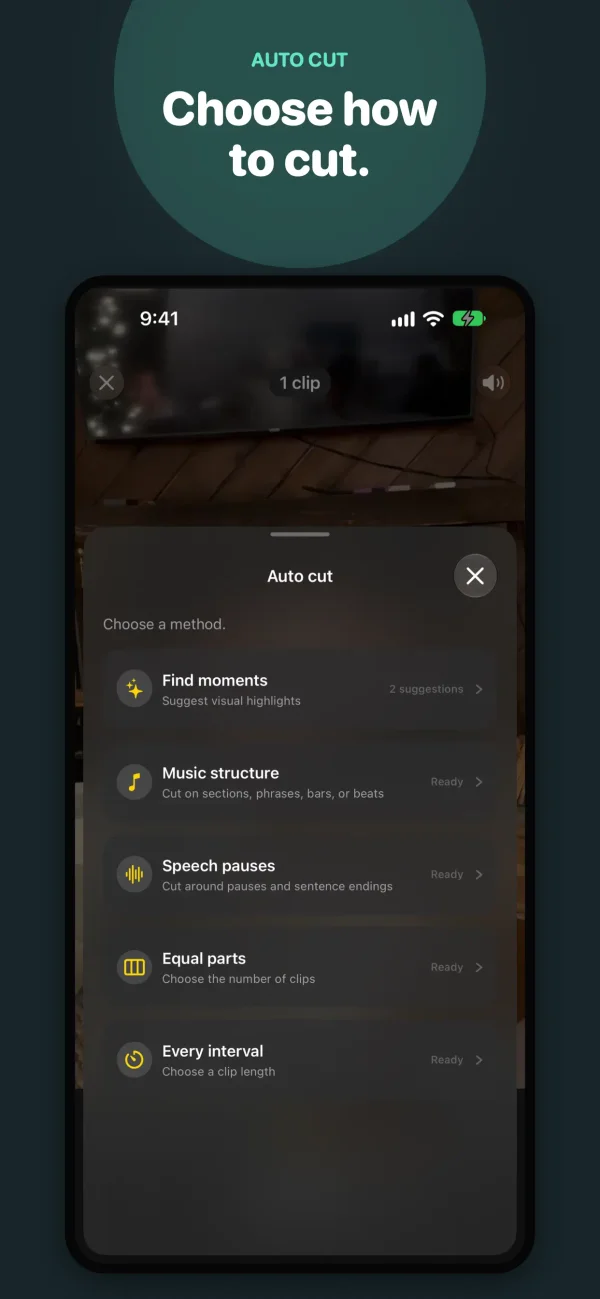
CHOOSE HOW TO CUT
Split by a time interval or into equal parts, or use Auto cut to find:
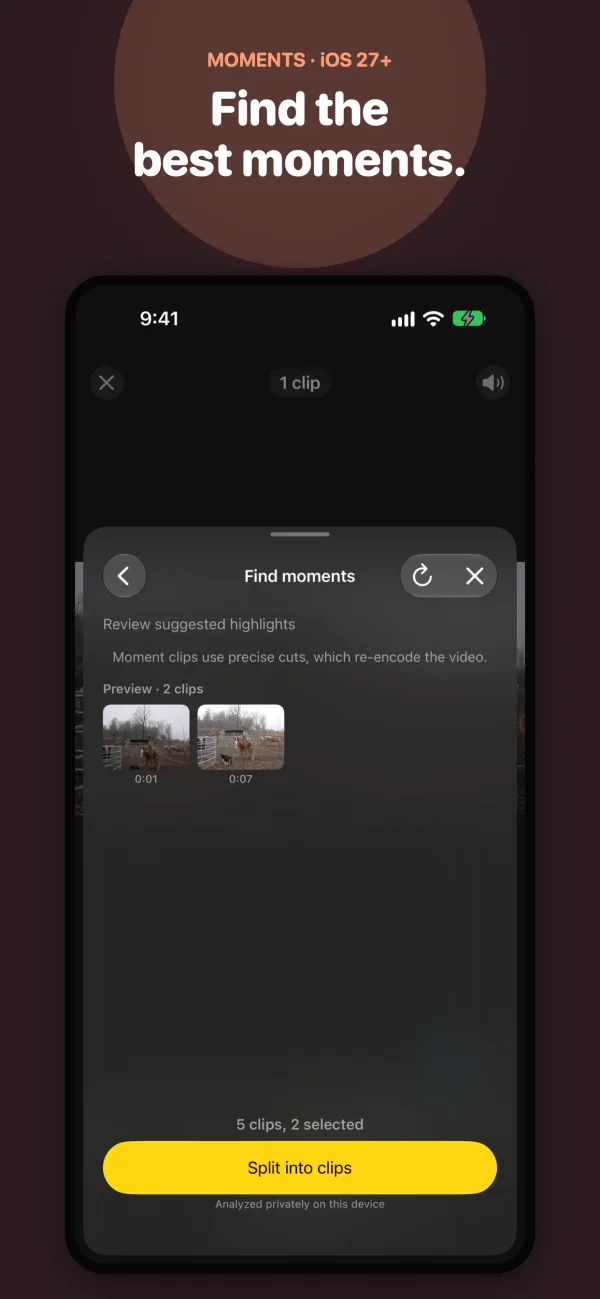
• Moments: suggested highlights with a little lead-in and follow-through
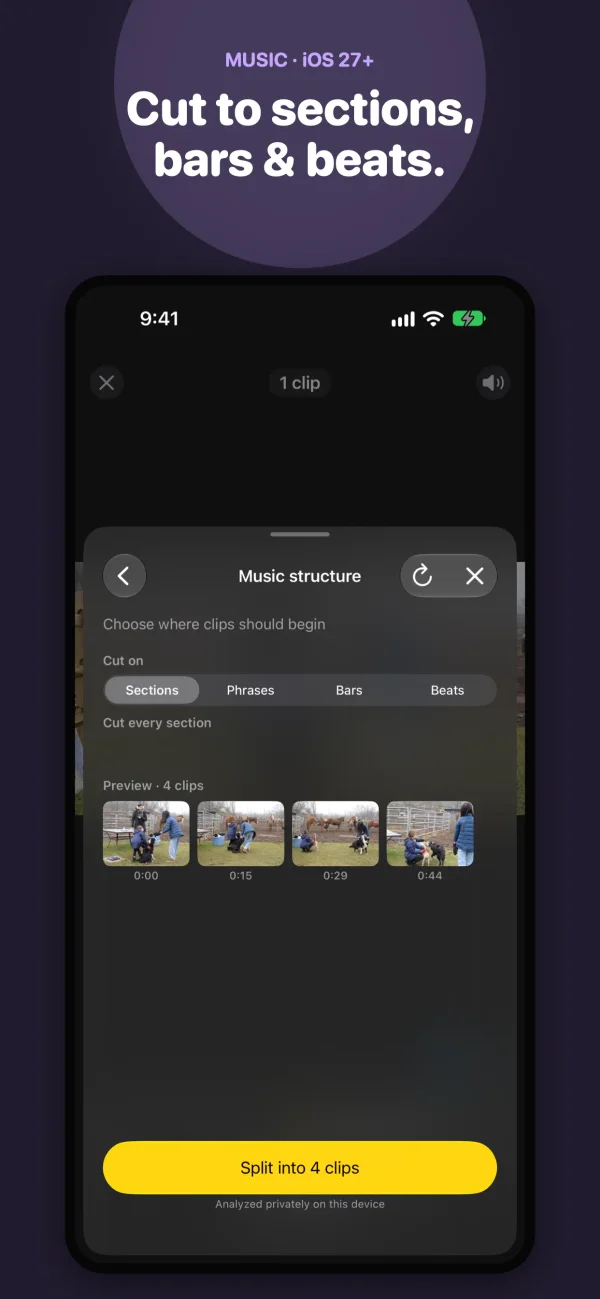
• Music: sections, phrases, bars, or beats
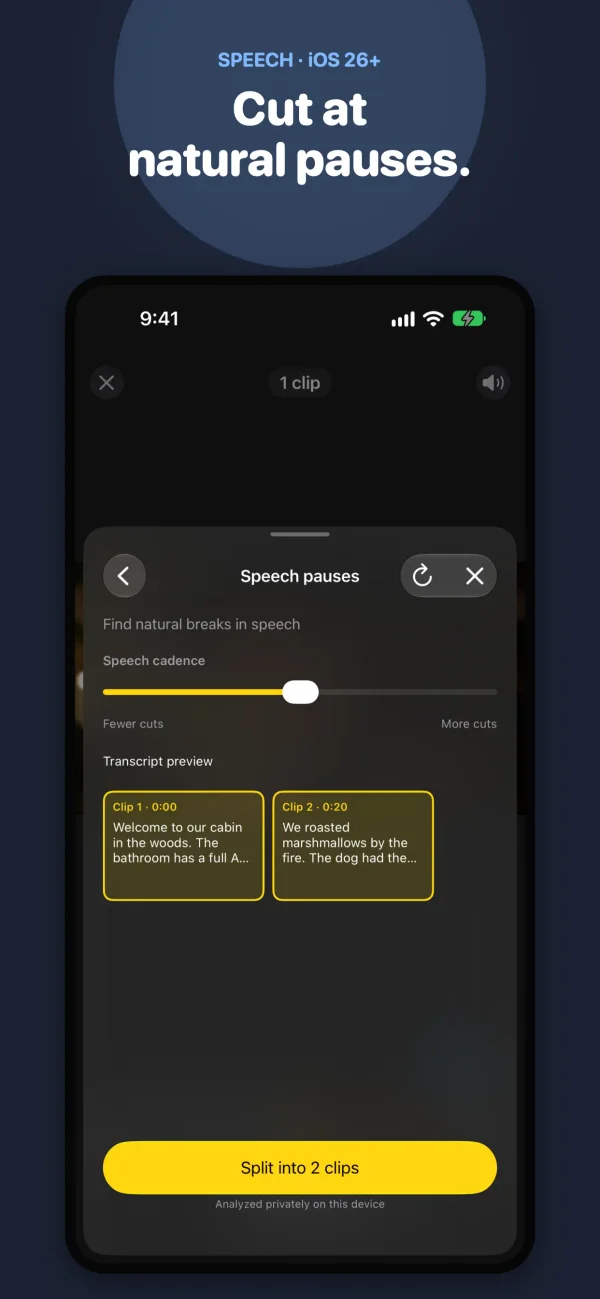
• Speech: natural pauses and sentence endings
Review the suggestions before applying them. All analysis runs on your device; your videos are not uploaded for processing.
BUILT FOR IPHONE DUO AND IPAD
On iPhone Duo, the preview, timeline, and cutting controls adapt as you open or fold the display. On iPad, enjoy a native workspace with rotation and resizable windows. On wider screens, show your library beside the editor or give the video the full workspace.
FIND AND RESUME
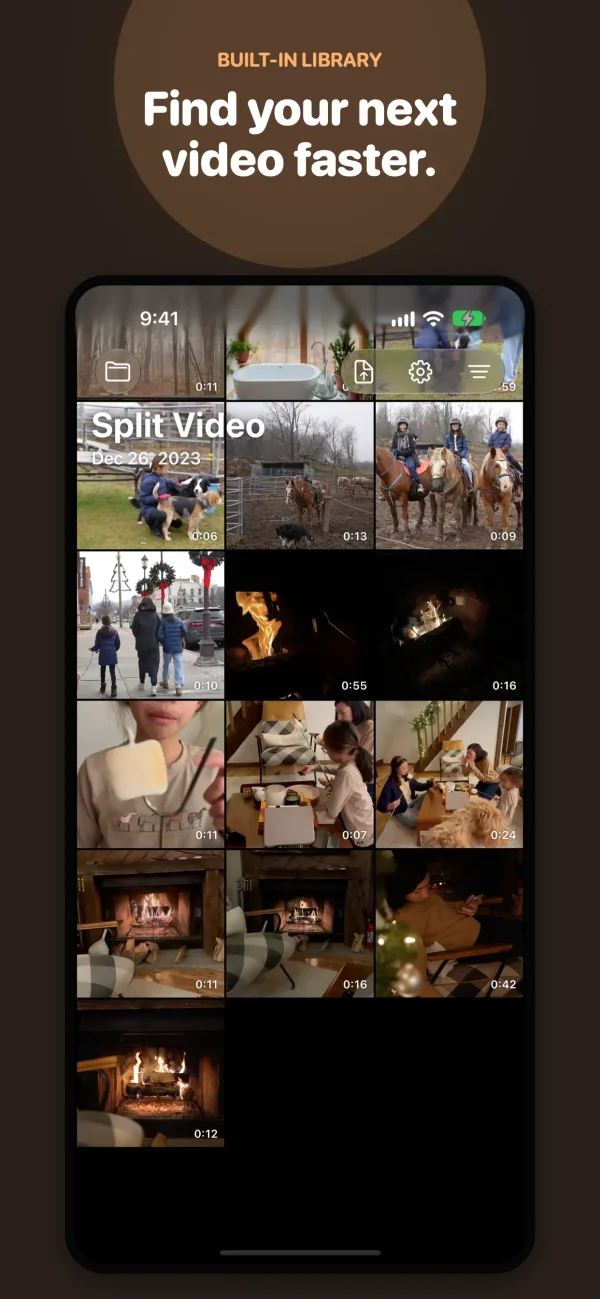
Browse your Photos videos in the built-in Library, with filters for date, duration, and ratings. Unfinished edits are kept and marked In progress, so you can pick up where you left off. Open videos from Files in the app, or from the share sheet in Photos or Files.
YOUR ORIGINAL STAYS
Sharing and audio export leave your original unchanged. When saving to Photos, you can choose to delete the original; it is deleted only after your clips are saved. Slow-motion videos have timing limitations, explained before you save.
PRIVATE AND SIMPLE
No account. No ads. No tracking.
Export up to 5 clips free each calendar month. Unlock unlimited clip exports with a one-time Premium purchase. No subscription.
REQUIREMENTS
Requires iOS or iPadOS 17 or later. Speech cuts require iOS or iPadOS 26 or later. Moments and Music cuts require iOS or iPadOS 27 or later. Background export time depends on the device and system. Analysis availability and results depend on the video and supported system features. Available in English, Simplified Chinese, and German.
Questions or feedback? contact@meetpi.dev
Terms of Use: https://meetpi.dev/split-video/terms
Privacy Policy: https://meetpi.dev/split-video/privacy
新機能
バージョン 2.6.0 · 2026/11/27
Split Video 2.6 adds Audio mode and more ways to finish your edits.
• Audio mode: switch to the music note to edit on a large waveform. Tap to play or pause, hold and drag to move through the audio, and use the same cuts, trim, and clip selection.
• Export audio: save M4A (AAC) or WAV (48 kHz, 16-bit PCM) files to Files or another app from the share sheet.
• Trim: hold and drag either end of the timeline to set where your video starts and ends.
• Join selected clips: skip the parts you don’t want and save the rest as one video.
• Share: send clips straight to other apps without saving to Photos first.
• Open from Files: open a video from Files right in the app.
• Export settings: choose Original, 1080p, or 720p; a 9:16, 1:1, or 4:5 ratio with fit or blurred fill; Fast or Precise encoding; or remove audio.
• Exports: if an export is interrupted, finished clips are kept and you can retry the rest from Exports.
• Resume edits: unfinished edits wait in your Library, marked In progress.
• Now available in German.
• A more compact Save, refreshed frosted sheets, and Write a Review in Settings.
アプリのプライバシー
このアプリのデータの取り扱いについて、Meet Pi LLCがApp Storeで申告している内容です。
-
データの収集なし
開発元はこのアプリからデータを収集しません。
プライバシーの取り扱いは、ご利用の機能やお客様の年齢などに応じて異なる場合があります。
情報
- 販売元
- Meet Pi LLC
- カテゴリ
- 写真/ビデオ
- バージョン
- 2.6.0
- 更新日
- 2026/11/27
- リリース
- 2026/5/12
- サイズ
- 6.9 MB
- 必要条件
- iOS 17.0以降
- 対象年齢
- 4+
- 価格
- 無料
- アプリ内課金
- あり
- 言語
- 英語, ドイツ語, 簡体字中国語
- 著作権
- © 2026 Meet Pi LLC
こちらもおすすめ
-
 Lossless Video Trimmer写真/ビデオ
-
 チョットカット - 高速&無劣化で複数か所カット複数か所を一度にスピーディに編集!高速無劣化・精密トリミング
-
 JoinCut - 動画結合・トリミング無劣化でカットして繋げる、画質そのまま
-
 動画分割 - VSplitter動画を秒数や分割したい数で分割する
-
 動画カット:動画を分割リールやストーリー用に切り抜き・トリミング
-
 Video Joiner & Trimmer動画結合・動画カット・アフレコ・字幕・画中画
-
 Split Video: Long Story Maker写真/ビデオ
-
 Video Splitter - 動画分割リールやTikTok用に動画を分割
-
 Video Splitter - Long Story動画スプリッター・ストーリー, Story Splitter
-
 動画変換・圧縮 - Video ConverterMP3抽出・結合・4K一括変換