
- 対象年齢4+
- カテゴリ仕事効率化
- 開発元Sicasys Software GmbH
- 言語英語
- サイズ42.8 MB
App Storeの公式ページにリンクしています
Download.orgはSpotxel® Readerのファイルを一切ホストしていません。ボタンを押すと、Sicasys Software GmbHが公開しているApp Storeのアプリページが開きます。ページの最終確認:2026/11/16。
スクリーンショット


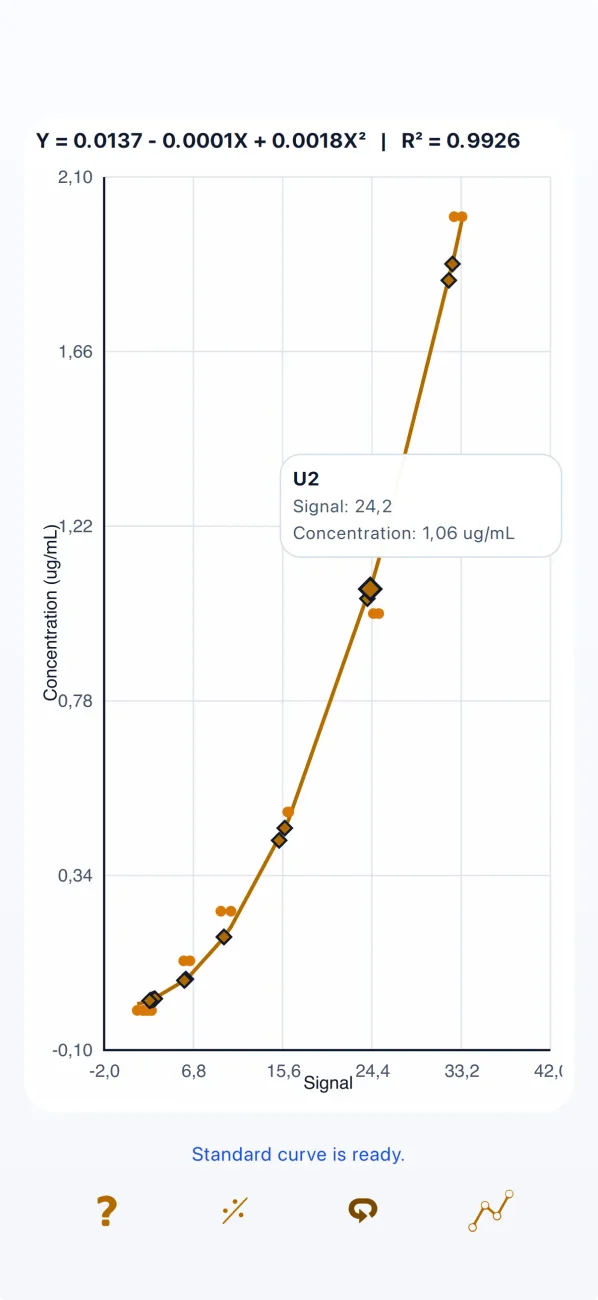
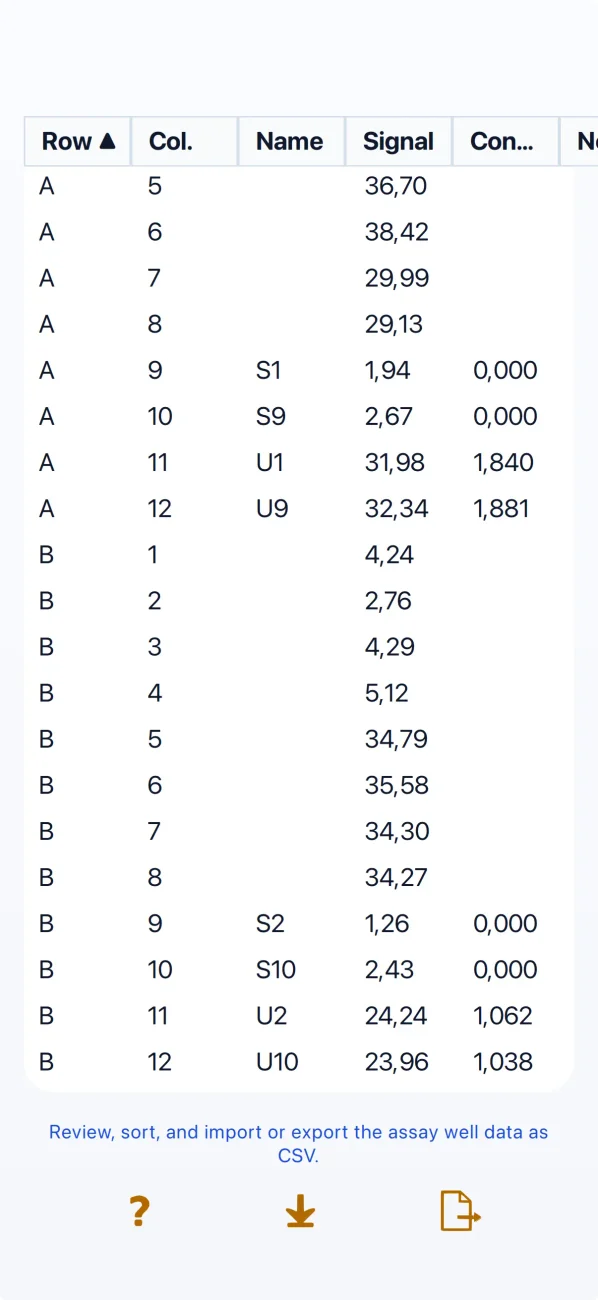
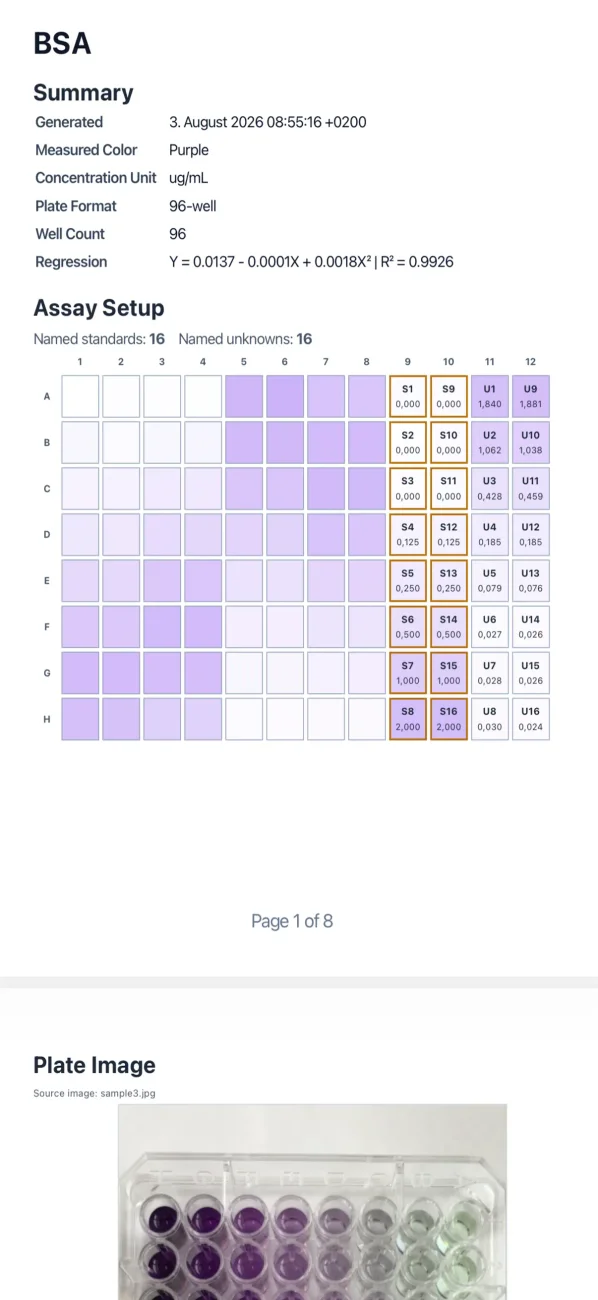
概要
開発元はこのテキストをお使いの言語で提供していません。
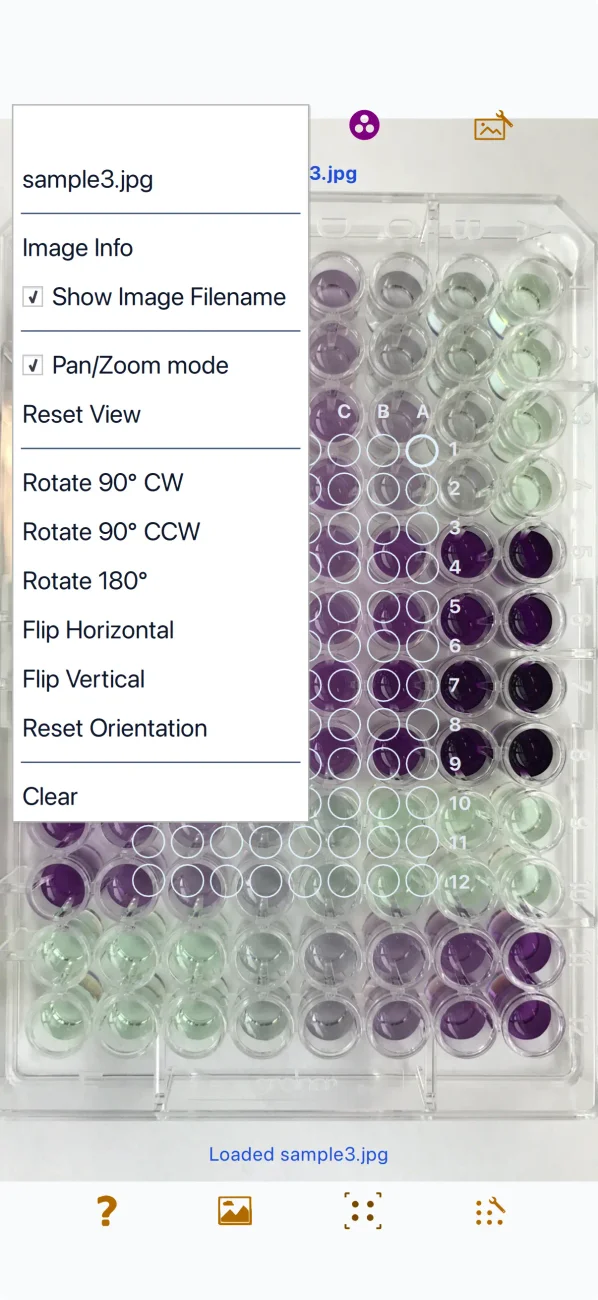
Spotxel® Reader is a free, feature-complete app for image-based microplate-reader workflows and colorimetric assay analysis.
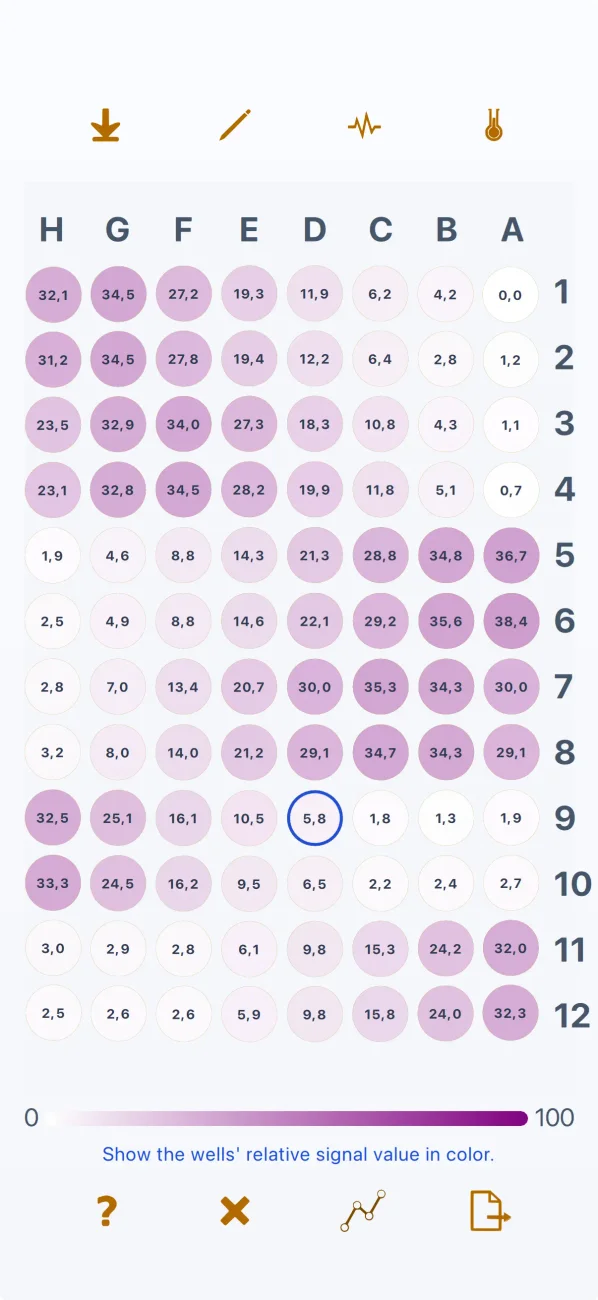
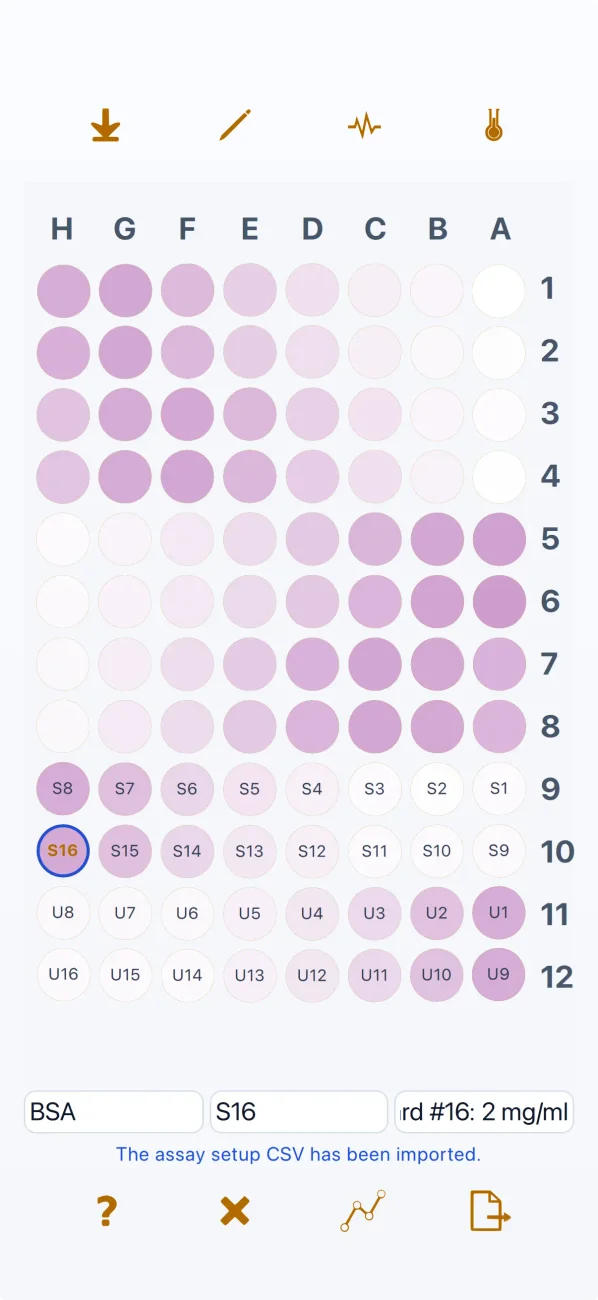
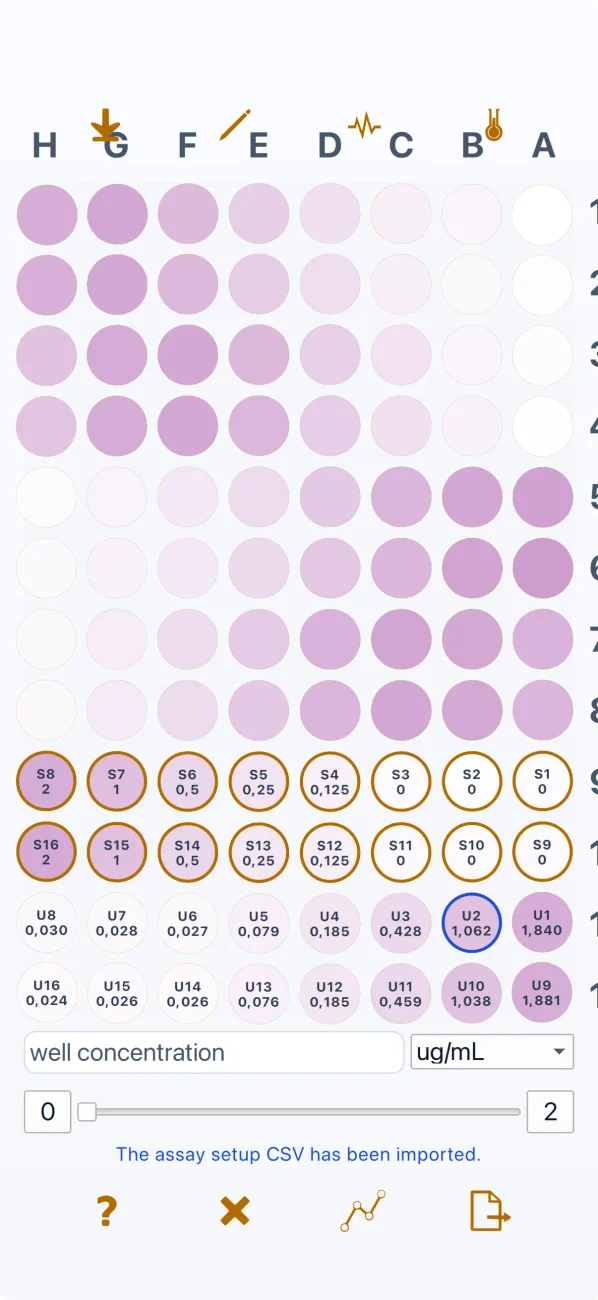
Use Spotxel® Reader to capture or load a microplate image, align the well grid, select the measured color channel, quantify well signals, define standards and unknowns, calculate a standard curve, derive unknown concentrations, review well data, and export assay results.
The guided, page-based workflow includes Camera, Image Analysis, Assay Setup, Standard Curve, Well Data, Assay Report, Purchases, and Settings.
Key features:
- Capture or load microplate images for analysis
- Quantify colorimetric well signals from plate images
- Select the measured color channel
- Align the well grid manually or with the Align Grid beta feature
- Save and load reusable grid profiles
- Define standards, unknowns, well names, and notes
- Import and export assay setup CSV files
- Calculate standard curves and unknown concentrations
- Review sortable per-well signal and concentration data
- Export well data as CSV
- Create PDF assay reports
- Organize generated files in the Spotxel Reader workspace under On My iPhone or On My iPad
- Select camera and default microplate grid settings
- Rotate and flip images and grids
- Customize the interface with color profiles and light or dark appearance modes
- Access expanded in-app help and documentation
All analysis features are available in the free version, which includes a small advertising placement. The optional Perpetual License and auto-renewable 3-Month Subscription remove advertising.
Terms of Use (EULA): https://www.apple.com/legal/internet-services/itunes/dev/stdeula/
新機能
バージョン 3.3.5 · 2026/8/11
Spotxel® Reader 3.3 introduces a redesigned workflow for microplate image analysis:
- Redesigned page-based interface with multiple color profiles
- Free, feature-complete use with optional purchases to remove advertising
- Perpetual License and auto-renewable 3-Month Subscription options
- App workspace for generated files, plus camera and microplate grid settings
- Expanded Image Tools and Grid Tools, including reusable grid profiles
- Align Grid beta for automatic grid alignment
- Improved in-app help and documentation
アプリのプライバシー
このアプリのデータの取り扱いについて、Sicasys Software GmbHがApp Storeで申告している内容です。
-
ユーザーに関連付けられないデータ
収集される場合がありますが、ユーザーの識別情報には関連付けられません。
- 診断
プライバシーの取り扱いは、ご利用の機能やお客様の年齢などに応じて異なる場合があります。
情報
- 販売元
- Sicasys Software GmbH
- カテゴリ
- 仕事効率化
- バージョン
- 3.3.5
- 更新日
- 2026/8/11
- リリース
- 2018/2/16
- サイズ
- 42.8 MB
- 必要条件
- iOS 16.0以降
- 対象年齢
- 4+
- 価格
- 無料
- アプリ内課金
- あり
- 言語
- 英語
- 著作権
- © 2017-2026 SICASYS Software GmbH
こちらもおすすめ
-
 Lab.Hacks仕事効率化
-
 Wepa Print仕事効率化
-
 Lilo: Study Timer & ChallengesCompete with Friends to Focus
-
 ClearSpace: Reduce Screen Time仕事効率化
-
 MyScript Notes: AIノートとPDFAI手書き認識と注釈で学習をスマートに
-
 Grades - Grade Calculator, GPA仕事効率化
-
 Focustown - みんなで集中タイマー世界中の仲間と、カフェで勉強
-
 Zotero仕事効率化
-
 Notability: AIノート&勉強手書きメモ・PDF注釈・録音
-
 Google フォーム / Google FormsGoogleフォーム作成&回答確認