
- 対象年齢17+
- カテゴリ写真/ビデオ
- 開発元Milos Micunovic
- 言語英語
- サイズ15.9 MB
App Storeの公式ページにリンクしています
Download.orgはStopmo - Stop Motion Animationのファイルを一切ホストしていません。ボタンを押すと、Milos Micunovicが公開しているApp Storeのアプリページが開きます。ページの最終確認:2026/11/29。
スクリーンショット



概要
開発元はこのテキストをお使いの言語で提供していません。
Turn a stack of photos into a little movie.
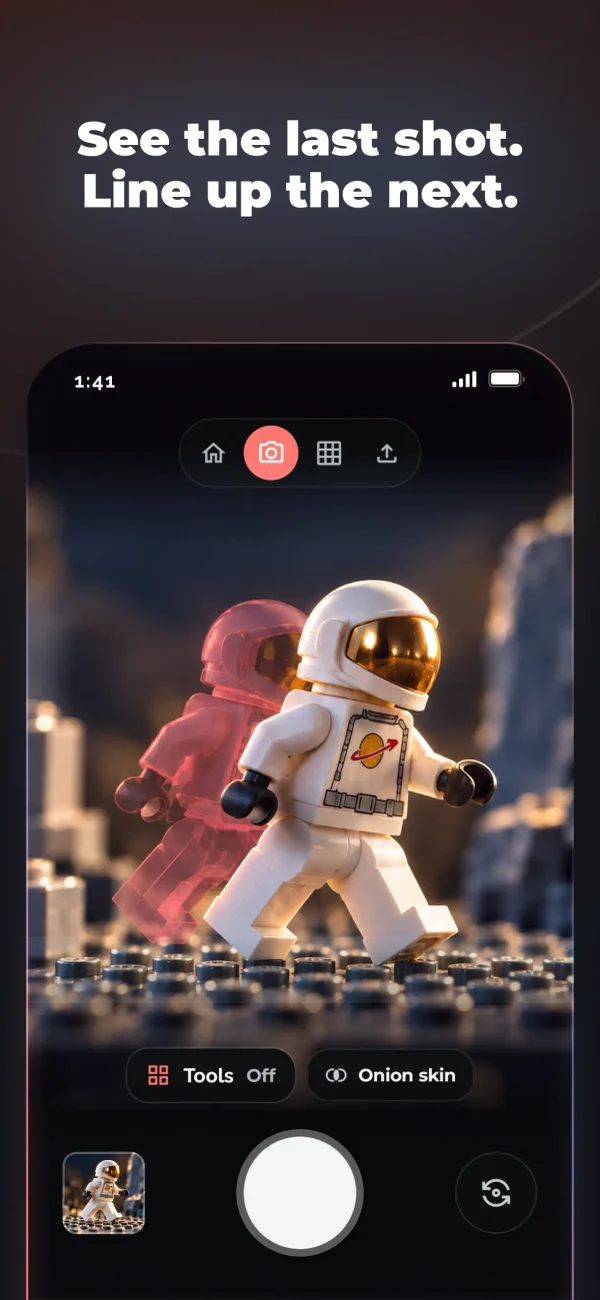
Stopmo is a stop-motion animation studio for your iPhone. Shoot frame by frame, see the previous shot faded over the live view, and line up each new photo with the last one so the finished movie plays back smooth instead of jittery.
SHOOT
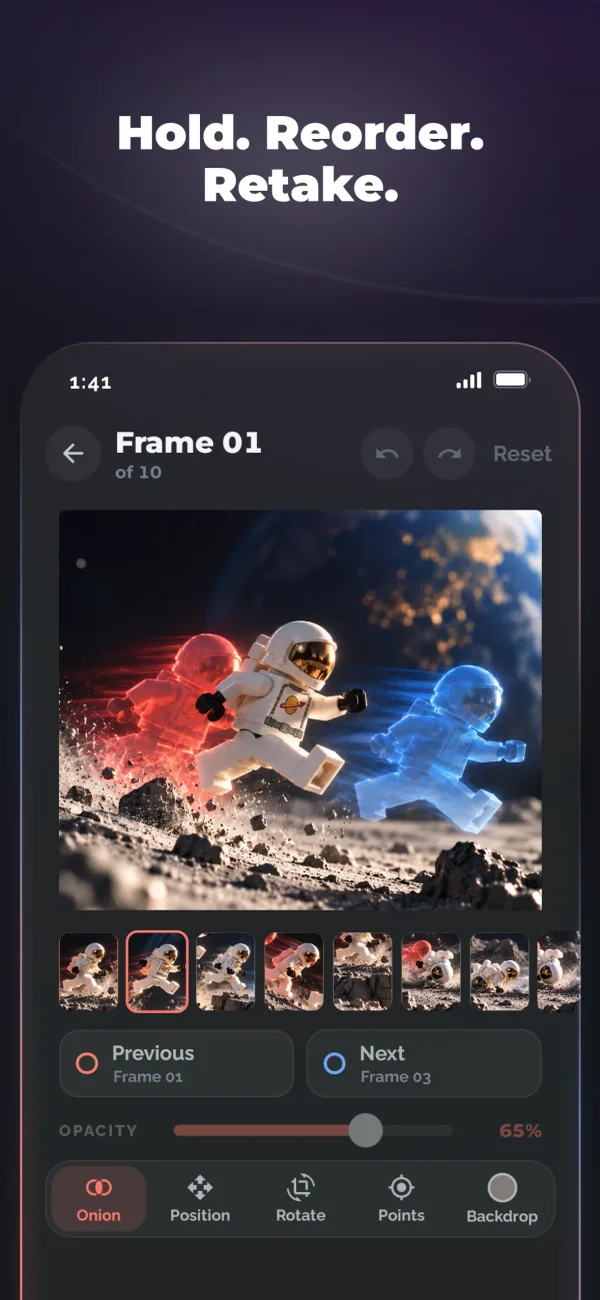
- Onion skin: the previous frame, faded over the live camera, with an opacity slider
- Level guide that shows how close your phone is to level, or to a saved angle
- Grid overlay for framing
- Draw reference guides (free, line or circle) on the viewfinder; they never appear in your movie
- Lock focus, exposure and white balance so the picture does not drift or flicker between frames
- Manual focus, exposure and white balance presets when you want full control
- Tap to focus, and flip between the front and back cameras
- Hands-free shooting: self-timer, interval capture, or the Clap trigger that takes a photo when you clap
ARRANGE
- A grid of all your frames: drag to reorder, select and delete
- Import photos you already have from your library
- Pin, rename and sort your projects
PREVIEW AND EXPORT
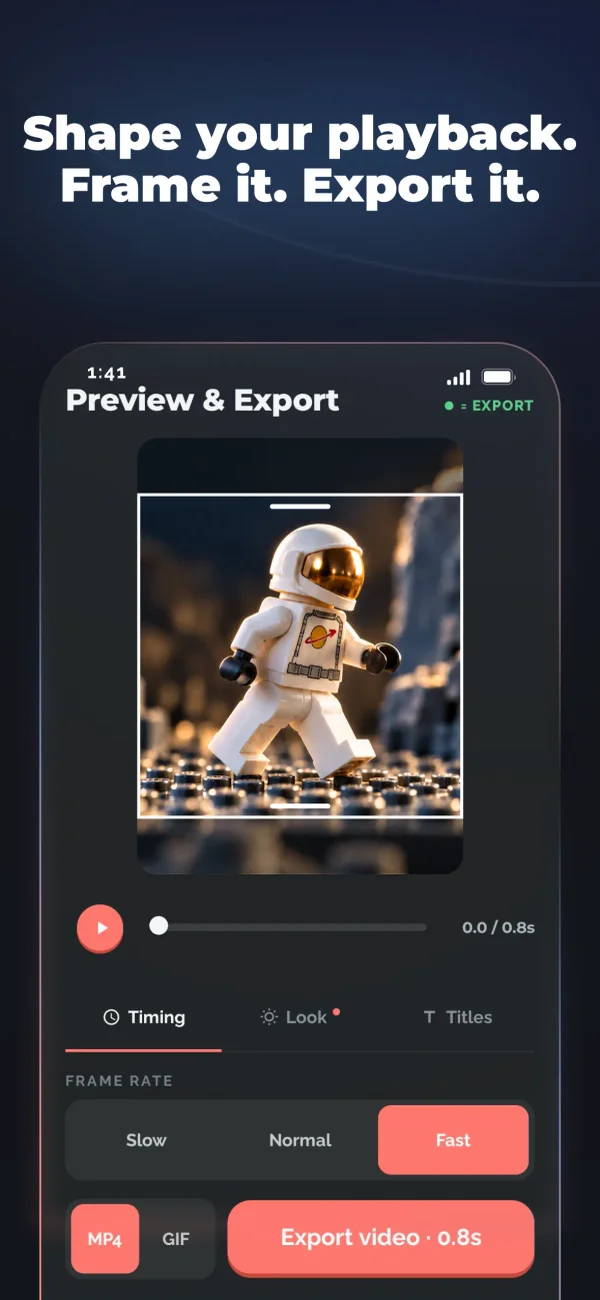
- Play your animation back before you export: what you see is what you get
- Slow, Normal or Fast frame rate, plus a Boomerang option
- Export an MP4 as a square, vertical 9:16, horizontal 16:9 or original-shaped movie, and drag the crop box to choose what is kept
- Save to your photo library or share it anywhere. A small Stopmo Studio mark is added to exported movies.
PRIVATE BY DESIGN
- No account and no sign-in
- Your photos, frames and movies stay on your device and are never uploaded
- The microphone is used only while the Clap trigger is on. Audio is analysed live and never recorded or saved
- Photos access is add-only, used to save your finished movies
- The only data that leaves your phone is crash reports and basic usage statistics, which carry none of your photos or project names, and what Google's ad service receives if you choose to watch the optional ad
Free, with no subscriptions and no in-app purchases. Exports carry a small Stopmo Studio mark, which you can remove by watching one short ad.
Made in Montenegro by Milos Micunovic.
新機能
バージョン 1.5.0 · 2026/11/28
- Zoom while you shoot: pinch the viewfinder, tap the zoom button for the lens presets, or drag it for fine steps. Each project remembers the zoom of its last shot.
- Keep one lens: tap a lens to hold the camera on it between frames, so your iPhone never switches lenses in the middle of a sequence. Tap Auto to let it choose again. Capture comes back to the lens your last frame was shot on.
- A fresh new app icon.
- The Stopmo Studio mark on exports is now optional: switch it off in Preview's Look tab and a short ad plays when you export. If no ad is available, the mark comes off anyway.
- Fixes and improvements.
アプリのプライバシー
このアプリのデータの取り扱いについて、Milos MicunovicがApp Storeで申告している内容です。
-
ユーザーのトラッキングに使用されるデータ
他社のアプリやウェブサイトを横断してユーザーをトラッキングする目的で使用される場合があります。
- ID
-
ユーザーに関連付けられないデータ
収集される場合がありますが、ユーザーの識別情報には関連付けられません。
- ID
プライバシーの取り扱いは、ご利用の機能やお客様の年齢などに応じて異なる場合があります。
情報
- 販売元
- Milos Micunovic
- カテゴリ
- 写真/ビデオ
- バージョン
- 1.5.0
- 更新日
- 2026/11/28
- リリース
- 2026/10/21
- サイズ
- 15.9 MB
- 必要条件
- iOS 18.0以降
- 対象年齢
- 17+
- 価格
- 無料
- 言語
- 英語
- 著作権
- © 2026 Milos Micunovic
こちらもおすすめ
-
 FrameFold: コマ撮りカメラ無料。手が離れると撮影
-
 Stop Motion Movie Maker写真/ビデオ
-
 Jook Junt写真/ビデオ
-
 Video Maker Editor App写真/ビデオ
-
 movtrak - AI powerd camera写真/ビデオ
-
 Rkive AIContent Creation on Autopilot
-
 Interval - コマ撮り・タイムラプスクレイアニメ・GIF・インターバル撮影
-
 Stop Motion Video Makerコマ撮りアニメ&ストップモーション動画スタジオ
-
 Stop Motion MT写真/ビデオ
-
 Stop Motion Lab写真/ビデオ