
- 対象年齢4+
- カテゴリユーティリティ
- 開発元Marios Sarantis
- 言語英語
- サイズ4.6 MB
App Storeの公式ページにリンクしています
Download.orgはStreaMarioのファイルを一切ホストしていません。ボタンを押すと、Marios Sarantisが公開しているApp Storeのアプリページが開きます。ページの最終確認:2026/11/20。
スクリーンショット
概要
開発元はこのテキストをお使いの言語で提供していません。
The application has two faces. Face one is to install on your iPhone or iPad and face two, is to install it on your MacBook.
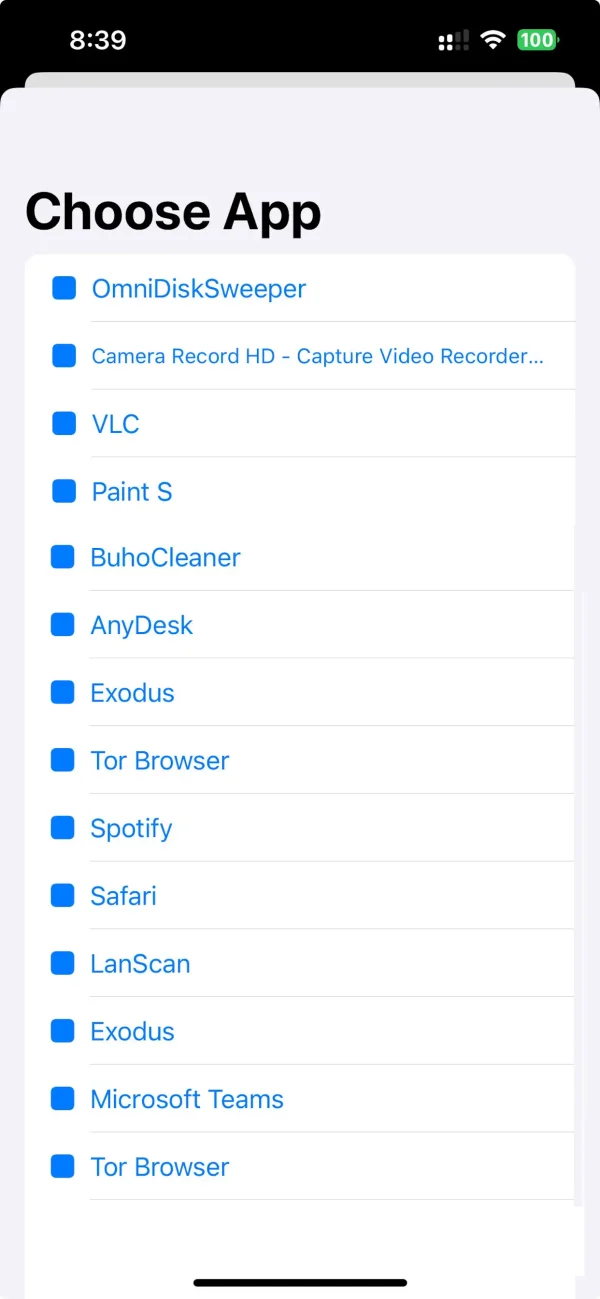
When you launch the application on your MacBook, it reads all your apps installed and creates a list for your iPhone.
Don't try to do anything from the application on the Mac OS, it is just like a server.
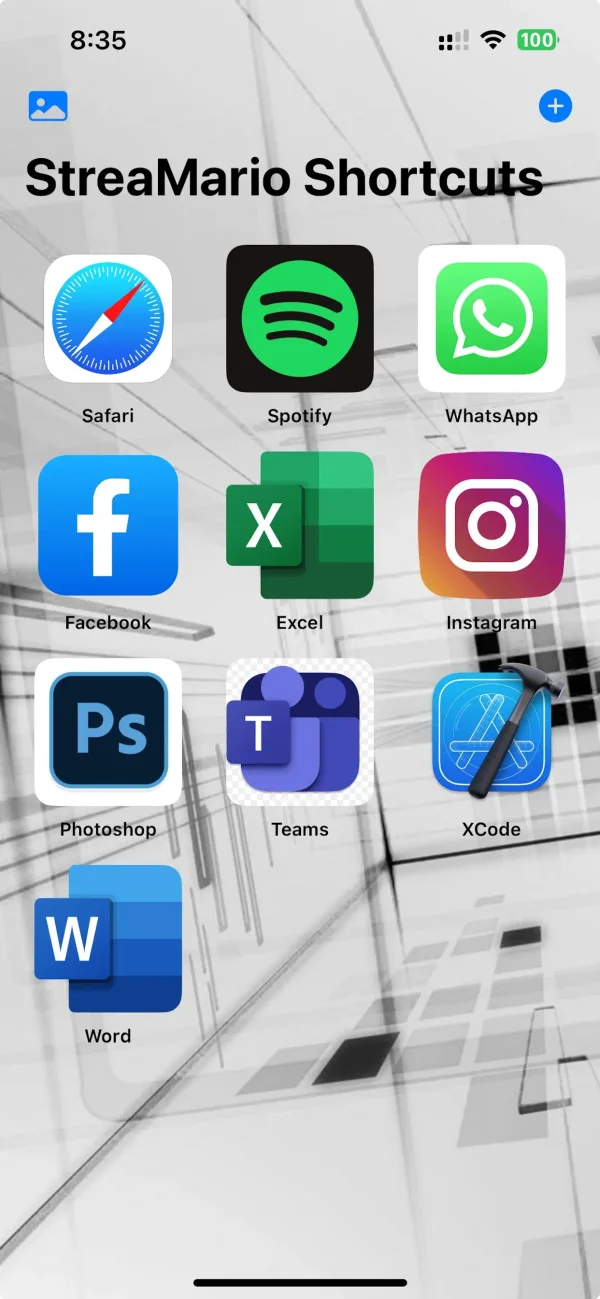
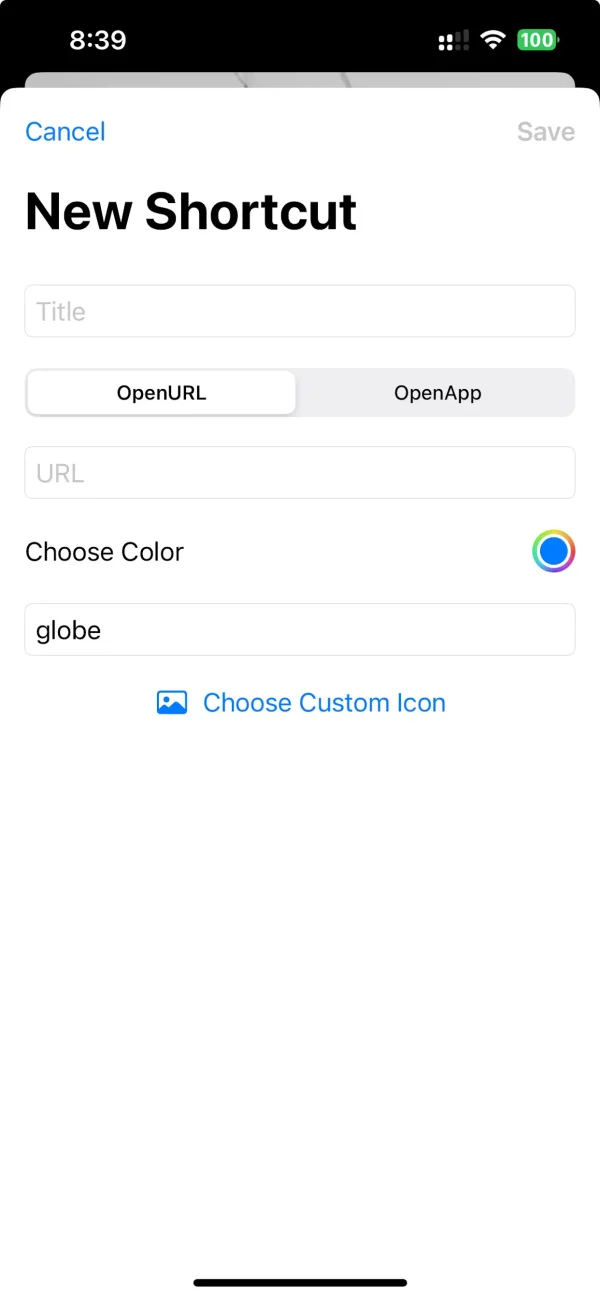
From iPhone's side you can start the app and you press the Add Shortcut button and then you can create a shortcut.
You can give the name you want and also you can download an icon png from internet and choose it for your shortcut. Then you only need to press the choose button and you will see the list of your apps that MacBook send. Choose your app and thats it.
Now you can tap the shortcut and the app it will open on your MacBook.
After you will create you shortcuts from your iPhone or iPad , the shortcuts will appear also at the MacOS and yes, you can click a shortcut and it will open the app you want, but mainly the app is created for usage from iPhone or iPad.
新機能
バージョン 1.1 · 2026/1/11
We replace the type of database so now the app works faster.
アプリのプライバシー
このアプリのデータの取り扱いについて、Marios SarantisがApp Storeで申告している内容です。
-
データの収集なし
開発元はこのアプリからデータを収集しません。
プライバシーの取り扱いは、ご利用の機能やお客様の年齢などに応じて異なる場合があります。
情報
- 販売元
- Marios Sarantis
- カテゴリ
- ユーティリティ
- バージョン
- 1.1
- 更新日
- 2026/1/11
- リリース
- 2025/12/19
- サイズ
- 4.6 MB
- 必要条件
- iOS 16.6以降
- 対象年齢
- 4+
- 価格
- ¥300
- 言語
- 英語
- 著作権
- © Marios Sarantis