
- 対象年齢4+
- カテゴリ教育
- 開発元Maximilian Elias Paasch
- 言語ドイツ語ほか1言語
- サイズ6.0 MB
App Storeの公式ページにリンクしています
Download.orgはStudGoのファイルを一切ホストしていません。ボタンを押すと、Maximilian Elias Paaschが公開しているApp Storeのアプリページが開きます。ページの最終確認:2026/11/12。
スクリーンショット

概要
開発元はこのテキストをお使いの言語で提供していません。
StudGo is a private, open-source student project and not an official app of any university. It is developed by a student. The app is a client for Stud.IP and signs in to your own university's Stud.IP through the official OAuth2 interface.
It brings your study day into one app instead of spreading it across five browser tabs. StudGo has no server of its own.
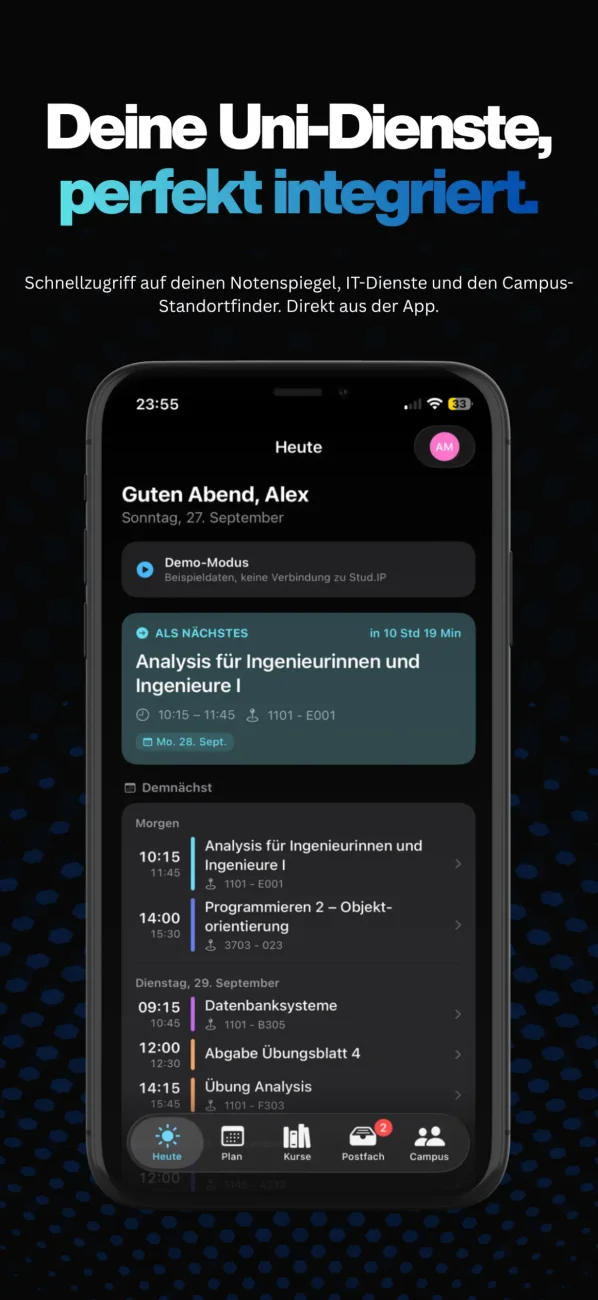
TODAY
The start screen answers the one question that matters in the morning: what's on? Your next class with room and time, the rest of the day below, unread messages and announcements – plus "New since your last visit": new files, forum posts and wiki pages from your courses.
WIDGETS
Your next event and unread messages as widgets on the Home Screen and the Lock Screen – small, medium with "Then", round or below the clock – plus the cafeteria widget with today's menu. When an event ends, the widget moves on to the next one by itself. The widgets never contact the server themselves.
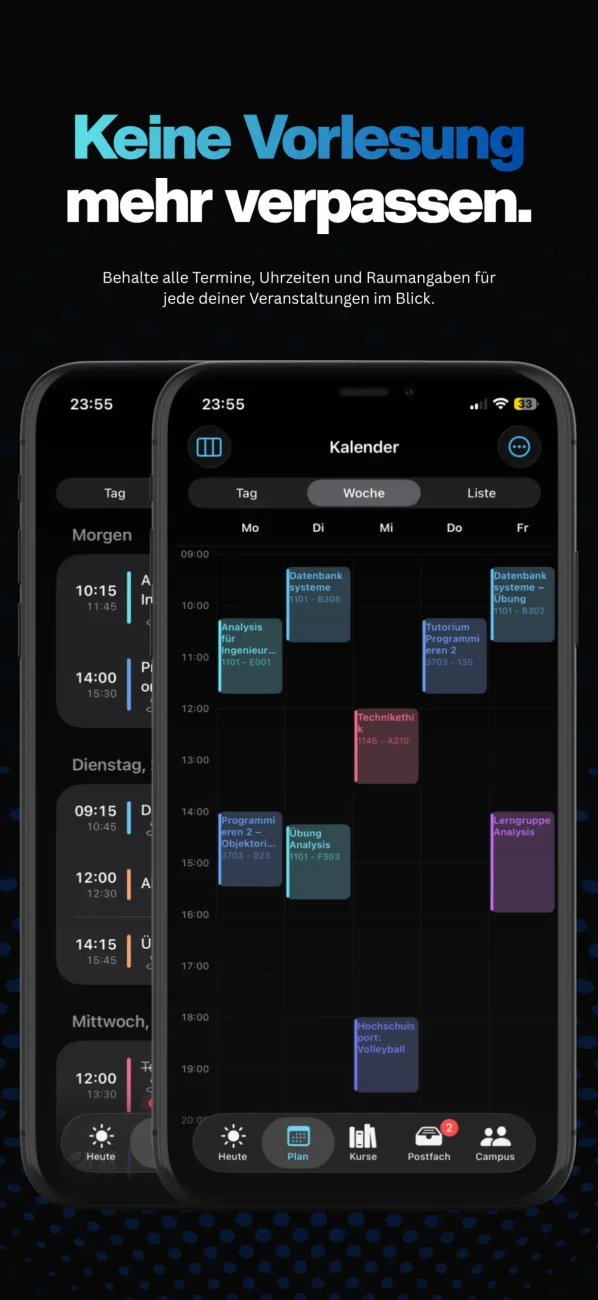
TIMETABLE
The weekly grid you know, plus a day view and a list of events. Events arrive as real sessions with dates, including room, topic and cancellations. Switch between the current and the upcoming semester. Share your timetable as an image, for example with your study group.
IN iOS CALENDAR
If you like, the next eight weeks appear in a separate "StudGo" calendar that updates every time you open the app – so they also show up on Apple Watch, in CarPlay and in Siri.
PUBLIC HOLIDAYS
Lower Saxony's public holidays appear next to the date on the start screen, in the day view and in the list.
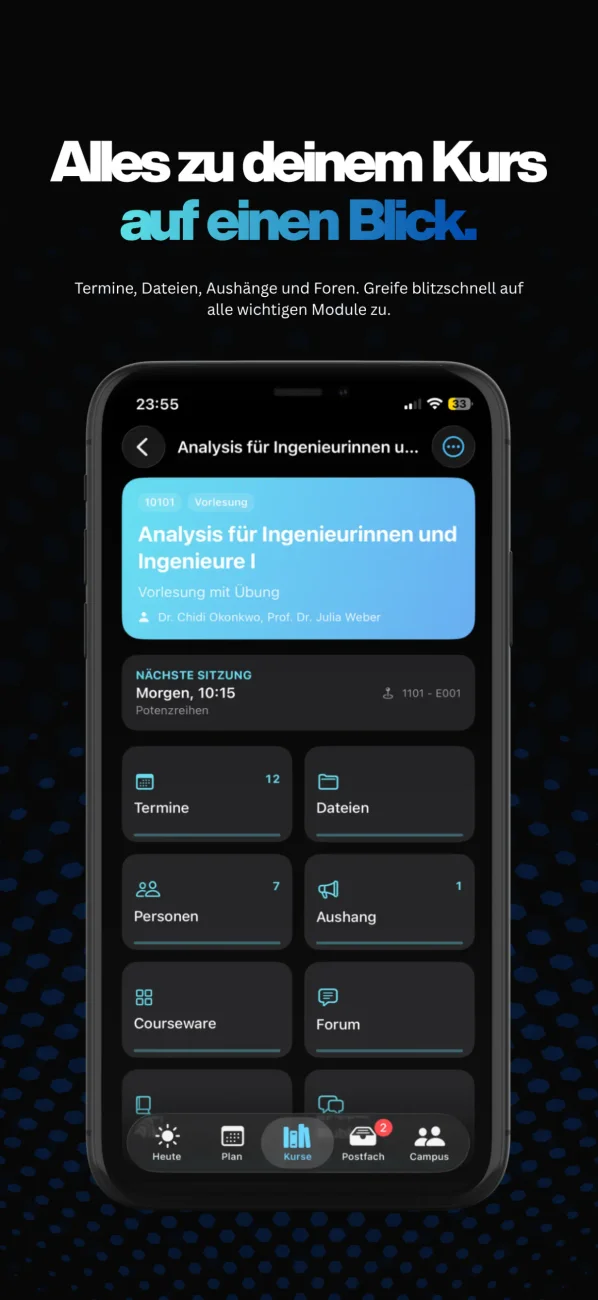
COURSES
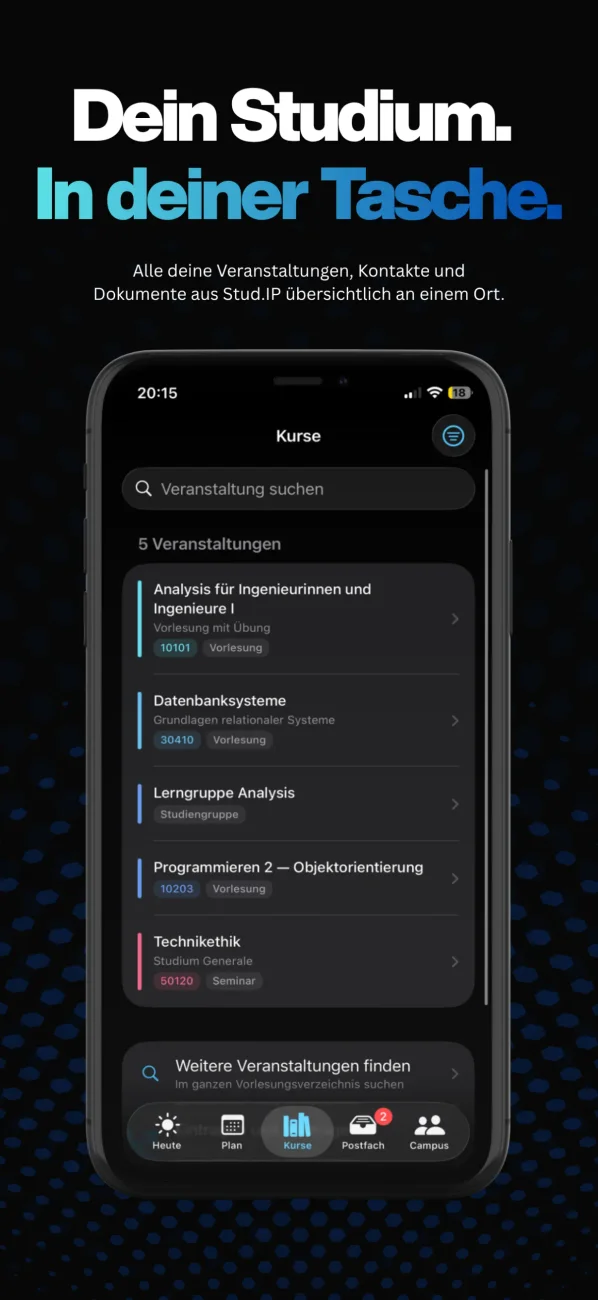
All your courses with description, lecturers, participants including status groups with capacity and signup window, events, announcements, forum, wiki and courseware. Plus search across the course catalog.
FILES
Every course's file area: browse folders, preview and share files and keep them offline – entire folders, too, readable without reception and encrypted on the device. Search finds files across the whole file area; upload your own files, create folders.
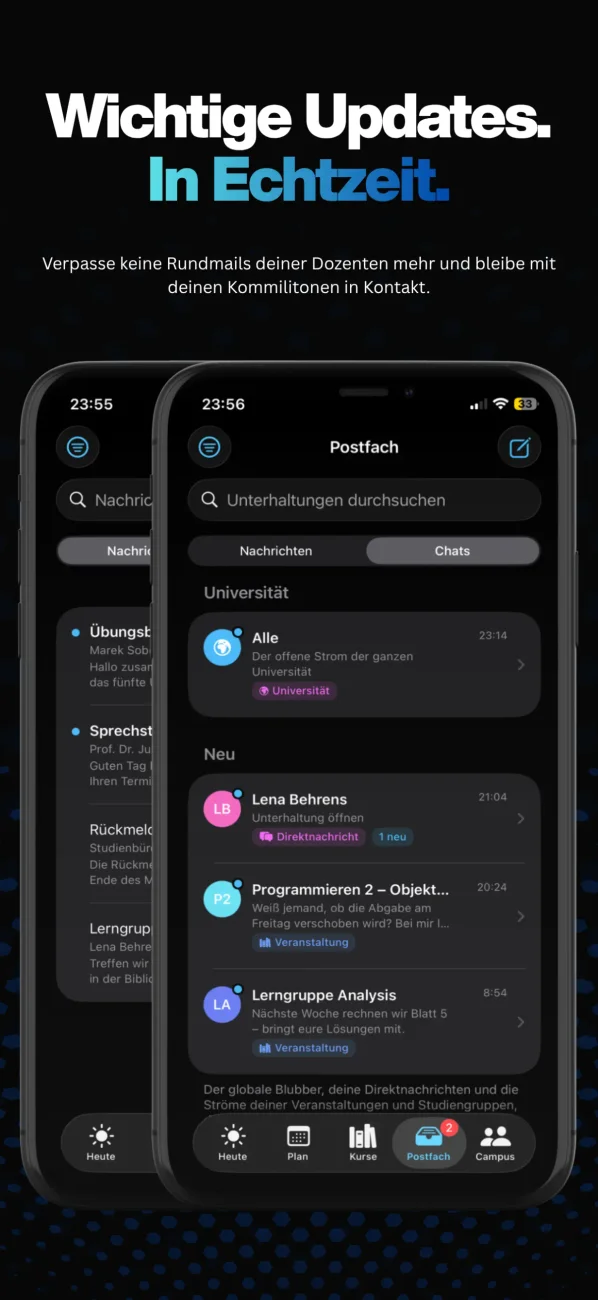
INBOX
Messages and Blubber conversations in one place. Read, reply, delete, write new ones. In Blubber chats, tapping a person opens their profile.
CAMPUS
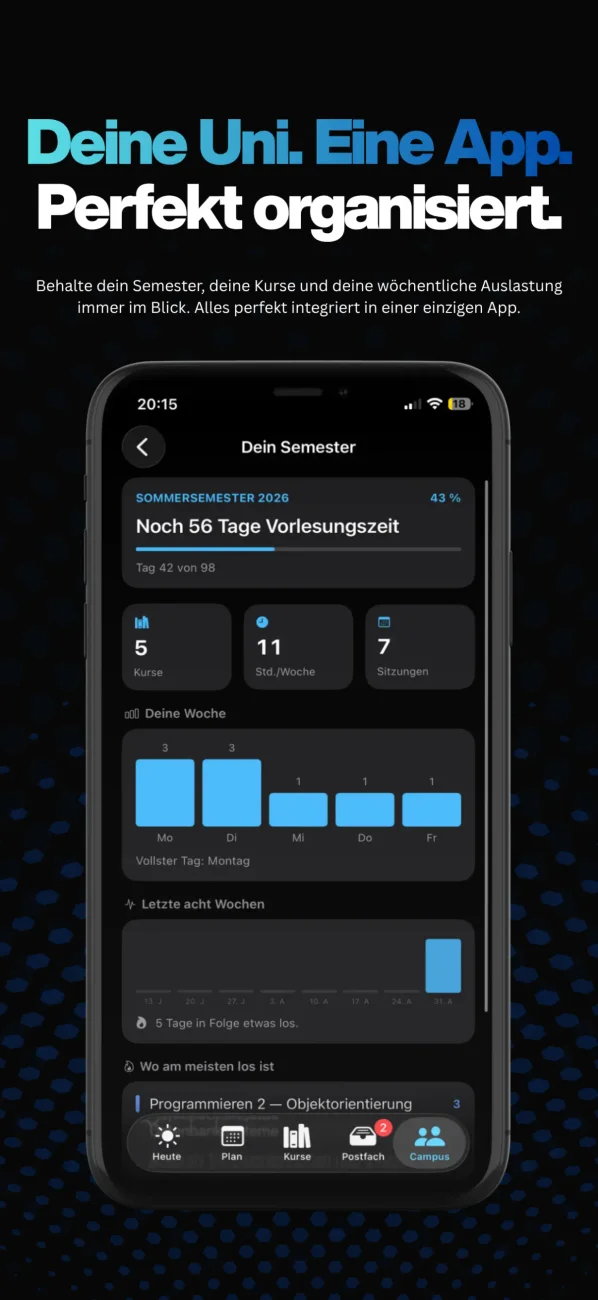
Activity stream, contacts, people search, office hours with booking, study groups, cafeteria menus and your semester statistics.
REMINDERS
Local reminders before classes and events, plus notices about new messages and – optional, off by default – news from your courses and alerts about short-notice cancellations. A background check looks once a day; without any push server.
ENGLISH AND GERMAN
The app follows your device language, with eight color themes, light or dark. Text follows your preferred text size.
TRY IT WITHOUT AN ACCOUNT
On the sign-in screen, "View demo without signing in" opens a complete version of the app with sample data. No account, no network connection, no data transmitted.
WHICH SERVER
This version is set up for the Stud.IP at studip.uni-hannover.de. Signing in requires a valid account there; without one, you can explore the full app in demo mode.
PRIVACY
StudGo has no server of its own. The app talks directly to your university's Stud.IP with the account you sign in with. Cafeteria menus come from the open directory OpenMensa, without any account. Access tokens are kept in the device's Keychain, cached content inside the app. Calendar sync writes only to its own "StudGo" calendar and reads no other events. Offline files are encrypted on the device and excluded from backup. Signing out deletes all account data on the device. No analytics, no tracking, no ads, no sharing with third parties. The app never sees your university password: sign-in runs through OAuth2 in the system browser, directly at the university.
GOOD TO KNOW
Exam registration and grades are handled in QIS, not Stud.IP; a button in your profile takes you there. Stud.IP is a trademark of Stud.IP e. V.; StudGo is not affiliated with it.
新機能
バージョン 1.9.0 · 2026/11/7
New in 1.9.0:
• Keep files offline: individual files or entire folders stay readable without reception – encrypted on the device, with search across the file area.
• "New since your last visit" on Today: new files, forum posts, wiki pages and announcements from your courses at a glance.
• Stay on top of cancellations: a background check informs you – if you want it to – about sessions cancelled at short notice.
• News from your courses as a notification, mutable per course. Both new notifications are off by default.
• Cafeteria widget: today's menu right on your Lock Screen.
• Signing out now deletes all account data on the device: blocklist, hidden events, notifications and reminders.
• Courses now show their status groups with capacity and signup window.
Everything else stays the same: no tracking, no server of our own, tokens stay on your device.
アプリのプライバシー
このアプリのデータの取り扱いについて、Maximilian Elias PaaschがApp Storeで申告している内容です。
-
データの収集なし
開発元はこのアプリからデータを収集しません。
プライバシーの取り扱いは、ご利用の機能やお客様の年齢などに応じて異なる場合があります。
情報
- 販売元
- Maximilian Elias Paasch
- カテゴリ
- 教育
- バージョン
- 1.9.0
- 更新日
- 2026/11/7
- リリース
- 2026/9/9
- サイズ
- 6.0 MB
- 必要条件
- iOS 16.0以降
- 対象年齢
- 4+
- 価格
- 無料
- 言語
- ドイツ語, 英語
- 著作権
- © 2026 Maximilian Paasch