- 対象年齢9+
- カテゴリ教育
- 開発元Bacil Warren
- 言語英語
- サイズ12.1 MB
App Storeの公式ページにリンクしています
Download.orgはStudiFocaのファイルを一切ホストしていません。ボタンを押すと、Bacil Warrenが公開しているApp Storeのアプリページが開きます。ページの最終確認:2026/11/12。
スクリーンショット

概要
開発元はこのテキストをお使いの言語で提供していません。
Coursework management that works with your brain, not against it.
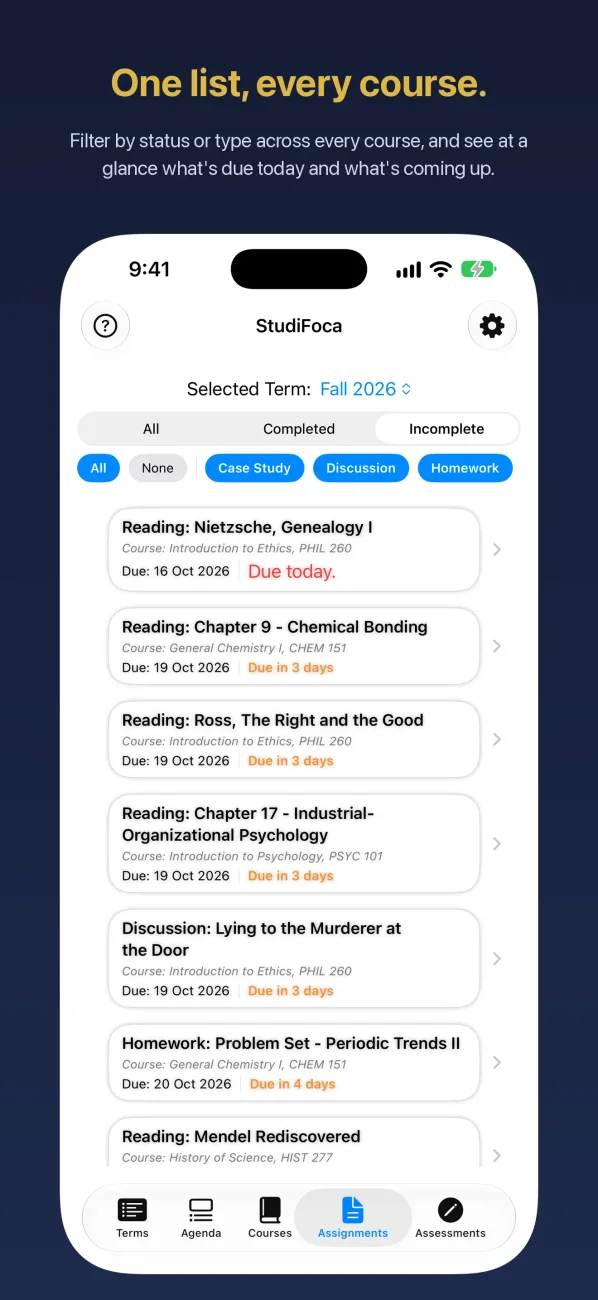
StudiFoca is a course planner for students, designed with neurodivergent brains in mind. Your courses, assignments, assessments, class meetings, grades, and remaining work, all in one place.
- Course and Term Setup
Set up your academic term and courses manually, import from a Canvas or Brightspace iCal feed, or start from a PDF syllabus. Class meeting times import when your school's feed includes them; due dates always do.
- PDF Syllabus Import
Choose a syllabus PDF and StudiFoca suggests the course details, meeting times, and instructor details, read on your device by Apple Intelligence. On iOS 27 or later, an optional setting—Read coursework with Private Cloud Compute—also finds the assignments and exams, with due dates where the syllabus gives them. It sends the syllabus text to Apple's Private Cloud Compute, never to StudiFoca's developer. It's off by default, and Apple sets a daily usage limit. Everything suggested can be reviewed and adjusted before anything is added. On-device reading requires iOS 26 and a device that supports Apple Intelligence.
- Assignment and Assessment Tracking
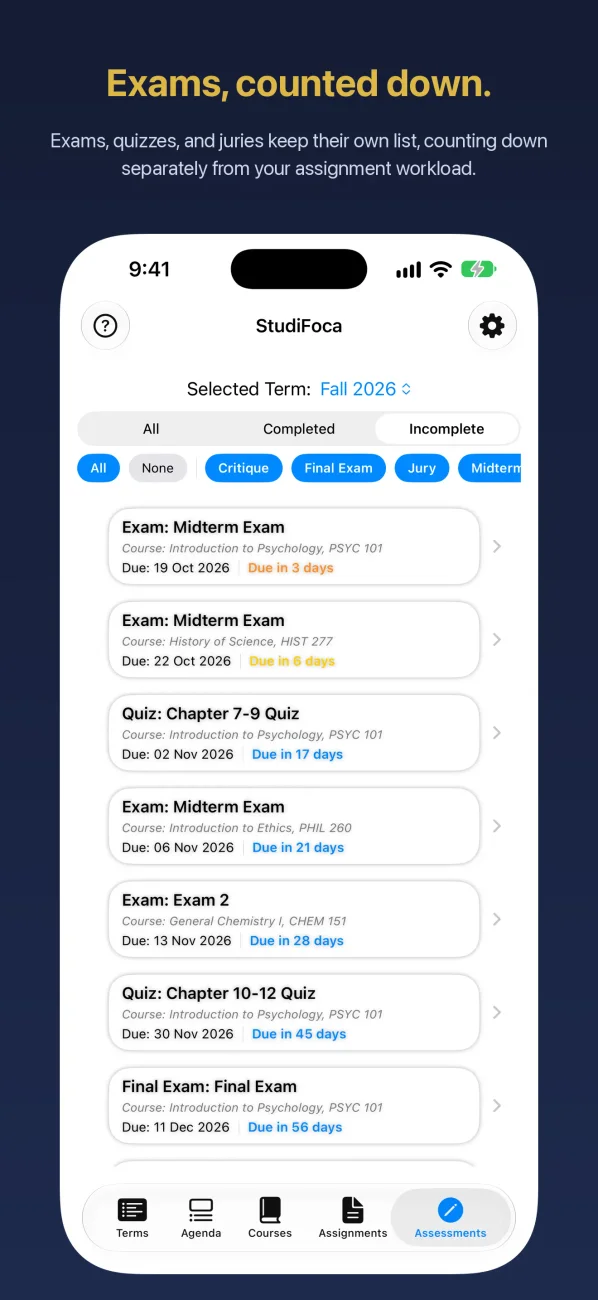
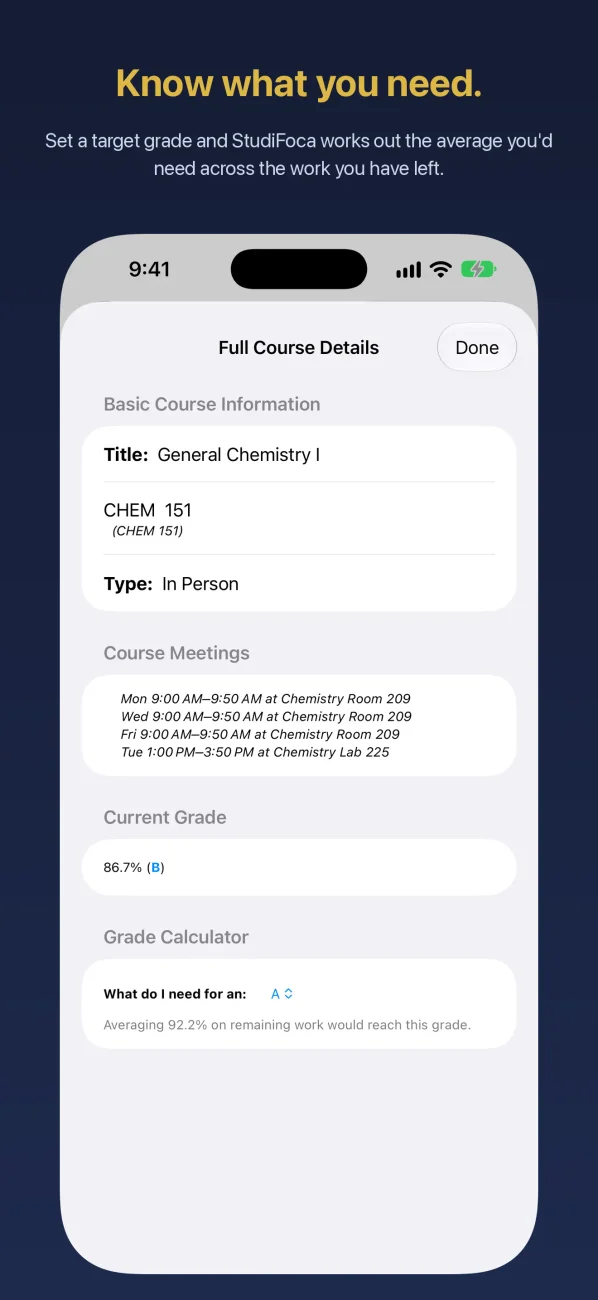
Assignments and assessments support due dates, point values, and weighted categories. Courses can use letter grades with or without plus/minus, S/P/F, Pass/Fail, or Audit. For letter-graded courses, add each grade as results post and your current grade updates—pick a target grade and see the average you still need to reach it.
- Step-by-Step Breakdown
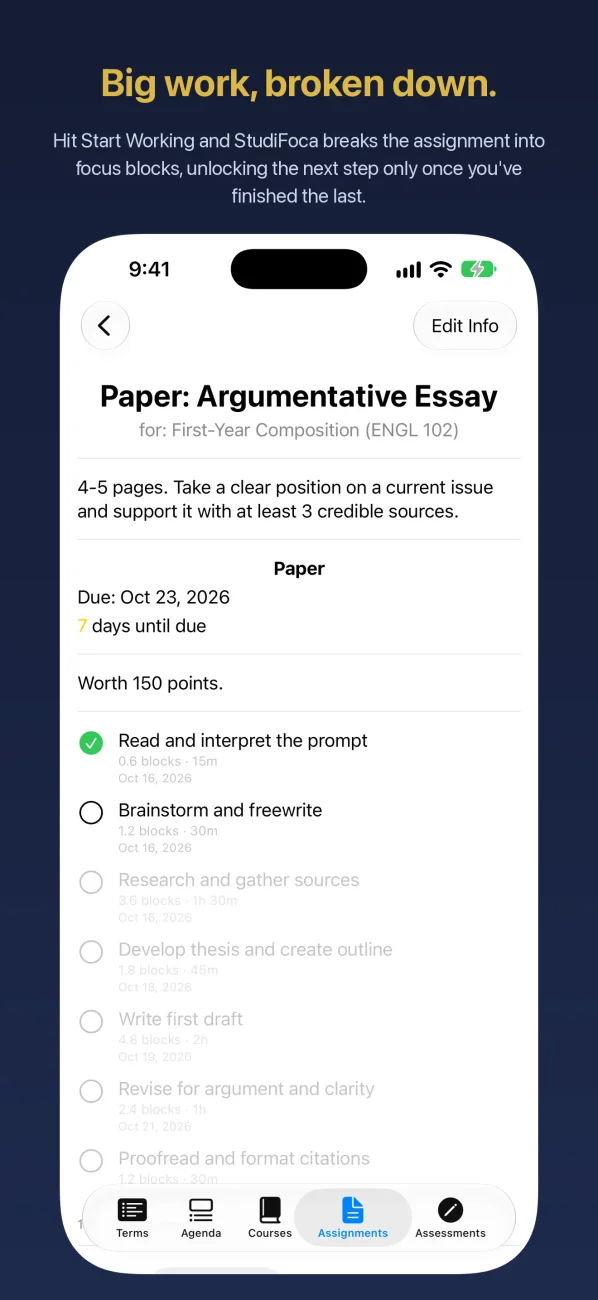
Every assignment can be broken into steps, each sized in minutes of work. Steps unlock one at a time as earlier ones are completed, keeping the next action clear without extra planning overhead.
- Workload Heat Map
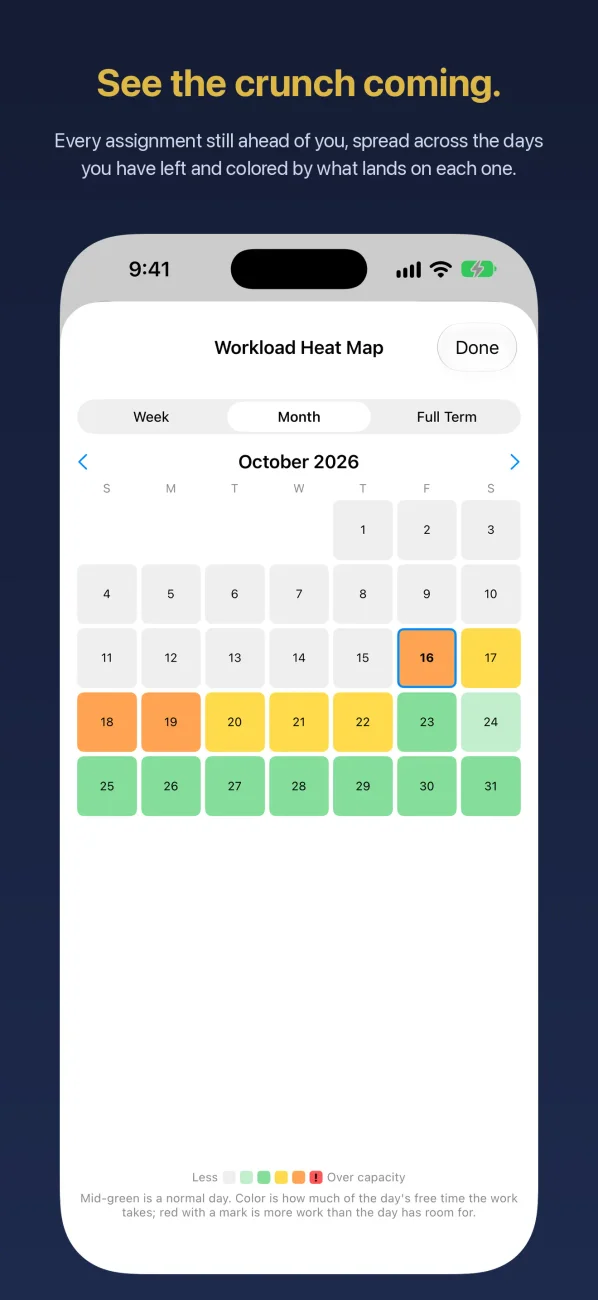
Your semester's workload at a glance: by week, month, or full term. The heat map forecasts when each assignment's work is likely to happen—on the days you've scheduled steps, from a start date you've set, or in the stretch before it's due—and shows how much of each day it takes. Exams count too.
- Agenda
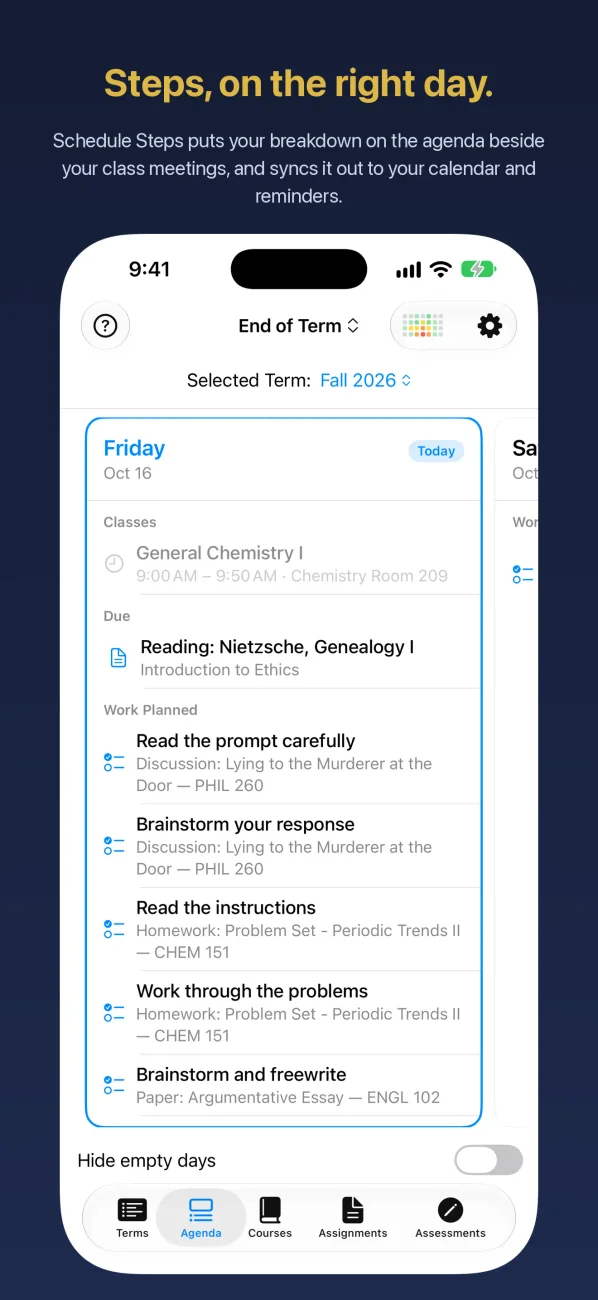
A day-by-day view of classes and due items, including the steps you've scheduled for assignments already underway.
- Calendar and Reminders
Optionally sync class meetings and assignment and assessment due dates to your calendar, and scheduled steps to Reminders. StudiFoca writes to whichever account your device already uses for new events—iCloud for most people, or a Google or work account if that's your default. Once synced, your schedule is available in every app that reads your calendar, including Siri.
- Widgets
Home Screen widgets show today's classes and what's due today, at a glance.
- iPhone Duo and iPad
StudiFoca works on both iPhone Duo displays, with tabs and controls in the side rail. On wider screens, the Agenda shows several days side by side.
Free tier: 1 term, 2 courses, all features.
Full Load: unlimited terms and courses. One-time purchase.
No subscriptions. No account required. No data collected by StudiFoca. Your coursework stays on your device unless you turn on calendar sync or Private Cloud Compute coursework reading.
新機能
バージョン 1.5.1 · 2026/10/24
Version 1.5.1 fixes several Agenda and iPhone Duo issues and polishes forms and VoiceOver.
Fixed:
• The Agenda no longer shows every class as already past. Classes dim only once they've started, and each day's classes are listed in time order.
• On iPhone Duo, Cancel, Save, and Done stay in view on more sheets, including Settings, the heat map, Help, the term forms, grade entry, Edit Steps, and calendar import.
• On the unfolded iPhone Duo and iPad, the heat map keeps its days at a readable size, shows its full legend, and keeps its view picker clear of the title bar. Month scrolls only when a month doesn't fit.
• "Show blocks first" now applies in Edit Steps and in the step templates in Settings.
• Calendar import's review rows show "Type:" once.
Updated:
• Every Agenda day card has a visible border, and class times and rooms wrap cleanly on narrow cards.
• The assignment, assessment, and term forms use standard text field hints.
• Grade entry describes the accepted range, including room for extra credit.
• Notifications and synced Calendar and Reminders titles separate their parts with a middle dot (·). Items already synced update at the next sync.
• VoiceOver: toggles no longer repeat their state, the syllabus review switches and import type menus each have a name, and locked courses in calendar import read "available with Full Load."
アプリのプライバシー
このアプリのデータの取り扱いについて、Bacil WarrenがApp Storeで申告している内容です。
-
データの収集なし
開発元はこのアプリからデータを収集しません。
プライバシーの取り扱いは、ご利用の機能やお客様の年齢などに応じて異なる場合があります。
情報
- 販売元
- Bacil Warren
- カテゴリ
- 教育
- バージョン
- 1.5.1
- 更新日
- 2026/10/24
- リリース
- 2026/8/24
- サイズ
- 12.1 MB
- 必要条件
- iOS 18.5以降
- 対象年齢
- 9+
- 価格
- 無料
- アプリ内課金
- あり
- 言語
- 英語
- 著作権
- © 2026 Quixotic Raindrop Software, LLC. All Rights Reserved.