Subscriptions Tracker - SubEye
Renewals, trials and spending
iPhone, iPad向けに設計
無料 · アプリ内課金
- 対象年齢4+
- カテゴリファイナンス
- 開発元Yehor Hunko
- 言語英語ほか1言語
- サイズ19.2 MB
App Storeの公式ページにリンクしています
Download.orgはSubscriptions Tracker - SubEyeのファイルを一切ホストしていません。ボタンを押すと、Yehor Hunkoが公開しているApp Storeのアプリページが開きます。ページの最終確認:2026/11/15。
スクリーンショット


概要
開発元はこのテキストをお使いの言語で提供していません。
Every subscription, no limit, for free. SubEye tells you what they cost — all of them, together, before the money leaves your account.
You type in what you pay. SubEye keeps the whole schedule: what it costs now and the exact day it renews — and, with Pro, what it becomes when the discount ends.
WHAT YOU GET
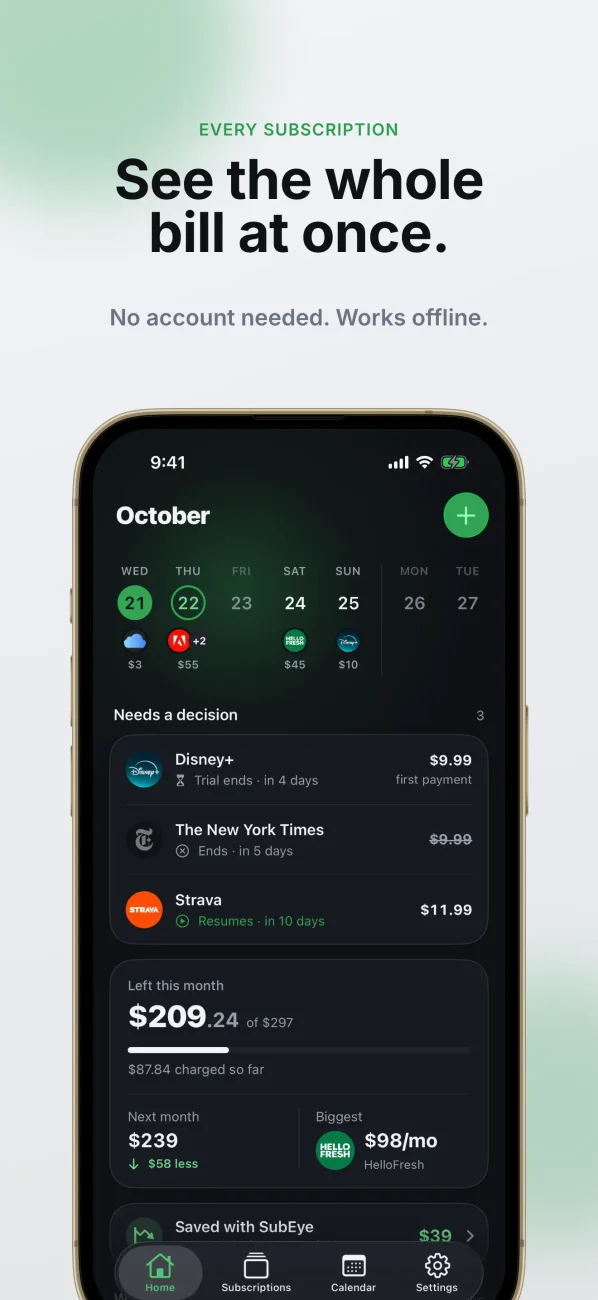
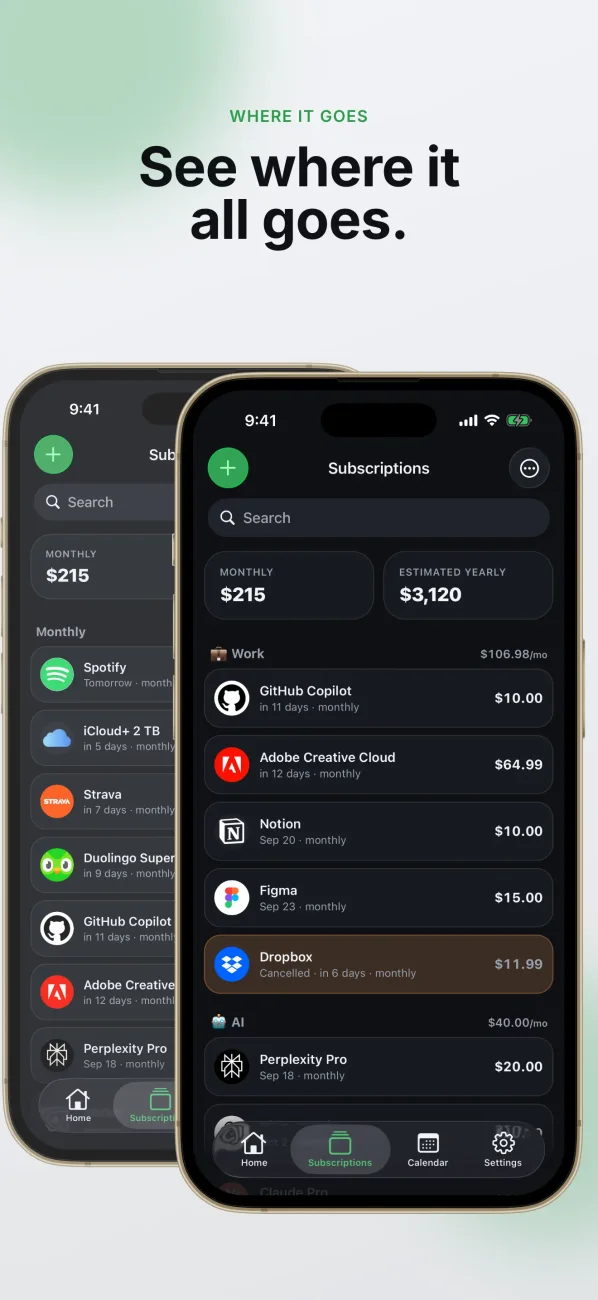
• One number that matters — what is still going to leave your account this month, and how much of the month is left to pay it.
• Next month's forecast set against this one, and the single subscription costing you the most.
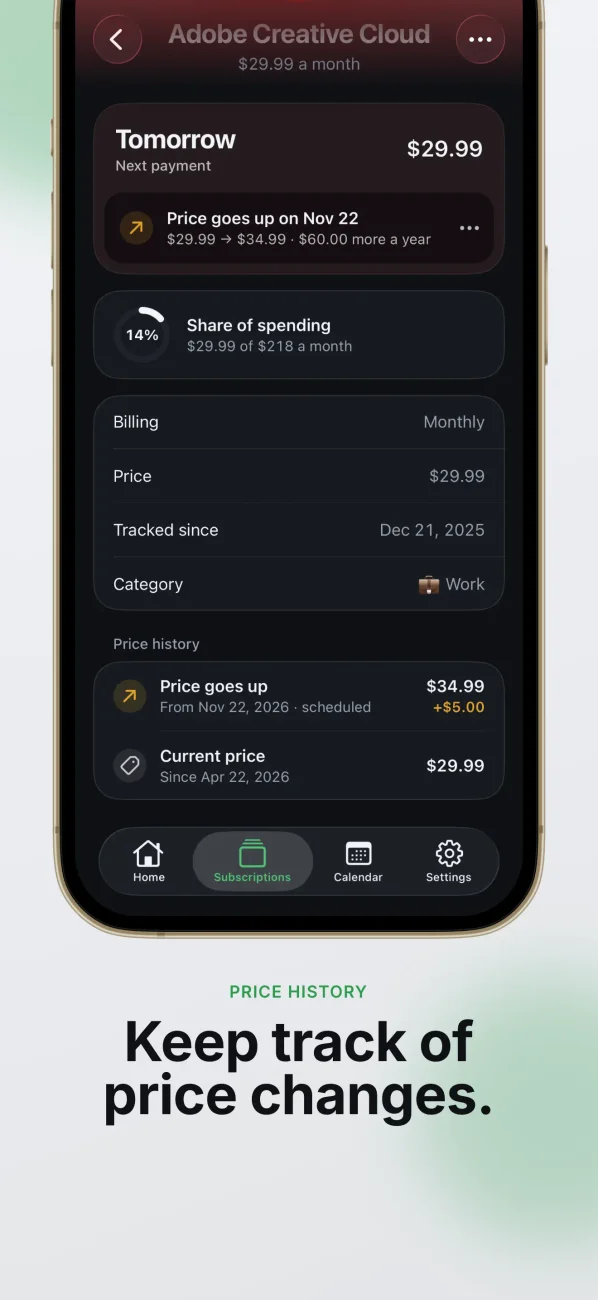
• SubEye Pro makes a price a timeline, not a number. Free trial, intro price, the standard price it turns into, a license you bought once with its optional updates renewal, and any change you have scheduled — all on one line, months before it reaches your statement.
• Pause indefinitely or until a date. Cancel at period end and keep what you already paid for, or cancel immediately. Change your mind and renew.
• Add from a screenshot — pick screenshots of your App Store subscriptions and SubEye reads them on the phone, ready for you to check.
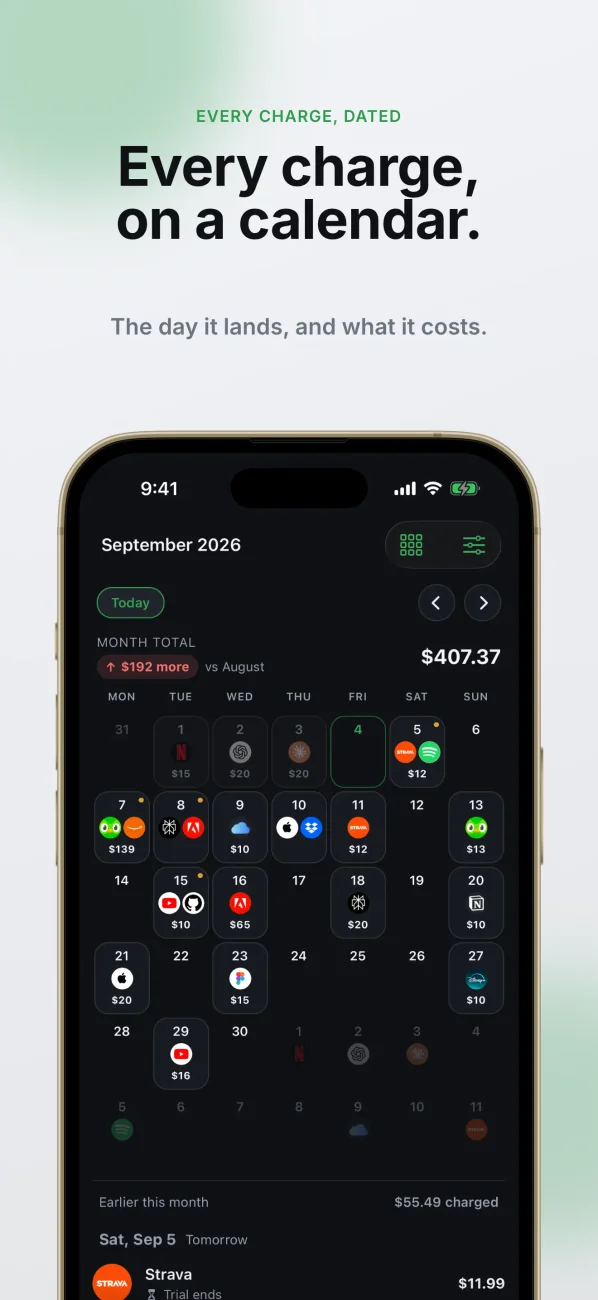
• Installments and loans next to your subscriptions — a pay-in-parts purchase, buy now, pay later, a card installment or a bank loan. How many payments are made, what is left to pay and the day it ends, with every payment counted in its month and shown in the calendar.
• Saved with SubEye — what pausing and cancelling has kept in your pocket, counted from the day each one stopped.
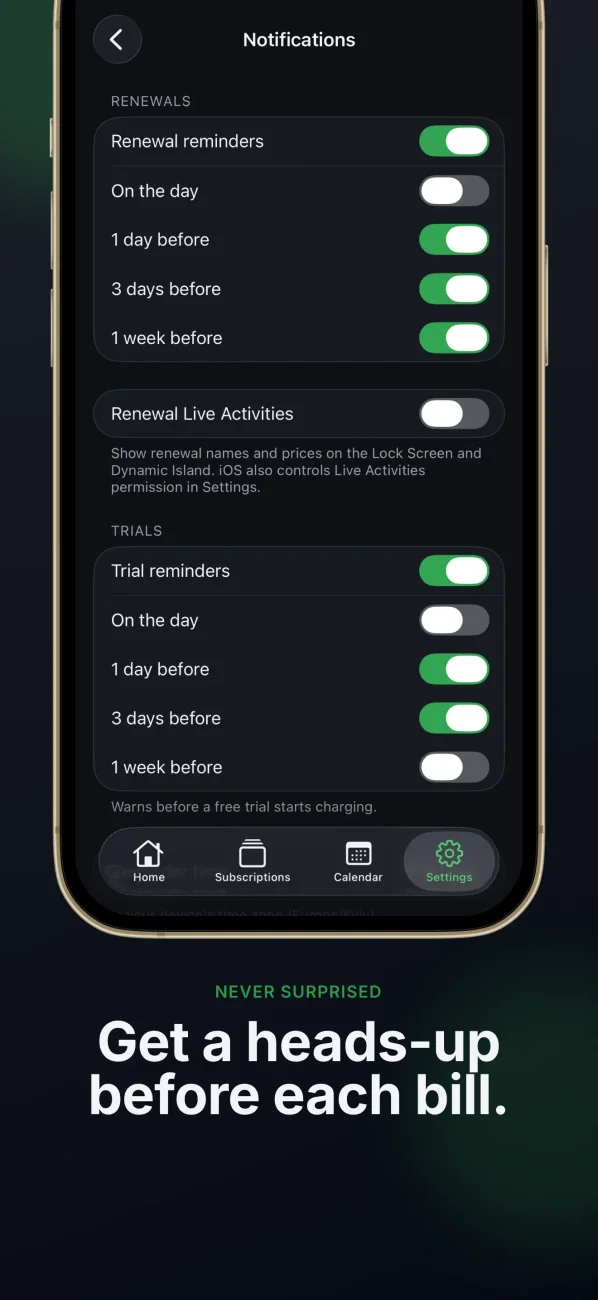
• A reminder the day before a renewal or an installment payment, so nothing is a surprise.
• 155 currencies — every one the world bills in — converted daily into the one you count in.
• English and Ukrainian, and iCloud Sync when you want the same list on two devices.
NO ACCOUNT. NO BANK. NO SERVER.
Most trackers ask for one of two things: the credentials to your bank, or permission to read your email. SubEye asks for neither. There is nothing to sign up for and nothing to sign in to — open the app and start typing.
Your subscriptions and installments stay on your phone. There is no server behind SubEye holding a copy, so there is nothing to breach and nothing to sell. Settings → Erase all data removes every subscription, installment, reminder and setting from the device, for real.
SUBEYE PRO — ONE PAYMENT
The free app is not a trial and not a teaser. Unlimited subscriptions and installments, the whole dashboard, the payment calendar, every lifecycle action, renewal and installment reminders, Live Activities, every currency and iCloud Sync are free, and stay free.
Pro is a single purchase that never renews. It adds:
• Pricing phases — trials, intro discounts, one-time licenses and scheduled changes on one timeline
• Trial-ending alerts, and reminders on the days you choose — the same day, or 1, 3 or 7 days before — for installments too
• Categories, the category filter, and the spend breakdown grouped by them
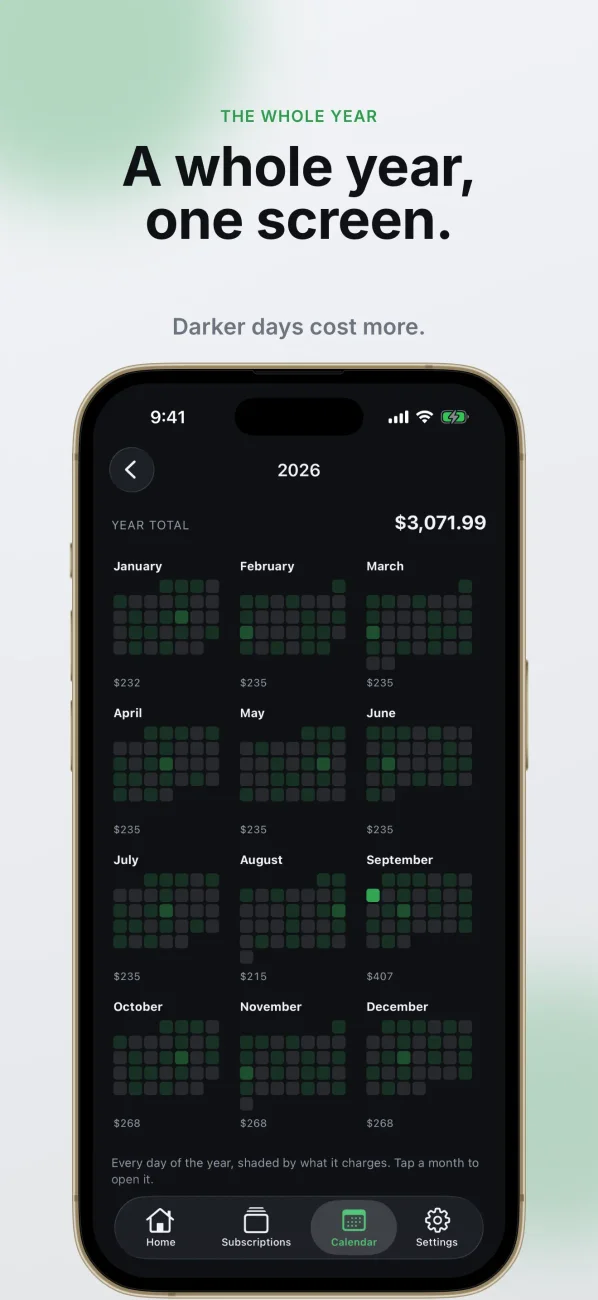
• The calendar's year view, and every month set against the one before it
• What a credit really costs — the purchase price set against what you repay
• Home and Lock Screen widgets, with your next installment payment among the upcoming ones
Charging a monthly fee to watch your monthly fees would be absurd.
Built by one person, in Ukraine.
新機能
バージョン 6.4.0 · 2026/11/9
• Add from a screenshot: take screenshots of Settings → your name → Subscriptions, then tap + → From screenshot. SubEye reads the names, prices and renewal dates on the phone and shows you the list to check before anything is added. Nothing leaves the device.
• SubEye Pro: Lock Screen widgets — your next payment, or the month's total, right under the clock.
• The + button is a true circle again, and still opens the menu of what you can add.
アプリのプライバシー
このアプリのデータの取り扱いについて、Yehor HunkoがApp Storeで申告している内容です。
-
ユーザーに関連付けられないデータ
収集される場合がありますが、ユーザーの識別情報には関連付けられません。
- 購入
- 検索履歴
プライバシーの取り扱いは、ご利用の機能やお客様の年齢などに応じて異なる場合があります。
情報
- 販売元
- Yehor Hunko
- カテゴリ
- ファイナンス
- バージョン
- 6.4.0
- 更新日
- 2026/11/9
- リリース
- 2026/8/29
- サイズ
- 19.2 MB
- 必要条件
- iOS 16.4以降
- 対象年齢
- 4+
- 価格
- 無料
- アプリ内課金
- あり
- 言語
- 英語, ウクライナ語
- 著作権
- © 2026 Yehor Hunko
こちらもおすすめ
-
 サブスク管理: Subs.Killer使ってない固定費を更新日と1回単価で節約
-
 PocketMates: expense trackerファイナンス
-
 FinKolo: Expense Trackerファイナンス
-
 Lefta: Budget & Expenseファイナンス
-
 EveryPenny: Money Trackerファイナンス
-
 SmartSubs: サブスク管理固定費・支払日のリマインダー
-
 Capital Wizardファイナンス
-
 Billoop: Subscription Trackerファイナンス
-
 Expense & Budget - Boldinn Appファイナンス
-
 DaySum: Daily Spending Limitファイナンス