
Supascript: Auto Teleprompter
With Voice Tracking Technology
iPhone, iPad, iPod touch向けに設計
アプリ内課金
- 対象年齢4+
- カテゴリ写真/ビデオ
- 開発元Greg Keegan
- 言語英語
- サイズ42.2 MB
Supascript: Auto Teleprompterは現在App Storeで入手できない可能性があります
前回の確認時、ストアのページにアクセスできませんでした。リンク先は引き続きApp Storeの公式ページです。
スクリーンショット
概要
開発元はこのテキストをお使いの言語で提供していません。
The Ultimate Voice Tracking Teleprompter for Effortless Content Creation
Take your videos, presentations, and speeches to the next level with the most intuitive and feature-rich teleprompter app for iOS. Whether you’re creating content for social media, recording a YouTube video, practicing a speech, or delivering a presentation, our teleprompter is designed to help you look and sound your best—anytime, anywhere.
No sign-up required. No complicated setup. Just powerful, professional teleprompting at your fingertips.
Key Features:
• Voice Tracking Magic:
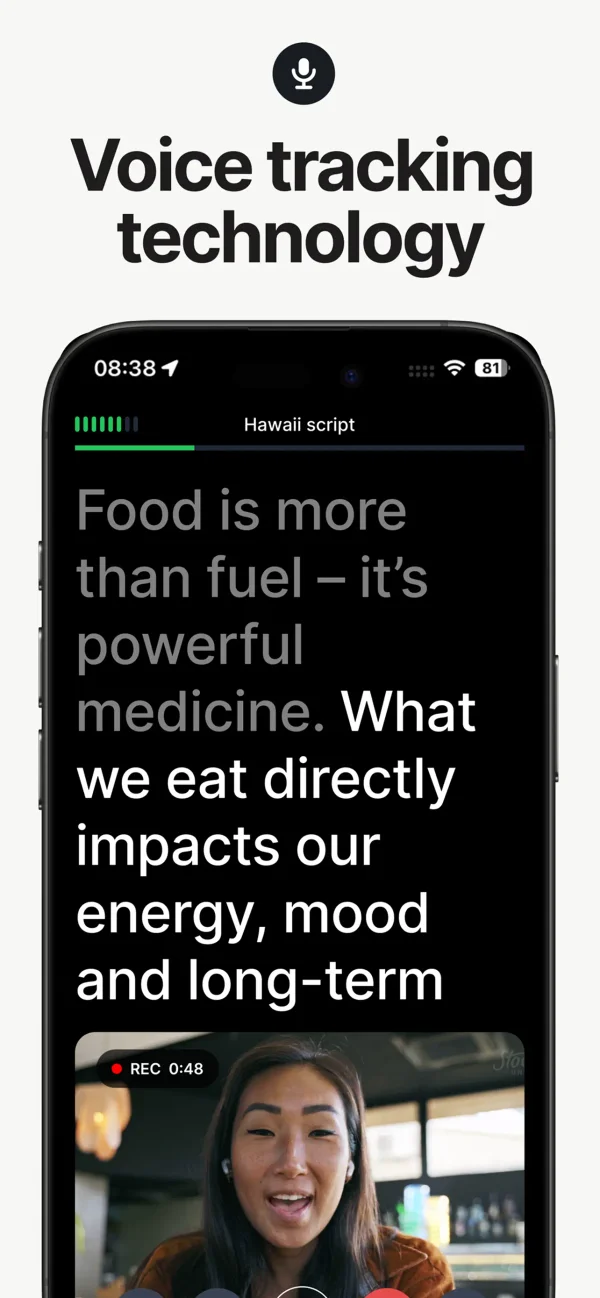
Our advanced voice-matching technology ensures your script scrolls automatically as you speak. No more awkward pauses or racing to keep up. Your teleprompter follows your pace, delivering a seamless, natural experience every time.
• Adaptive Auto-Scrolling:
Let the app do the timing for you. Scrolling intelligently adapts to your speech speed, so you can focus on delivering your lines comfortably and confidently.
• 4K Video Recording:
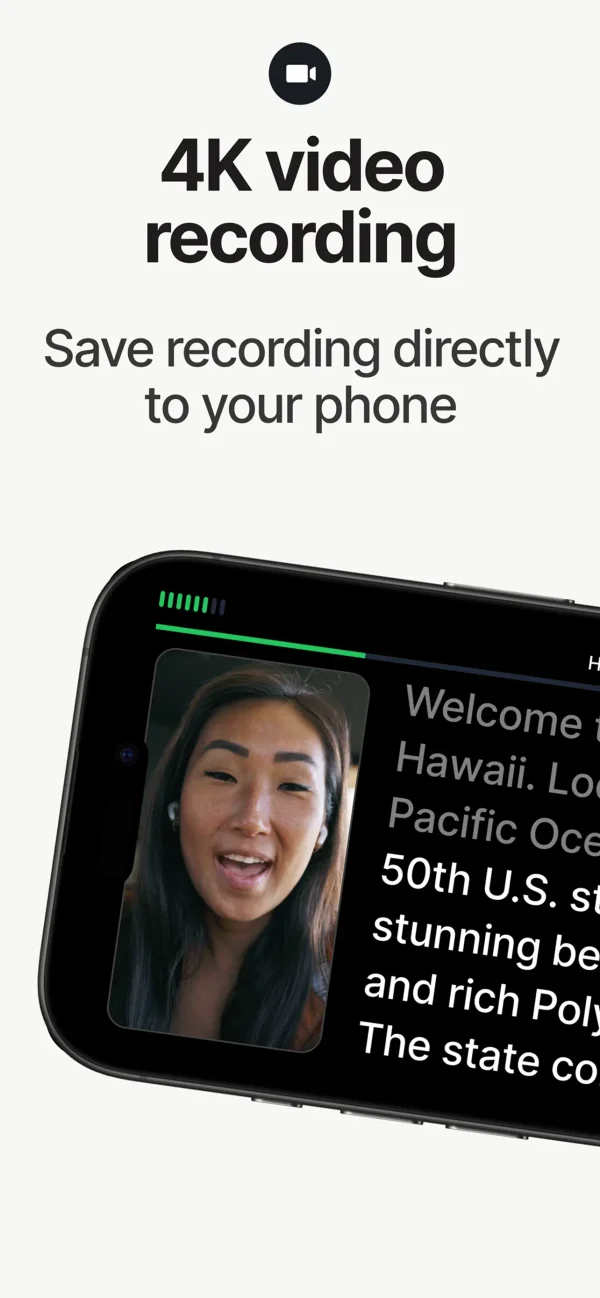
Capture your performance in stunning 4K directly within the app. Record in portrait mode for social media or switch to landscape for presentations—your videos are always crisp, clear, and ready to share.
• Script Management:
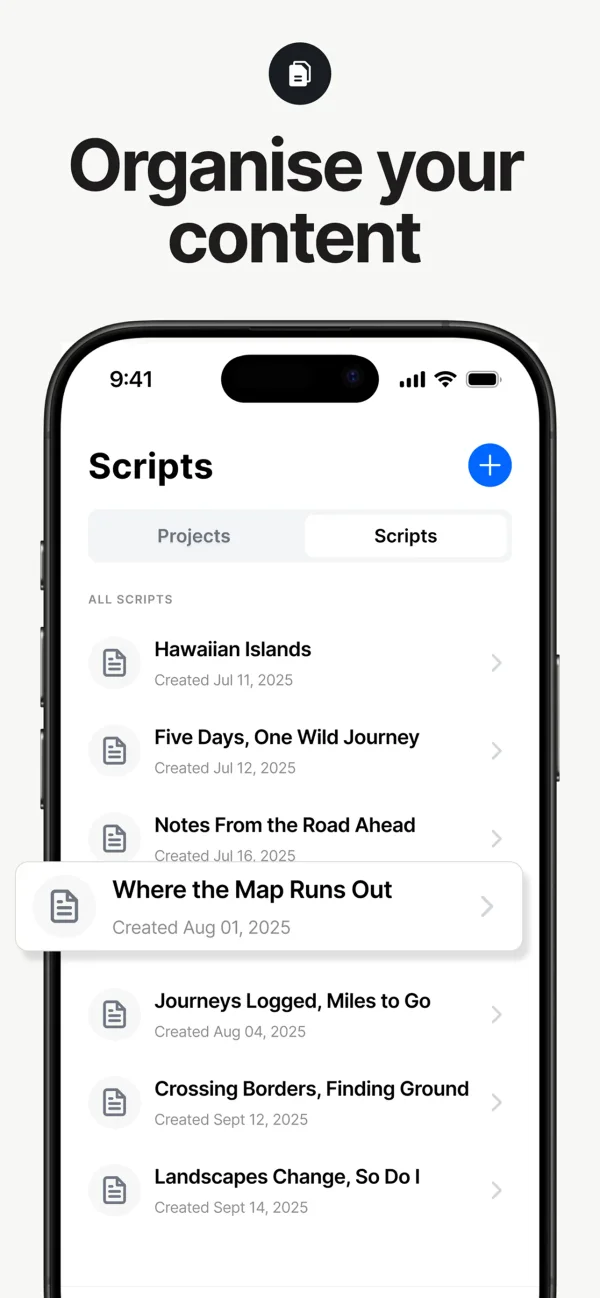
Create, edit, and organize scripts easily with our intuitive editor. Group scripts into projects, duplicate, or tweak on the fly—everything you need to keep your words ready and accessible.
• Portrait & Landscape Modes:
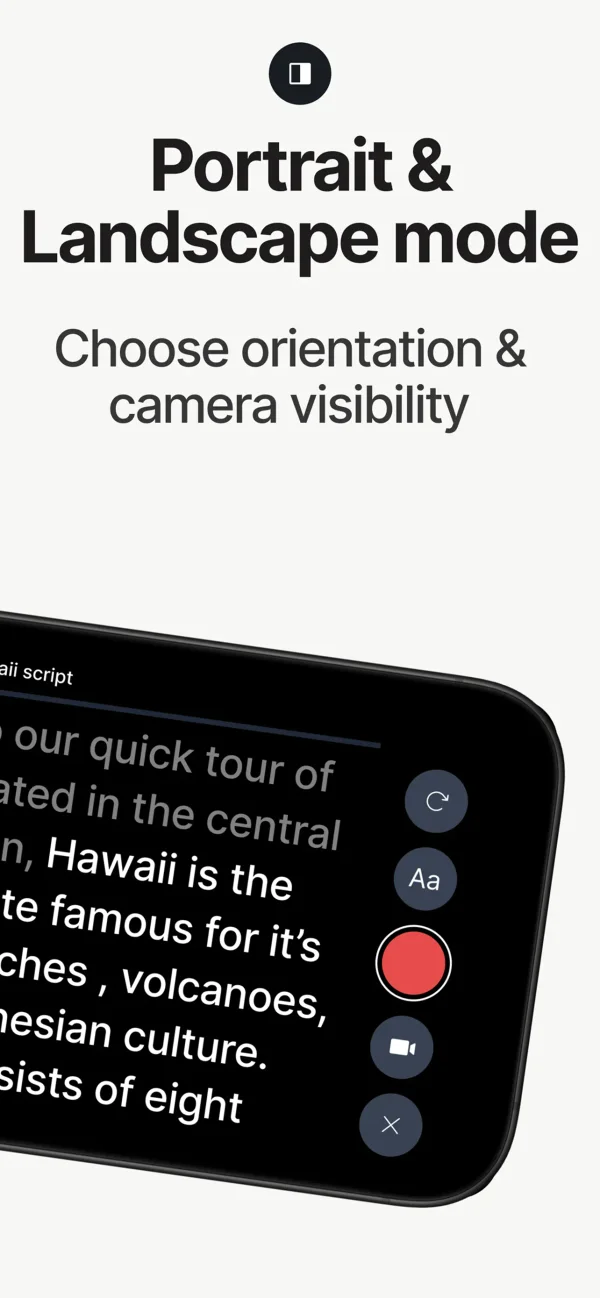
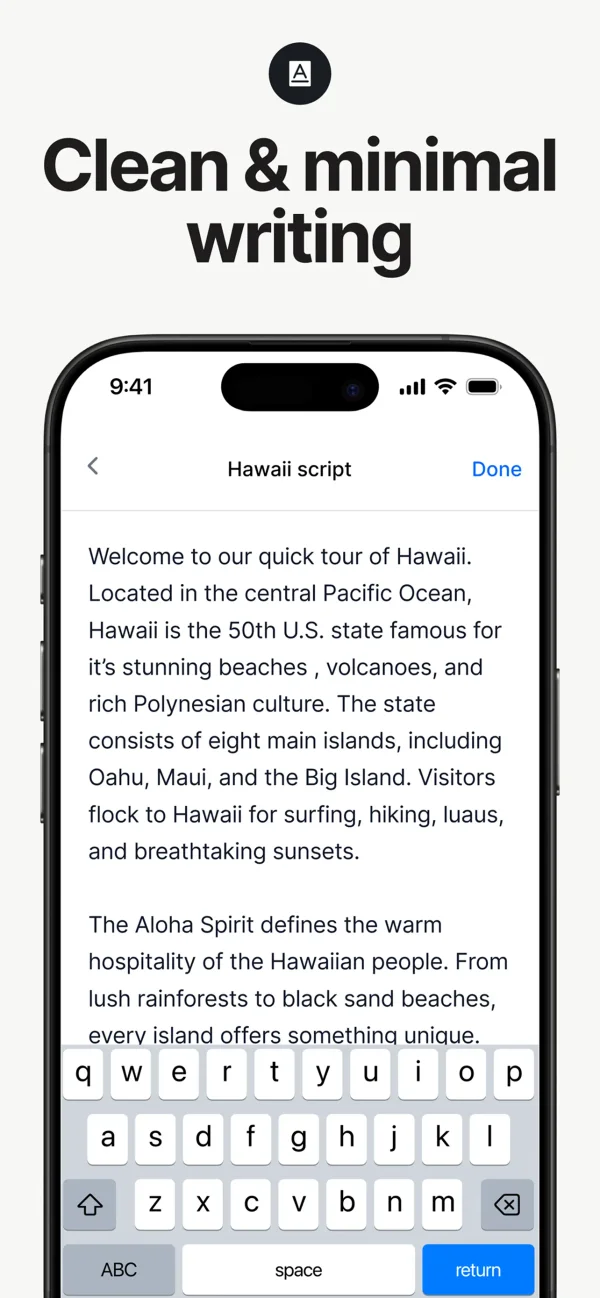
Switch seamlessly between portrait and landscape orientation to suit your needs. Use the camera in both modes or turn it off to focus on practicing your script.
• Offline-First:
Works everywhere, even without an internet connection. Perfect for creators on the go, remote locations, or last-minute run-throughs.
Made for Every Creator:
• Social Media Stars: Create eye-catching Reels, TikToks, and Stories with ease.
• YouTubers & Podcasters: Nail your scripts and deliver with confidence on every take.
• Public Speakers & Presenters: Rehearse and deliver polished speeches, TED talks, or pitches.
• Teachers & Coaches: Record lessons, explainer videos, or tutorials with pro-level polish.
• Journalists & Interviewers: Conduct interviews and deliver reports smoothly, anywhere.
Why Choose Our Teleprompter?
• Instant start: No accounts, sign-ups, or distractions—just open and create.
• User-friendly: Minimal design and clear controls let you focus on your content.
• All-in-one: Record, read, and organize scripts in a single, beautifully designed app.
• Fast and flexible: Adjust scroll speed manually or let adaptive mode do it for you.
How It Works:
1. Type your script with the built-in editor.
2. Select video mode (portrait or landscape) and camera preferences.
3. Press record—the teleprompter scrolls automatically, following your voice or at your chosen speed.
4. Save and share your video directly from the app.
Perfect for Beginners and Pros Alike
Whether you’re just getting started or an experienced creator, you’ll love how easy it is to deliver flawless takes. Spend less time memorizing and more time shining in front of the camera.
Ready to transform your phone into a professional studio? Download now and experience the smartest teleprompter on iOS!
Terms of Use: https://www.apple.com/legal/internet-services/itunes/dev/stdeula
新機能
バージョン 1.0.3 · 2026/3/16
New fixed-scroll teleprompter
Lots of small bug fixes
アプリのプライバシー
このアプリのデータの取り扱いについて、Greg KeeganがApp Storeで申告している内容です。
-
データの収集なし
開発元はこのアプリからデータを収集しません。
プライバシーの取り扱いは、ご利用の機能やお客様の年齢などに応じて異なる場合があります。
情報
- 販売元
- Greg Keegan
- カテゴリ
- 写真/ビデオ
- バージョン
- 1.0.3
- 更新日
- 2026/3/16
- リリース
- 2026/1/23
- サイズ
- 42.2 MB
- 必要条件
- iOS 15.1以降
- 対象年齢
- 4+
- アプリ内課金
- あり
- 言語
- 英語
- 著作権
- © Supascript
こちらもおすすめ
-
 FirstCut Floating Teleprompter写真/ビデオ
-
 ShotSync: Dual Video Recorder写真/ビデオ
-
 Smart Teleprompter - PromptCam写真/ビデオ
-
 Voice Teleprompter - Scripttie写真/ビデオ
-
 Automatic Teleprompter写真/ビデオ
-
 PromptSmart Maxクリエイター向けプロンプター
-
 スマートテレプロンプター写真/ビデオ
-
 AI音声テレプロンプター | 音声トラッキングスクリプトリーダー&動画録画
-
 Verbatik: AI Voice & Video写真/ビデオ
-
 PromptFly Teleprompter写真/ビデオ