- 対象年齢4+
- カテゴリスポーツ
- 開発元Back Judge Solutions LLC
- 言語英語
- サイズ9.6 MB
App Storeの公式ページにリンクしています
Download.orgはSwipe Play Clockのファイルを一切ホストしていません。ボタンを押すと、Back Judge Solutions LLCが公開しているApp Storeのアプリページが開きます。ページの最終確認:2026/11/12。
スクリーンショット

概要
開発元はこのテキストをお使いの言語で提供していません。
Apple Watch App Only:
Update for problems the swipe to start the play clock on the new 46mm Series 10 Apple Watch. Similar to the last update, start games in settings menu to start the game since previous method no longer worked. Still working to add previous features, but currently works when swiping up and down on the watch face. Crown rotation does not currently start the play clocks, hope to fix in future versions.
Still programmable play clock lengths. This allows you to use the app for both (American) football and lacrosse!
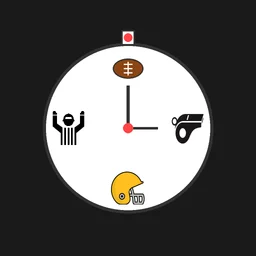
Easily swipe up to start the 40 second clock and swipe down to start the 25 second clock on the face of your Apple Watch so you can concentrate on the field. These play clock timers are now programmable so they can be used for other sports, such as lacrosse.
Watch Tutorial at: backjudgesolutions.com
For football officials using college and high school (NFHS) rules. A game clock is included as well, which runs independent from the play clock (double tap the watch face to start/stop).
Instructions (w/ watch face is active/on):
1. Settings Button - Menu Screen includes:
a. Start Game - This turns on workout mode for the watch which is required to run timers.
b. End Game - When the game is completed, exit workout mode.
c. Adjust game clock time
d. Settings window
2. Swipe Up on watch face - Starts the swipe up play clock timer
3. Swipe Down on watch face - Starts the swipe down play clock timer
4. Double Touch watch face - Starts/Stops game clock
Settings Window:
Period Length - This is the time that the Game Clock will reset once it expires (00:00:00). If you do not have game clock responsibilities, you can set this to be your Time Out timer.
2-Minute Warning - Watch will alert you with 2 minutes left on the Game Clock
Swipe Up Timer - Sets the length of the Play Clock when the clock face is swiped up (or crown rotate up), such as the 40 second play clock
Swipe Down Timer - Sets the length of the Play Clock when the clock face is swiped down (or crown rotate down), such as the 25 second play clock
5 second countdown - Sends an alert every second from 5 seconds until time expires on the Play Clock
10 second alert - Sends an alert with 10 seconds left on the Play Clock
15 second alert - Sends an alert with 15 seconds left on the Play Clock
25 second alert - Sends an alert with 25 seconds left on the Play Clock
While the game is running, your watch is in workout mode to keep the screen primary, I do not record any health data.
新機能
バージョン 1.4 · 2025/9/26
This app has been updated by Apple to prepare for watchOS 27 compatibility. No new features are included.
Fixed swipe feature for 46mm Series 10 Apple Watch
アプリのプライバシー
このアプリのデータの取り扱いについて、Back Judge Solutions LLCがApp Storeで申告している内容です。
-
データの収集なし
開発元はこのアプリからデータを収集しません。
プライバシーの取り扱いは、ご利用の機能やお客様の年齢などに応じて異なる場合があります。
情報
- 販売元
- Back Judge Solutions Llc
- カテゴリ
- スポーツ
- バージョン
- 1.4
- 更新日
- 2025/9/26
- リリース
- 2019/8/22
- サイズ
- 9.6 MB
- 必要条件
- iOS 12.2以降
- 対象年齢
- 4+
- 価格
- ¥1,000
- 言語
- 英語
- 著作権
- © 2025 Back Judge Solutions LLC