- 対象年齢4+
- カテゴリ仕事効率化
- 開発元Omar Maqboul
- 言語英語
- サイズ9.9 MB
App Storeの公式ページにリンクしています
Download.orgはTaskrix: Eisenhower Matrixのファイルを一切ホストしていません。ボタンを押すと、Omar Maqboulが公開しているApp Storeのアプリページが開きます。ページの最終確認:2026/11/14。
スクリーンショット
概要
開発元はこのテキストをお使いの言語で提供していません。
Time is the only currency you can't earn more of.
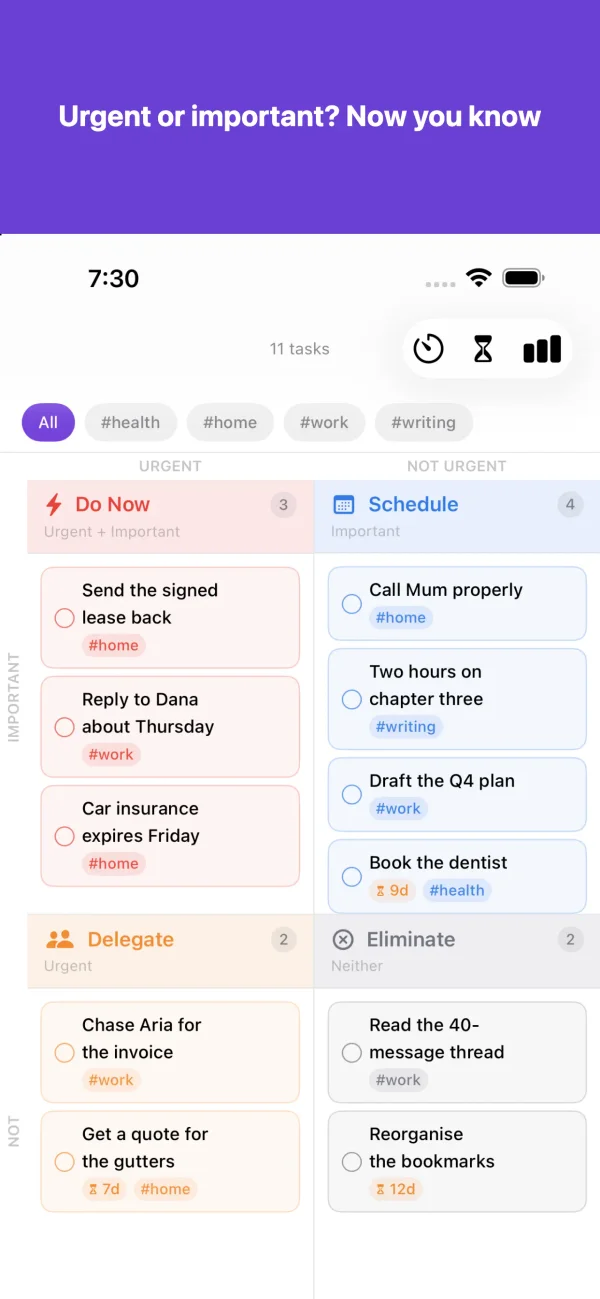
Taskrix asks two questions about each task — is it important, is it urgent — and files it into one of four boxes. You never choose the box. You answer, and the box follows.
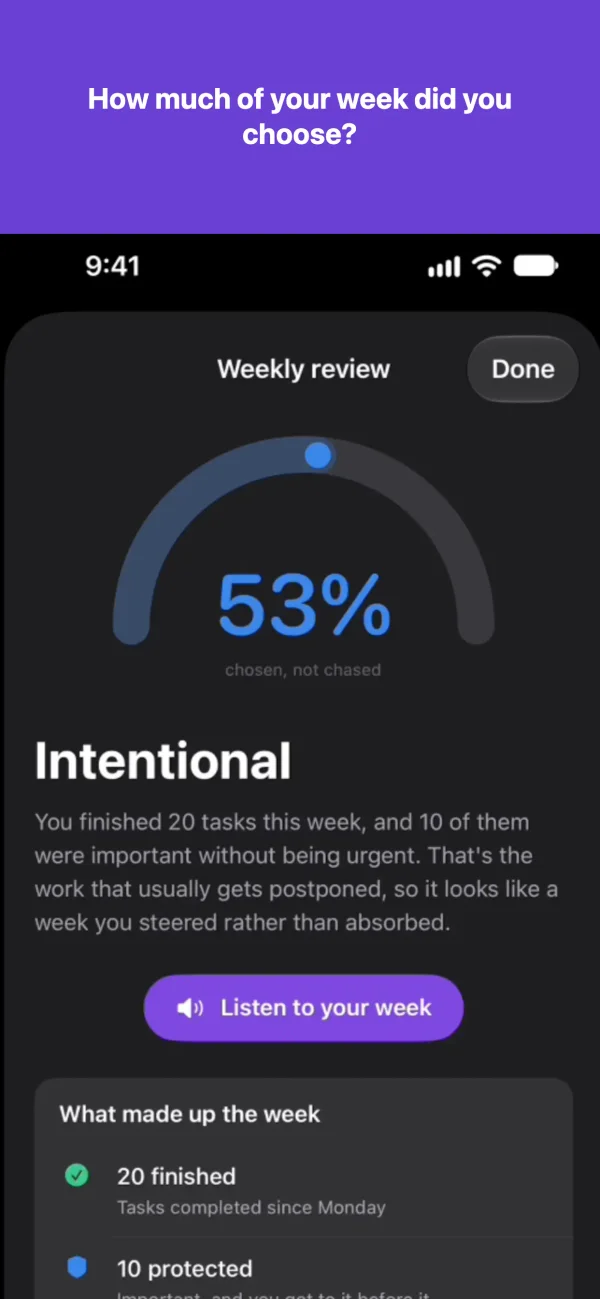
Then it tells you the one thing no other task app will: how much of your week you actually chose, and how much of it chased you.
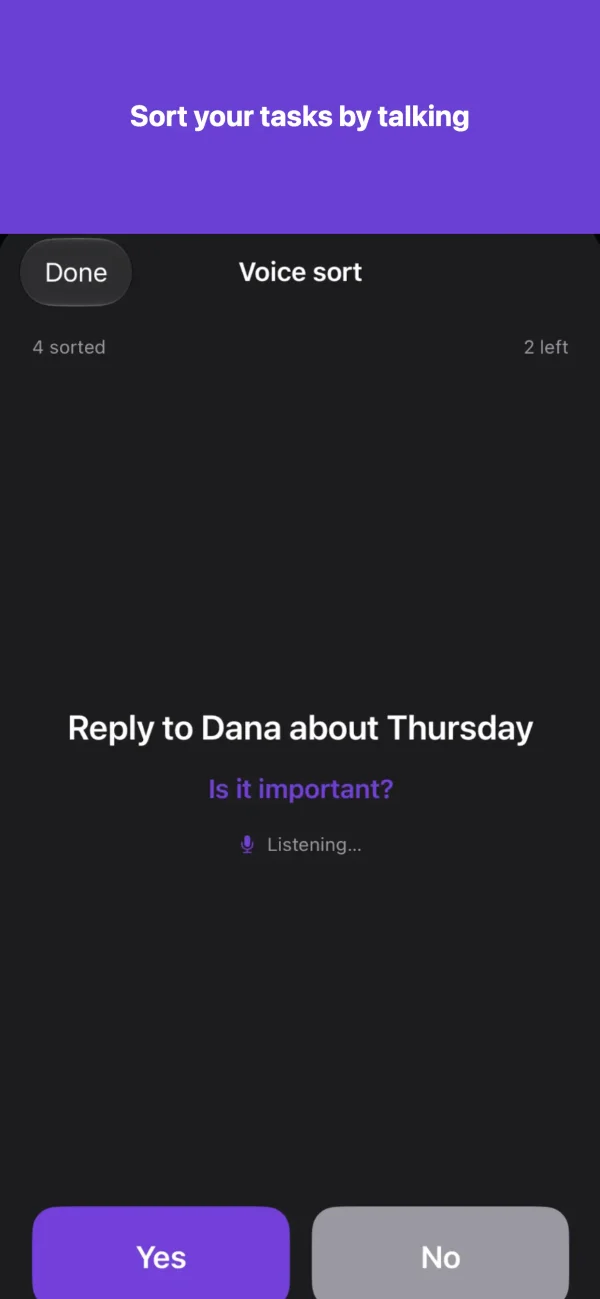
SORT WITHOUT YOUR HANDS
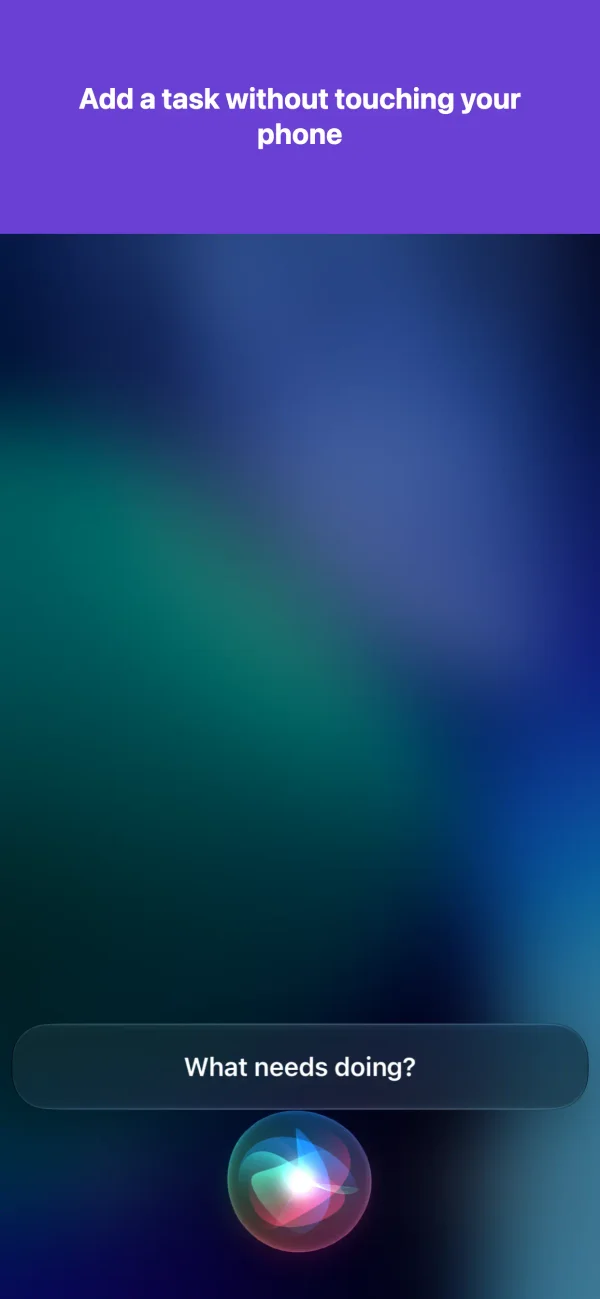
Taskrix reads each task aloud and asks whether it's urgent and important. You say yes or no. Driving, cooking, walking, hands full — a pile of unsorted tasks becomes a sorted matrix without looking at the screen.
Speech recognition happens entirely on your device. Nothing you say is recorded, stored, or sent anywhere. If you'd rather not use the microphone, the same questions have Yes and No buttons.
THE NUMBER THAT MATTERS
Every week, Taskrix works out how much of what you finished was reactive — urgent things arriving at you — and how much was intentional, chosen in advance.
Most task apps count what you completed. Completing forty urgent things is not the same week as completing twelve you decided on, and only one of those is a week you'd choose again.
ON YOUR HOME SCREEN
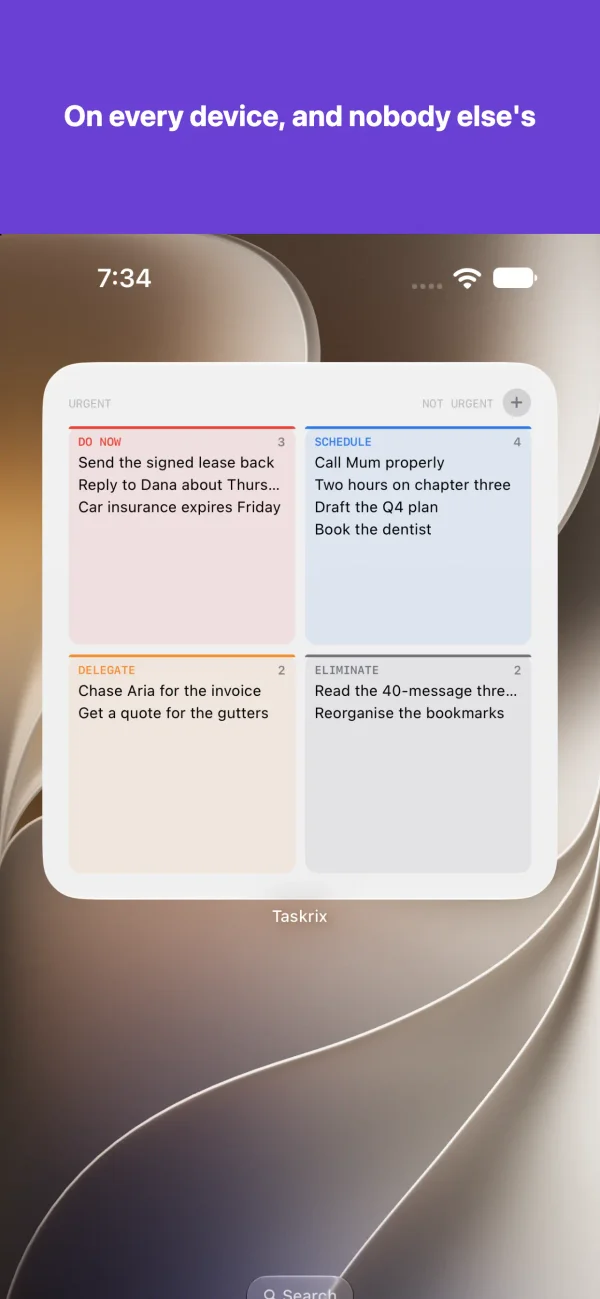
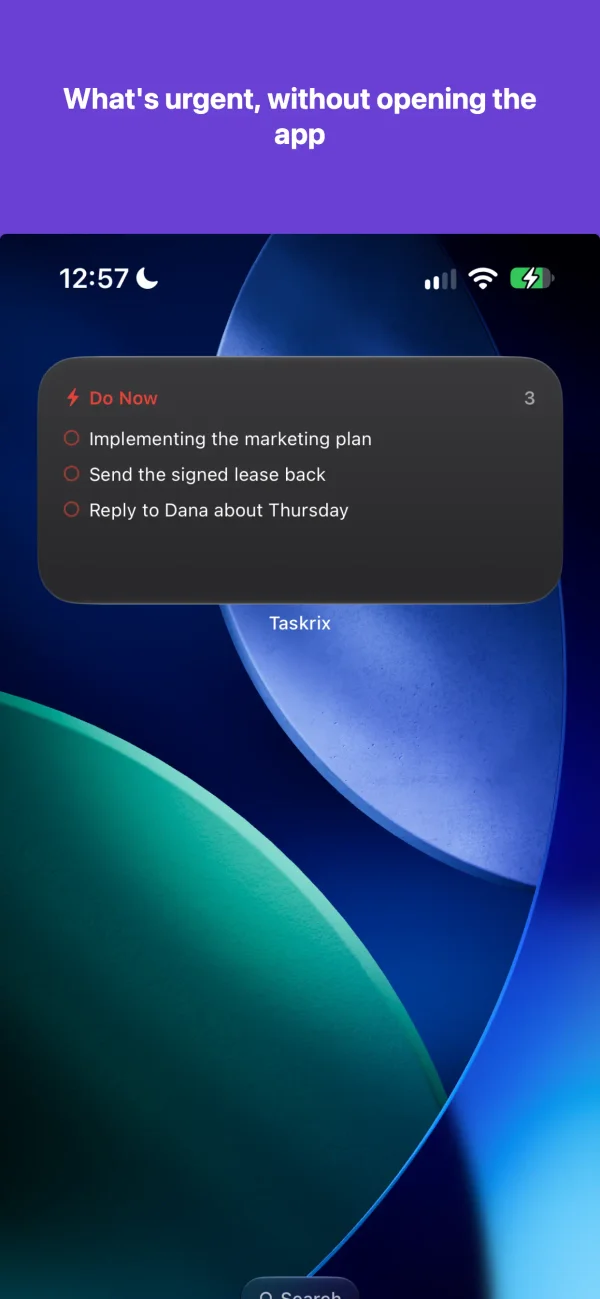
A widget in three sizes. Point it at one quadrant, or show the whole matrix at a glance. Do Now, Schedule, Delegate, Eliminate — whichever one you need in front of you.
CAPTURE BEFORE IT ESCAPES
Add Taskrix to Control Centre, your Lock Screen, or the Action Button. One press and the capture sheet is waiting, phone still in your hand.
Or ask Siri — "Capture in Taskrix" — and say the task. It never opens the app.
ASK SIRI HOW THINGS STAND
"Taskrix status" tells you what's urgent, what's waiting behind it, and what that adds up to.
"How many unsorted in Taskrix" works without unlocking your phone, because a number says nothing about you. Anything that reads your task titles aloud asks you to unlock first. That's deliberate.
YOUR TASKS STAY YOURS
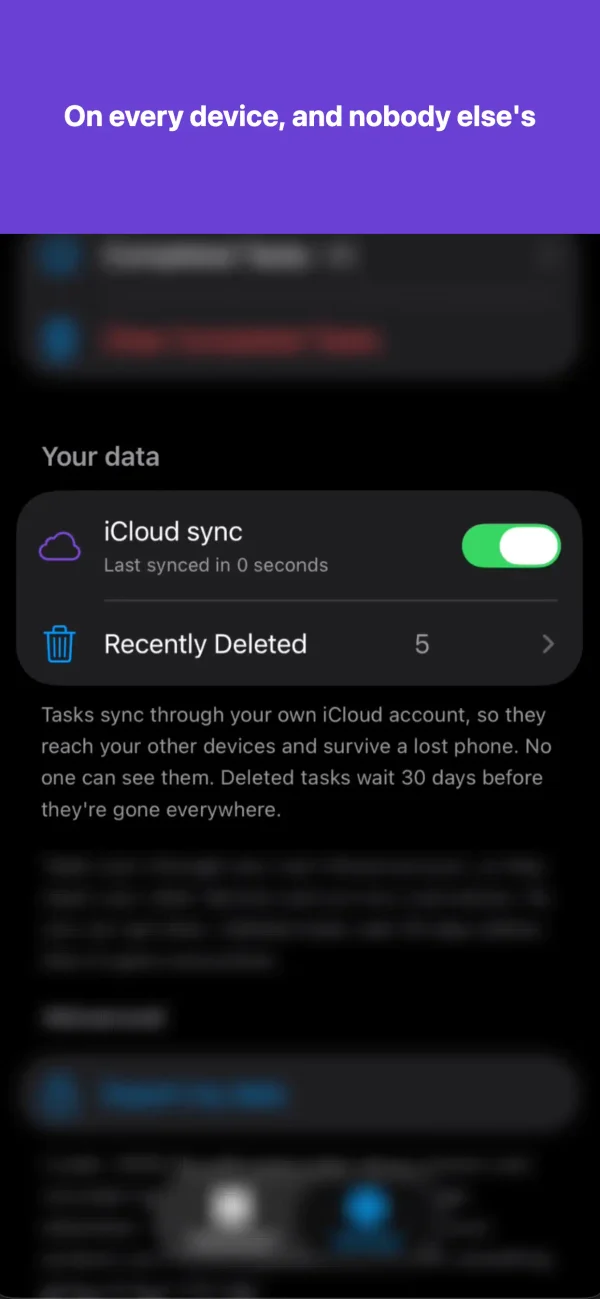
There is no account. iCloud sync runs through your own Apple Account, using Apple's private database — there is no console on the other end, and no way in. Nothing you write, say, or tag ever reaches the developer.
Deleted tasks wait 30 days before they're gone for good.
TASKRIX PRO
7 days free, then $2.99 a month. Cancel any time.
- Sort by voice
- Weekly intentions — say what you'll protect, then find out how it went
- Insights across every week you've tracked
- Unlimited tags
- 45 and 60 minute focus sessions, custom lengths, clock styles
iCloud sync, the widget, Control Centre capture, Siri and the full matrix are all free.
Terms of Use (EULA): https://www.apple.com/legal/internet-services/itunes/dev/stdeula/
新機能
バージョン 2.1 · 2026/9/23
- New Siri commands:
"Taskrix status" — what's urgent and what's waiting behind it
"How many unsorted in Taskrix" — works without unlocking
"Sort by voice in Taskrix" — opens the app and starts a run
- Starting a focus session from a task now keeps that task selected. It used to forget, and you had to pick it again.
- The widget is now configurable. Choose a single quadrant, or show all four at once, in small, medium or large.
If your old widget looks blank after updating, remove it and add it again — the configuration change means iOS treats it as a new widget.
- Capture from Control Centre, the Lock Screen, or the Action Button. One press, no unlocking, no hunting for the app.
- Taskrix Pro now starts with 7 days free.
アプリのプライバシー
このアプリのデータの取り扱いについて、Omar MaqboulがApp Storeで申告している内容です。
-
ユーザーに関連付けられないデータ
収集される場合がありますが、ユーザーの識別情報には関連付けられません。
- ID
- 使用状況データ
プライバシーの取り扱いは、ご利用の機能やお客様の年齢などに応じて異なる場合があります。
情報
- 販売元
- Omar Maqboul
- カテゴリ
- 仕事効率化
- バージョン
- 2.1
- 更新日
- 2026/9/23
- リリース
- 2026/3/24
- サイズ
- 9.9 MB
- 必要条件
- iOS 18.0以降
- 対象年齢
- 4+
- 価格
- 無料
- アプリ内課金
- あり
- 言語
- 英語
- 著作権
- © Volks4Apps