
Tasks N Timers: Flow Timer
Deep Work & Pomodoro Focus
iPhone, iPod touch向けに設計
無料 · アプリ内課金
- 対象年齢4+
- カテゴリ仕事効率化
- 開発元Vinodh Balaji Sridharan
- 言語英語
- サイズ32.5 MB
App Storeの公式ページにリンクしています
Download.orgはTasks N Timers: Flow Timerのファイルを一切ホストしていません。ボタンを押すと、Vinodh Balaji Sridharanが公開しているApp Storeのアプリページが開きます。ページの最終確認:2026/11/23。
スクリーンショット

概要
開発元はこのテキストをお使いの言語で提供していません。
A focus timer built around the tasks you already have. Pick a task, start a session, and stay in the flow.
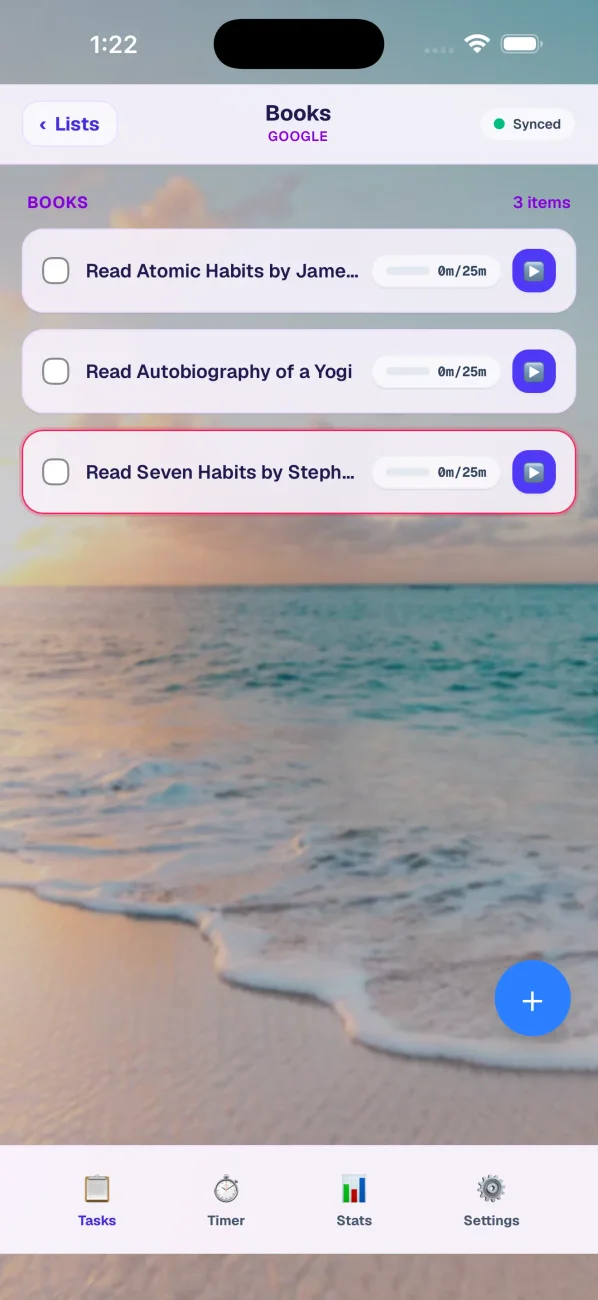
Tasks N Timers works on its own, with Google Tasks, or with Todoist or Reminders on Pro.
FOCUS WITHOUT BREAKING THE FLOW
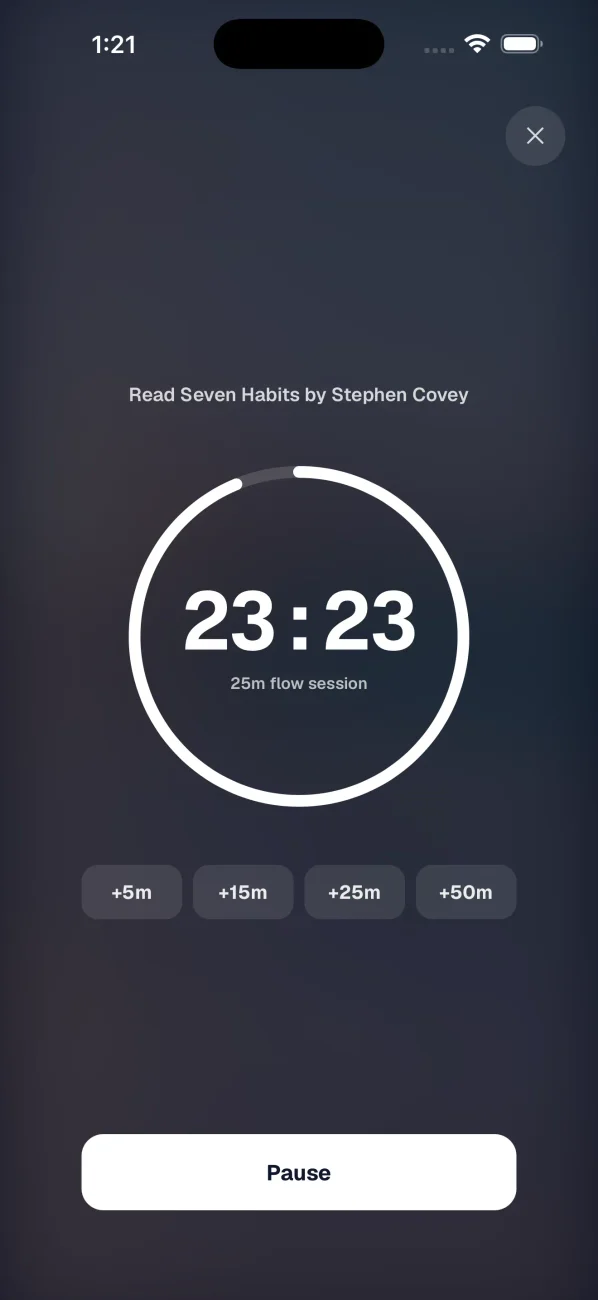
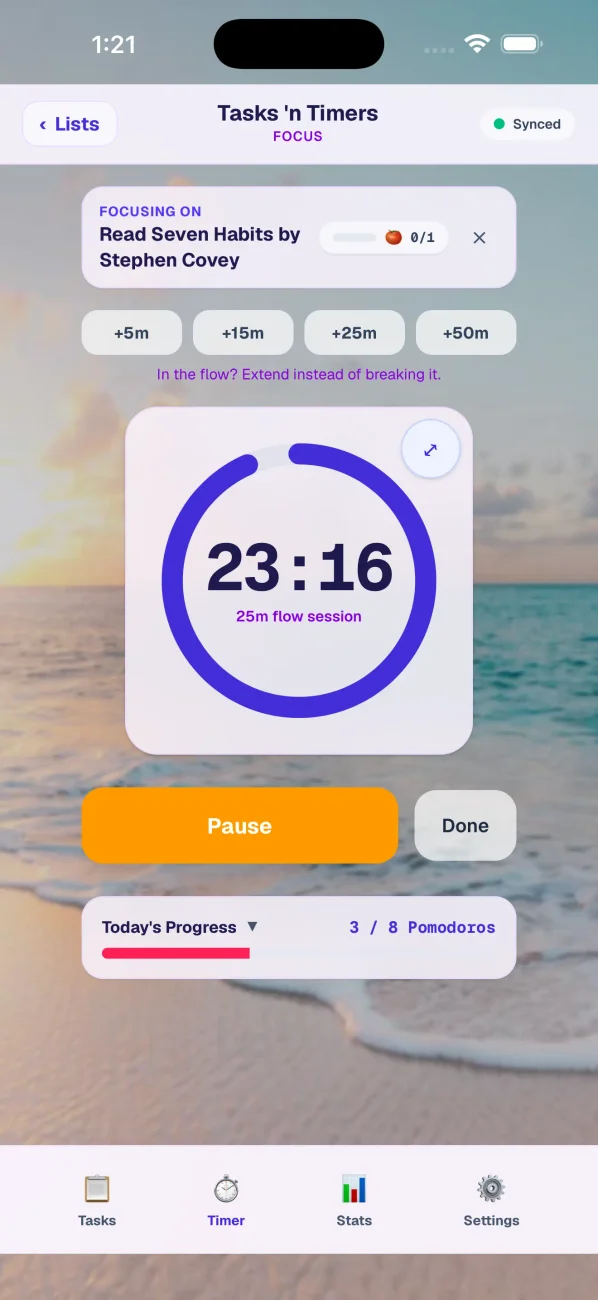
• Choose a session length: 5, 15, 25 or 50 minutes. With Pro, set any length from 1 to 180 minutes.
• In the zone? Add 5, 15, 25 or 50 minutes with one tap. No forced breaks and no starting over.
• A calm full-screen timer keeps your eyes on the task, not the clock.
• The timer stays accurate when your phone is locked or the app is closed, and tells you when a session ends.
• The screen stays on while a session runs.
START FROM ANYWHERE
• Start a session from Siri, Shortcuts, Spotlight, the Action Button or the app icon.
• Add a Lock Screen or Home Screen widget, or the Start focus control in Control Center (iOS 18).
• See the time left on the Lock Screen and in the Dynamic Island.
PLAN YOUR DAY
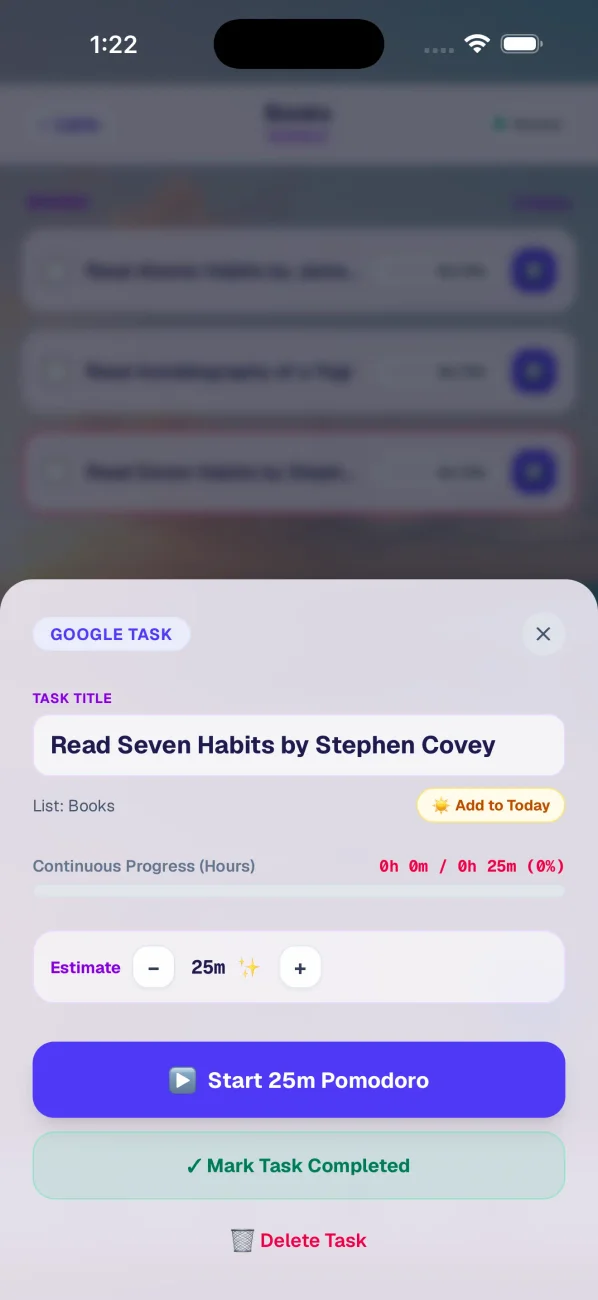
• Add tasks to Today from any list and see how far you got.
• Every task gets a time estimate, worked out on your phone. Accept it or change it in one tap.
• Add a task from any screen with the + button.
ALL YOUR LISTS IN ONE PLACE
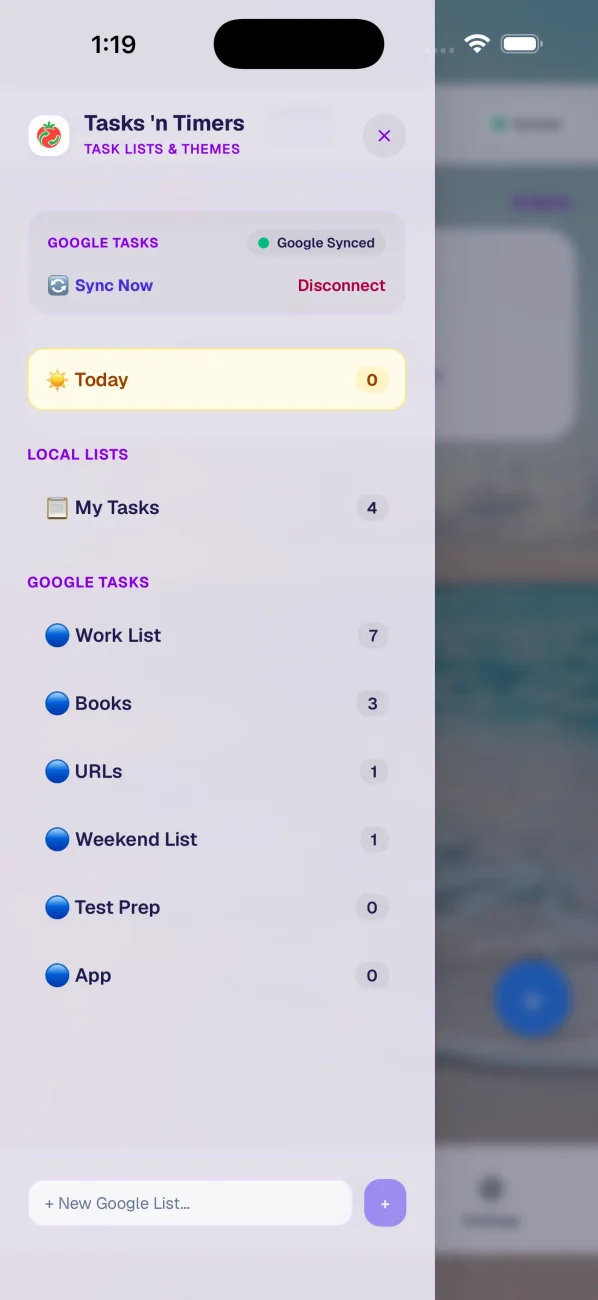
• Use it on its own with no account, or connect Google Tasks.
• With Pro, add Todoist or Reminders. Each one has its own tab on the Lists page.
• Make a new list in any tab.
• Pin the lists you use most and hide the rest.
• Move tasks between lists, with Undo.
• Finished tasks go to a Logbook. Untick one to bring it back.
• Works offline. New tasks and lists are sent when you are back online.
SEE WHERE YOUR TIME GOES
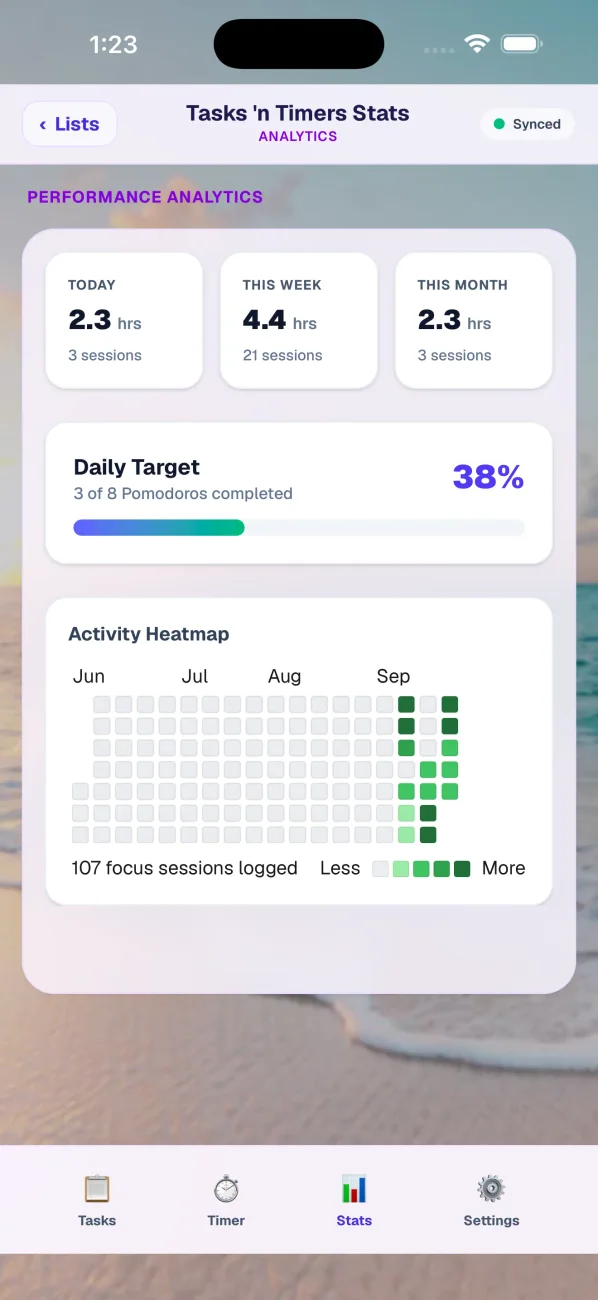
• A heatmap with a square for every day you focused.
• Every session is logged in the minutes you actually focused. Tap Today, This Week or This Month to see the sessions behind the number.
• Edit or delete a session, or add focus time you did away from the app.
• Set a weekly goal and build a daily streak.
• Share a picture of your day's focus.
YOUR DATA STAYS YOURS
• With Google connected, your focus history, lists and settings are saved in a private folder in your own Google Drive, so a new phone or a reinstall gets them back.
• No separate account and no servers of ours.
• Reminders stay on your iPhone and are never collected.
CALM BY DESIGN
• Light and Pure Dark themes.
• Optional ambient sounds: rain, waves and deep.
• Quiet confirmations with Undo, so nothing pulls you out of focus.
TASKS N TIMERS PRO
• Todoist: your projects and tasks in the app. Add, edit, finish, move and delete them. Todoist labels show on your tasks.
• Reminders: your iPhone reminders in the app. Add, edit, finish, move and delete them.
• A custom session length, from 1 to 180 minutes.
• Stats for every earlier month (the totals stay free).
• Export your sessions as a CSV file.
• Add focus time to an earlier day, and move a session to another day.
• Every future Pro feature is included.
• Choose Monthly or Yearly, each with a 7-day free trial, or buy Lifetime once.
• Monthly: 1 month, $0.99 per month after a 7-day free trial.
• Yearly: 1 year, $9.99 per year after a 7-day free trial.
• Lifetime: a one-time purchase.
Prices are in US dollars and may vary by country.
Subscriptions: payment is charged to your Apple ID when you confirm the purchase, or when the free trial ends. A subscription renews automatically unless it is cancelled at least 24 hours before the end of the current period; your account is charged for the renewal within 24 hours before the period ends. Manage or cancel in your Apple ID's Subscriptions settings. Any unused part of a free trial is forfeited when you buy a subscription. Lifetime is a one-time purchase.
Terms of Use: https://www.tasks-n-timers.online/terms
Privacy Policy: https://www.tasks-n-timers.online/privacy
Tasks N Timers is not affiliated with Google, Todoist or Apple. Google Tasks and Google Drive are trademarks of Google LLC. Todoist is a trademark of Doist Inc. Reminders is an app by Apple Inc.
新機能
バージョン 2.3.0 · 2026/11/22
New in 2.3:
• Reminders. Connect your iPhone Reminders (Pro) and use them like any other list. Add, edit, tick off, move and delete reminders, and start a focus session on any of them.
• Custom session length (Pro). Pick any time from 1 to 180 minutes.
• Easier to get around. Four tabs along the bottom: Today, Lists, Timer and Stats. A bar at the bottom shows your running session.
• One place for your lists. Google Tasks, Todoist and Reminders each get their own tab with their own logo. Tap + New list to make a list in any of them.
• Clear sync status. A small badge at the top shows when everything is synced. Tap it to sync now.
• Disconnecting a service now asks first.
アプリのプライバシー
このアプリのデータの取り扱いについて、Vinodh Balaji SridharanがApp Storeで申告している内容です。
-
データの収集なし
開発元はこのアプリからデータを収集しません。
プライバシーの取り扱いは、ご利用の機能やお客様の年齢などに応じて異なる場合があります。
情報
- 販売元
- Vinodh Balaji Sridharan
- カテゴリ
- 仕事効率化
- バージョン
- 2.3.0
- 更新日
- 2026/11/22
- リリース
- 2026/10/12
- サイズ
- 32.5 MB
- 必要条件
- iOS 15.6以降
- 対象年齢
- 4+
- 価格
- 無料
- アプリ内課金
- あり
- 言語
- 英語
- 著作権
- © 2026 Vinodh Balaji
こちらもおすすめ
-
 Zen Timer: Orbillaと育つポモドーロ・勉強タイマー
-
 Focus: Timer & Tasks仕事効率化
-
 GTD Brain: あなたのGTDシステムインボックス、次にとるべき行動、プロジェクト
-
 Odak: 勉強タイマー・ポモドーロ広告なしで集中、勉強時間を記録
-
 Study Timer - Shadow Task仕事効率化
-
 emlyon events仕事効率化
-
 Focal - Focus Timer仕事効率化
-
 集中タイマー - 没頭する時間シンプルに集中したいときに
-
 BrightMind: ADHDアシスタント電話で声かけしてくれる、予定とタスク管理
-
 Pala: ADHDプランナーとカレンダーAIルーティンと集中タイマー