- 対象年齢4+
- カテゴリユーティリティ
- 開発元Moritz Wolf
- 言語英語
- サイズ3.6 MB
App Storeの公式ページにリンクしています
Download.orgはTime Deltaのファイルを一切ホストしていません。ボタンを押すと、Moritz Wolfが公開しているApp Storeのアプリページが開きます。ページの最終確認:2026/11/17。
スクリーンショット


概要
開発元はこのテキストをお使いの言語で提供していません。
Every mechanical watch drifts. Time Delta tells you by how much.
Instead of wondering whether your automatic is running fast, Time Delta turns the question into a number you can follow over time: seconds per day, measured against your iPhone's clock.
HOW IT WORKS
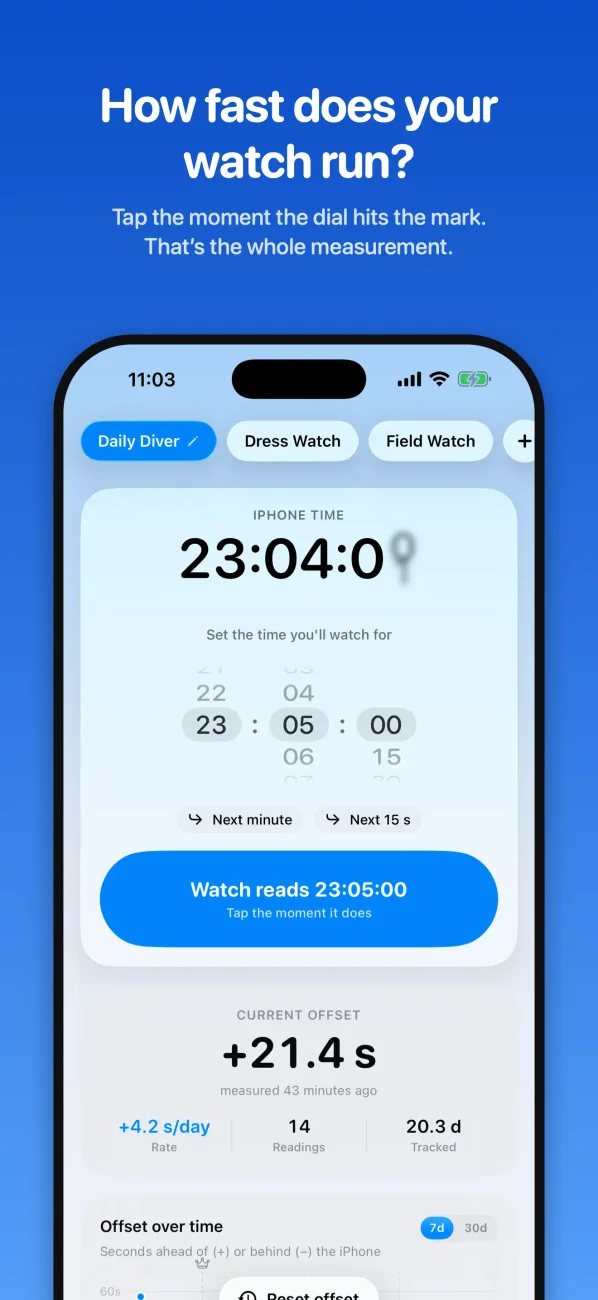
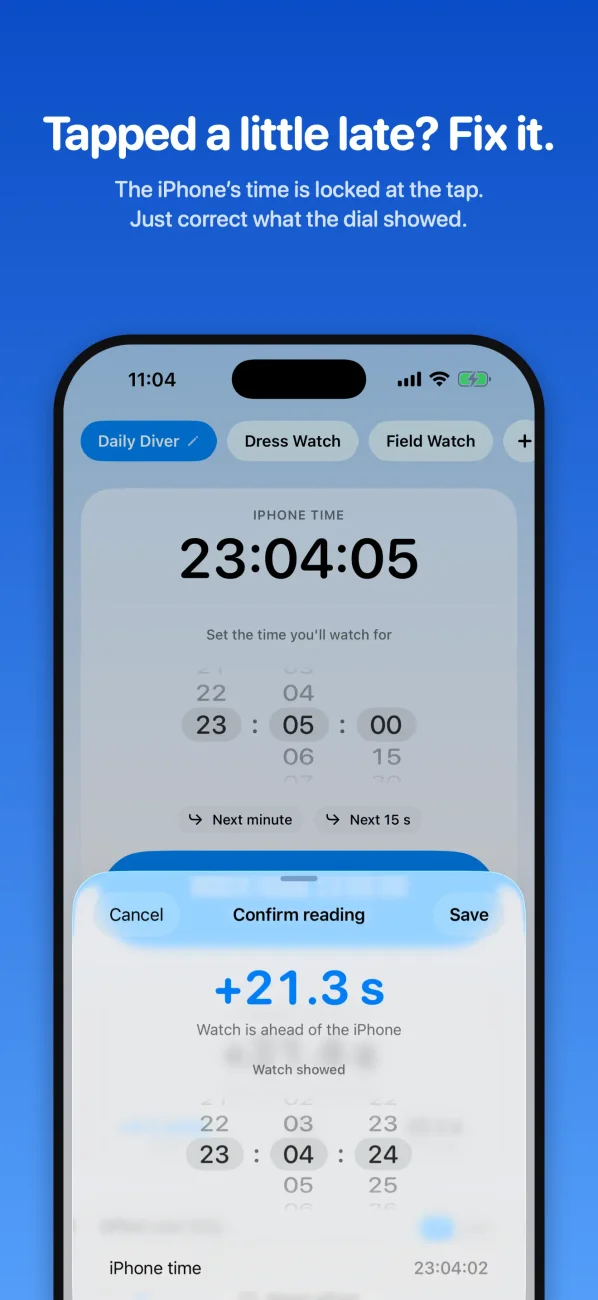
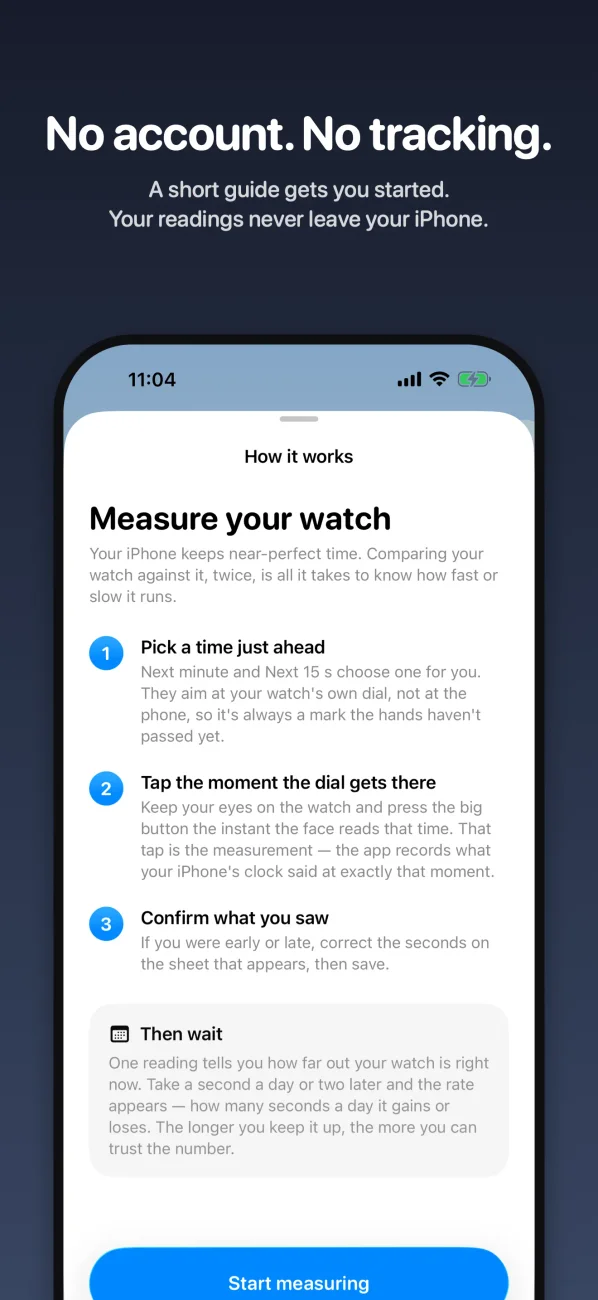
Choose the time you are going to watch for, then tap the moment the dial reaches it. Time Delta records what your iPhone's clock read at that exact instant and compares it with what the watch was showing. Take another reading a few days later and the drift rate appears.
No timegrapher, no microphone, no extra hardware. Just your eyes and one tap.
WHAT YOU GET
• A guide on first launch that walks you through taking a reading, reopenable whenever you want it
• A live reference clock, accurate to the second, so you always know what to aim at
• One-tap capture, with a confirmation step so you can correct a reading if your timing was off
• Drift rate in seconds per day, fitted across every reading you have taken
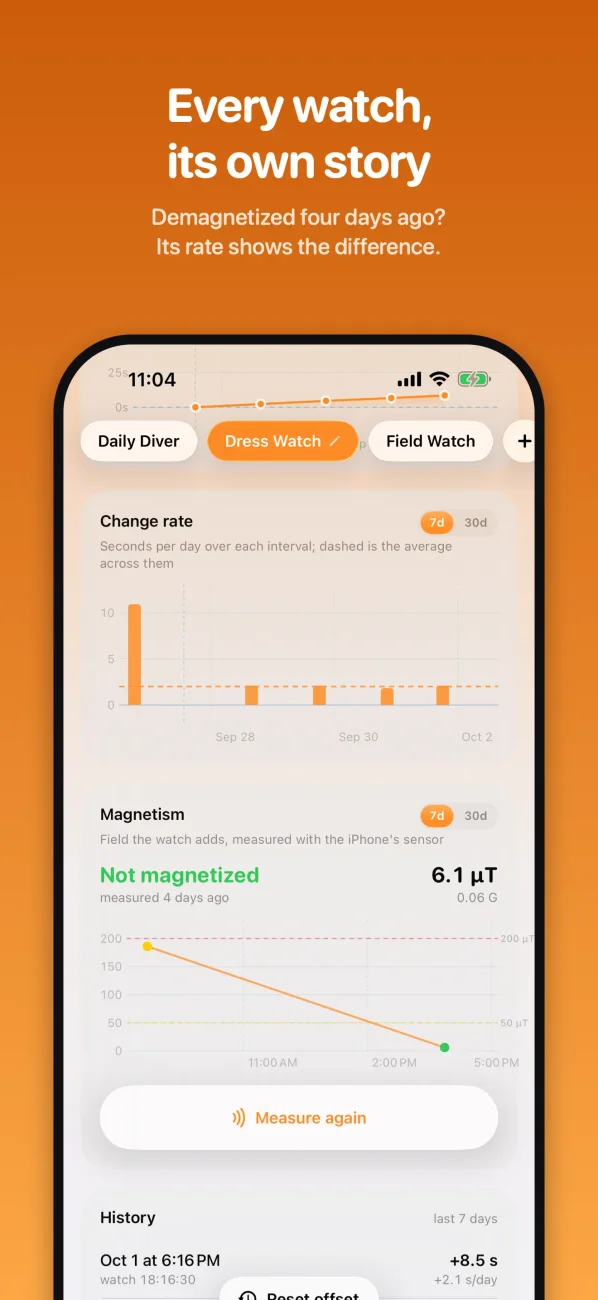
• A chart of offset over time with zero marked, so fast and slow are obvious at a glance — viewable over 7, 30 or 90 days, or all of it
• A change rate chart: how many seconds a day the watch gained or lost over each interval, with the average across them marked
• A full history, including the rate measured over each individual interval, with swipe to delete a mistimed reading
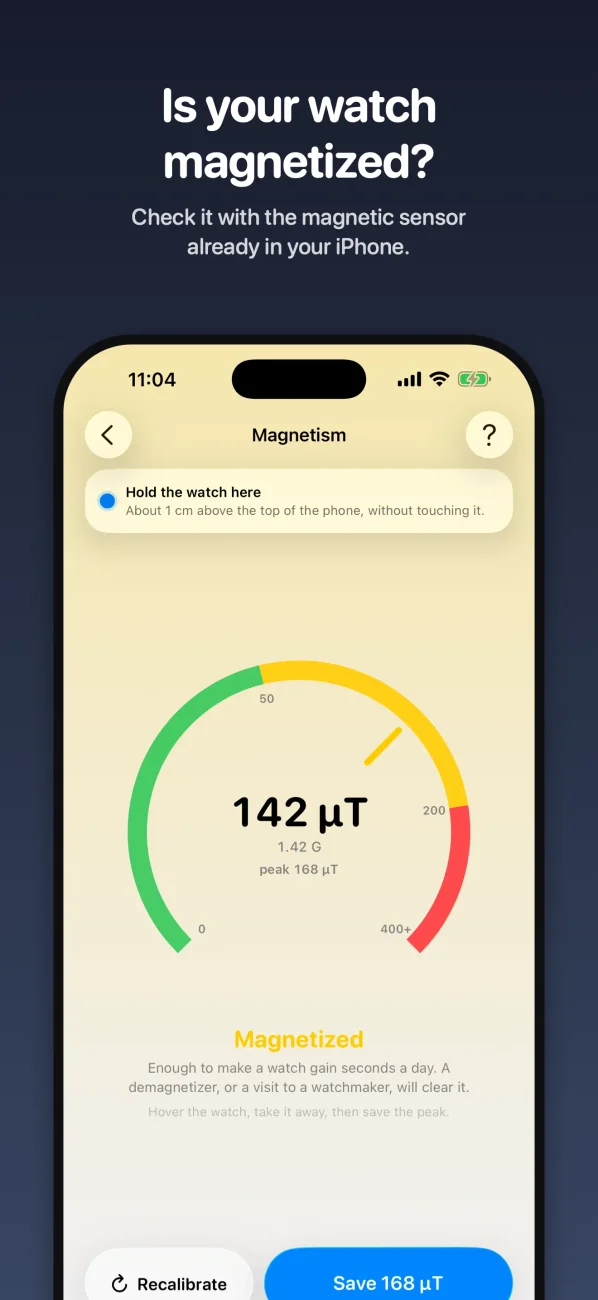
• A magnetism check that uses the iPhone's own magnetic sensor to tell you whether your watch has been magnetized — one of the few real faults you can find without opening the case. Saved per watch and charted over time, so you can measure again after a demagnetizer and watch the field come down
• Reset offset: set your watch to the right time, tap once, and a reading of zero goes in for that moment — marked as a correction, so the charts and the rate never mistake it for a sudden change in the watch
• As many watches as you like, each with its own name and color
MADE FOR WATCHES THAT ACTUALLY GET WORN
Targets are set from the watch's own last measured offset rather than from your phone, so Next minute and Next 15 s always aim at a mark the dial has not already passed — however far the watch has wandered.
Every reading is stamped with the time zone it was taken in, so a measurement made at 14:00 in Berlin still reads 14:00 after you land somewhere else. Travel and daylight saving never distort your history.
PRIVACY
The app has no account, no sign-in, no analytics and no network access of any kind. Your watch readings and any magnetism peaks you choose to save stay in a single file on your device. Live sensor samples are discarded; a peak is saved locally only when you tap Save. The app never sends your measurements anywhere.
新機能
バージョン 1.0.1 · 2026/10/15
Screenshot Updated
アプリのプライバシー
このアプリのデータの取り扱いについて、Moritz WolfがApp Storeで申告している内容です。
-
データの収集なし
開発元はこのアプリからデータを収集しません。
プライバシーの取り扱いは、ご利用の機能やお客様の年齢などに応じて異なる場合があります。
情報
- 販売元
- Moritz Wolf
- カテゴリ
- ユーティリティ
- バージョン
- 1.0.1
- 更新日
- 2026/10/15
- リリース
- 2026/10/2
- サイズ
- 3.6 MB
- 必要条件
- iOS 26.0以降
- 対象年齢
- 4+
- 価格
- 無料
- 言語
- 英語
- 著作権
- © 2026 Moritz Wolf
こちらもおすすめ
-
 WatchLog – 時計の精度タイムグラファーと精度記録
-
 WindUp: Watch Collectionユーティリティ
-
 Pallera:時計のタイムグラファー機械式時計の精度チェック
-
 Perpetuum: タイムグラファー・歩度測定機械式時計の精度をチェック
-
 Horlogemeter - Watch Accuracyユーティリティ
-
 JC Timegrapherユーティリティ
-
 Horology: Timegrapherユーティリティ
-
 Escapement 時刻合わせ秒針と毎分の信号、待機画面に対応
-
 ChronoBeat: 機械式時計測定BPH・ビートエラー分析
-
 Timegrapher Loggingユーティリティ