- 対象年齢4+
- カテゴリ仕事効率化
- 開発元Claude Bezeaud
- 言語英語ほか3言語
- サイズ4.7 MB
App Storeの公式ページにリンクしています
Download.orgはTimeMapsのファイルを一切ホストしていません。ボタンを押すと、Claude Bezeaudが公開しているApp Storeのアプリページが開きます。ページの最終確認:2026/11/13。
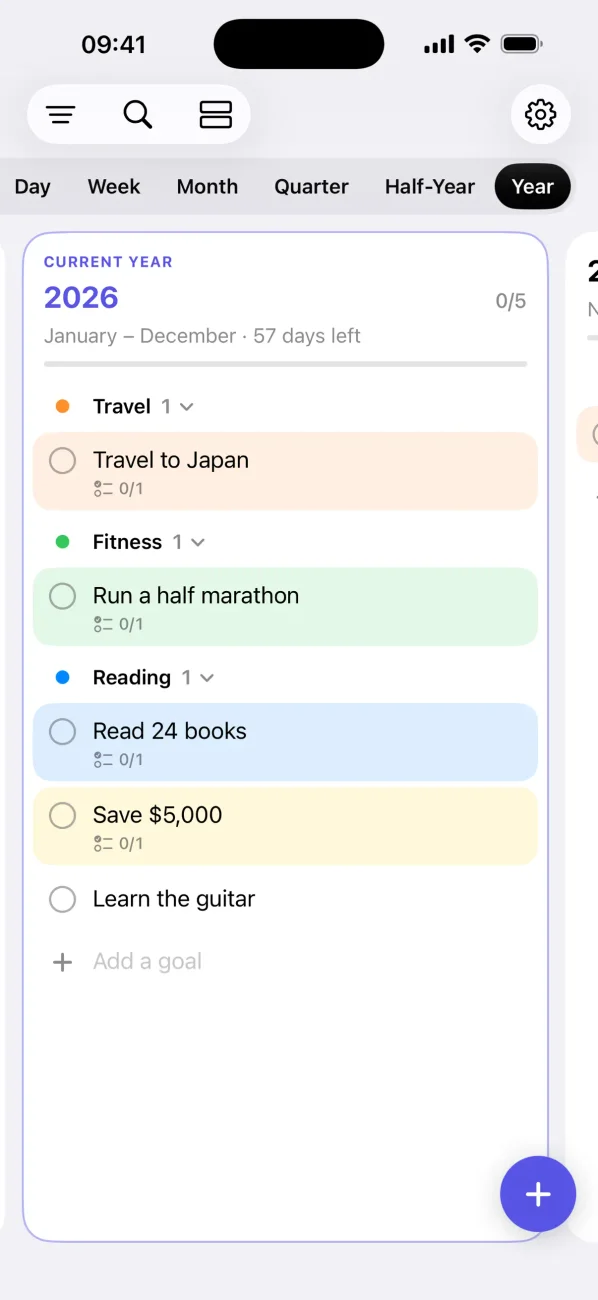
スクリーンショット

概要
開発元はこのテキストをお使いの言語で提供していません。
TimeMaps is a map of your goals, from the day to the year.
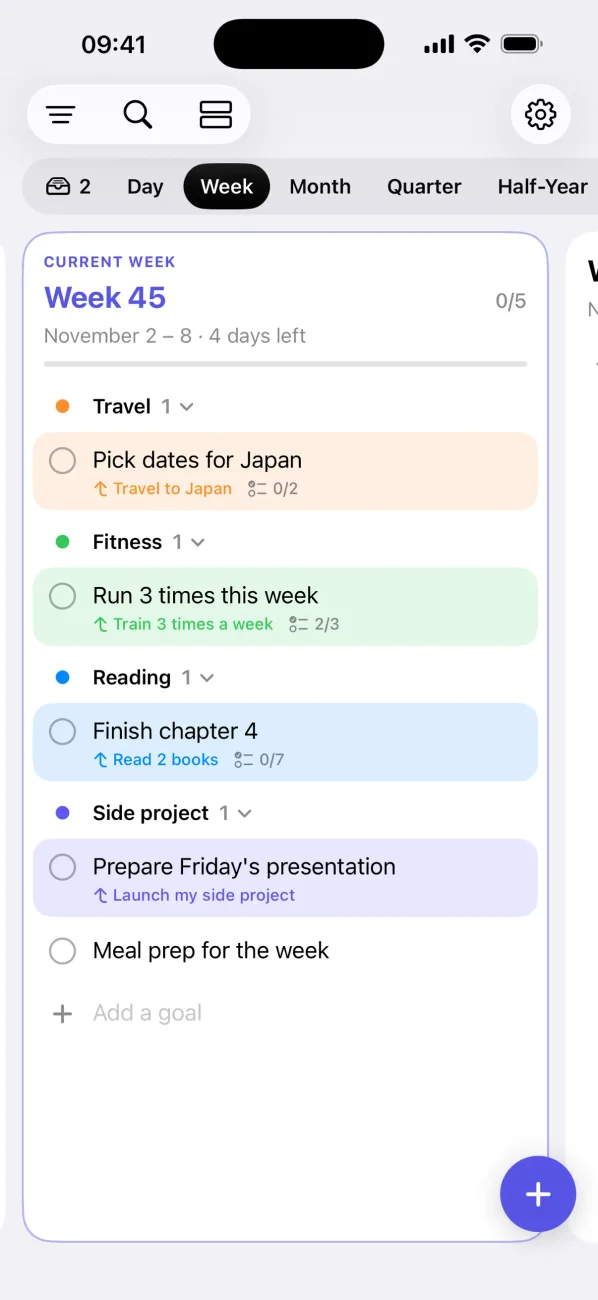
Each goal lives at its own scale: the day, the week, the month, the quarter, the half-year or the year. Periods scroll by in columns, and a pinch moves from one scale to another, just like zooming on a map. A goal for the day can contribute to a goal for the week, which in turn contributes to a goal for the year: what you do today stays connected to what matters in the long run.
WRITE THE WAY YOU TALK
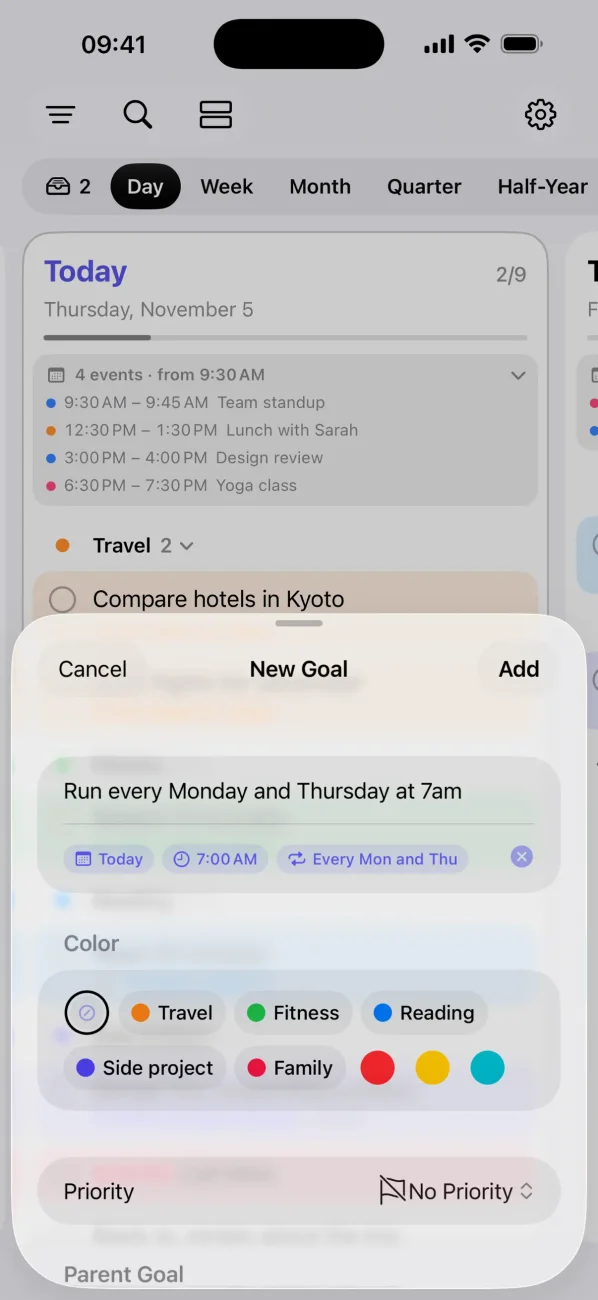
Type “Call Mom tomorrow at 6pm”, “Gym every Monday and Thursday at 7am” or “Prepare the review next month”: TimeMaps understands the date, the time and the repeat, and puts the goal in the right place. In English, French, German and Spanish.
Drag the + button onto any day or period: entry opens right there, and everything from color to steps can be set at once.
A PLACE FOR EVERYTHING
• Anything with a date shows up on the day, with a time and a reminder if you like.
• Anything without a precise date belongs to a period, to be done before it ends.
• Anything not dated yet waits in the Inbox.
• Anything left undone doesn't vanish: you choose to postpone it or let it go.
• A deadline that repeats, like rent on the 1st, stays due until it's done; a missed habit doesn't pile up as overdue.
EDIT EVERYTHING IN PLACE
Tap a goal and its card opens right in the column: change the date, time, color, priority or repeat, and add notes, links and steps to check off. Tap a phone number in a title or note to call it. Touch and hold a goal to mark it “In Progress”: its circle turns dotted.
YOUR CALENDAR NEXT TO YOUR GOALS
Events from your iCloud, Google or Outlook calendars appear at the top of each day, for reference. Just add the account to your device, with nothing else to sign in to. Tap a Google or Outlook event to open its app.
FEATURES
• Six horizons, from the day to the year, and pinch to zoom
• Two views, set per device: the Timeline in columns or the List from top to bottom
• Recurring goals: every day, on weekdays, on some days, every month or every year
• Goals linked to one another, and progress for every period
• Priorities: a blue, orange or red flag, with goals sorted by time, then by priority
• Areas: name your colors (Work, Family, Health…) and filter with one tap
• Reminders at the scheduled time and a daily summary
• Home Screen and Lock Screen widgets, where you check off goals with a tap
• Siri and Shortcuts: add, check off and review your goals by voice
• Filters and search across all your goals
• Import from Reminders, backup and Markdown export
• iCloud sync across iPhone, iPad and Mac
YOUR DATA STAYS YOURS
No account, no ads, no analytics. Your goals stay on your devices and in your private iCloud: TimeMaps collects no data.
FREE TRIAL, THEN ONE PURCHASE
Enjoy every TimeMaps feature for 14 days. After that, a single purchase unlocks the app for life on iPhone, iPad and Mac, with no subscription. Without it, your goals remain viewable and exportable.
https://timemapsapp.com/privacy/#en
アプリのプライバシー
このアプリのデータの取り扱いについて、Claude BezeaudがApp Storeで申告している内容です。
-
データの収集なし
開発元はこのアプリからデータを収集しません。
プライバシーの取り扱いは、ご利用の機能やお客様の年齢などに応じて異なる場合があります。
情報
- 販売元
- Claude Bezeaud
- カテゴリ
- 仕事効率化
- バージョン
- 1.0.0
- 更新日
- 2026/11/10
- リリース
- 2026/11/10
- サイズ
- 4.7 MB
- 必要条件
- iOS 17.0以降
- 対象年齢
- 4+
- 価格
- 無料
- アプリ内課金
- あり
- 言語
- 英語, フランス語, ドイツ語, スペイン語
- 著作権
- © 2026 Claude Bezeaud