- 対象年齢4+
- カテゴリ仕事効率化
- 開発元Casual Programmer, LLC
- 言語英語
- サイズ27.9 MB
App Storeの公式ページにリンクしています
Download.orgはTimeStory: Timeline Makerのファイルを一切ホストしていません。ボタンを押すと、Casual Programmer, LLCが公開しているApp Storeのアプリページが開きます。ページの最終確認:2026/11/16。
スクリーンショット

概要
開発元はこのテキストをお使いの言語で提供していません。
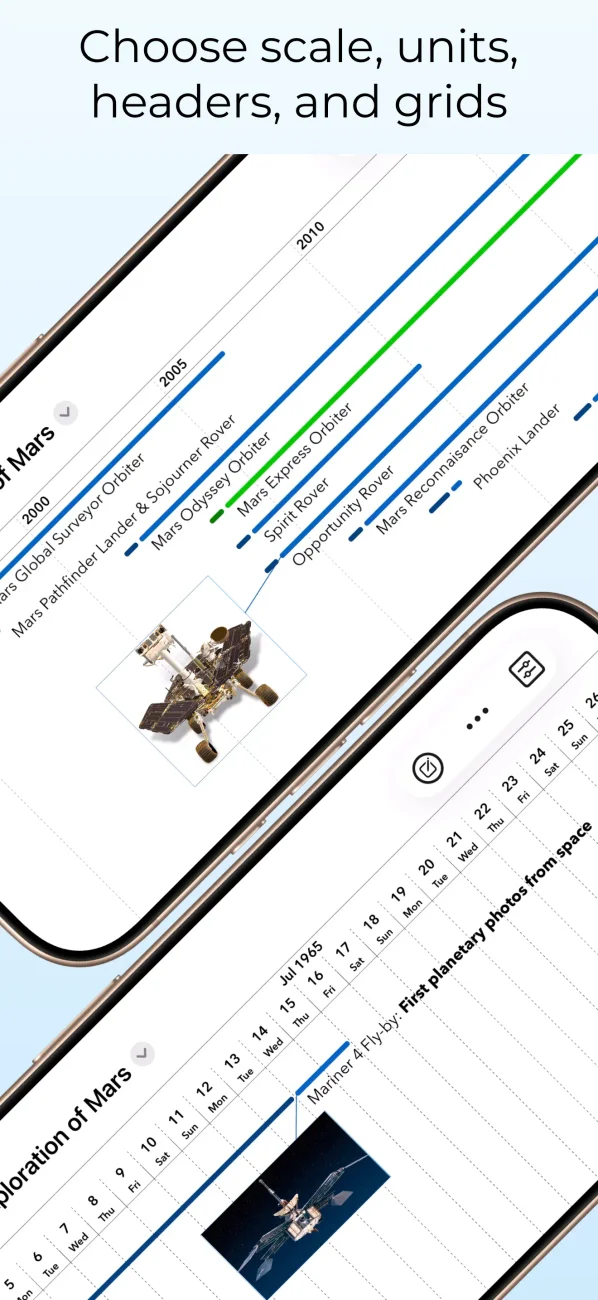
TimeStory for iPad/iPhone is a paid app (one-time purchase or annual subscription) for creating graphical timelines--project plans, roadmaps, personal journals, histories, and more, on scales from days to centuries--quickly and easily, while avoiding the complexity of project management tools.
The free download lets you open, view, and share timelines created on TimeStory for Mac. If you want to create and edit timelines on your iPad/iPhone, you can activate the built-in free trial, and then, if you choose, pay once or subscribe annually. The free trial does not auto-renew into a subscription, so there’s no risk.
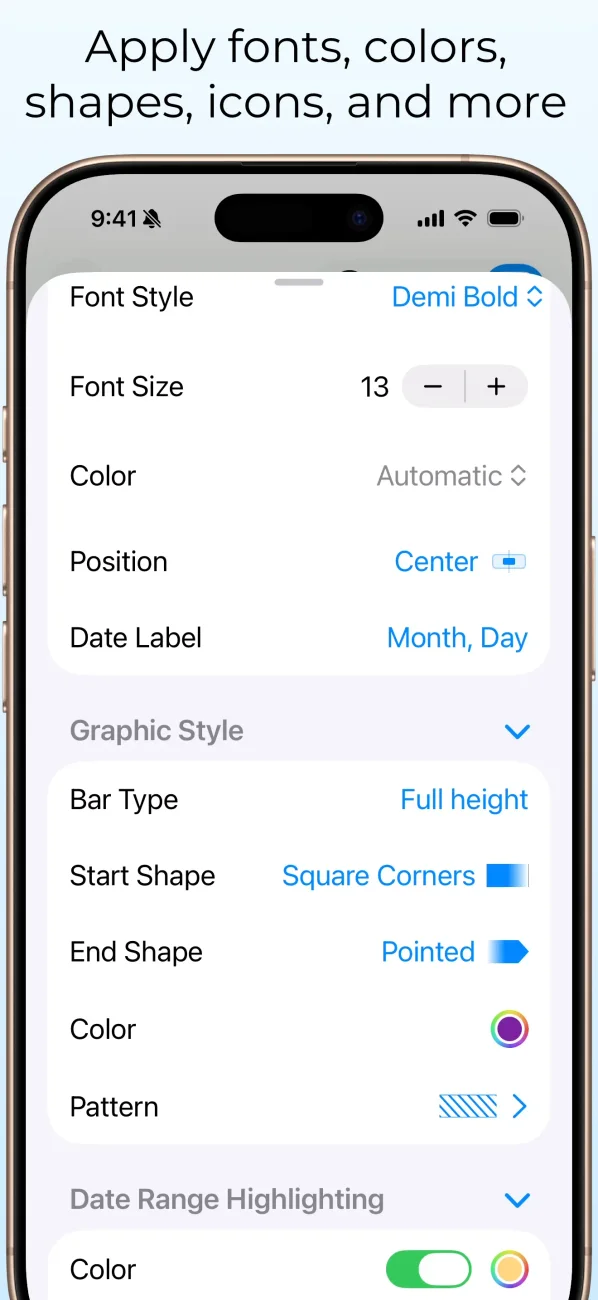
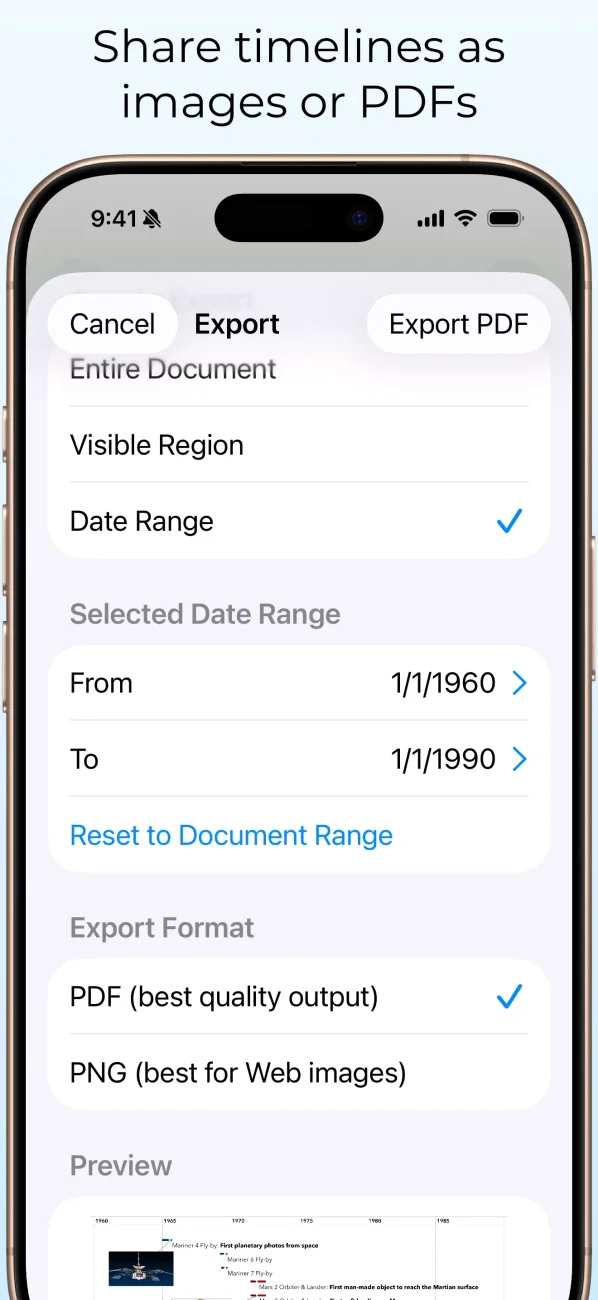
Use natural touchscreen gestures to navigate and scale the timeline. Create an event just by tapping one of the New Event buttons then tapping or dragging on the timeline where you want it. Attach photos or image files. Divide your timeline into sections. Import your own SVG or PNG icons to mark points in time. Apply background colors, fonts, event shapes, text alignment, and more. Share your work in PDF or PNG format, exporting an entire timeline or just a section of it.
On iPad, TimeStory has great support for Apple Pencil and external keyboards and pointers, works great in Split View and other multitasking modes, and supports multiple windows so you can open multiple documents at once or keep it open next to your research.
Versions:
This version of TimeStory was built to natively support iPad and iPhone. **Note: TimeStory for Mac is a separate purchase.** More info at https://timestory.app/get/
Web:
Learn more on our website (https://timestory.app/), with example timelines, release history, and documentation.
(Terms of use: https://www.apple.com/legal/internet-services/itunes/dev/stdeula/)
新機能
バージョン 2.3 · 2026/9/8
** Images are much faster and more efficient
Timelines with images in them get a big boost in performance with this update. They will load faster, editing and navigation will be quicker and smoother (especially on older hardware), the app will use less memory, and the files will usually be much smaller than before.
** More free trial opportunities on iOS
Whenever there’s a new update of the iOS app, starting now, if you’ve ever used a free trial but not bought it, your free trial will restart with a new two weeks as soon as you open it. We’ve put a lot of work into the app over the years, and this way you can see if maybe it fits you better now, or if maybe we’ve fixed a bug or shortcoming that you ran into last time.
(As always, the free trial does *not* automatically turn into a purchase or subscription, unlike a lot of other apps. It just gives you two weeks of everything free, then switches back to read-only mode.)
** Other fixes
- Cleaned up some extra items in the attached-image menu.
- Fixed the progress animation when you tap on a document and it takes a while to load.
アプリのプライバシー
このアプリのデータの取り扱いについて、Casual Programmer, LLCがApp Storeで申告している内容です。
-
データの収集なし
開発元はこのアプリからデータを収集しません。
プライバシーの取り扱いは、ご利用の機能やお客様の年齢などに応じて異なる場合があります。
情報
- 販売元
- Casual Programmer, LLC
- カテゴリ
- 仕事効率化
- バージョン
- 2.3
- 更新日
- 2026/9/8
- リリース
- 2024/3/20
- サイズ
- 27.9 MB
- 必要条件
- iOS 17.0以降
- 対象年齢
- 4+
- 価格
- 無料
- アプリ内課金
- あり
- 言語
- 英語
- 著作権
- © 2019-2026 Aaron Trickey