
Tobydoro: Focus & Flow Timer
Flowmodoro Deep Work Tracker
iPhone, iPad, Mac向けに設計
無料 · アプリ内課金
- 対象年齢4+
- カテゴリ仕事効率化
- 開発元Michael Pulgar
- 言語英語ほか4言語
- サイズ222.8 MB
App Storeの公式ページにリンクしています
Download.orgはTobydoro: Focus & Flow Timerのファイルを一切ホストしていません。ボタンを押すと、Michael Pulgarが公開しているApp Storeのアプリページが開きます。ページの最終確認:2026/11/18。
スクリーンショット

概要
開発元はこのテキストをお使いの言語で提供していません。
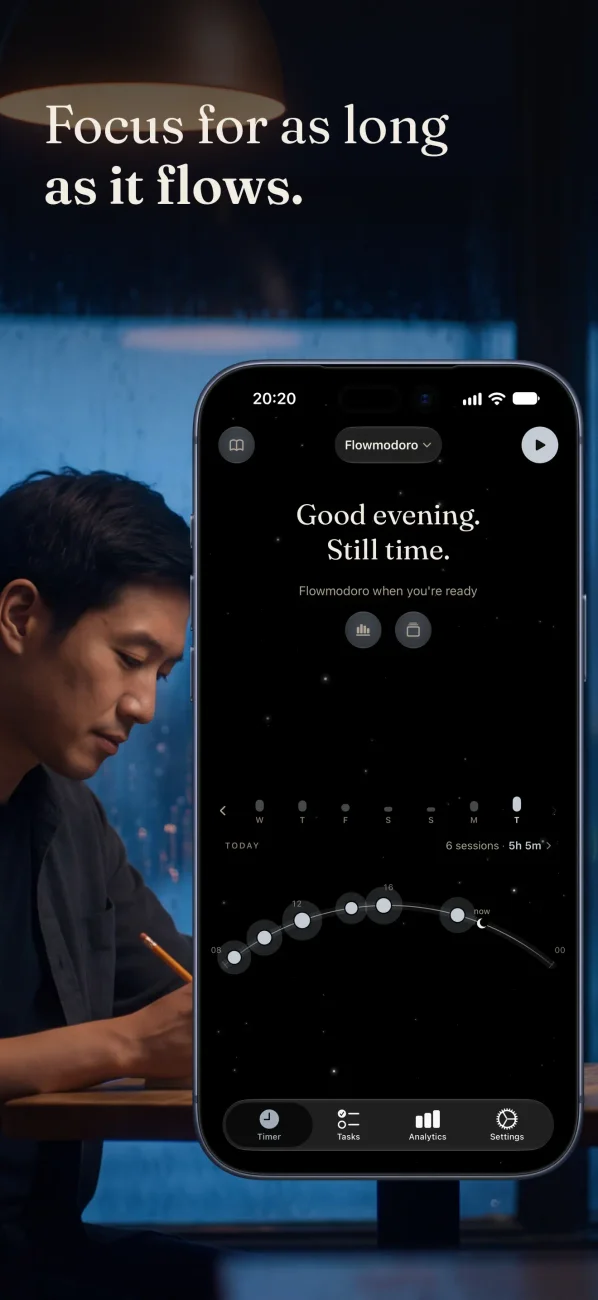
Rigid 25-minute timers break your flow. Tobydoro lets you work until concentration ends — then gives you the break science says you need.
Flowmodoro is a variable-interval method: no forced timers, proportional rest, longer sessions when you are locked in. Built for knowledge workers who want depth, not buzzers.
LIVE ACTIVITY & DYNAMIC ISLAND
Track your session from Lock Screen, Dynamic Island, and StandBy. Stop directly from the Live Activity.
FLOW SCORE & ANALYTICS
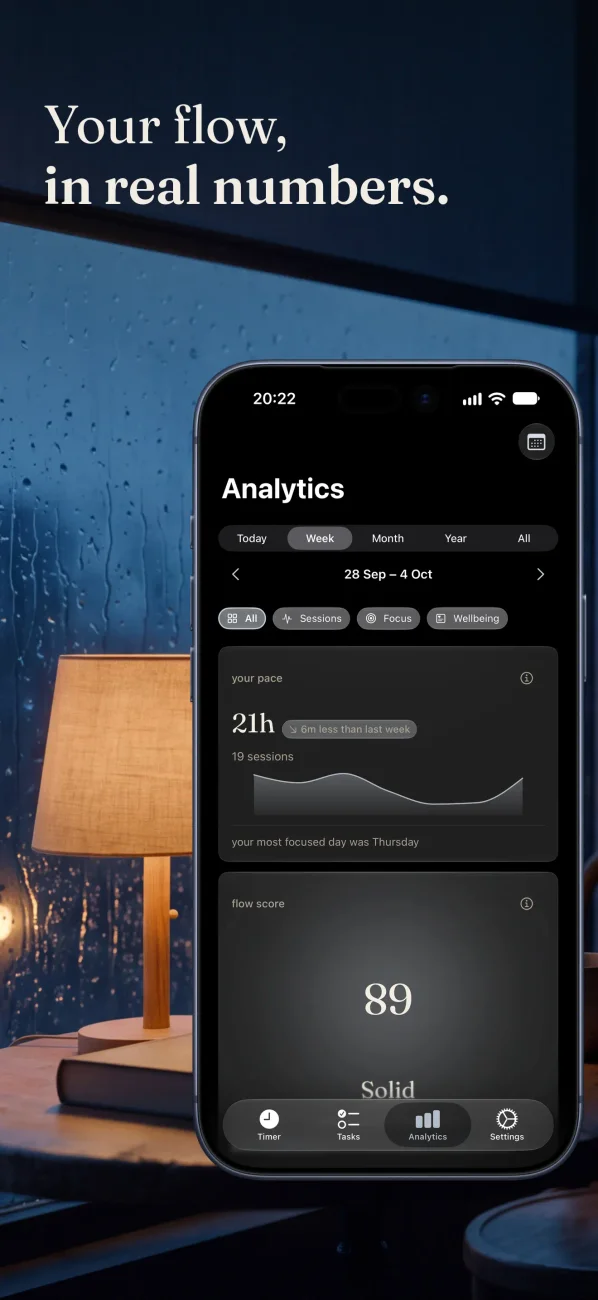
Your Flow Score across five dimensions is free. Pro unlocks 30+ analytics and the Month, Year, and All Time periods (Today and Week are free). Map your Focus Fingerprint on six axes: Consistency, Endurance, Recovery, Depth, Reflection, Wellbeing. Discover your peak focus hours with chronotype detection. See work patterns, distraction timing, mood trends, and cross-variable correlations.
PRIVACY BY DESIGN
No account. No ads. No analytics SDKs. No tracking. Your sessions, tasks and journal stay on your device — and in your own iCloud if you turn on sync. Photos and audio stay on the device where you add them, and voice transcription runs on the device itself. Purchases are processed by Apple and verified by RevenueCat.
FREE FOREVER
The full Flowmodoro timer, the five built-in routines, tasks, reflection, breaks, journal, daily summary, and most widgets are completely free. No ads.
FLOW TIMER
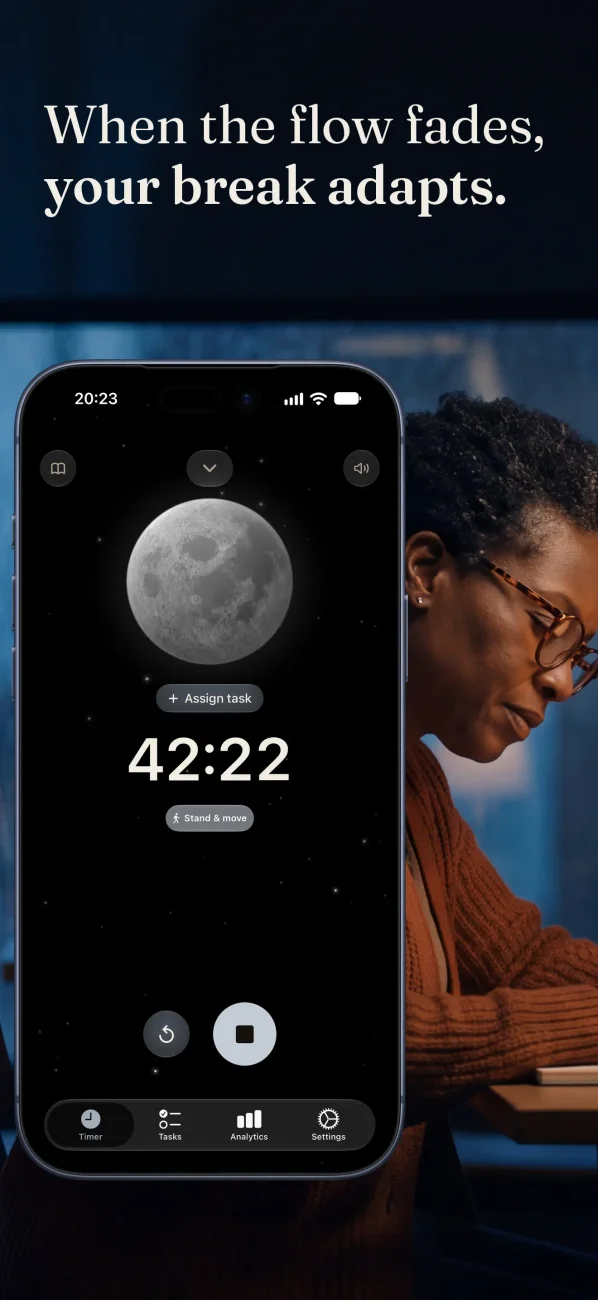
No fixed intervals. Work as long as concentration lasts. Tobydoro calculates an evidence-based break proportional to your session. Three break formulas: Simple, Balanced, Custom.
FOCUS ROUTINES
Flowmodoro adapts the break to how long you focused; Classic, Deep Work, Quick Sprint, and Long Focus keep a fixed rhythm. Breathe first if you like, with the technique you prefer. Create your own routines with Pro.
REFLECTION & JOURNAL
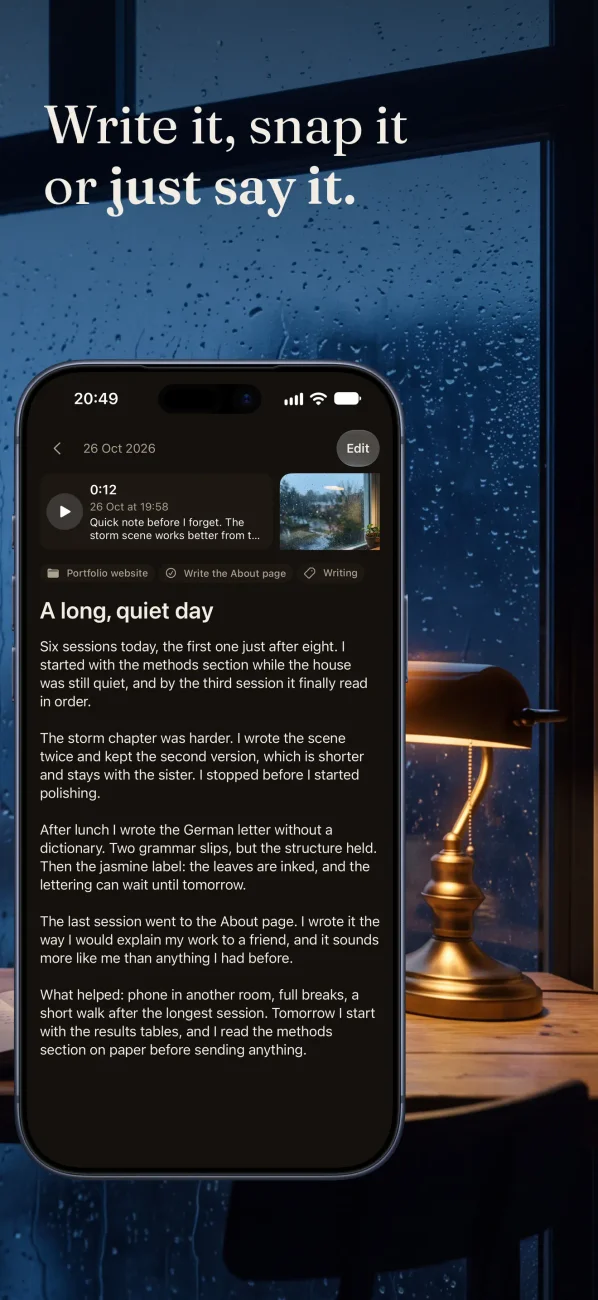
After a session of 10 minutes or more, rate your mood and write a reflection; sessions of 2 to 10 minutes get a quick note. Daily journal with session-by-session timelines. Weekly reviews surface your patterns.
SMART BREAKS
While you focus, gentle reminders tell you to look away from the screen, stand up and move, and drink water. Routines add a long break after a set number of blocks.
TASKS & PROJECTS
Organize with tasks, projects, tags, priorities, and four cognitive modes: Focus, Learning, Execution, Collaborative. Estimate time, track progress, add comments.
WELLBEING OBSERVATIONS
Tobydoro notices when your sessions run long and suggests a pause. Fatigue nudges, sedentarism observations, and quiet hours keep habits sustainable.
SEVEN HOME SCREEN WIDGETS
Daily Focus (time and sessions), Daily Motivation, Focus Streak, Quick Start, Today's Stats, Summary, and Session Control.
STREAKS WITH GRACE DAYS
One rest day per week does not break your streak — because rest is part of the process.
DATA EXPORT & IMPORT (Pro)
Export everything as JSON or CSV. Import backups with Skip, Replace, or Keep Both strategies. Your data, your rules.
TOBYDORO PRO
Advanced analytics across all periods, chronotype detection, Flow Score history, Focus Fingerprint, data export and import, extended journal history, and weekly reviews. New subscribers get a 7-day free trial on the yearly plan; the subscription then renews automatically unless cancelled.
Your first flow session starts today.
---
Tobydoro is a productivity tool that tracks work patterns and suggests breaks. It is not a medical device and does not diagnose, treat, cure, or prevent any disease or condition.
Terms of Use (EULA): https://www.apple.com/legal/internet-services/itunes/dev/stdeula/
新機能
バージョン 1.4.2 · 2026/10/27
What's new in 1.4.2
• A calmer end-of-session sheet — it opens at the height of what it shows, one swipe down closes it and keeps your mood, kind of work and task, and "Write in Journal" opens the editor with the keyboard ready.
• The running timer shows the icons of the apps your routine blocks (Pro).
• A session's detail shows the day it started, next to its time range.
• The timer tick now sounds in silent mode too and keeps sounding when you lock your iPhone or iPad. It still mixes with your music.
• With "Run automatically" on, the Session Control widget moves on to the break by itself; with it off, a finished block holds at 0:00 instead of counting up. A task you complete in Tasks no longer carries over to the break, your next block or the widget.
• When the task changes in the middle of a block, the block's time is now split between the tasks in Analytics and your totals, past sessions included.
• Secondary text is easier to read, text follows your text size as soon as you change it (iOS 26 and later), and VoiceOver no longer reaches the screen under the Journal, the Focus report or the breathing.
• Many fixes and polish across the timer, Tasks and the Journal.
アプリのプライバシー
このアプリのデータの取り扱いについて、Michael PulgarがApp Storeで申告している内容です。
-
ユーザーに関連付けられないデータ
収集される場合がありますが、ユーザーの識別情報には関連付けられません。
- 購入
- ID
プライバシーの取り扱いは、ご利用の機能やお客様の年齢などに応じて異なる場合があります。
情報
- 販売元
- Michael Pulgar
- カテゴリ
- 仕事効率化
- バージョン
- 1.4.2
- 更新日
- 2026/10/27
- リリース
- 2026/4/14
- サイズ
- 222.8 MB
- 必要条件
- iOS 18.0以降
- 対象年齢
- 4+
- 価格
- 無料
- アプリ内課金
- あり
- 言語
- 英語, フランス語, ポーランド語, ポルトガル語, スペイン語
- 著作権
- © 2026 Michael Pulgar