- 対象年齢4+
- カテゴリユーティリティ
- 開発元菁 吴
- 言語ドイツ語ほか2言語
- サイズ24.7 MB
App Storeの公式ページにリンクしています
Download.orgはTonotaのファイルを一切ホストしていません。ボタンを押すと、菁 吴が公開しているApp Storeのアプリページが開きます。ページの最終確認:2026/11/12。
スクリーンショット


概要
開発元はこのテキストをお使いの言語で提供していません。
Tonota is a privacy-first voice memo app with on-device recording, transcription, and AI Tools. No account is required. Model downloads need internet access; once the required models are ready, processing works offline. You control export and sharing.
Key features:
- One-tap recording with automatic transcription, plus live dictation. Switch between recording and live dictation for the current session without changing your default mode.
- Read recorded or imported audio transcripts as each segment is saved. After a failure or interruption, continue from the last saved position when a checkpoint is available; re-transcribe to start over.
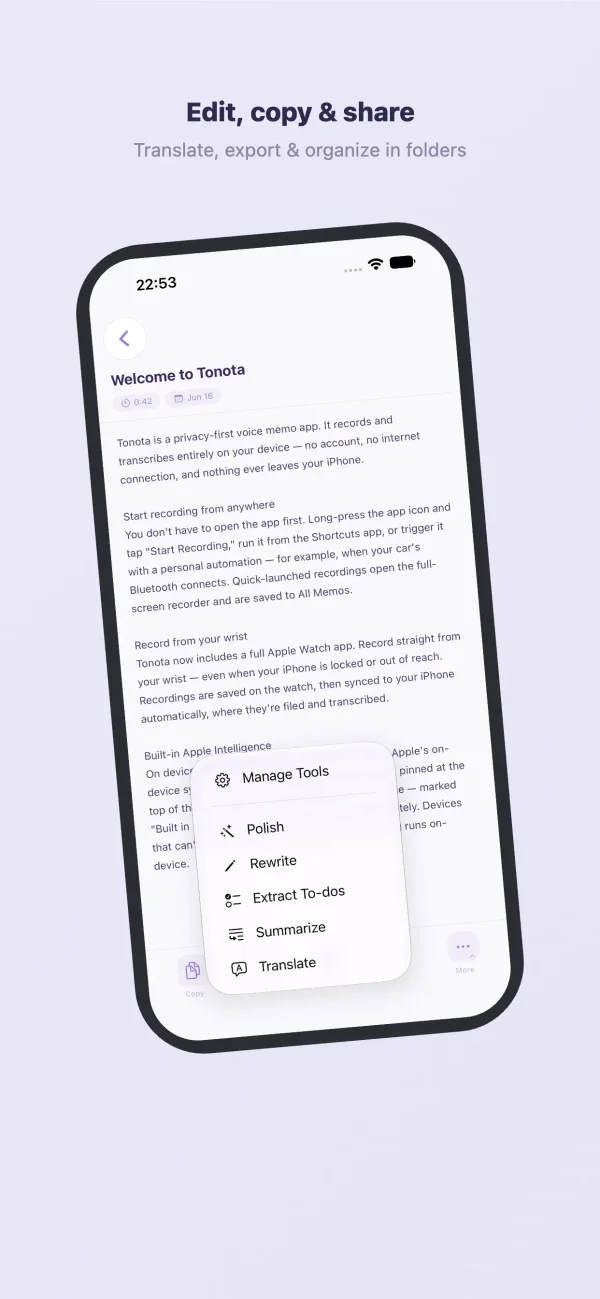
- Play from a sentence in a completed transcript and follow the highlighted text. Edit, copy, and share your notes. Adding AI results clears sentence timestamps, while ordinary audio playback remains available.
- On-device AI Tools for translation, summaries, to-dos, rewriting, and polishing. Customize built-in instructions or create up to five custom tools. Manual results stream as they are generated.
- Opt in to automatically run up to three tools when a completed transcript has fewer than 1,500 characters. Drag to set the order; each tool uses the original transcript and appends its result. Requires an available local language model.
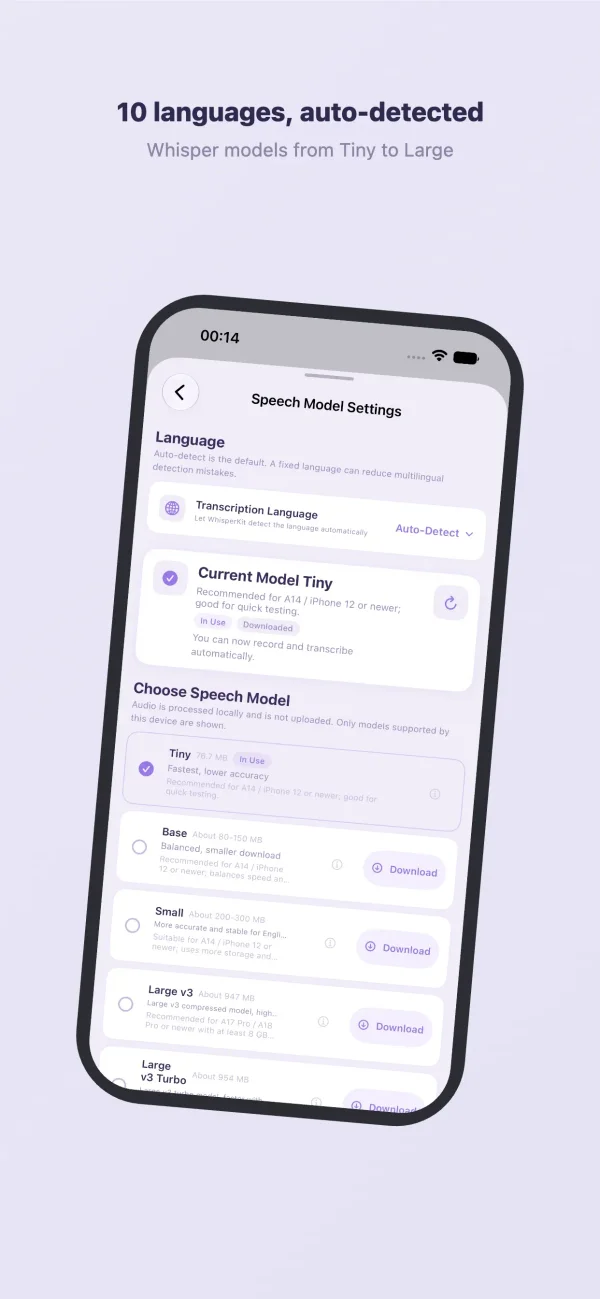
- Choose a downloadable local language model or Apple's built-in model on supported devices with Apple Intelligence enabled and ready. Compatible devices can also refine titles automatically after transcription.
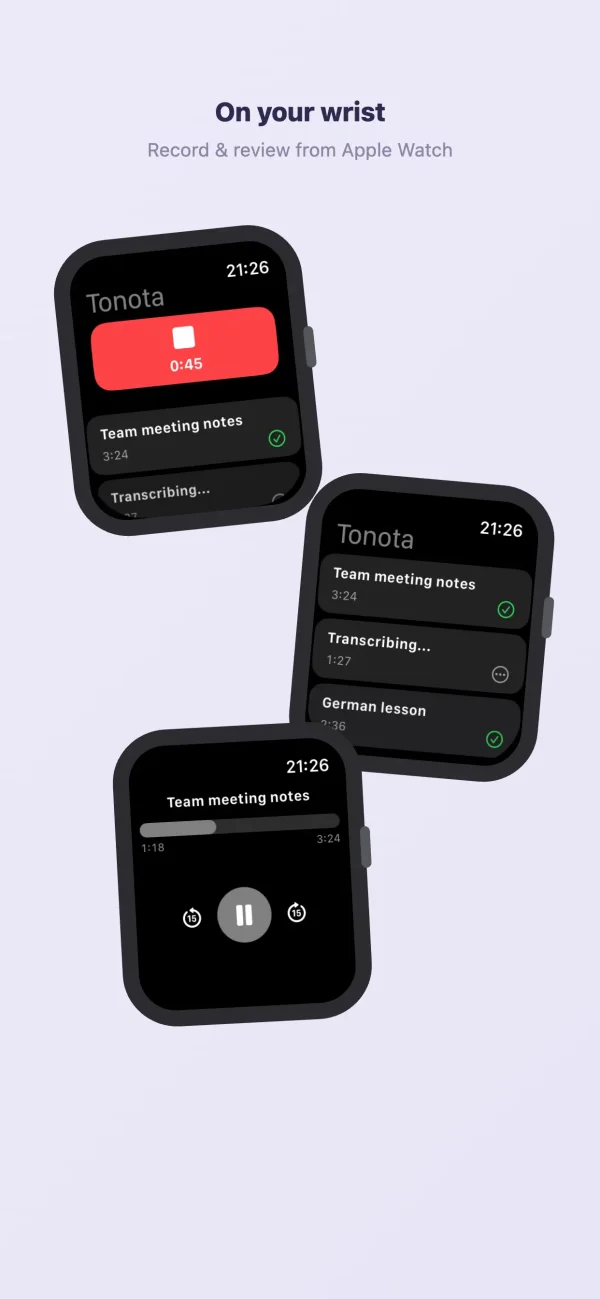
- Record on Apple Watch for up to two hours per session, including while your iPhone is away. Recordings are saved on the watch and transferred to iPhone for transcription. Request a transfer again using Sync on iPhone if needed. Browse recent Watch recordings and play audio on the watch.
- Start recording using an app-icon Quick Action, App Shortcuts, or the Tonota Control Center / Lock Screen control.
- Organize memos into folders, search titles and transcripts, and select multiple memos to move or delete. Create a folder while moving memos.
- Manage speech and language models with guided downloads, pause/resume/cancel controls, and device-aware model choices.
- Optionally export transcripts and audio to a folder you choose, or share using the system share sheet.
- A light lavender interface in English, German, and Simplified Chinese, with in-app language selection or system-language matching. Find the privacy policy in Settings → About.
Tonota requires iOS 17 or later and an iPhone 12 (A14 chip) or newer. The Control Center / Lock Screen control requires iOS 18 or later. The Watch app requires a paired Apple Watch running watchOS 10 or later. Apple's built-in language model requires iOS 26 or later and supported hardware with Apple Intelligence enabled and ready. Local AI availability depends on device support and the selected model.
新機能
バージョン v1.10 · 2026/9/27
Save long transcripts as they progress, and run AI Tools automatically on short ones.
· Read transcripts as segments save, and continue from the last saved position after interruptions
· Automatically run up to three tools on transcripts under 1,500 characters and append results
· Refreshed AI Tools settings with drag-to-reorder controls for automatic tools
· Improved Watch recording retransfers, recovery prompts, and recording startup reliability
· More room for live dictation text, plus a privacy policy link in About
Thanks for using Tonota — we'd love your feedback
アプリのプライバシー
このアプリのデータの取り扱いについて、菁 吴がApp Storeで申告している内容です。
-
データの収集なし
開発元はこのアプリからデータを収集しません。
プライバシーの取り扱いは、ご利用の機能やお客様の年齢などに応じて異なる場合があります。
情報
- 販売元
- 菁 吴
- カテゴリ
- ユーティリティ
- バージョン
- v1.10
- 更新日
- 2026/9/27
- リリース
- 2026/6/9
- サイズ
- 24.7 MB
- 必要条件
- iOS 17.0以降
- 対象年齢
- 4+
- 価格
- 無料
- 言語
- ドイツ語, 英語, 簡体字中国語
- 著作権
- © Jing Wu