- 対象年齢4+
- カテゴリファイナンス
- 開発元DONALD GENE STRONG
- 言語英語
- サイズ12.1 MB
App Storeの公式ページにリンクしています
Download.orgはTrading Journal Analyticsのファイルを一切ホストしていません。ボタンを押すと、DONALD GENE STRONGが公開しているApp Storeのアプリページが開きます。ページの最終確認:2026/11/17。
スクリーンショット

概要
開発元はこのテキストをお使いの言語で提供していません。
Track every trade. Understand your performance. Improve your process.
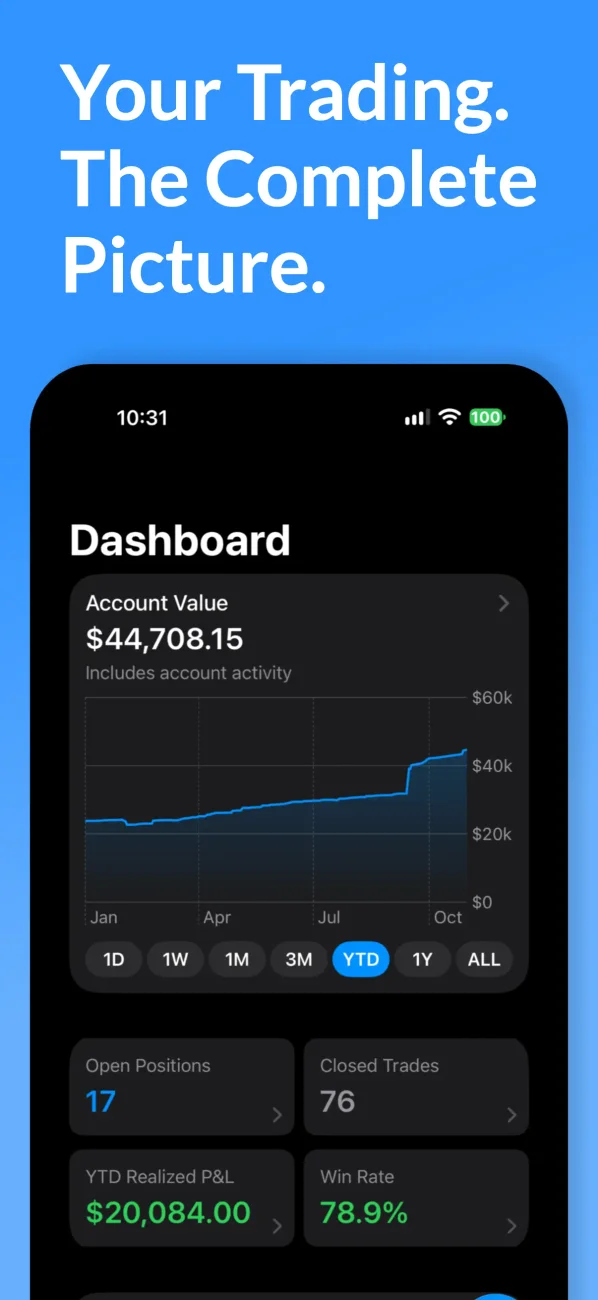
Trading Journal Analytics brings your trades, performance data, and trading decisions together in one organized workspace. Journal stocks, options, futures, and cryptocurrency trades, review your results, and discover patterns that can help you refine your trading approach.
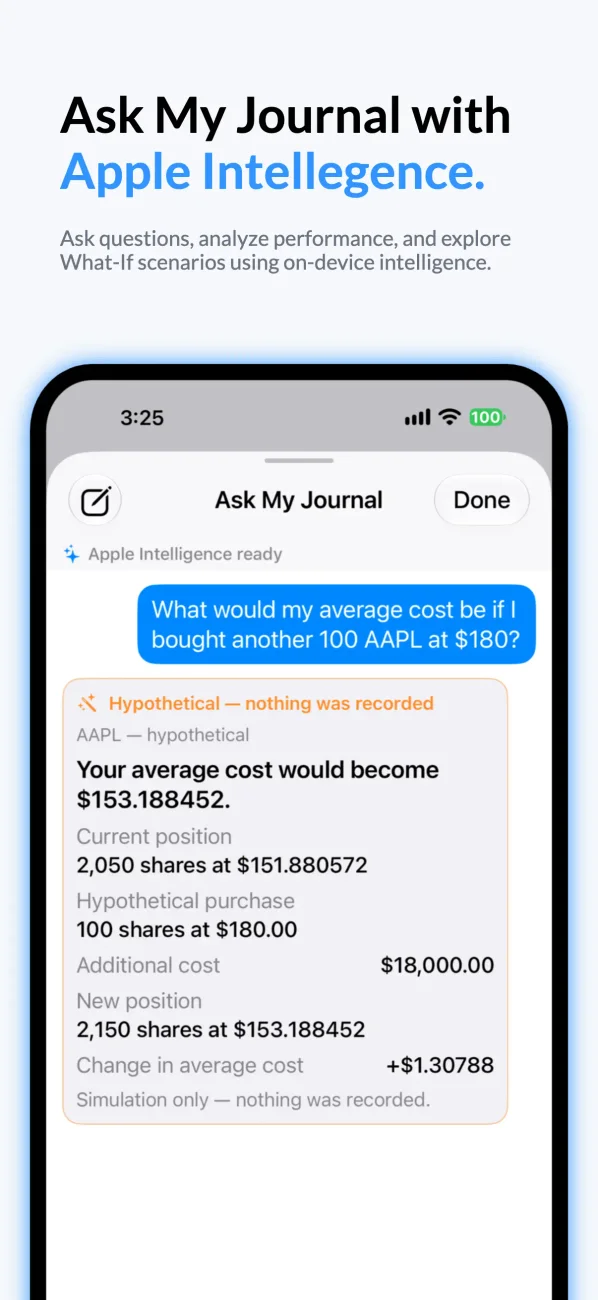
**ASK MY JOURNAL — APPLE INTELLIGENCE**
Go beyond charts and statistics. Ask natural-language questions about your trading history using on-device Apple Intelligence.
• Explore realized profit and loss, win rates, and trading performance
• Analyze results across supported asset classes and time periods
• Calculate hypothetical average costs and position changes
• Ask conversational follow-up questions
• Use supported natural-language trade-entry assistance
Compatibility: Ask My Journal requires an Apple Intelligence-compatible device running a supported version of iOS or iPadOS, with Apple Intelligence enabled. This feature is not available on all devices.
AI-generated responses and calculations should be verified before making financial decisions.
**COMPLETE TRADE JOURNAL**
• Track stocks, options, futures, and cryptocurrency
• Record entries, exits, prices, quantities, fees, and dates
• Monitor long and short positions, open and closed trades
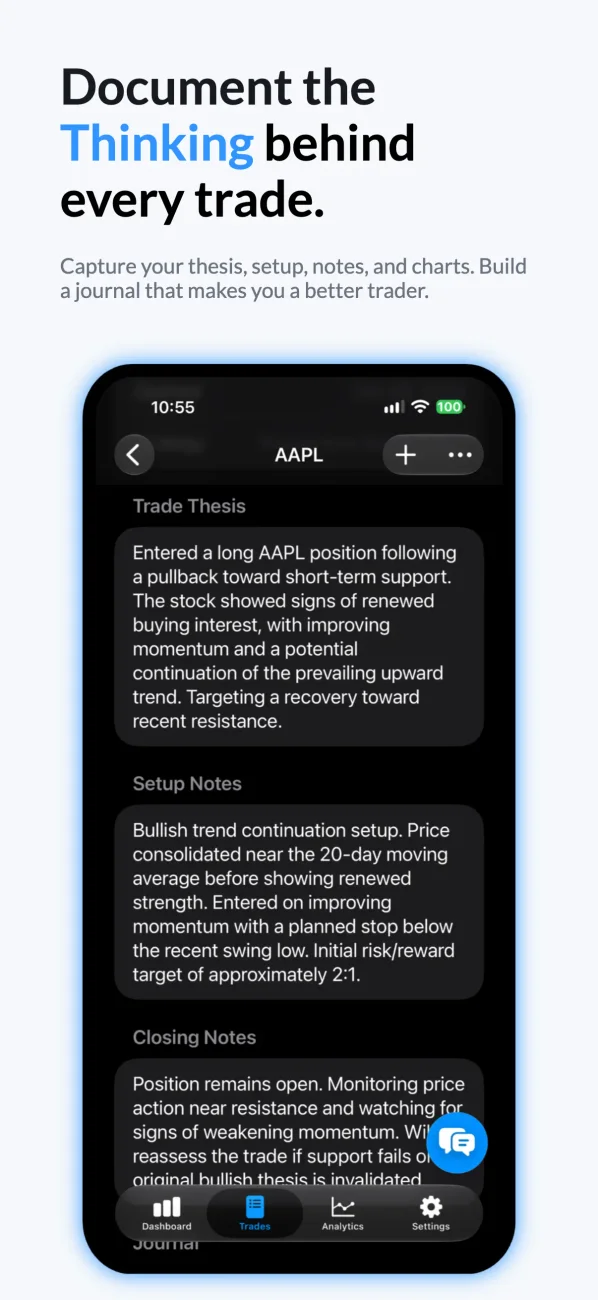
• Document trade theses, setup notes, and closing observations
• Attach chart screenshots and images
• Organize trades with strategies and custom tags
**GUIDED IMPORT & OPTIONS TRACKING**
• Import supported trades from CSV files with guided column mapping
• Review imports and detect potential duplicates
• Save reusable import templates
• Track single-leg and multi-leg options strategies
• Record spreads, straddles, strangles, iron condors, and more
• Monitor options premiums, rolls, and adjustments
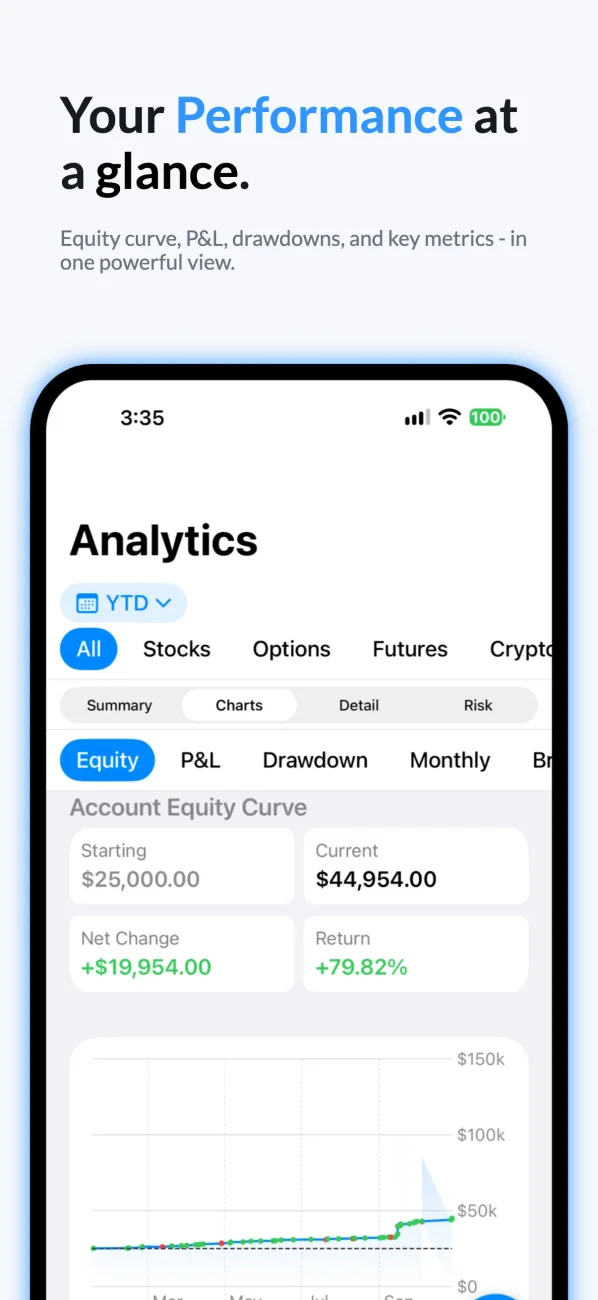
**PERFORMANCE & RISK ANALYTICS**
Turn your trading history into meaningful performance insights.
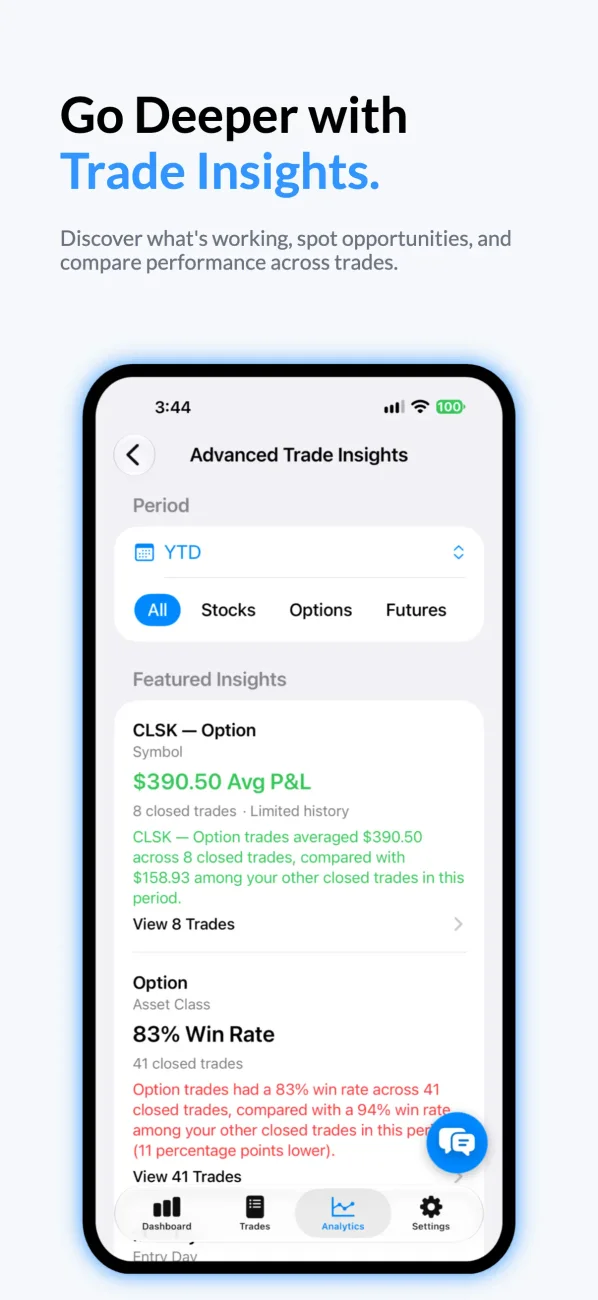
• Track realized P&L, win rates, and performance trends
• Explore equity curves, drawdowns, and risk metrics
• Compare results by asset class, strategy, and time period
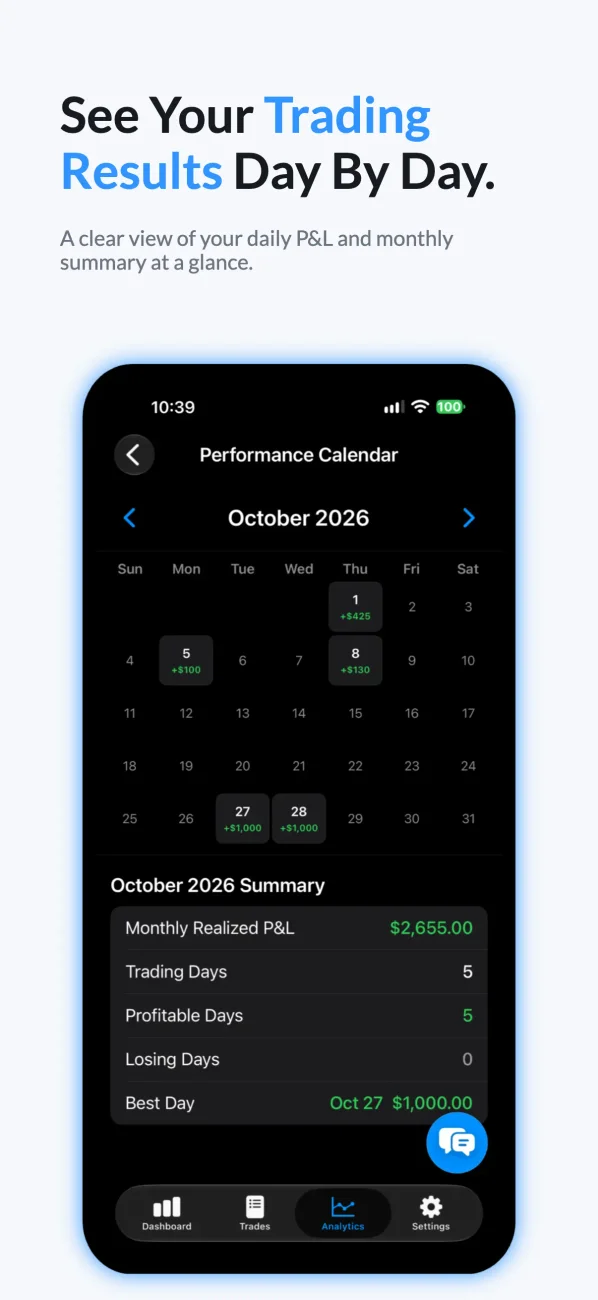
• Review daily results in the Performance Calendar
• Track weekly, monthly, and yearly options premiums
• Review historical and previous-year performance
• Identify trading patterns, strengths, and weaknesses
**TRADE REVIEW & IMPROVEMENT**
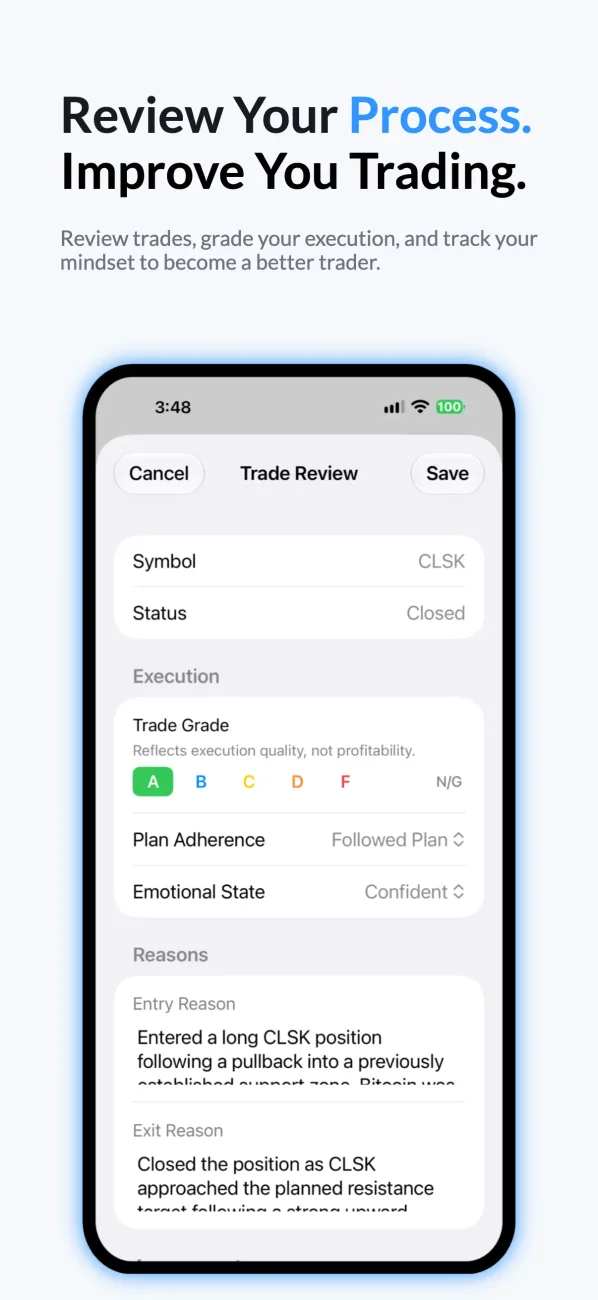
Review completed trades, grade execution, evaluate adherence to your trading plan, and document lessons learned.
Record the thinking behind each trade, including entry and exit reasoning, execution quality, and emotional factors, to help develop a more consistent trading process.
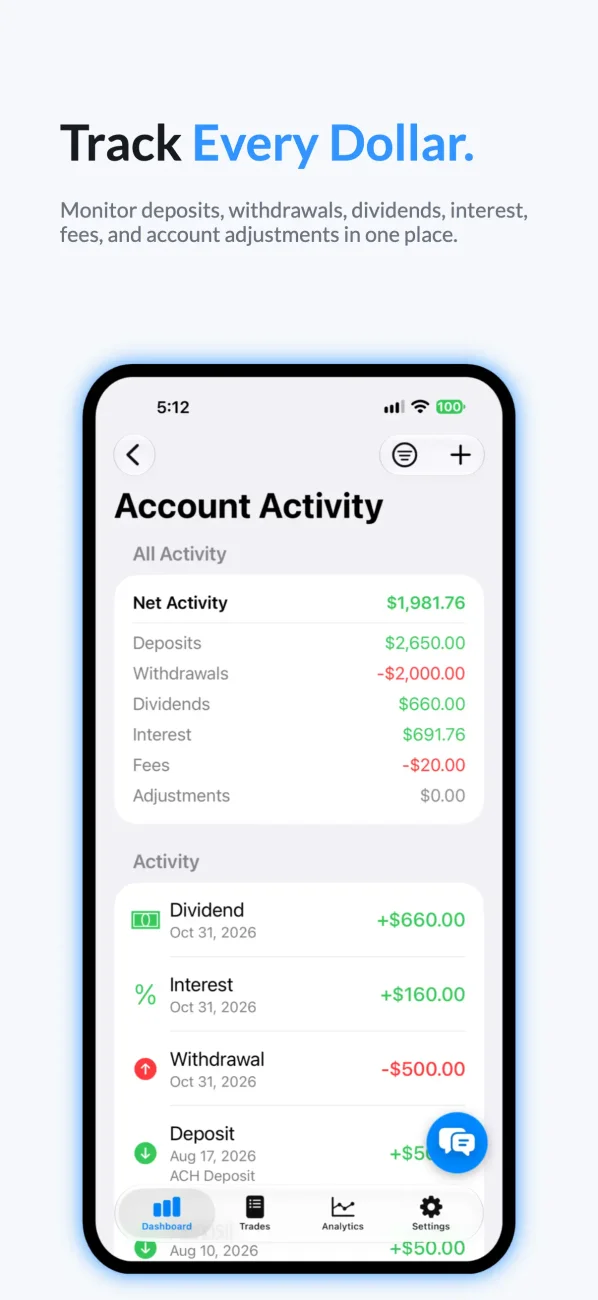
**ACCOUNT ACTIVITY TRACKING**
Track deposits, withdrawals, dividends, interest, fees, and manual account adjustments. Keep your trading activity and account changes organized in one place.
**REPORTS, BACKUP & PRIVACY**
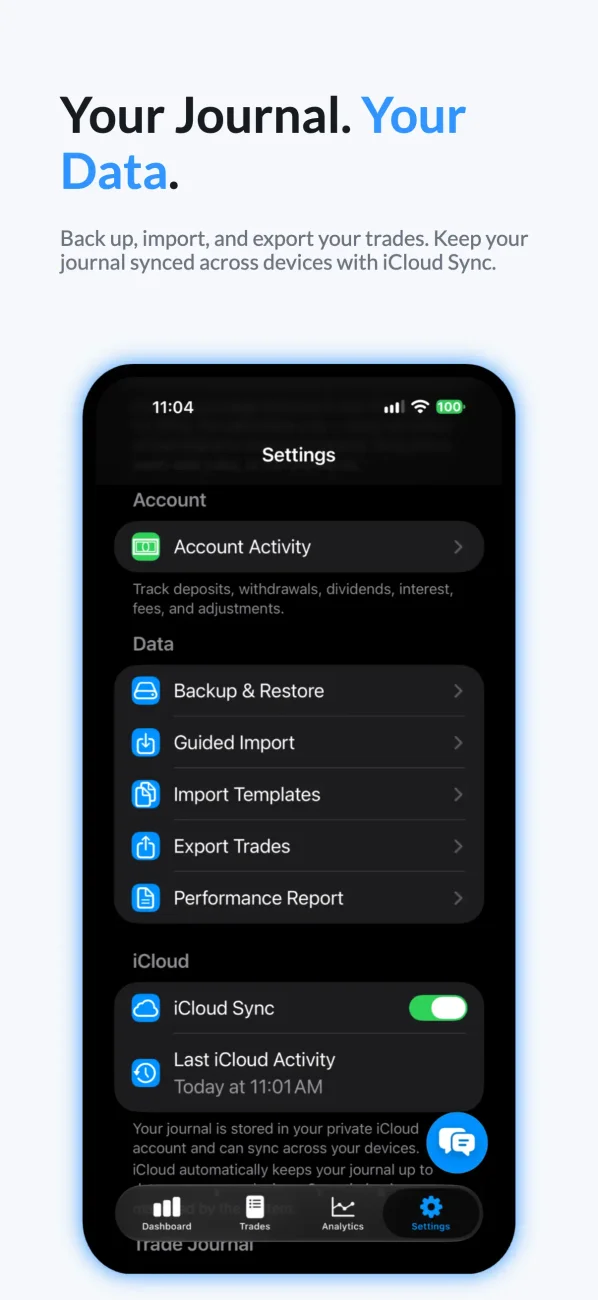
• Export journal data to CSV and Excel-compatible formats
• Generate PDF performance reports
• Back up and restore your trading records
• Protect access with Face ID or Touch ID
• Enable optional iCloud Sync across supported devices
• Keep your journal stored locally when iCloud Sync is disabled
• Enter starting account values to reflect existing performance
• View estimated capital gains information
**BUILT FOR TRADERS WHO WANT TO IMPROVE**
Trading Journal Analytics is a dedicated journaling and analysis tool, not a brokerage. It does not execute trades or provide personalized investment or tax advice.
Whether you're an active trader, swing trader, options trader, or long-term investor, Trading Journal Analytics helps you organize your history, understand your results, and develop a more informed trading process.
Your trades tell a story. Understand the results. Learn from your decisions. Improve your process.
新機能
バージョン 1.9 · 2026/11/11
What's New in Version 1.9
New: Automatically Saved Ask My Journal Conversations
Ask My Journal now automatically saves your conversations, allowing you to revisit previous discussions, review AI-generated insights, and continue conversations right where you left off. Your chat history is stored locally, or with iCloud synchronization across devices.
Wash Sale Tracking — Identify potential wash sales, track disallowed losses and cost-basis adjustments, and better understand their impact on your capital gains reporting.
Additional Improvements
• Ask My Journal: Improved trade entry, performance analysis, and understanding of natural-language questions.
• iCloud Sync: Enhanced synchronization of trades, account activity, settings, and saved conversations across devices.
• Financial Accuracy: Improved profit and loss calculations, tax estimates, and account value reporting.
• Import & Backup: Improved trade importing, backup and restore reliability, and data protection.
• Interface Improvements: Better keyboard controls, accessibility, and navigation.
• Performance & Stability: Numerous bug fixes and performance improvements throughout the app.
アプリのプライバシー
このアプリのデータの取り扱いについて、DONALD GENE STRONGがApp Storeで申告している内容です。
-
データの収集なし
開発元はこのアプリからデータを収集しません。
プライバシーの取り扱いは、ご利用の機能やお客様の年齢などに応じて異なる場合があります。
情報
- 販売元
- DONALD GENE STRONG
- カテゴリ
- ファイナンス
- バージョン
- 1.9
- 更新日
- 2026/11/11
- リリース
- 2026/9/1
- サイズ
- 12.1 MB
- 必要条件
- iOS 17.6以降
- 対象年齢
- 4+
- 価格
- ¥4,000
- 言語
- 英語
- 著作権
- © 2026 Donald Strong
こちらもおすすめ
-
 Trading Journalsファイナンス
-
 トレード日記:TradeJrnlトレード分析・リプレイ・バックテスト
-
 Coin Tracker: Live Islandファイナンス
-
 TradeZap - Trading Journalファイナンス
-
 トレード記録帳 - GalaxiemFX・暗号資産の取引トラッカー
-
 Tradology: Trading Journalファイナンス
-
 Trading Jornal : Tradyxファイナンス
-
 P&L Calendar: Trading Journalファイナンス
-
 トレード日記 Proloca損益カレンダーと習慣
-
 株式分析AIリアルタイム相場&価格アラート