- 対象年齢4+
- カテゴリ仕事効率化
- 開発元Steven Hovater
- 言語英語
- サイズ3.9 MB
App Storeの公式ページにリンクしています
Download.orgはTrioritiesのファイルを一切ホストしていません。ボタンを押すと、Steven Hovaterが公開しているApp Storeのアプリページが開きます。ページの最終確認:2026/11/15。
スクリーンショット

概要
開発元はこのテキストをお使いの言語で提供していません。
Pick three.
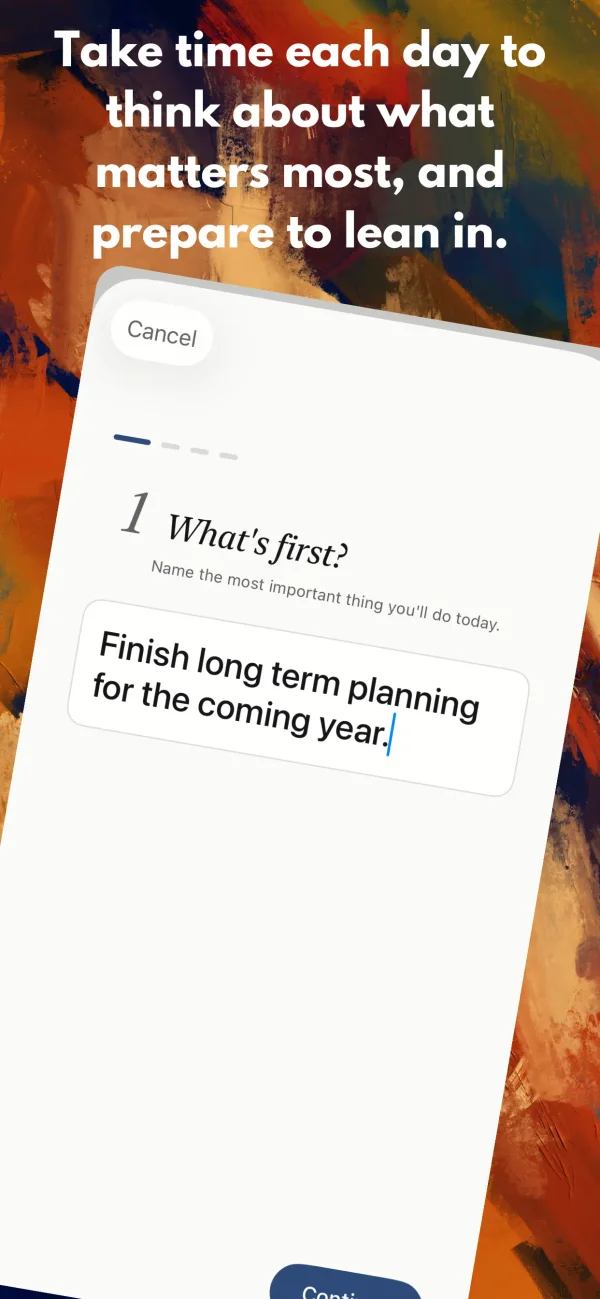
Triorities is a daily-priority app built around a simple idea: each day, choose the three things that — if you do them — will make today a good day. Skip the rest. The point is focus, not a long list. This isn't a todo list—it's a priority list.
THREE FOR TODAY Open the app and you see today's three slots. Tap an empty slot to name a Triority, or use Plan today to walk through all three at once. Drag to reorder. Tap the ring to mark one done. When all three are done, today's footer reads "Three for today."
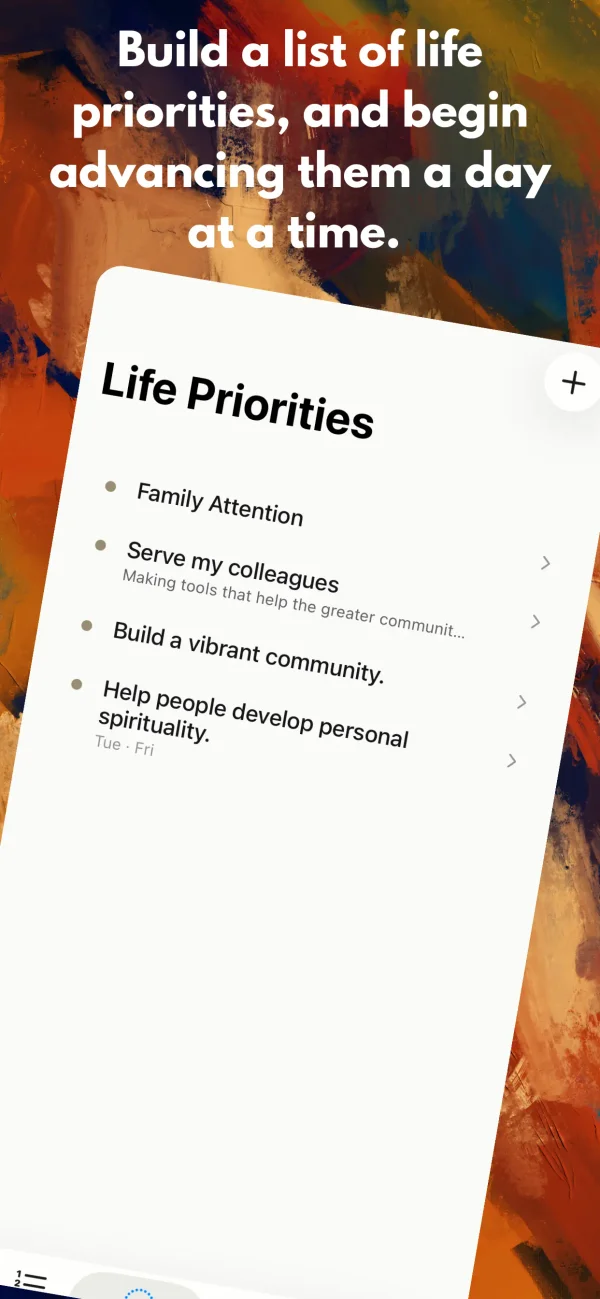
LIFE PRIORITIES The day's three are short-term. Life Priorities are the longer themes underneath them — Health, Family, the book you're writing, the project you keep meaning to start. Link a Triority to a Life Priority and over time you can see, honestly, where your days actually went.
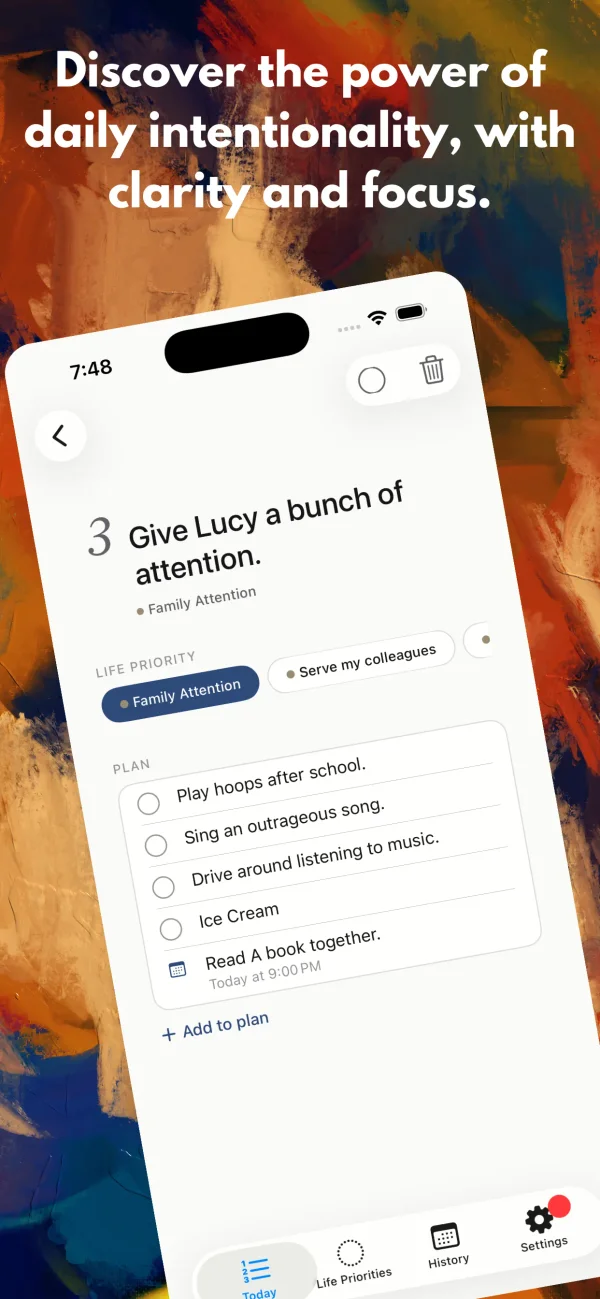
PLANS A Triority is the headline. The Plan is how it gets done. Attach Reminders and Calendar events to any Triority and they live alongside it. Triorities never duplicates your Reminders or events — it links to them, so anything you change in Apple's apps stays in sync.
HISTORY, KEPT Every day you complete is preserved. Past days lock their titles and Life Priority links, but you can still toggle done/undone and add a short reflection to each one. Scroll back through weeks and months to see what you actually did.
REFLECTIONS After you mark a Triority done, a small Reflect affordance fades in. Tap it to write a sentence or two about how it went. Auto-saves as you type. Optional — skip it whenever you want.
DAILY AUDIO JOURNAL At the end of the day, record up to two minutes of audio. Triorities transcribes it on-device using Apple's speech recognizer so you can read the day back later. Audio and transcripts stay in your private iCloud database — they are never sent to Triorities or any third party.
ON YOUR MAC, TOO Triorities is a true Mac app, not a phone app stretched. A menu bar icon shows today's three at a glance with one tap to mark them done. Standard macOS Preferences. Cmd+, for settings.
SYNCED, PRIVATELY Triorities uses your private iCloud database to sync between your iPhone, iPad, and Mac. There is no Triorities server, no account to create, no analytics, no tracking. Your data stays yours.
CUSTOMIZE THE DAY Set the day boundary to whatever "tomorrow" means to you — midnight, 4am, whenever you actually go to bed. Choose the calendar new events get added to. Pick the Reminders list new reminders get added to (Triorities will create one called "Triorities" if you want).
PRICING Try Triorities free for 14 days of planning. After that, a one-time unlock keeps the app yours forever — no subscription, no ads.
新機能
バージョン 1.2 · 2026/7/19
Includes "Today's Idea", a new take on the practice recommended by Seneca, of holding one idea in the mind for the day, dwelling on it and developing it.
アプリのプライバシー
このアプリのデータの取り扱いについて、Steven HovaterがApp Storeで申告している内容です。
-
データの収集なし
開発元はこのアプリからデータを収集しません。
プライバシーの取り扱いは、ご利用の機能やお客様の年齢などに応じて異なる場合があります。
情報
- 販売元
- Steven Hovater
- カテゴリ
- 仕事効率化
- バージョン
- 1.2
- 更新日
- 2026/7/19
- リリース
- 2026/5/5
- サイズ
- 3.9 MB
- 必要条件
- iOS 26.0以降
- 対象年齢
- 4+
- 価格
- 無料
- アプリ内課金
- あり
- 言語
- 英語
- 著作権
- © Steven Hovater 2026