- 対象年齢4+
- カテゴリユーティリティ
- 開発元TSPLUS
- サイズ70.6 MB
App Storeの公式ページにリンクしています
Download.orgはTSplus Remote Supportのファイルを一切ホストしていません。ボタンを押すと、TSPLUSが公開しているApp Storeのアプリページが開きます。ページの最終確認:2026/11/14。
スクリーンショット


概要
開発元はこのテキストをお使いの言語で提供していません。
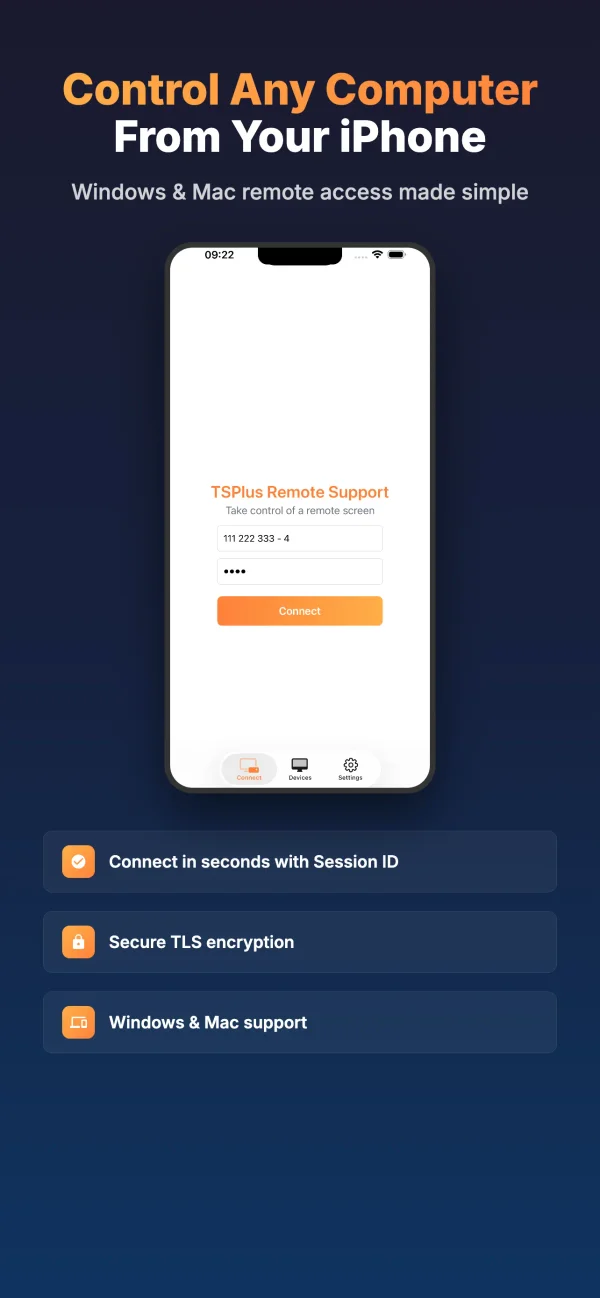
TSplus Remote Support lets you view and control remote computers directly from your iPhone or iPad. Perfect for support technicians, system administrators, and anyone who needs remote access to their machines.
KEY FEATURES
• Computers Management
View and manage all your registered computers from the "Computers" tab. Connect with one tap to computers configured for unattended access. When multiple Windows sessions are active, select the right session directly from your iPhone or iPad. Add, remove, and rename computers easily. See real-time online/offline status indicators.
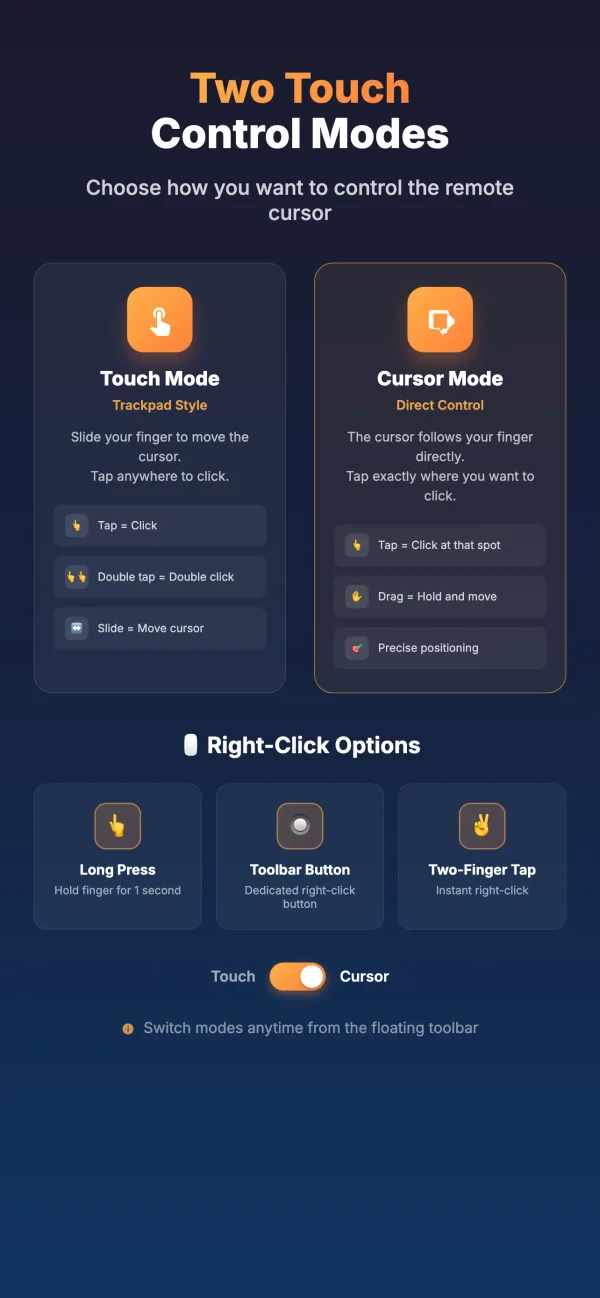
• Two Touch Control Modes
- Touch Mode (Trackpad): Control the remote cursor like a trackpad - slide your finger to move the cursor, tap to click
- Cursor Mode (Direct): The cursor follows your finger directly - tap exactly where you want to click on screen
- Switch between modes via the dedicated toolbar button
• Right-Click Options
- Long press: Hold your finger to perform a right-click
- Dedicated button: Use the right-click button in the toolbar
- Two-finger tap: Tap with two fingers simultaneously for instant right-click
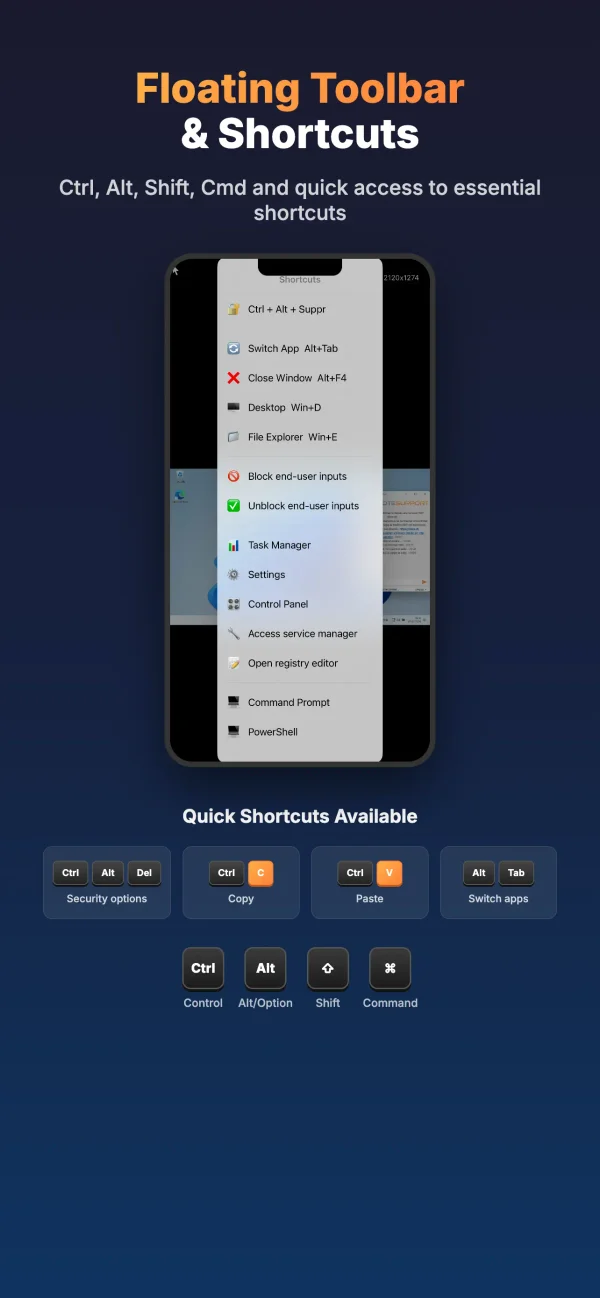
• Floating Toolbar & Modifier Keys
Access all controls from a convenient floating toolbar during your session. Send keyboard modifiers (Ctrl, Alt, Shift, Cmd) for Windows/Mac shortcuts. Execute Ctrl+C, Ctrl+V, Alt+Tab, Ctrl+Alt+Del and other shortcuts easily. Escape and arrow keys always accessible.
• Real-Time Chat
Communicate instantly with users during support sessions. Send and receive messages in real-time. Consecutive messages from the same sender are grouped for a cleaner conversation view. Receive files shared by the remote user with one-tap preview. Badge notifications ensure you never miss a message.
• Real-time Screen Viewing
Access the screen of any Windows or Mac computer connected to TSplus Remote Support. Smooth video streaming optimized for mobile connections.
• Full Virtual Keyboard
Type text on the remote computer using the iOS keyboard. Full support for special characters, accents, and emojis.
• Multi-Monitor Support
Switch seamlessly between multiple monitors on the remote computer. Access all screens from your mobile device.
• Zoom and Navigation
Zoom up to 8x with pinch gesture to see details. Navigate the zoomed screen with two fingers.
• Secure Connection
All connections are end-to-end encrypted with TLS. Your sessions remain private and secure.
• iPhone and iPad Compatible
Interface optimized for all screens, from small iPhone to large iPad Pro.
USE CASES
• Technical Support: Troubleshoot issues for your clients or colleagues remotely
• IT Maintenance: Perform updates and configurations without traveling
• Mobile Access: Access your office computer from anywhere
• System Administration: Monitor and manage your servers on the go
GLOBAL INFRASTRUCTURE
TSplus Remote Support relies on relay servers distributed worldwide. You are automatically connected to the nearest server for optimal performance.
TRUST AND RELIABILITY
TSplus is used by over 500,000 companies worldwide, including Huawei, Oracle, and Siemens. Rated 4.8/5 on Trustpilot and 4.9/5 on SourceForge.
REQUIREMENTS
- A TSplus Remote Support account (15-day free trial available at tsplus.net)
- A Windows or Mac computer with the TSplus Remote Support client installed
新機能
バージョン 1.5.2 · 2026/6/16
Cosmetic changes to the Devices tab when user is not connected
アプリのプライバシー
このアプリのデータの取り扱いについて、TSPLUSがApp Storeで申告している内容です。
-
ユーザーに関連付けられたデータ
収集され、ユーザーの識別情報に関連付けられる場合があります。
- 連絡先情報
- ID
プライバシーの取り扱いは、ご利用の機能やお客様の年齢などに応じて異なる場合があります。
情報
- 販売元
- TSPLUS
- カテゴリ
- ユーティリティ
- バージョン
- 1.5.2
- 更新日
- 2026/6/16
- リリース
- 2026/1/19
- サイズ
- 70.6 MB
- 必要条件
- iOS 13.0以降
- 対象年齢
- 4+
- 価格
- 無料
- 著作権
- © TSplus