- 対象年齢4+
- カテゴリ仕事効率化
- 開発元Ralf Chille
- 言語英語
- サイズ7.5 MB
App Storeの公式ページにリンクしています
Download.orgはUtterclipのファイルを一切ホストしていません。ボタンを押すと、Ralf Chilleが公開しているApp Storeのアプリページが開きます。ページの最終確認:2026/11/23。
スクリーンショット


概要
開発元はこのテキストをお使いの言語で提供していません。
Typing on a phone is slow. Talking is fast. But what comes out of dictation isn't what you'd send: filler words, no punctuation, the shape of speech instead of the shape of a message.
Utterclip closes that gap in one tap.
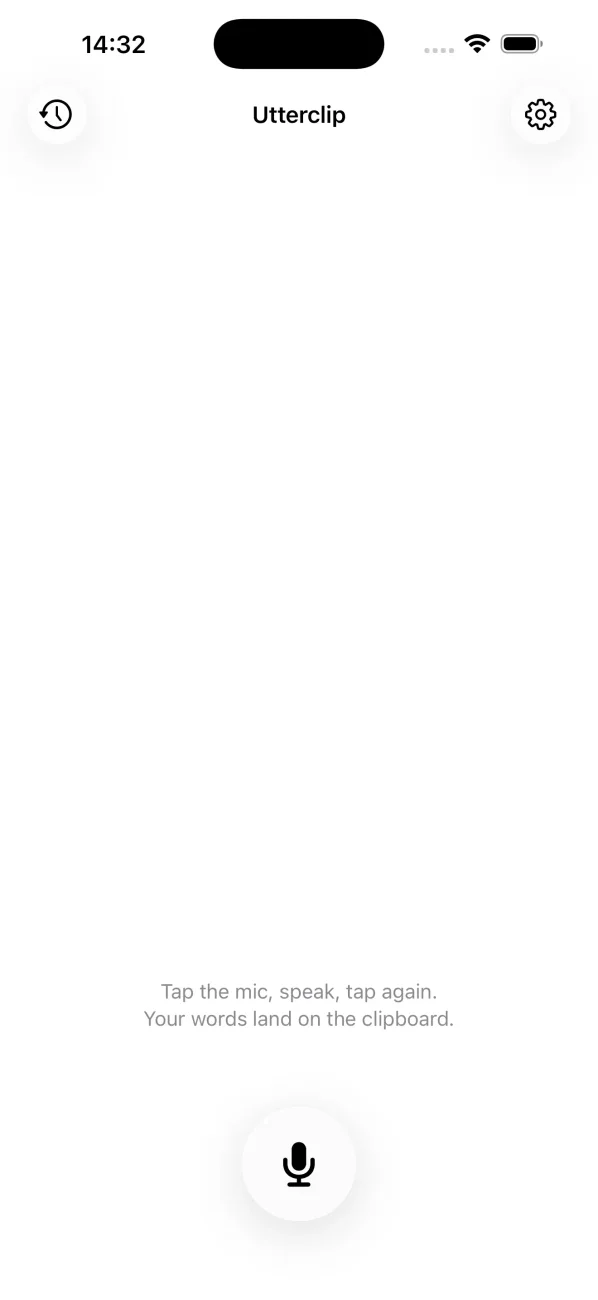
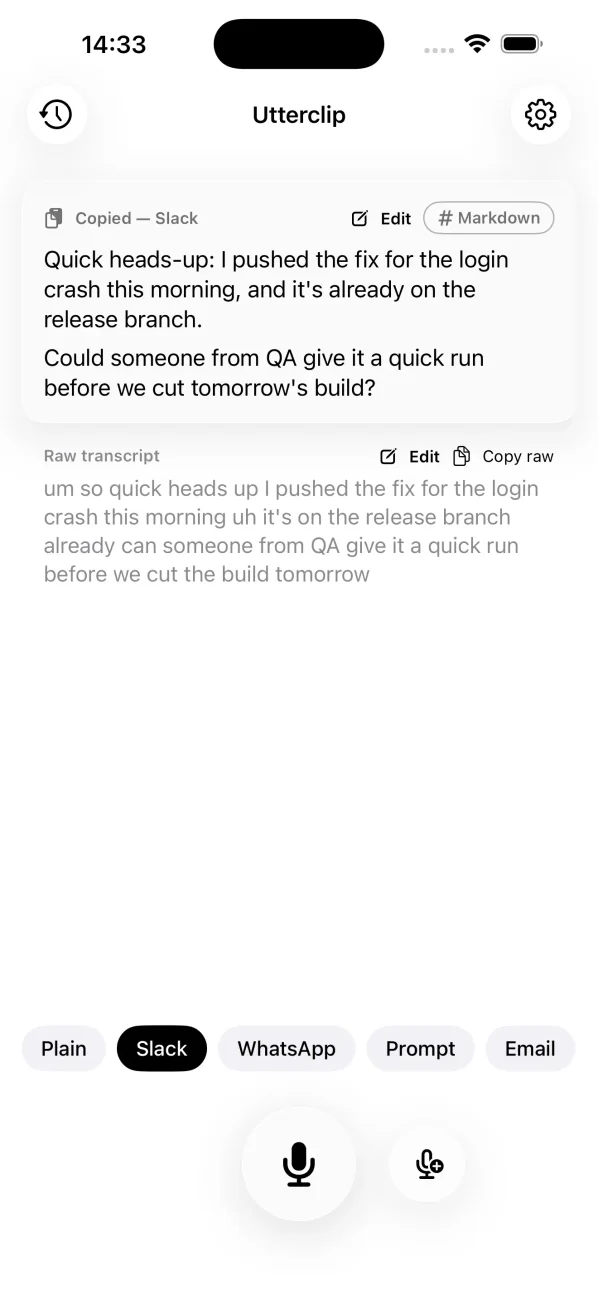
Tap the mic, say what you mean, tap again — or just stop talking, it notices. Your words are transcribed right on your iPhone and land on the clipboard instantly. Then they're rewritten in the style you pick and copied again: a Slack message to your team, a WhatsApp reply to a friend, an email, a structured prompt for an AI assistant, or simply auto-corrected. Switch apps, paste, done.
DICTATION
• Transcription runs on your iPhone with OpenAI's Whisper model. Audio never leaves the device.
• The raw transcript is on your clipboard before any rewrite starts.
• Hands-free: five seconds of silence ends the recording.
• Continue dictating to append to what you just said.
• Language is detected automatically; English and German are the tested ones.
REWRITING
• Five built-in styles: Plain, Slack, WhatsApp, Prompt, Email.
• Edit any prompt, rename or delete the defaults, add your own — up to seven.
• Pick the one-tap default; re-run with another style any time.
• The app rewrites. It never answers. A question stays a question.
• Same language in, same language out.
TWO ENGINES, YOUR CHOICE
• On device: Apple Intelligence (iOS 26, supported iPhones). No key, nothing leaves the phone.
• Cloud: paste one API key from Anthropic, OpenAI, Google Gemini or Groq. The provider is detected from the key. Fast, inexpensive models; you pay the provider cents per month for short messages.
PRIVACY BY DESIGN
• No account, no analytics, no tracking, no server of ours.
• With the cloud engine, emails, phone numbers, links and addresses are swapped for placeholders before the text is sent and restored in the result.
• Your API key lives in the Keychain and goes only to its provider.
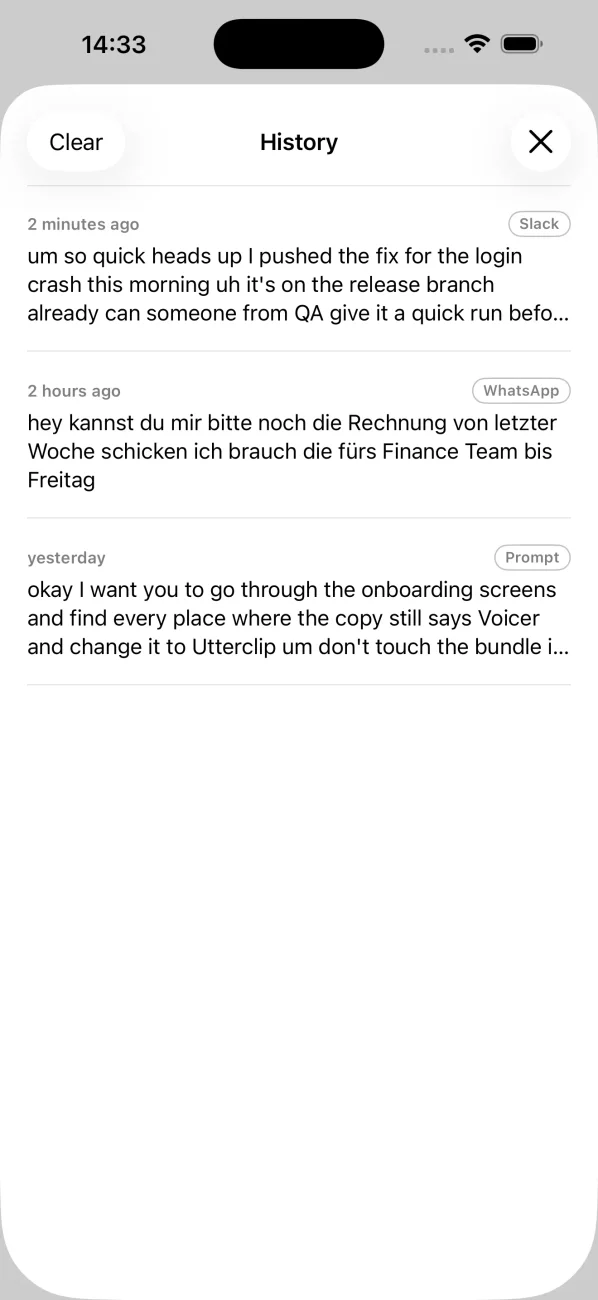
• History stays on your phone. Clear it any time.
EVERYTHING ELSE
• History with one-tap restore.
• Editor for quick fixes; saving re-copies.
• Markdown or plain-text copy mode.
• Home Screen and Lock Screen widgets, plus a Control Center / Action button control that opens straight into a recording.
• Minimal, monochrome, native. Liquid Glass on iOS 26.
Utterclip is free and open source (MIT). The code is public — every privacy claim can be checked.
The speech model (about 220 MB) downloads once on first launch; Wi-Fi recommended. Rewrites need either an iPhone with Apple Intelligence or your own API key. Without either you still get the raw transcript on your clipboard after every recording.
Utterclip is not affiliated with Slack, WhatsApp, Apple, OpenAI, Anthropic, Google or Groq.
新機能
バージョン 1.2.1 · 2026/11/21
The screen now stays on while you're dictating, so a long recording is never cut off by Auto-Lock.
アプリのプライバシー
このアプリのデータの取り扱いについて、Ralf ChilleがApp Storeで申告している内容です。
-
データの収集なし
開発元はこのアプリからデータを収集しません。
プライバシーの取り扱いは、ご利用の機能やお客様の年齢などに応じて異なる場合があります。
情報
- 販売元
- Ralf Chille
- カテゴリ
- 仕事効率化
- バージョン
- 1.2.1
- 更新日
- 2026/11/21
- リリース
- 2026/9/16
- サイズ
- 7.5 MB
- 必要条件
- iOS 17.0以降
- 対象年齢
- 4+
- 価格
- 無料
- 言語
- 英語
- 著作権
- © 2026 Ralf Chille