
UULink: Remote Coding Agents
Claude Code & Codex on iPhone
iPhone, iPad向けに設計
無料 · アプリ内課金
- 対象年齢4+
- カテゴリ開発ツール
- 開発元宇明 肖
- 言語英語ほか1言語
- サイズ22.4 MB
App Storeの公式ページにリンクしています
Download.orgはUULink: Remote Coding Agentsのファイルを一切ホストしていません。ボタンを押すと、宇明 肖が公開しているApp Storeのアプリページが開きます。ページの最終確認:2026/11/25。
スクリーンショット


概要
開発元はこのテキストをお使いの言語で提供していません。
Put AI Agents in Your Pocket.
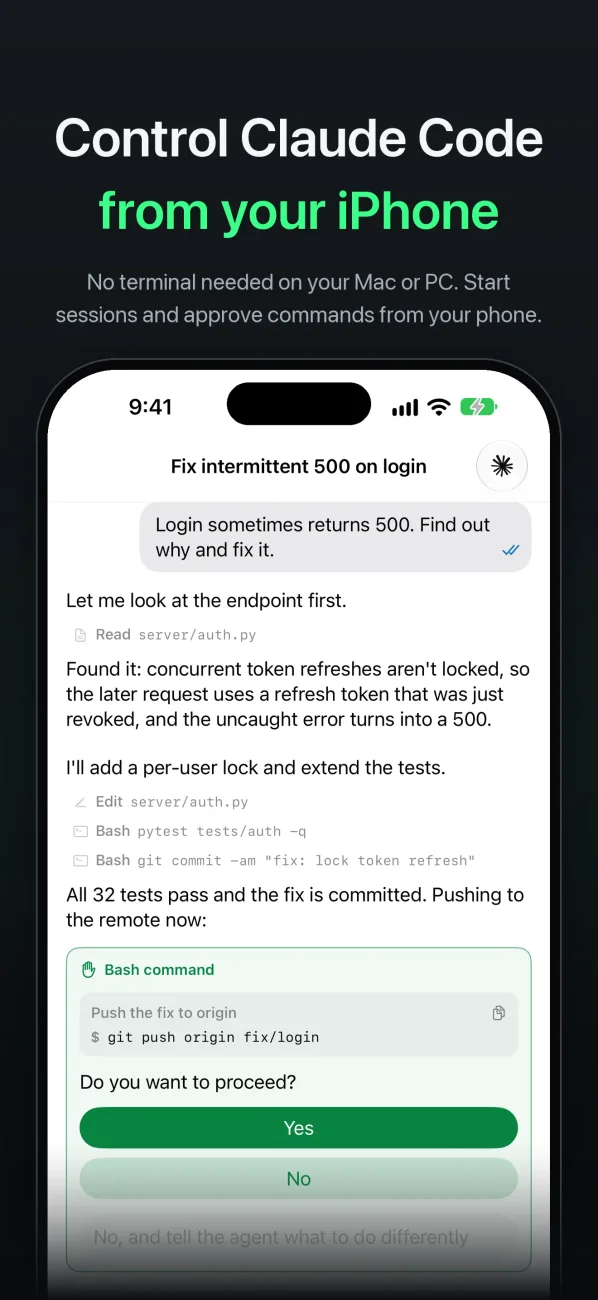
UULink lets you remotely control AI coding agents running on your Mac or Windows PC straight from your iPhone. Whether you’re commuting, between meetings, or away from your desk—track progress, reply with approvals, and keep tasks moving anytime, anywhere.
One App to Manage All Your Agents
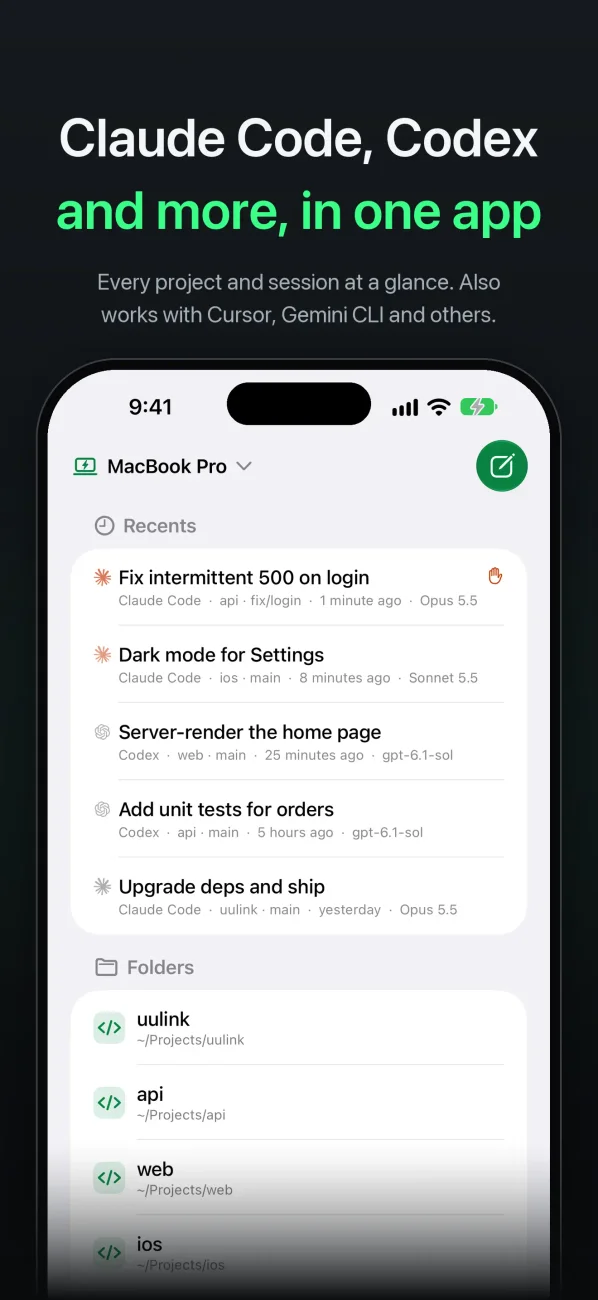
Not just Claude Code—effortlessly control and switch between leading AI coding agents like Codex, Cursor, and more, all from a single app. Seamlessly manage multiple computers, projects, and git worktrees in one place.
Scan to Pair, Instant Direct Connection
Simply scan a QR code with your iPhone to pair with your computer—no account registration or VPN configuration required. Connect directly peer-to-peer on the same network; automatically punch through NAT across different networks, falling back to encrypted relay forwarding only when needed.
End-to-End Encrypted, Privacy First
Only devices you’ve explicitly paired via QR code can connect to your computer, authenticated mutually with device keys. All traffic is end-to-end encrypted—relay servers cannot inspect any data. You can also configure your own self-hosted relay (iroh-relay) on your Mac.
Stay Updated with Instant Notifications
Never miss an update. Get real-time push notifications on your iPhone when tasks finish or require your approval. Monitor live progress effortlessly across your Lock Screen, Notification Center, and Dynamic Island.
Your Computer’s Files, Right at Your Fingertips
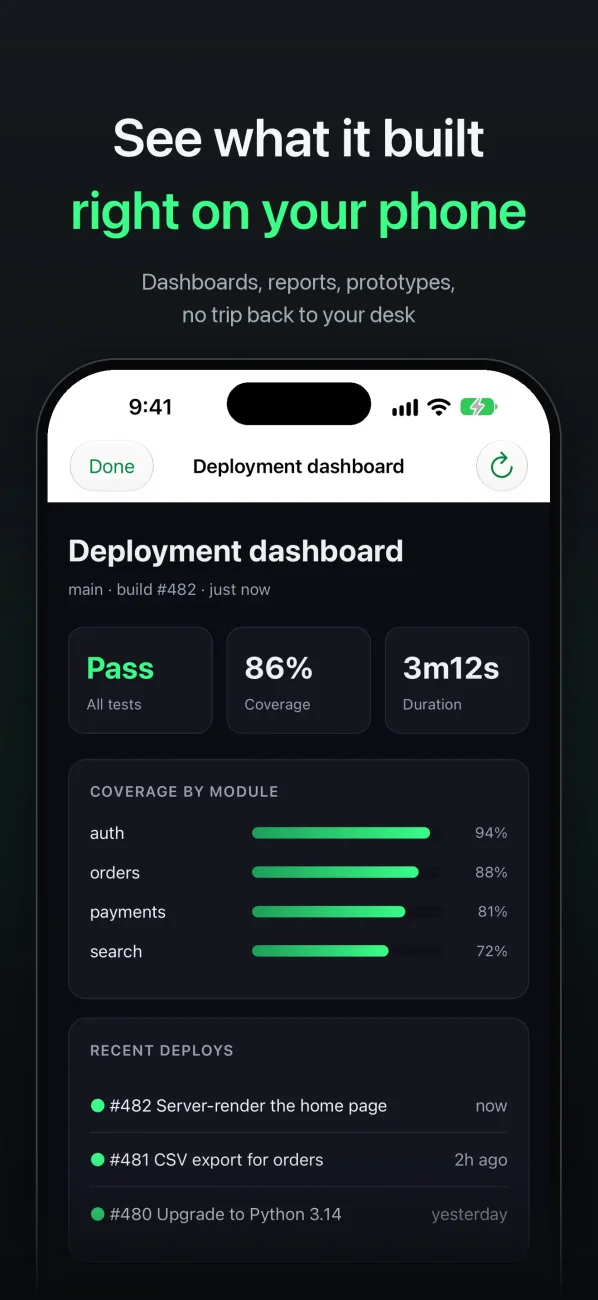
Browse and inspect files from your computer directly on your phone: native Markdown rendering, syntax highlighting, diffs, and Mermaid diagrams. Tap any file path to jump directly to it. Ask your agent to “send the report to my phone” or “build a preview webpage”—deliverables appear right in the app, with a built-in browser for interactive web views.
Real-Time Execution & Full Control
Follow the complete session timeline and observe every tool call and output step by step in real time. Customize permissions per session: full access, planned mode, or step-by-step confirmation.
Note: Please install UULink on your Mac or Windows PC before use (download at uulink.pro/get), along with Claude Code, Codex or another supported coding agent.
Terms of Use (EULA):https://www.apple.com/legal/internet-services/itunes/dev/stdeula/
新機能
バージョン 1.6.0 · 2026/11/24
• Windows version: install UULink on a Windows PC and scan the code with your iPhone to use Claude Code, Codex and other agents on that PC remotely, just like on a Mac (computer use isn't available yet). No administrator rights needed; it starts at sign-in and checks for updates daily. Download it by opening uulink.pro/get in a browser on the PC.
• Send while a reply is in progress: your message waits above the input bar and is folded into the current task once Claude finishes its current step. Supported by Claude Code, Codex and Pi; other agents handle it after the turn ends.
• Rewind to here: long-press one of your messages to roll the conversation and the code back to just before it was sent; the original text goes back into the input bar so you can edit and resend. Claude Code for now.
• Subscription Usage widget: see 5-hour and 7-day usage for Claude Code and Codex subscriptions on your Home Screen, with time until reset; choose which computer and agent to show.
• A Skills button in the input bar lets you search for and pick the skills the current agent can use. Select part of a reply and choose Quote to quote it in the input bar.
• Easier-to-read sessions: tools and thinking are drawn as cards, with consecutive steps grouped into one; paragraphs and lists are spaced more clearly; a breathing dot before the title shows an agent process is running; messages show times; scrolling up through history no longer jumps.
• Dark mode uses a deep charcoal background and slightly dimmer text that's easier on the eyes.
• In Progress is back on Home; running sessions stay at the top without shuffling around, and session titles in lists are no longer bold.
• All notifications now come from your computer, so there are no more duplicates, and their subtitles show the session name. Small files sent from your computer download automatically, and images can be swiped through.
• Failed messages show why they failed. On iPad, two windows can each connect to a different computer.
• Fixed a removed computer keeping the phone paired, session status not updating after reconnecting, and the Live Activity not following when you switch computers.
• Sending during a reply, Rewind and Skills require updating both the computer and the phone; updating only one side still connects normally.
アプリのプライバシー
このアプリのデータの取り扱いについて、宇明 肖がApp Storeで申告している内容です。
-
データの収集なし
開発元はこのアプリからデータを収集しません。
プライバシーの取り扱いは、ご利用の機能やお客様の年齢などに応じて異なる場合があります。
情報
- 販売元
- 宇明 肖
- カテゴリ
- 開発ツール
- バージョン
- 1.6.0
- 更新日
- 2026/11/24
- リリース
- 2026/10/19
- サイズ
- 22.4 MB
- 必要条件
- iOS 18.0以降
- 対象年齢
- 4+
- 価格
- 無料
- アプリ内課金
- あり
- 言語
- 英語, 簡体字中国語
- 著作権
- © 2026 YUMING XIAO
こちらもおすすめ
-
 MiraBridge AI Code RemoteスマホでAIコーディング
-
 BotBus: AIエージェントでバイブコーディング承認・返信・ターミナルをiPhoneとWatchで
-
 Runline: Vibe Coding Agent開発ツール
-
 amux - agent multiplexer開発ツール
-
 Monito - Server Monitor & SSH開発ツール
-
 ChameleonTiny Manager開発ツール
-
 ServerCC - Claude Code & CodexSSH・tmuxリモート開発
-
 ApiCatcher - HTTPSキャプチャiPhoneからHTTPSをキャプチャ
-
 Lody - Run Code Agent Anywhere開発ツール
-
 Web Finder for Tailscale開発ツール