- 対象年齢17+
- カテゴリユーティリティ
- 開発元VBook Scan Technology Limited
- 言語英語
- サイズ98.5 MB
App Storeの公式ページにリンクしています
Download.orgはVBook Scanのファイルを一切ホストしていません。ボタンを押すと、VBook Scan Technology Limitedが公開しているApp Storeのアプリページが開きます。ページの最終確認:2026/11/19。
スクリーンショット

概要
開発元はこのテキストをお使いの言語で提供していません。
VBook Scan is a reliable book scanner app with OCR designed for users who want to digitize books, documents, cards, and photos using their mobile phone. The app with OCR helps turn printed pages into clear digital files that are easy to store, read, and share. It is useful for students, professionals, and anyone who works with physical paperwork regularly.
The app allows users to scan directly with their phone camera. The layout is simple, and features are easy to access. VBook focuses on accuracy and readability without adding unnecessary complexity.
Scan Books with Page Flattening
Books often have curved pages that reduce scan quality. VBook Scan solves this problem by allowing users to scan books with page flattening. This feature smooths curved pages automatically, creating clean and readable scans.
Pages are also split correctly to improve viewing on mobile screens. This makes scanning textbooks, notebooks, and manuals easier. Users can save their scanned books digitally and access them anytime.
Document Scanner with Text Extraction
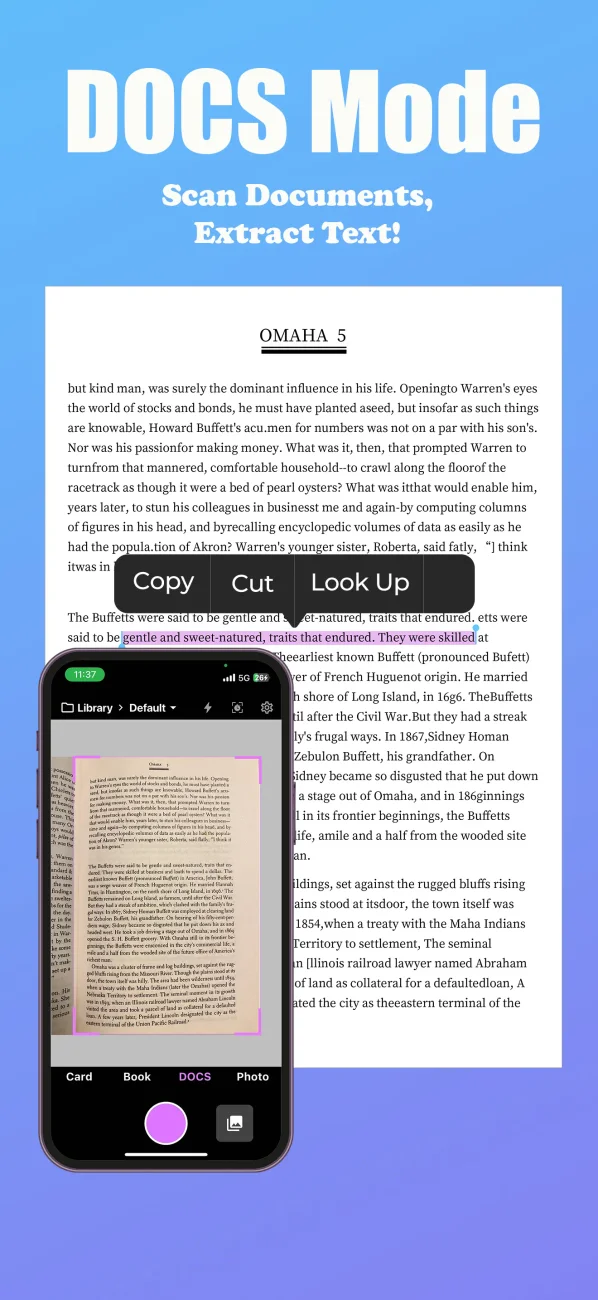
VBook works as a powerful document scanner with text extraction for daily paperwork. Users can scan letters, forms, receipts, and notes with clear results.
The app supports scan documents to editable text, which helps reduce manual typing. It also works as a document OCR scanner App, making it suitable for office work, study materials, and record storage.
OCR Text and Handwriting Recognition
VBook Scan includes a built in OCR text scanner that extracts printed text from scanned images. Users can copy and reuse text from documents and photos for editing or sharing.
The app also supports handwritten content through a handwriting OCR scanner app. Users can convert handwritten notes into readable digital text. It also supports document OCR to word, which helps create editable documents quickly.
Scan to PDF Converter and File Export
VBook Scan includes a simple scan to PDF converter that allows users to save scanned pages as PDF files. This is useful for sharing documents or keeping digital records.
The app also supports convert image to PDF scanner, allowing users to turn photos into PDF documents. Users can also scan documents and convert to word when editable formats are needed.
Image to Text and Text Extraction Tools
With the text extractor from image feature, VBook Scan allows users to capture text from images easily. This is helpful for extracting information from printed materials and photos.
The image to text OCR scanner converts images into editable text with good accuracy. This feature saves time and improves productivity for both students and professionals.
Business Card and ID Card Scanning
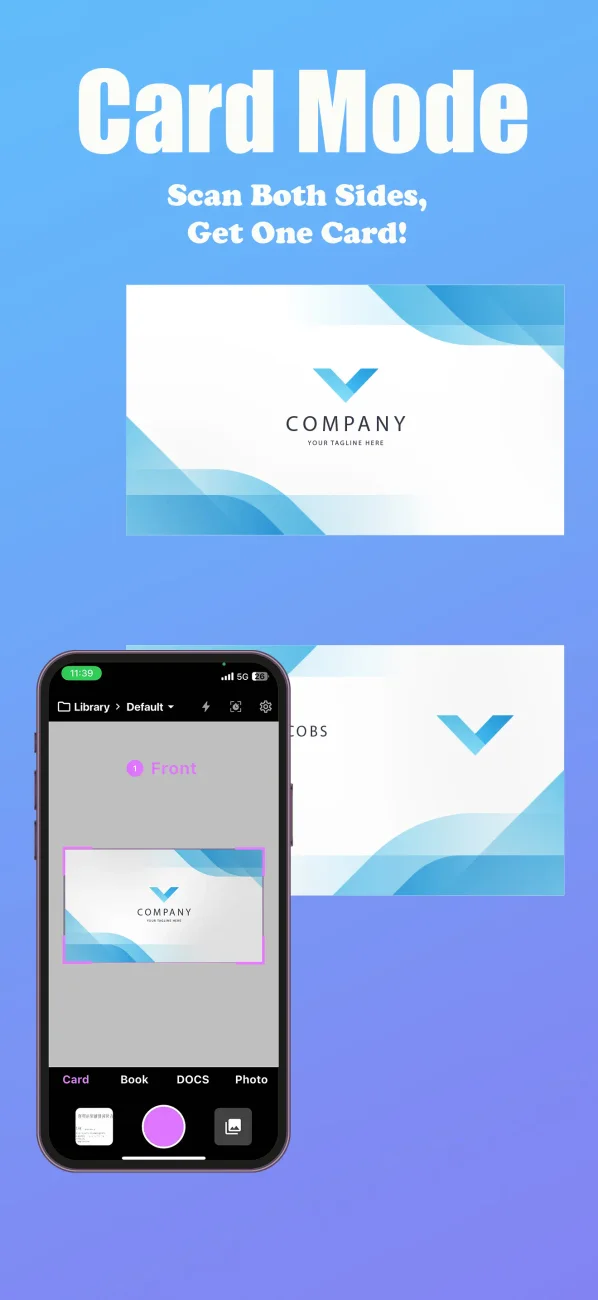
VBook includes a business card scanner for storing contact information digitally. Users can scan both sides of a card, and the app aligns them automatically.
The app also works as a card scanner app for ID cards, allowing users to keep important card details organized and accessible.
Photo Scanner for Old Photo Restoration
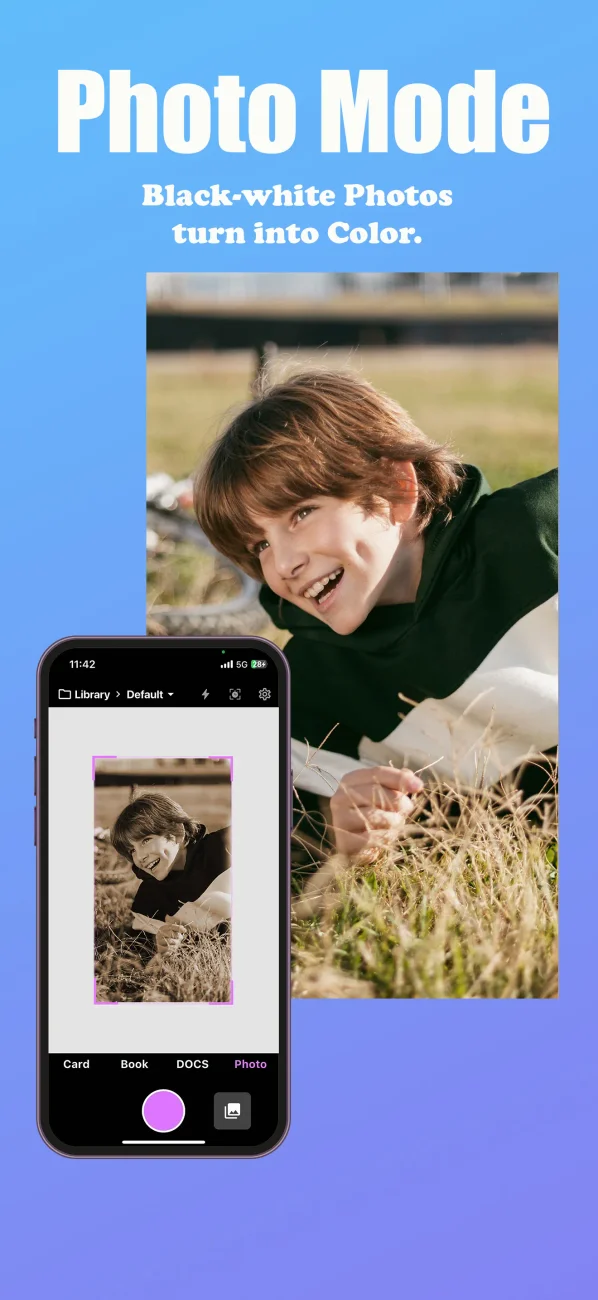
VBoo works as a photo scanner for old photo collections. Users can scan printed photos and preserve them digitally.
The app allows users to scan and restore old photos easily. It also supports restore and colorize photos to improve faded images. Users can make photo clear and enhance photo quality using simple tools. VBook Scan also supports photo repair and restoration for damaged photos.
Free and Premium Access Options
VBook is available on multiple mobile platforms. New users can start with a Free Trial at $0 per month, which includes basic scanning features, limited OCR usage, and PDF exports.
Users who upgrade to the Premium plan at $69 per year unlock unlimited scans, unlimited OCR, and advanced file conversion options designed for higher scanning needs.
VBook is built for users who need a simple and dependable scanning app. It helps reduce paper use and keeps important information accessible anytime.
User Agreement:https://www.vbookscan.com/terms-of-service.html
新機能
バージョン 1.0.13 · 2026/8/26
fix: resolve share function issue
アプリのプライバシー
このアプリのデータの取り扱いについて、VBook Scan Technology LimitedがApp Storeで申告している内容です。
-
データの収集なし
開発元はこのアプリからデータを収集しません。
プライバシーの取り扱いは、ご利用の機能やお客様の年齢などに応じて異なる場合があります。
情報
- 販売元
- VBook Scan Technology Limited
- カテゴリ
- ユーティリティ
- バージョン
- 1.0.13
- 更新日
- 2026/8/26
- リリース
- 2025/9/2
- サイズ
- 98.5 MB
- 必要条件
- iOS 13.0以降
- 対象年齢
- 17+
- 価格
- 無料
- アプリ内課金
- あり
- 言語
- 英語
- 著作権
- © VBook Scan Technology Limited
こちらもおすすめ
-
 CZUR Scanユーティリティ
-
 PicPak: E-Ink Photo Frameユーティリティ
-
 Letterly: AI文字起こし・音声メモAI音声入力で録音を清書・翻訳
-
 SpaceWalker by VITUREA Mobile XR Workspace
-
 ScanSnap Home:スキャン・PDF・OCR書類管理書類・名刺・写真・レシートをきれいにスキャン
-
 UGREEN NASUGREEN NASであなたのストレージの旅を始めよう。
-
 uBlock Origin LiteAn efficient content blocker
-
 Vivaldi ブラウザ - 広告ブロック&カスタム自在自分らしさ全開カスタム・広告とトラッカー防御・デバイス間同期
-
 Thingiverse Printables | 3D GOユーティリティ
-
 RustDesk Remote Desktopユーティリティ