- 対象年齢4+
- カテゴリライフスタイル
- 開発元ORIENTPRO - LAM AN INVESTMENT & TRADE.,JSC
- 言語英語ほか1言語
- サイズ13.9 MB
App Storeの公式ページにリンクしています
Download.orgはVoice Clock: Talking Clockのファイルを一切ホストしていません。ボタンを押すと、ORIENTPRO - LAM AN INVESTMENT & TRADE.,JSCが公開しているApp Storeのアプリページが開きます。ページの最終確認:2026/11/12。
スクリーンショット
概要
開発元はこのテキストをお使いの言語で提供していません。
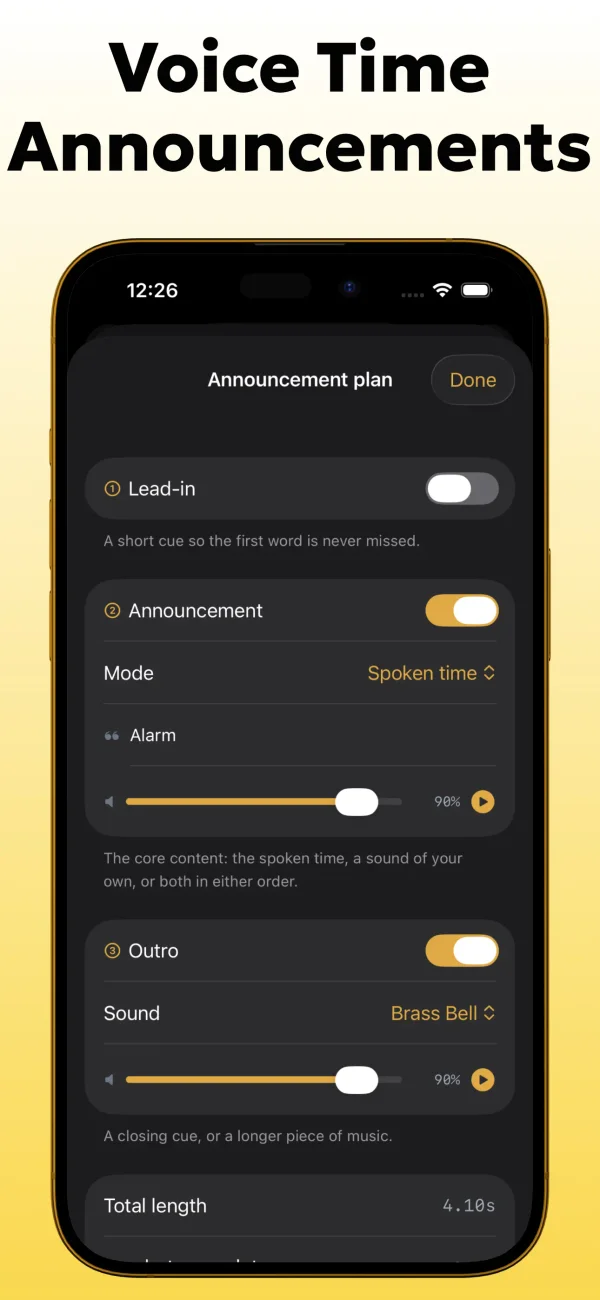
Voice Clock says the time out loud, on a schedule you choose — and keeps working when the app is closed.
Most talking clocks stop after a few days. Voice Clock is built on iOS 26's alarm system, so announcements survive a force-quit and a reboot. If anything goes wrong, it tells you before you notice, and why.
ANNOUNCE THE TIME, YOUR WAY
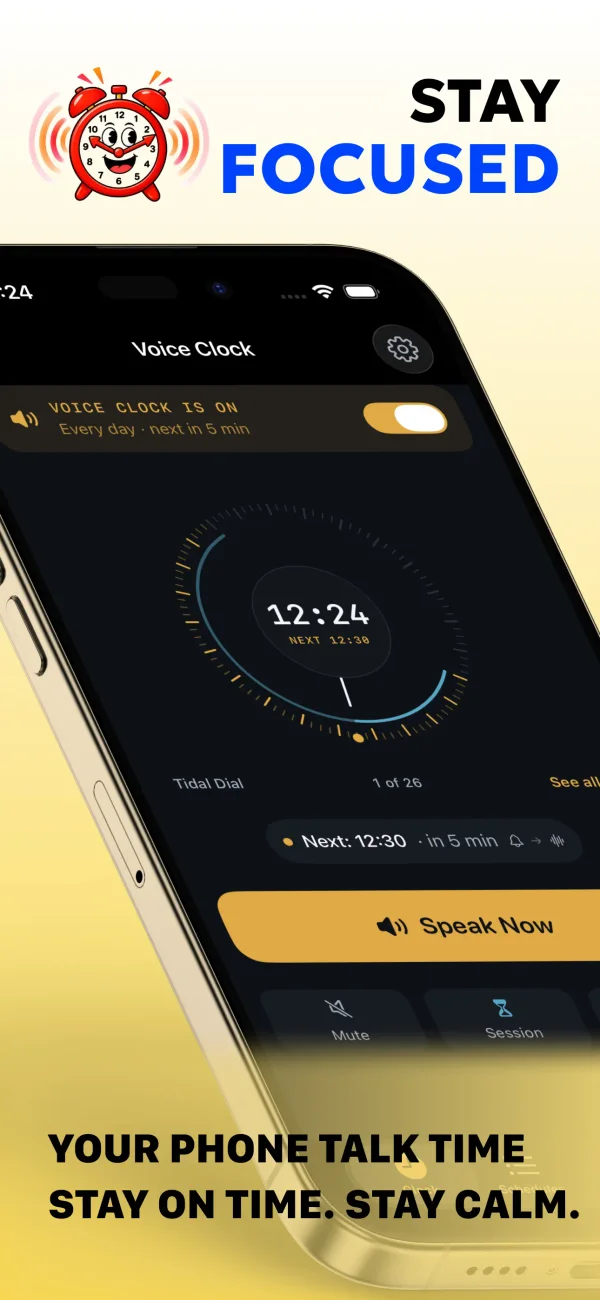
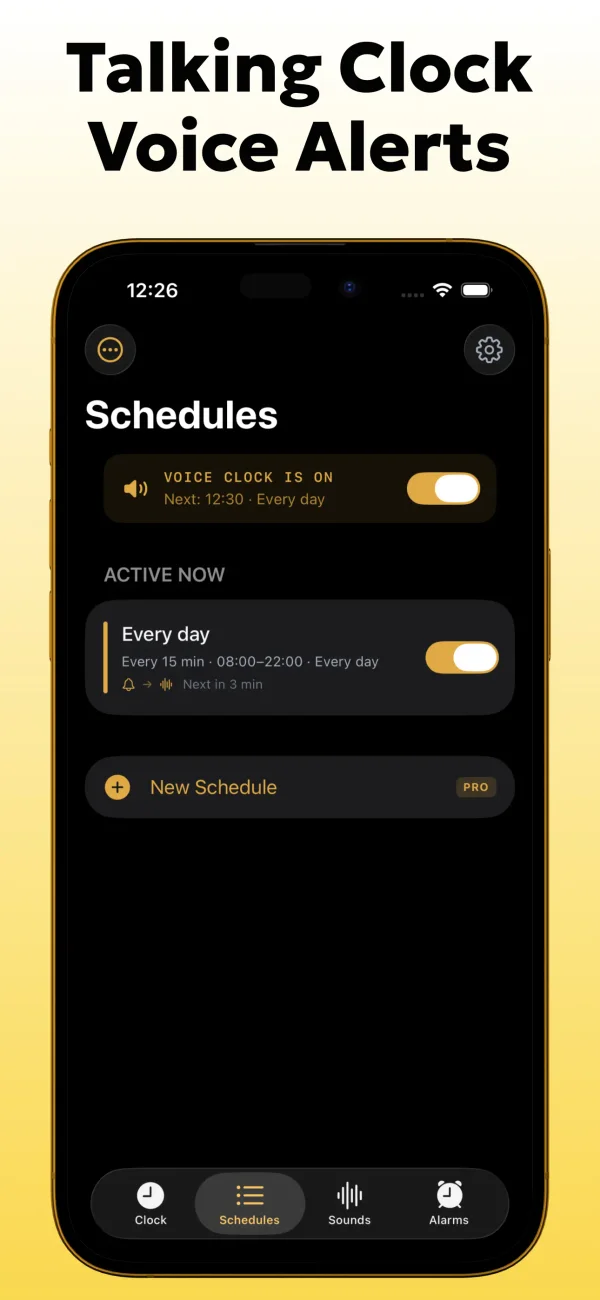
• On the hour, or every 30, 15, 10 or 5 minutes
• Custom minute and second intervals, down to five seconds
• A five-minute heads-up before each announcement
• Active hours, quiet hours and per-weekday rules
• Four ways to say it, from "It's quarter past three" to "Three fifteen"
• Write your own phrase: "Hey — it's {time}. {message}"
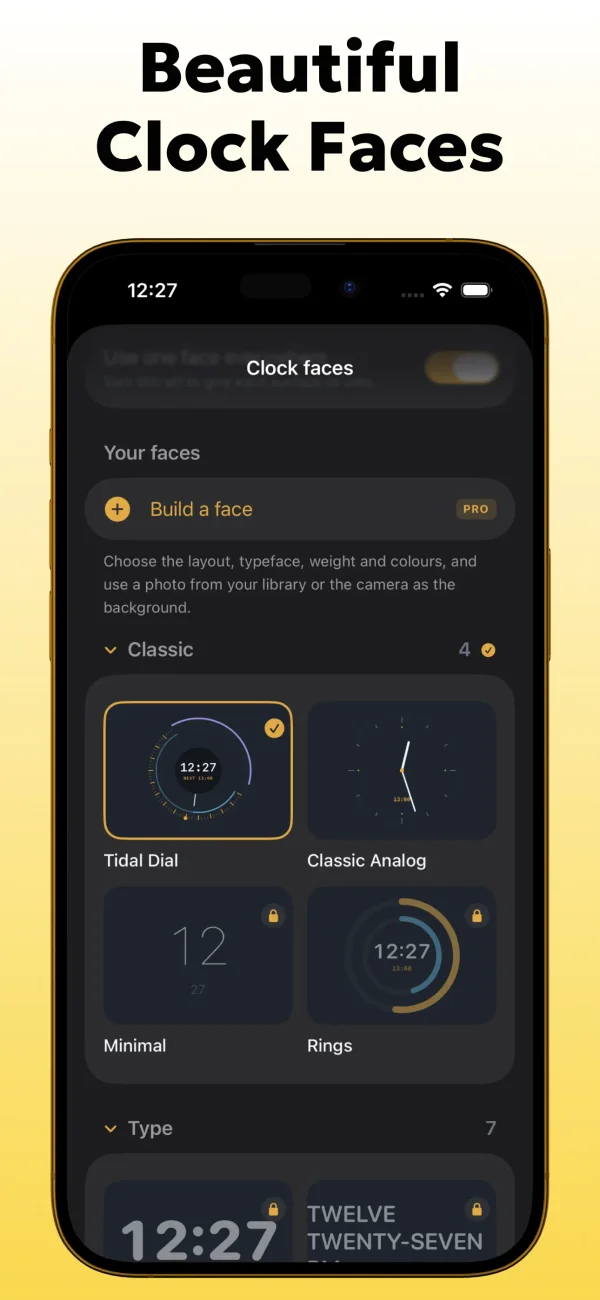
TWENTY-SIX CLOCK FACES — SWIPE TO CHANGE
Swipe left or right on the clock to try another, or tap See all to browse the set by theme. The default, Tidal Dial, is a 24-hour dial where every brass tick is a moment it will speak.
Classic — Tidal Dial · Classic Analog · Rings · Minimal
Typographic — Large Type · Word Clock · Digital · Terminal · Dot Matrix · Pixel · Editorial
Retro — Flip · Nixie · Vinyl
Expressive — Neon · Love · Starfield
Instrument — Speed · Sunrise · Orbit · Chronograph
Calm — Aurora · Wave · Breathe
Luxe — Mesh · Gold
Fifteen of them move — Love beats once a second, Gold catches a shine that travels across the hour, and the Speed gauge redlines in the last minute before it speaks. All hold still with Reduce Motion on.
Keep one face everywhere, or give each surface its own.
BUILD YOUR OWN FACE
• Five layouts: centred, stacked, corner, hands, or in words
• Five typefaces, six weights, ten colours, previewed as you pick
• Your own photo as the background, from your library or the camera
• A dimming slider, so digits stay readable over a busy picture
Your photo is copied into the app and never leaves your device.
BUILT FOR PEOPLE WHO NEED IT
• VoiceOver from the first screen, not bolted on afterwards
• Dynamic Type to the largest accessibility sizes
• High-contrast theme, Reduce Motion and Reduce Transparency
• Simple Mode: one enormous "Say the time" button and nothing else
YOUR OWN SOUNDS
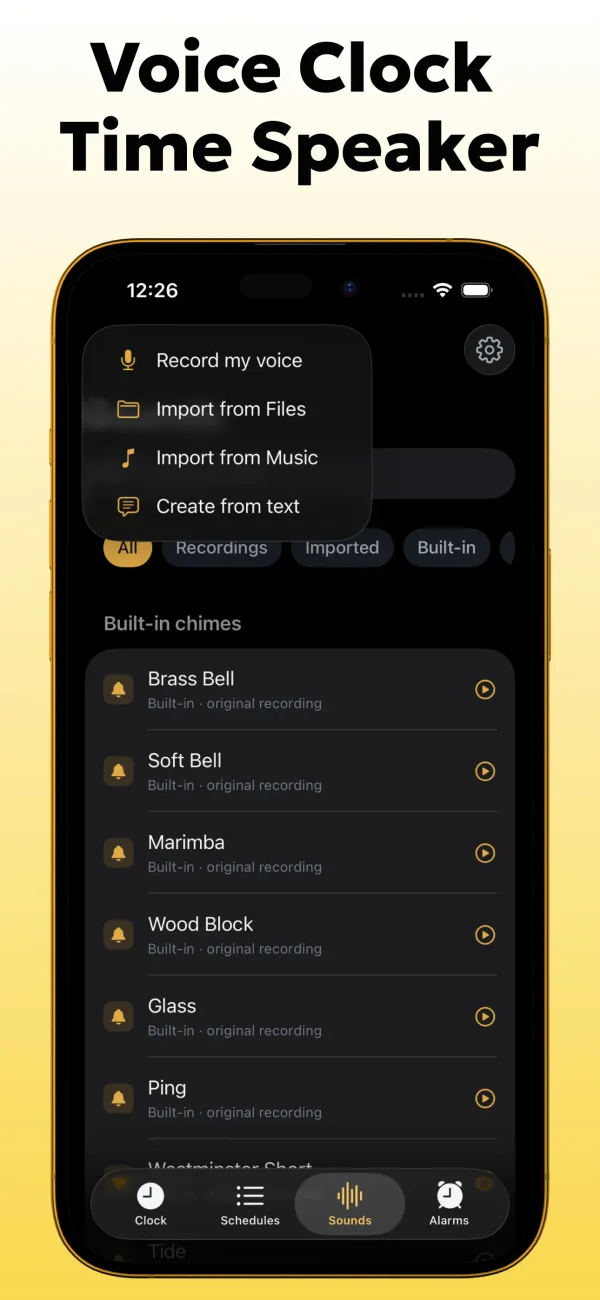
• Record your voice — or anyone's — as the announcement
• Bring in a track, a voice memo, or any audio file
• Turn a sentence into a sound, in a system voice or your Personal Voice
• A real waveform editor: trim, fades, gain, loudness matching, speed
• Nothing is destructive. Your original file is never modified.
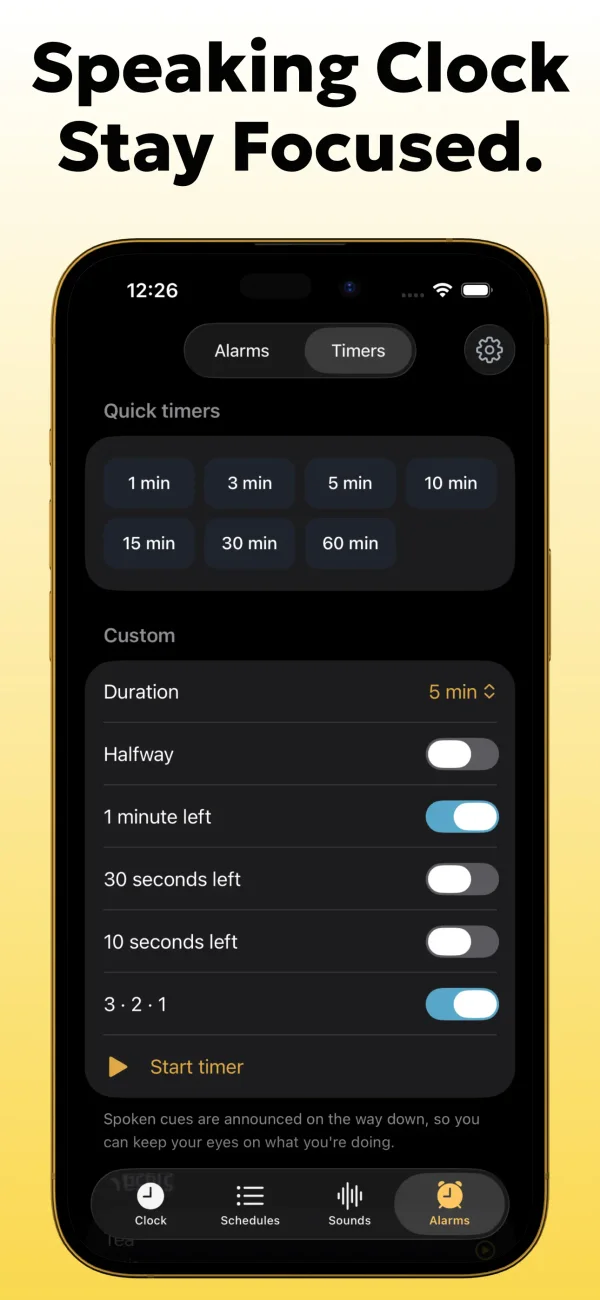
ALARMS AND TIMERS THAT TALK
• Alarms that speak their label — "Time to take your tablets"
• Prominent alarms ring through silent mode and Focus
• Spoken cues at halfway, 1 minute, 30 seconds and 3·2·1
• Multi-step interval timers for circuits and recipes
• Focus Sessions that announce elapsed time — "Twenty minutes in"
EVERYWHERE YOU ALREADY ARE
Apple Watch app and complications · Home Screen, Lock Screen and StandBy widgets · Control Center · Siri and Shortcuts · Live Activity · iPad and Mac
TWO THINGS NOBODY ELSE HAS
Sound Check runs nine live checks and says in plain language whether the app will work, with the fix beside each.
The Delivery Log records every announcement — spoken, skipped or failed — with the reason. "Skipped 3:00 PM — you were on a call."
No account. No server. No analytics. No ad identifiers. No third-party code.
Speech is synthesised on device. Your recordings, photos, schedules and settings stay there, and sync only through your own private iCloud.
Pro adds unlimited schedules, all twenty-six faces, the face builder, Personal Voice, custom phrases, second-level intervals, the full audio editor, multi-step timers and CarPlay.
Privacy Policy: https://orlproducts.pages.dev/privacy.html
Terms of Use: https://www.apple.com/legal/internet-services/itunes/dev/stdeula/
Got ideas or feedback? Send them our way: info@orlproducts.com
アプリのプライバシー
このアプリのデータの取り扱いについて、ORIENTPRO - LAM AN INVESTMENT & TRADE.,JSCがApp Storeで申告している内容です。
-
ユーザーに関連付けられないデータ
収集される場合がありますが、ユーザーの識別情報には関連付けられません。
- ユーザーコンテンツ
プライバシーの取り扱いは、ご利用の機能やお客様の年齢などに応じて異なる場合があります。
情報
- 販売元
- LAM AN INVESTMENT AND TRADE JOINT STOCK COMPANY
- カテゴリ
- ライフスタイル
- バージョン
- 1.0
- 更新日
- 2026/9/28
- リリース
- 2026/9/27
- サイズ
- 13.9 MB
- 必要条件
- iOS 26.0以降
- 対象年齢
- 4+
- 価格
- 無料
- アプリ内課金
- あり
- 言語
- 英語, ベトナム語
- 著作権
- © ORIENTPRO
こちらもおすすめ
-
 The Family Clockライフスタイル
-
 Monolog - 音声・動画日記音声・動画で綴る、毎日の記憶,思考
-
 More Chime: Talking Clockライフスタイル
-
 司辰 - 毎正時の音声時報・リマインダー・集中タイマーロック画面でも声で時報・大事な用事はリマインド・ポモドーロ
-
 Talking Clock: Time Announcerライフスタイル
-
 Premier Laundryライフスタイル
-
 安心日記 - 写真と音声・動画ひとことも、パスワードで保護
-
 時の音 (ときのね) ~ Chime Machine毎日、やさしい音で時を知らせる
-
 Daily Reels - 動画日記毎日の瞬間を動画で記録
-
 Shalem: Jewish Wisdom Chatライフスタイル