- 対象年齢4+
- カテゴリミュージック
- 開発元Dayo Akinkuowo
- 言語英語ほか4言語
- サイズ39.1 MB
App Storeの公式ページにリンクしています
Download.orgはVolume Booster: HyperVolumeのファイルを一切ホストしていません。ボタンを押すと、Dayo Akinkuowoが公開しているApp Storeのアプリページが開きます。ページの最終確認:2026/11/17。
スクリーンショット

概要
開発元はこのテキストをお使いの言語で提供していません。
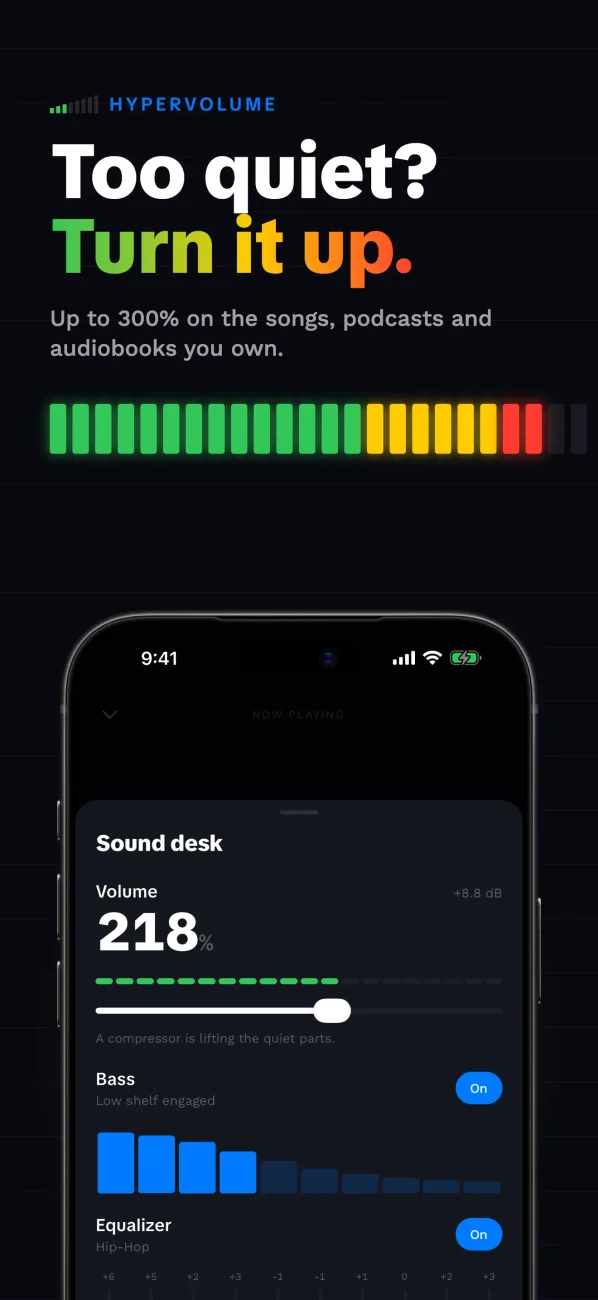
HyperVolume makes quiet audio you already own genuinely louder - quiet recordings, mumbled voice notes, audiobooks mastered too low - without turning them to mush.
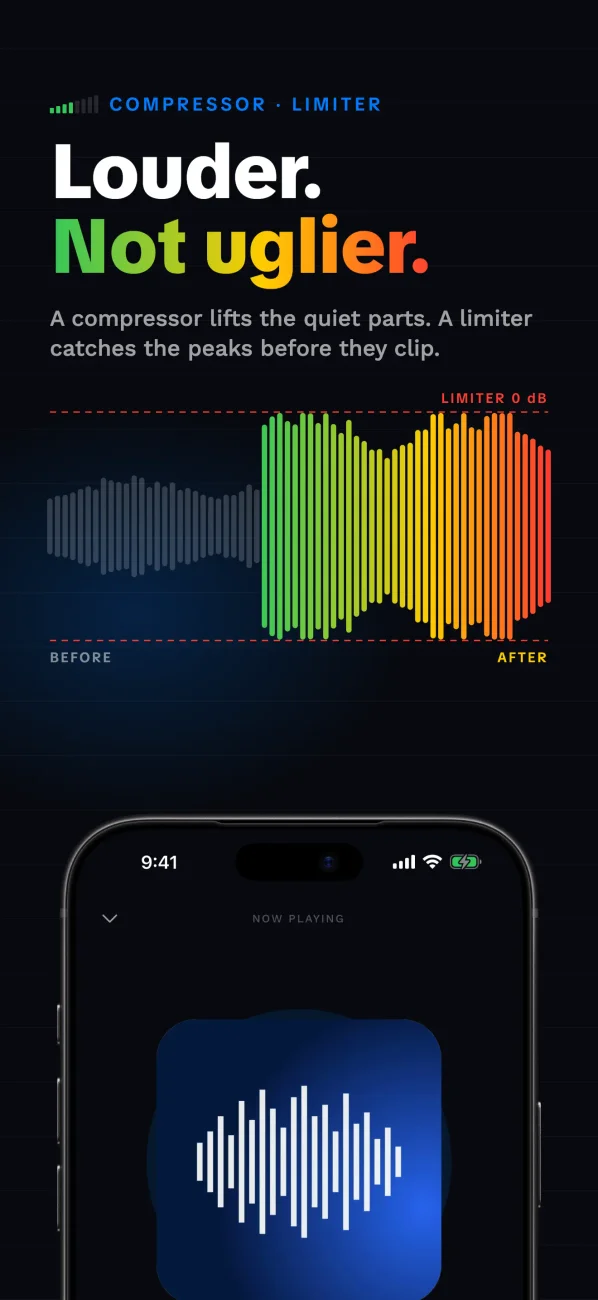
Cranking the gain on a quiet track makes it loud and ugly. HyperVolume rebuilds the signal properly: a compressor lifts the quiet passages, up to +15 dB of gain raises the whole track, and a limiter sits at the end of the chain catching the peaks before they clip. You get volume that stays listenable.
READ THIS BEFORE YOU DOWNLOAD
HyperVolume is a player for audio files you own. You add your files, and it plays them louder.
It cannot boost other apps, and it cannot boost streaming. That means Spotify, Apple Music, YouTube and audiobook apps like Audible. iOS does not let any third-party app touch protected or streaming audio, so no app on the App Store can raise their volume.
What it does play:
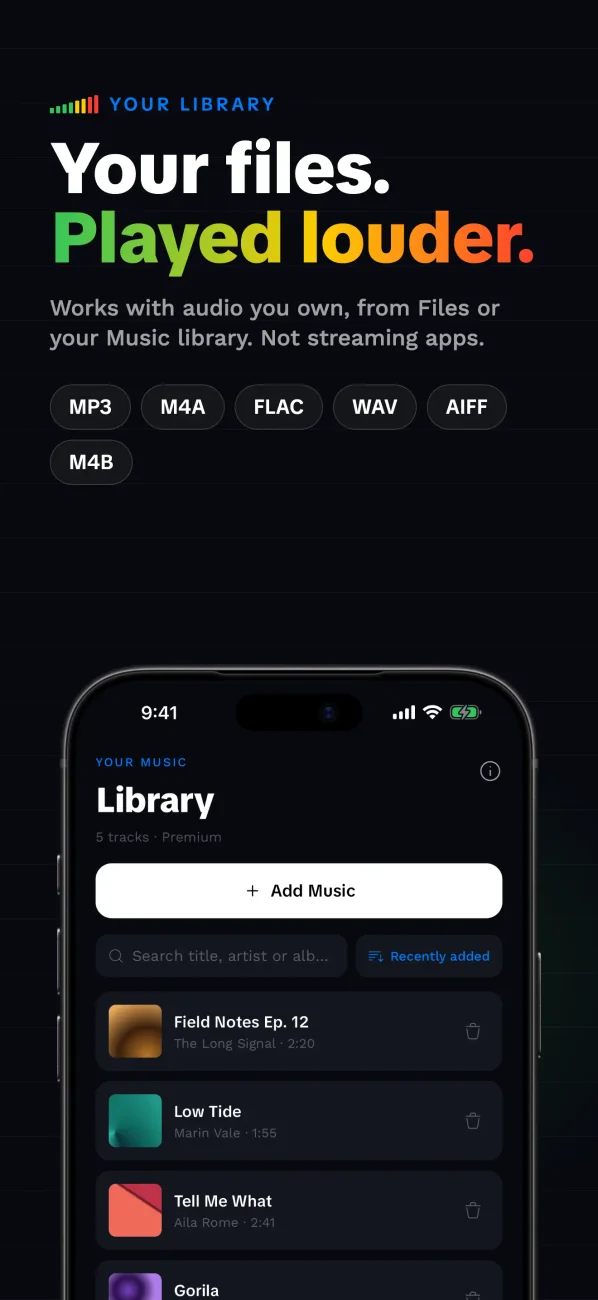
- Files you add from Files or iCloud Drive - MP3, M4A, AAC, WAV, AIFF and FLAC, plus M4B audiobooks
- Songs already in your device's music library that aren't DRM-protected, which means your own imports and purchases
If your library is all streaming, this app has nothing to work with.
HEAR IT BEFORE YOU DECIDE
There's a demo built into the app. One clip, boost on, boost off, switch between them as it plays. You'll know in ten seconds whether it does anything for you - no subscription needed.
THE SOUND CONTROLS
Volume - Up to +15 dB on a fader with a real level meter beside it. It reads the actual output signal, so when it runs into amber and red you can see you're pushing it.
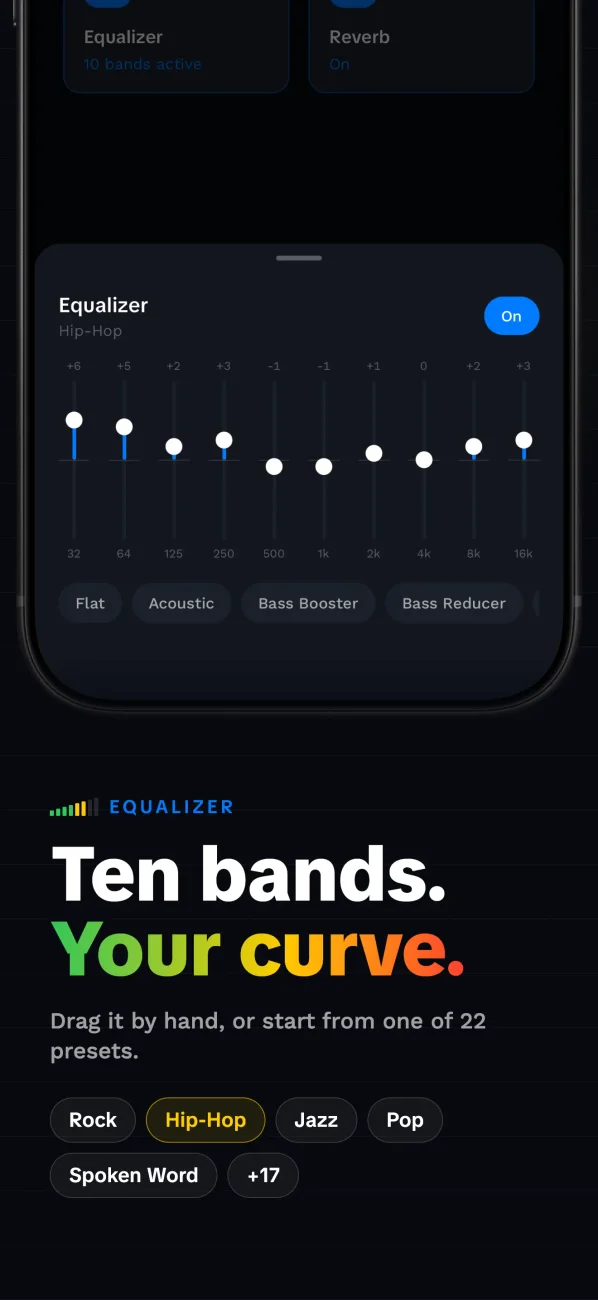
Equalizer - Ten bands as vertical faders, the way an EQ is meant to look. Drag a curve by hand or start from one of 22 presets covering Rock, Hip-Hop, Jazz, Classical, Vocal, Podcast and more.
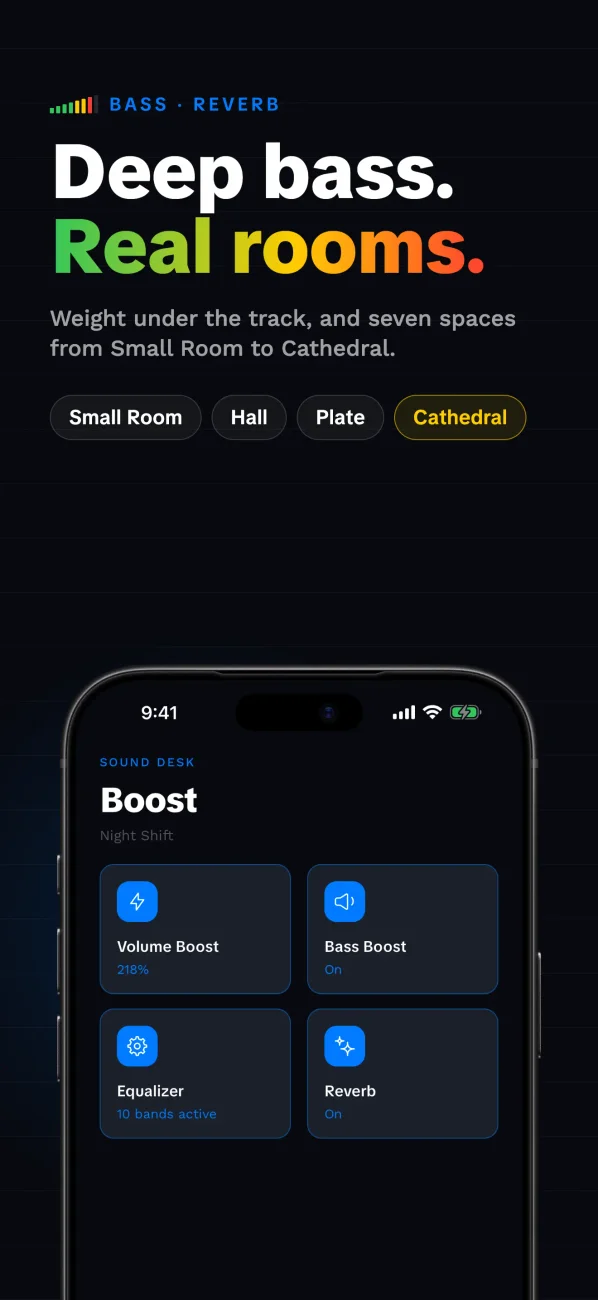
Bass - A low shelf for weight underneath the track, without the boom that swallows everything else.
Reverb - Seven spaces, from Small Room through Hall and Plate to Cathedral, with an amount dial so you can add air rather than drown in it.
A PROPER PLAYER, NOT JUST A SLIDER
- Background playback, so it keeps going when you leave the app
- Lock screen and Control Center controls, including skip
- A queue with shuffle and repeat that survives backgrounding
- Sleep timer that fades out instead of stopping dead
- Album artwork, search and sort across your library
- The phone's own speaker, AirPods, Bluetooth, wired headphones and CarPlay audio
NO ACCOUNT. NO SIGN-UP.
There is no login, because there's nothing to log into. It works offline, and your files stay on your device. Nothing is uploaded, and there's no analytics profile following you around. If you subscribe, the purchase lives on your Apple ID - tap Restore Purchases in Settings on a new device and it comes back.
WHAT PREMIUM INCLUDES
HyperVolume runs on a subscription. You can open the app and look around, and the demo plays without paying, but adding and playing your own files needs Premium:
- The volume boost, with its compressor and limiter
- The ten-band equalizer and all 22 presets
- Bass boost
- Reverb and all seven spaces
- Everything added to Premium later
Premium is available as an auto-renewing subscription. The price and length are shown in the app before you confirm, and payment is charged to your Apple ID. It renews automatically unless you turn off auto-renew at least 24 hours before the period ends. Manage or cancel it any time in your device Settings under your Apple ID. Any unused part of a free trial is forfeited if you buy a subscription.
Terms of Use: https://www.termsfeed.com/live/1c667847-6d5f-4fc3-9cf3-eac2d5946a66
Privacy Policy: https://www.termsfeed.com/live/1c667847-6d5f-4fc3-9cf3-eac2d5946a66
ONE HONEST NOTE ON LOUDNESS
+15 dB is a lot. Loud music through headphones damages hearing, and that damage doesn't come back. The meter turns amber then red for a reason - treat the top of the range as a warning, not a target.
A track that won't import? There's a contact option in Settings.
新機能
バージョン 1.2.0 · 2026/10/31
New
• After big updates, a short screen now tells you what's new. You hear it from us rather than by accident.
• The app no longer asks for a rating when you close the player or import a track. It asks once, after big updates like this one, and takes no for an answer.
Fixes
• Tab names, screen titles, the track count and the "On" switch now speak your language. Until now they had stayed in English, even in Spanish, Portuguese, French and German. We've had a word with them.
アプリのプライバシー
このアプリのデータの取り扱いについて、Dayo AkinkuowoがApp Storeで申告している内容です。
-
ユーザーに関連付けられないデータ
収集される場合がありますが、ユーザーの識別情報には関連付けられません。
- 使用状況データ
プライバシーの取り扱いは、ご利用の機能やお客様の年齢などに応じて異なる場合があります。
情報
- 販売元
- Dayo Akinkuowo
- カテゴリ
- ミュージック
- バージョン
- 1.2.0
- 更新日
- 2026/10/31
- リリース
- 2026/8/24
- サイズ
- 39.1 MB
- 必要条件
- iOS 16.0以降
- 対象年齢
- 4+
- 価格
- 無料
- アプリ内課金
- あり
- 言語
- 英語, フランス語, ドイツ語, ポルトガル語, スペイン語
- 著作権
- © Dayo Akinkuowo
こちらもおすすめ
-
 Loud Volume Booster Pro & EQミュージック
-
 Volumasterミュージック
-
 ProSound EQ: Bass Booster10バンドEQ、3D、オフライン音楽
-
 Loudly:音量ブースター音量アップ・低音強化・イコライザー
-
 Volume Booster Max - Loud Bassミュージック
-
 Boostbox 音量ブースター・イコライザー・重低音ミュージックプレーヤー 音を大きく 低音強調 高音質 EQ
-
 SonicBoost: 音量ブースター手持ちの音声ファイルを大音量に
-
 Bass Booster - Volume Boost EQミュージック
-
 Bass Booster: Music Equalizerミュージック
-
 音量ブースター・低音とEQ読み込んだ音を、大きく綺麗に