- 対象年齢4+
- カテゴリユーティリティ
- 開発元Radoslaw Przybyl
- 言語英語
- サイズ397.0 KB
App Storeの公式ページにリンクしています
Download.orgはWall Panel for HAのファイルを一切ホストしていません。ボタンを押すと、Radoslaw Przybylが公開しているApp Storeのアプリページが開きます。ページの最終確認:2026/11/14。
スクリーンショット
概要
開発元はこのテキストをお使いの言語で提供していません。
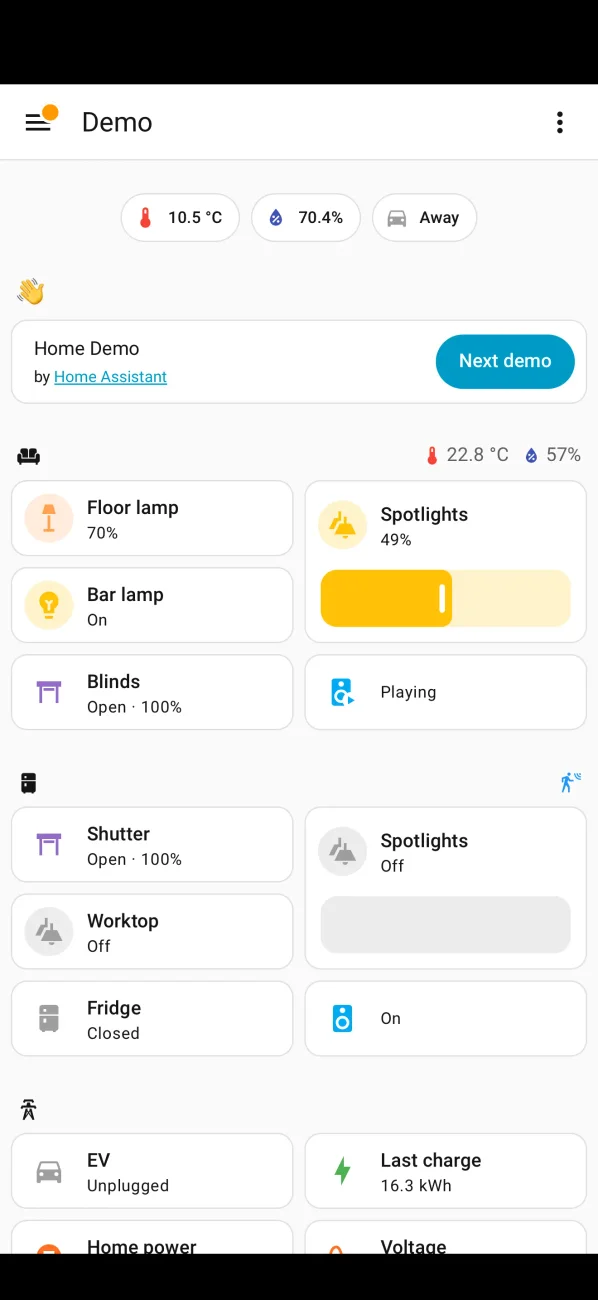
Turn an old iPhone or iPad into a wall panel for your Home Assistant. Wall Panel for HA shows your dashboard full screen, dims it when nobody is around, and wakes it the moment someone walks up — and does nothing else.
FULL SCREEN, ALWAYS ON
No browser bars and no status bar, and the screen never locks while the panel is open. You stay signed in to Home Assistant, just as in a browser.
DIMS WHEN IDLE
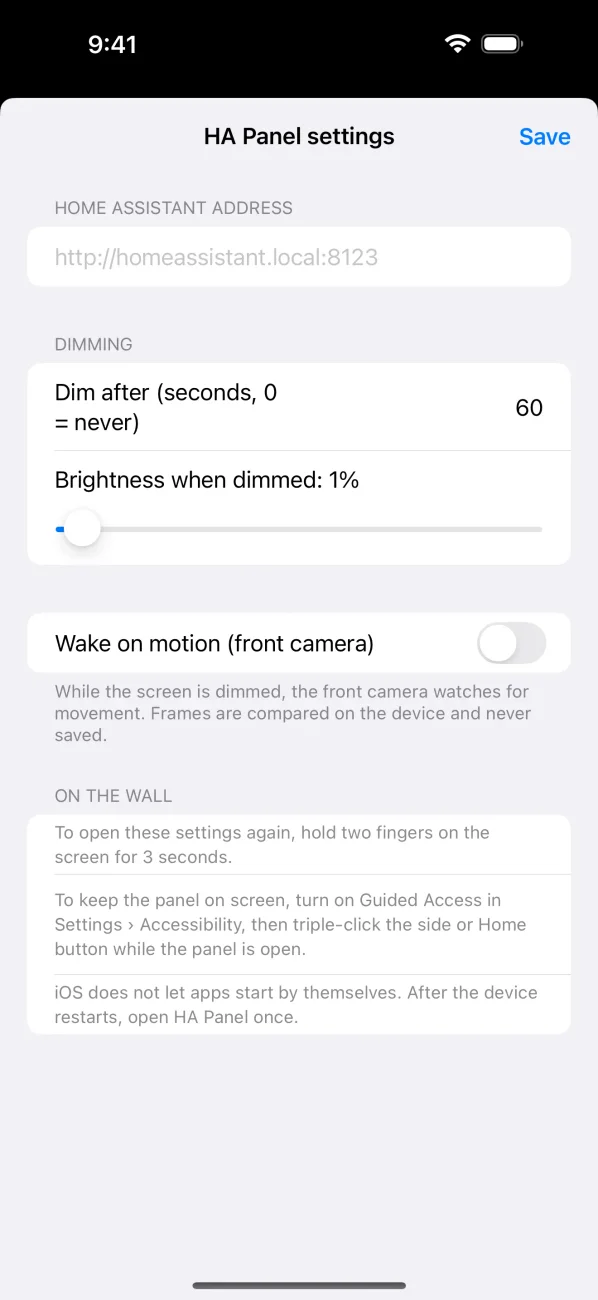
After a minute without a touch the screen fades almost to dark, and your own brightness comes back when it wakes. The touch that wakes it only wakes it — it never presses a button on your dashboard by accident. Choose how long to wait and how dim to go. Or let it go fully black: on OLED screens black pixels give no light, so the panel looks switched off until someone comes near.
WAKES ON MOTION
Optionally, the front camera watches for movement while the screen is dimmed and brightens it when someone comes near. Frames are compared on the device a few times a second and never saved or sent anywhere. The camera is off whenever the screen is lit.
WAKES ON A SENSOR
Or let Home Assistant do it: enter an entity — a motion sensor in the hall, a door contact — and the screen lights up the moment it turns on, and stays lit while it keeps triggering. It uses the panel's own sign-in, so there is no token to create.
SHOWS ON A MONITOR
Plug in a monitor or TV and it gets its own copy of the panel, full width, while the phone stays a panel you can tap. Show the same dashboard or another view — cameras and graphs on the big screen, buttons in your hand.
LOOKS AFTER ITSELF
If the Wi-Fi drops, the panel reloads by itself when it comes back. Use Guided Access to keep the panel on screen for good.
SMALL ON PURPOSE
One settings screen: your Home Assistant address, when to dim, how dim, and how to wake. Hold two fingers on the screen for three seconds to open it. No accounts, no ads, no analytics. The app talks only to your own Home Assistant.
Wall Panel for HA is an independent app, not made or endorsed by Home Assistant or Nabu Casa. Home Assistant is a trademark of Nabu Casa, Inc.
新機能
バージョン 1.2 · 2026/11/11
New: show the panel on a monitor or TV. With a USB-C or Lightning to HDMI adapter, or AirPlay, the monitor gets its own full-width copy of the panel — the same page or another Home Assistant view — while the iPhone or iPad stays a panel you can tap. It turns black together with the panel when idle.
アプリのプライバシー
このアプリのデータの取り扱いについて、Radoslaw PrzybylがApp Storeで申告している内容です。
-
データの収集なし
開発元はこのアプリからデータを収集しません。
プライバシーの取り扱いは、ご利用の機能やお客様の年齢などに応じて異なる場合があります。
情報
- 販売元
- Radoslaw Przybyl
- カテゴリ
- ユーティリティ
- バージョン
- 1.2
- 更新日
- 2026/11/11
- リリース
- 2026/10/11
- サイズ
- 397.0 KB
- 必要条件
- iOS 16.0以降
- 対象年齢
- 4+
- 価格
- 無料
- 言語
- 英語
- 著作権
- © 2026 Radoslaw Przybyl