- 対象年齢4+
- カテゴリユーティリティ
- 開発元David Larose
- 言語英語ほか1言語
- サイズ1.6 MB
App Storeの公式ページにリンクしています
Download.orgはWatchM3のファイルを一切ホストしていません。ボタンを押すと、David Laroseが公開しているApp Storeのアプリページが開きます。ページの最終確認:2026/11/13。
スクリーンショット
概要
開発元はこのテキストをお使いの言語で提供していません。
WatchM3 turns your iPhone, iPad, Mac, Apple TV or Apple Vision Pro into a bedside clock, and your Apple Watch into a weather face: the time, all night long, and nothing else on screen.
THREE CLOCK FACES
Swipe from right to left to switch between them (arrow keys on Mac, the remote on Apple TV):
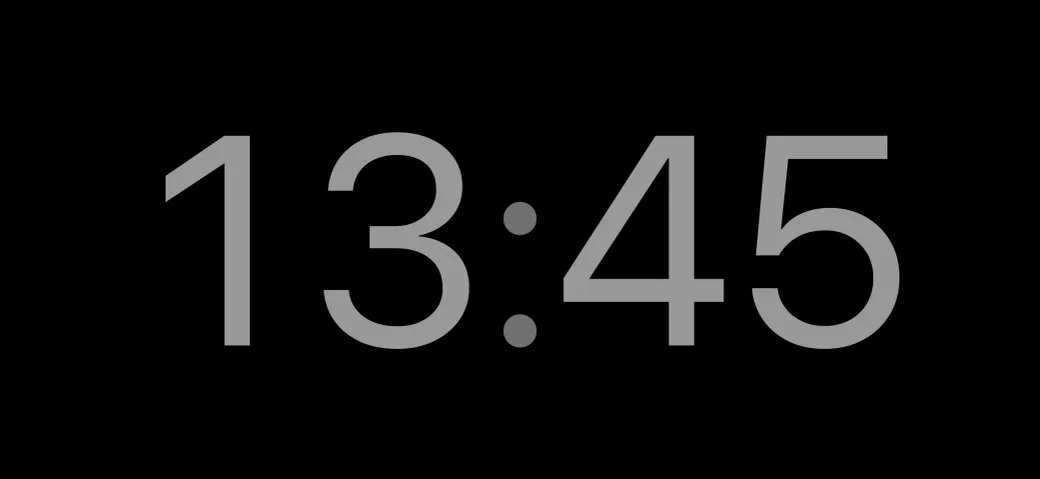
• Digits: the original WatchM3 face, with large pale digits and a blinking colon.
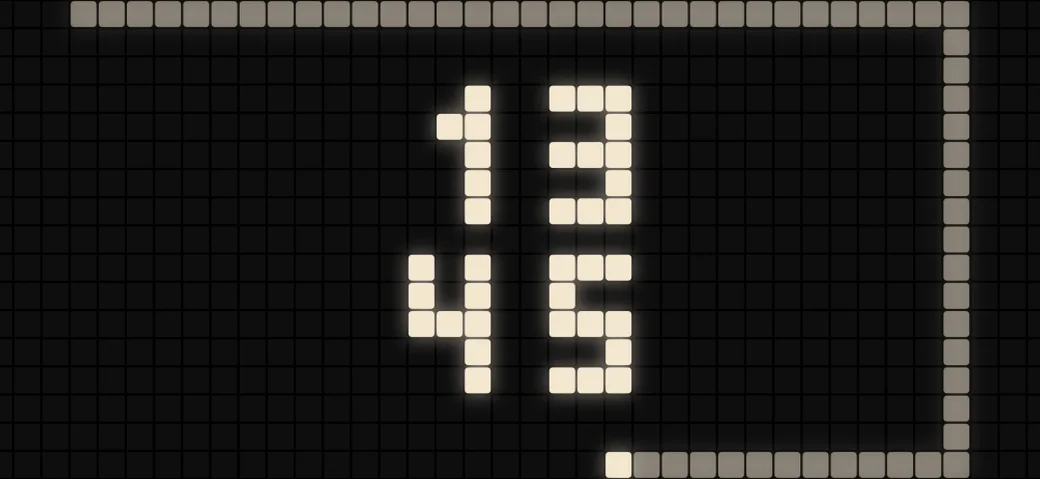
• LED panel: a pixel clock in warm white, with a seconds chaser that runs around the edge of the screen, one lap per minute.
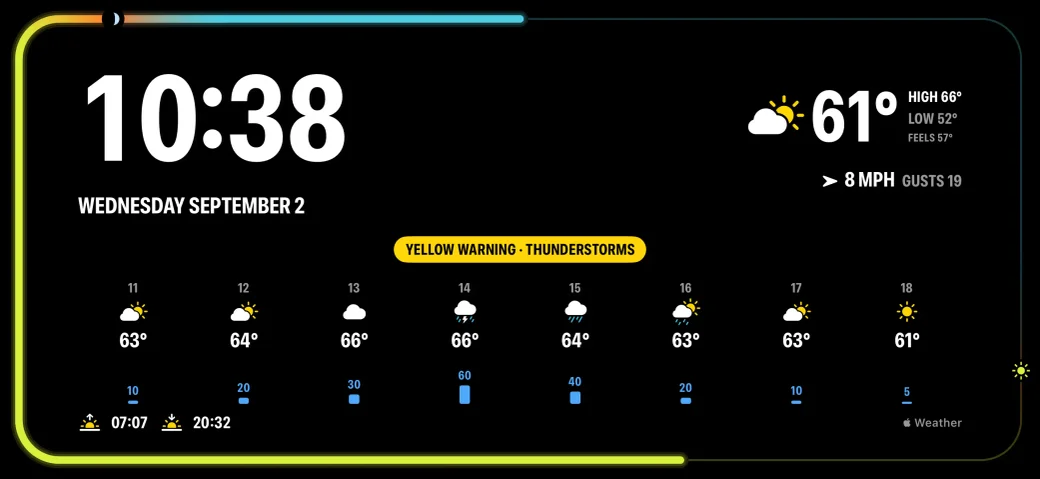
• Weather: the time in large digits, the day fading away around the edge of the screen from sunrise to sunset, the temperature with today's high, low and feels-like, wind and gusts, humidity, UV index, pressure, severe weather warnings, the next twelve hours with the chance of rain, sunrise, sunset and the moon phase.
APPLE WATCH
On your watch, WatchM3 shows a full-screen face under the watch's own time: the day fading away around the edge of the screen, current weather with today's high and low, wind and gusts, and the next six hours. Four complications for Apple watch faces: the day, the next sunrise or sunset, and the weather.
MADE FOR THE NIGHT
• Swipe up or down to adjust the brightness of the clock. Keep swiping down past the minimum to dim the screen itself, below its usual lowest setting.
• Pinch to make the time bigger or smaller.
• Size and brightness are remembered for each face.
• No status bar, no buttons, no menus, and a black launch screen.
• Your device never goes to sleep or locks while WatchM3 is open.
• Kind to OLED screens: the faces shift slightly every minute and the time moves every hour.
EVERY SCREEN
iPhone in landscape, iPad in portrait and landscape, a resizable window or full screen on Mac, your TV screen with Apple TV, a window in your space on Apple Vision Pro. On Apple TV, press left or right on the remote to switch faces and up or down to adjust brightness; no screen saver while WatchM3 is on screen. Folded like a tent, iPhone Duo shows the time on its outer display; set up like a laptop, on the upper half of the screen; opened like a book, the time on one page and the weather on the other.
WEATHER AND PRIVACY
Weather data comes from Apple's weather service. Your location is used only to get the local weather and the sunrise and sunset times; it is never sent to us. No account, no ads, no tracking.
新機能
バージョン 2.1.1 · 2026/10/28
WatchM3 2.1.1:
• The Apple Weather mark always opens the weather data sources, and the Weather face tells you why the weather is missing, with a link to Settings if location access is off.
• The location request now appears in your device's language, English or French.
• OLED screen protection: the faces shift slightly every minute, and the time and the weather swap places every hour.
アプリのプライバシー
このアプリのデータの取り扱いについて、David LaroseがApp Storeで申告している内容です。
-
データの収集なし
開発元はこのアプリからデータを収集しません。
プライバシーの取り扱いは、ご利用の機能やお客様の年齢などに応じて異なる場合があります。
情報
- 販売元
- David Larose
- カテゴリ
- ユーティリティ
- バージョン
- 2.1.1
- 更新日
- 2026/10/28
- リリース
- 2024/7/18
- サイズ
- 1.6 MB
- 必要条件
- iOS 27.0以降
- 対象年齢
- 4+
- 価格
- 無料
- 言語
- 英語, フランス語
- 著作権
- © David Larose & Shawn Modestine