- 対象年齢4+
- カテゴリヘルスケア/フィットネス
- 開発元Kwonhong Min
- 言語英語ほか1言語
- サイズ72.7 MB
App Storeの公式ページにリンクしています
Download.orgはWorkout-Logのファイルを一切ホストしていません。ボタンを押すと、Kwonhong Minが公開しているApp Storeのアプリページが開きます。ページの最終確認:2026/11/14。
スクリーンショット


概要
開発元はこのテキストをお使いの言語で提供していません。
Workout - Log, Report, Program
The Beginning of Progressive Overload is "Workout Log". Start it with this App.
It's developed to be optimized for “Workout Logging” for Progressive Overload.
It provides a differentiated service from other applications by reflecting the actual usage environment(Generally Gym) as much as possible.
It is an App that can help all people exercise efficiently and smartly.
[Main Function]
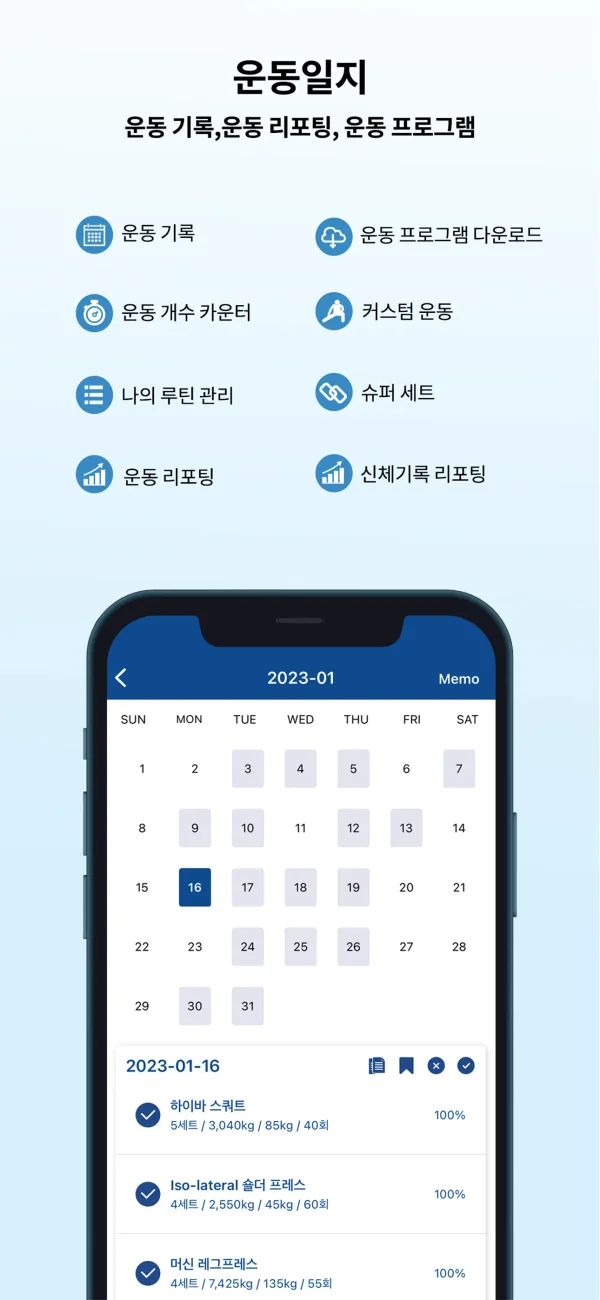
1. Workout Log
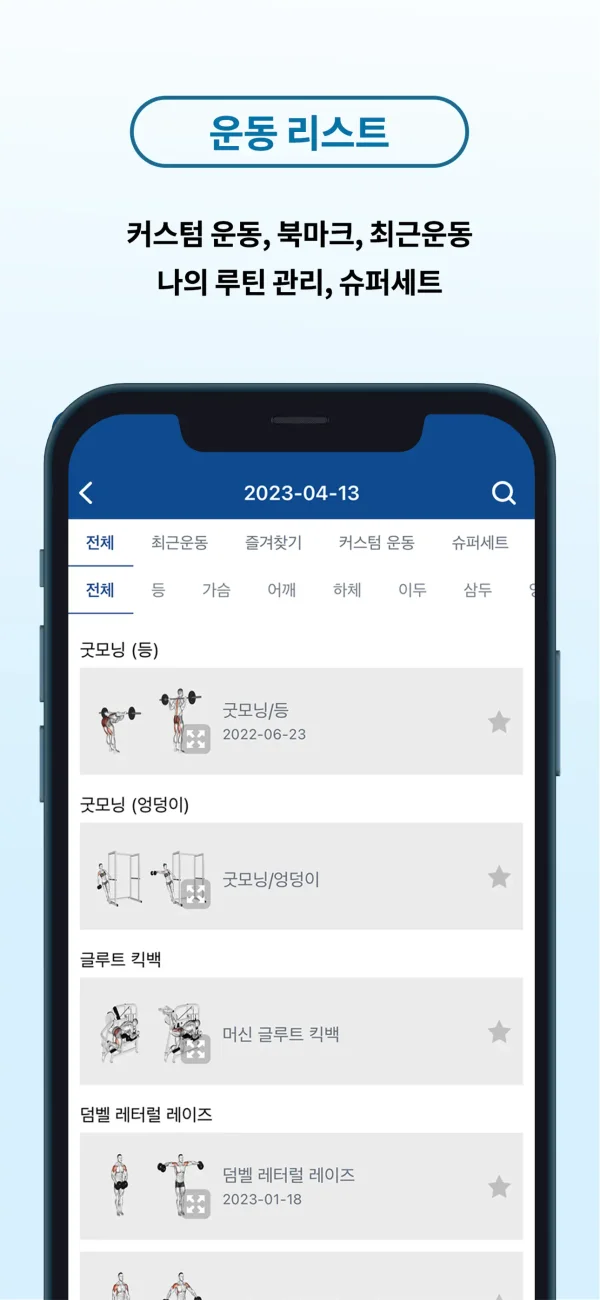
- Bookmark, Recent Workouts, Custom, Routine Management and Import of Recent Workout/Set Information
- Superset Function Provided
- Cue Registration by Workout
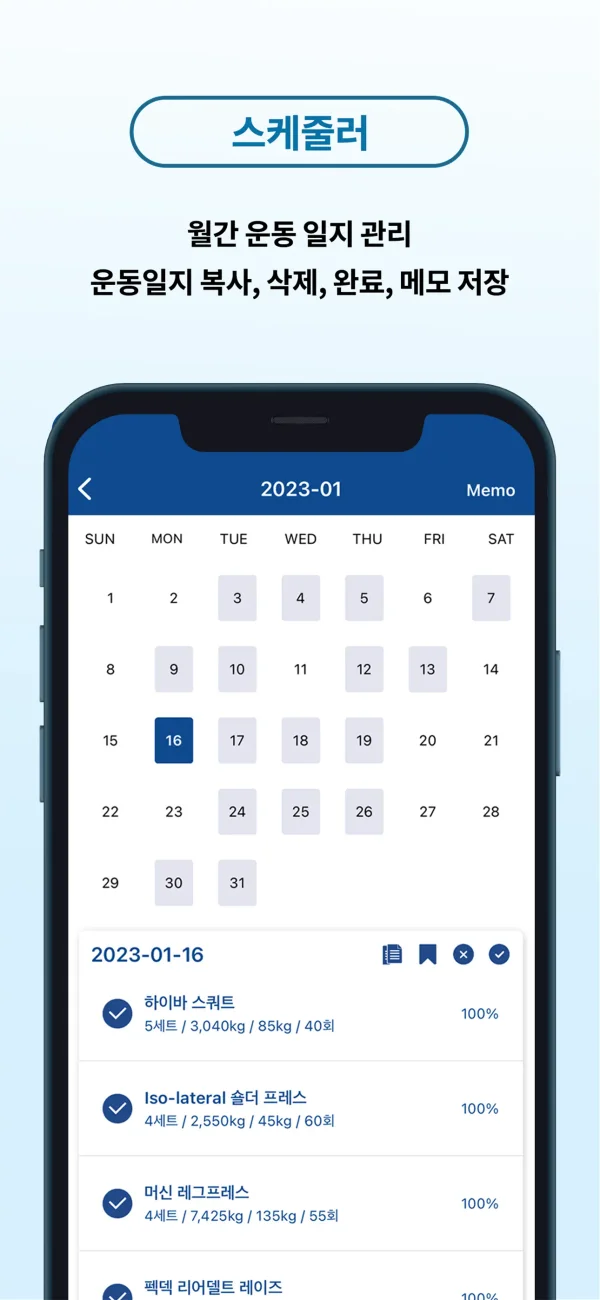
- Copy Workout by Date
- Save Memo by Date
- Exercise Performance and Rest Timer
- Reps Counter
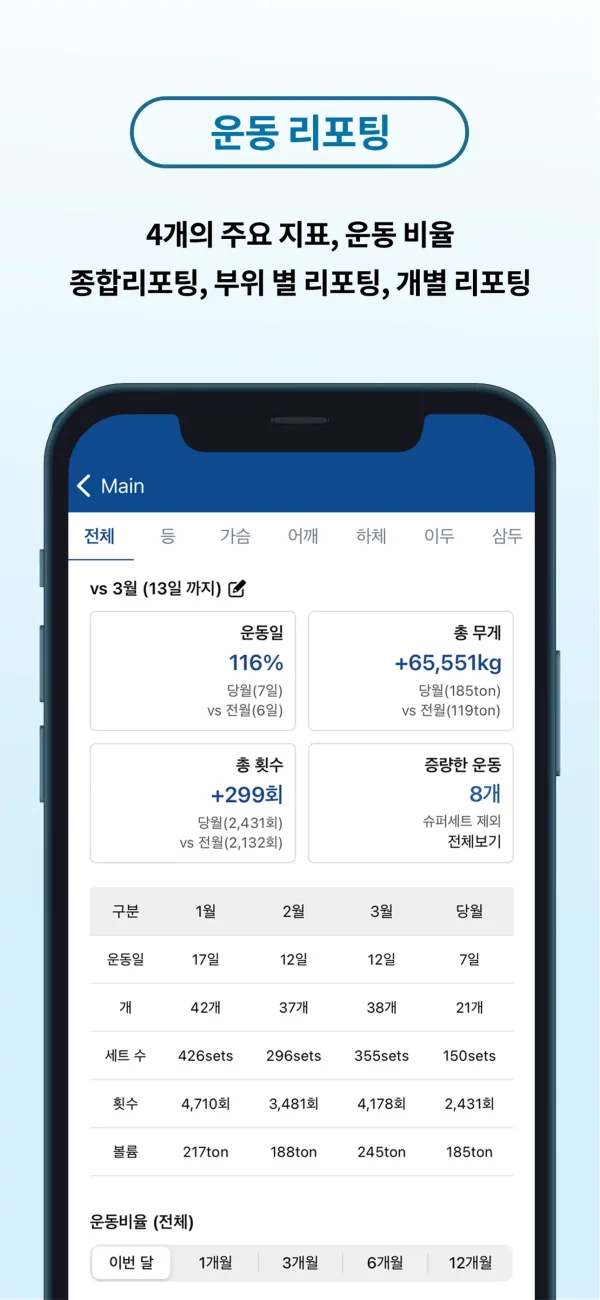
2. Exercise Reporting
- Comparison of Previous/Monthly Performance
- Comparison of Division (2, 3, 5 Division) Ratio by Part
- Display Max, Volume, and Reps of each Exercise by Date and Increment
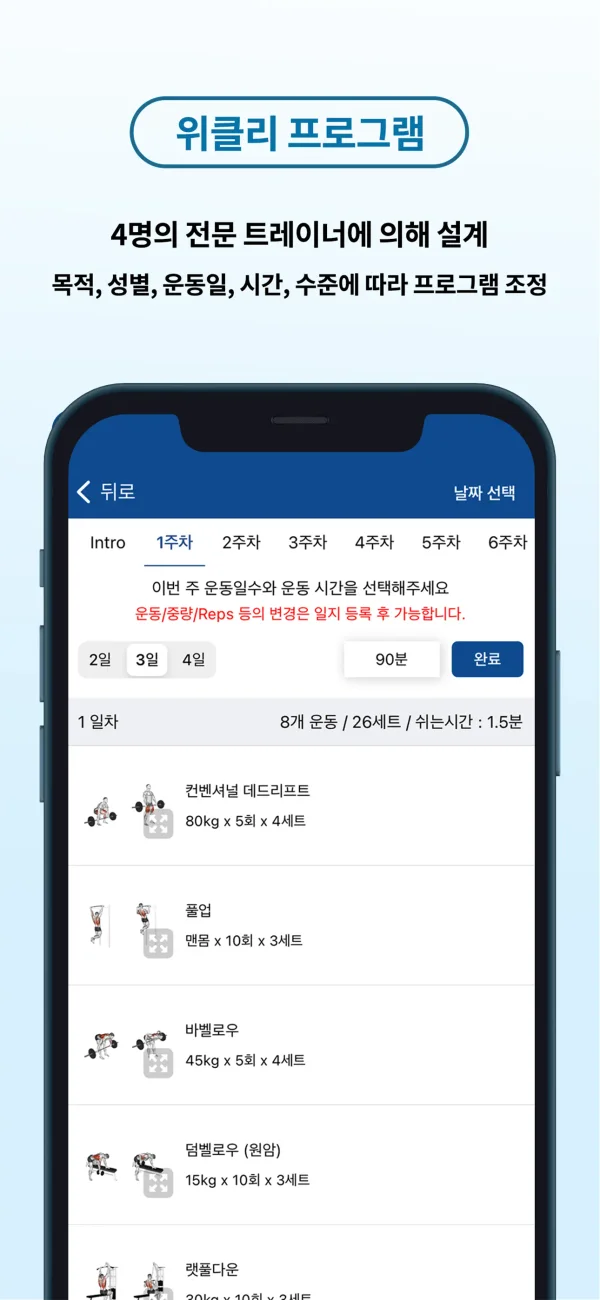
3. Weekly Workout Program Download and Recommendation
- Provides Customized Workout Programs such as Purpose, Level, Exercise days, and Workout Time
- Designed by 4 Professional Trainers
- Difficulty Adjustment by Weekly Workout Awareness
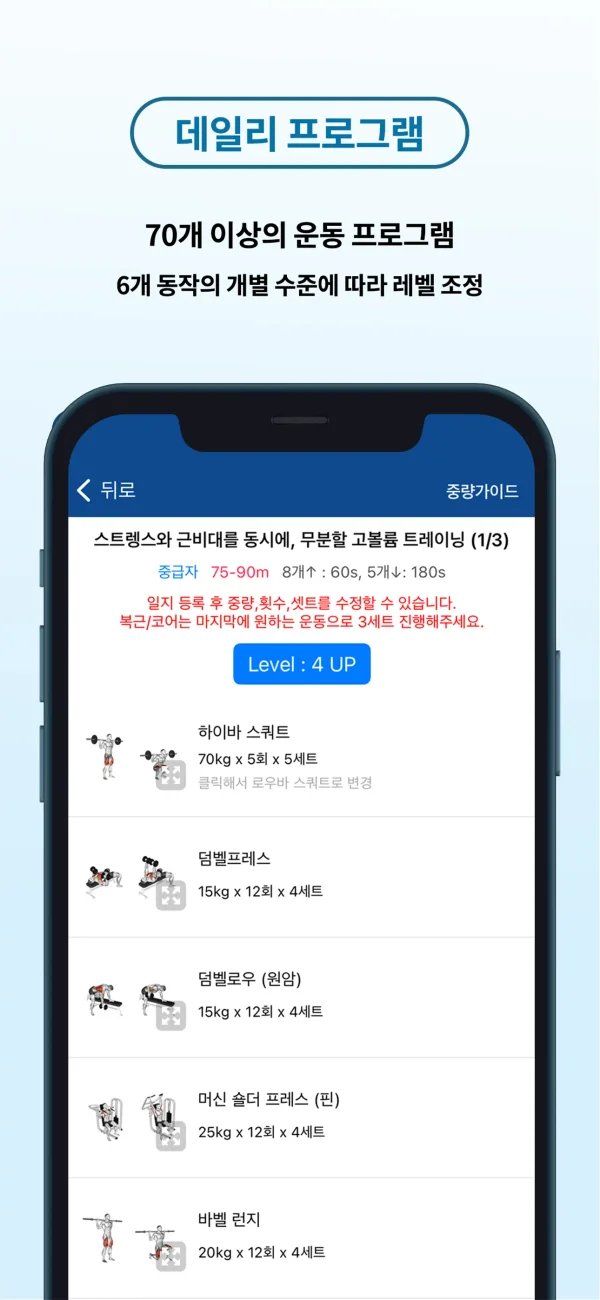
4. Daily Workout Program Download and Recommendation
- Provides 70 Workout programs
- Up/Down Adjustment of Difficulty by 20 Parts/Movements
- Difficulty Adjustment by Weekly Workout Awareness
5. Launch of Google Wear OS service
- Provides a service that enables simple operations such as adding/deleting exercise sets, modifying and performing exercises, and timers using a smart watch
※ Precautions when using a smart watch
- The exercise log app must be installed on your phone.
- After installing the smart watch app, you need to run the main screen of the mobile phone app so that the smart watch and account information are transmitted to the watch so that you can use the smart watch exercise log app normally.
- The exercise add-on is not available on smartwatches. After registering the exercise in the mobile phone app and loading the exercise information from the smart watch, you can add, edit, delete, or perform a set.
▣ Menu after initial login – We recommend that you read how to use the application in the user manual.
▣ Terms of Use: https://pg.accepted.co.kr/Service/EN
=========
Inquiries: acceptedcompany@gmail.com
Exercise program advisory: Ji Young-seong (https://instagram.com/ji._.coach)
新機能
バージョン 2.4.4 · 2026/6/24
Bug fix
アプリのプライバシー
このアプリのデータの取り扱いについて、Kwonhong MinがApp Storeで申告している内容です。
-
ユーザーに関連付けられないデータ
収集される場合がありますが、ユーザーの識別情報には関連付けられません。
- 連絡先情報
- ユーザーコンテンツ
- ID
プライバシーの取り扱いは、ご利用の機能やお客様の年齢などに応じて異なる場合があります。
情報
- 販売元
- Kwonhong Min
- カテゴリ
- ヘルスケア/フィットネス
- バージョン
- 2.4.4
- 更新日
- 2026/6/24
- リリース
- 2020/9/8
- サイズ
- 72.7 MB
- 必要条件
- iOS 15.0以降
- 対象年齢
- 4+
- 価格
- 無料
- アプリ内課金
- あり
- 言語
- 英語, 韓国語
- 著作権
- © Accepted Company
こちらもおすすめ
-
 바디캘린더 - 운동 기록, 헬스 운동일지ヘルスケア/フィットネス
-
 오늘의 운동 - 운동일지 운동기록 헬스루틴 헬스기록ヘルスケア/フィットネス
-
 Selfit - Fitness Plannerヘルスケア/フィットネス
-
 Workout Log-Track Gym Progressヘルスケア/フィットネス
-
 Fleek - Workout Tracker, Logヘルスケア/フィットネス
-
 Gym Diary: Workout Tracker Logヘルスケア/フィットネス
-
 FitnessKit: Personal Trainerヘルスケア/フィットネス
-
 筋トレ記録・管理で継続&習慣化 - バーンフィットジム・自宅のルーティン&1RM分析・食事管理
-
 Gym Workout Tracker: Liftlog+Routine Planner & Progress Log
-
 Gym Log+ — Workout Trackerヘルスケア/フィットネス