Contenta Converterbasic-6.5 for macOS
Batch image conversion, sorting, and renaming on Mac
Free · Proprietary
You are on Windows — this is the macOS version. See the Windows version
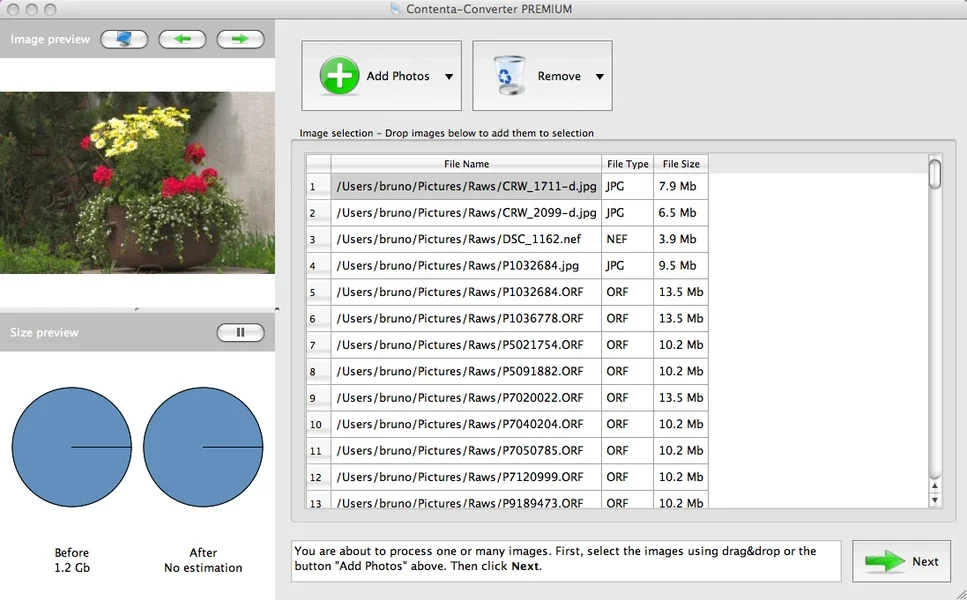
Contenta Converter is used for batch image work on the Mac. Load a set of images and you can convert them between formats, sort them into subfolders by their metadata, and rename them automatically. A preview shows what you are about to change.
Metadata drives the results
The program identifies files by their metadata, so generic or inaccurate metadata leads to poor results, and it works well only when that metadata is correct. The interface is simple, with a top toolbar for the main features. The Basic version has limited features, and half of the toolbar's features are only in the Premium version. The optimizer shows how much space is saved when reducing image size.
[Release notes coming soon]
Verify the file
Compare the SHA-256 of the file you downloaded with the value below. Files exactly as the publisher released them.
-
ContentaConverterBASIC.dmg
basic-6.5 · DMG · 106.5 MB
SHA-256
ac3aa1a597b3e1903b07cf9524ad491a518de834e51af255dde62d92d6f869a3Check on VirusTotal Get
Files exactly as the publisher released them.
Information
- Seller
- Contenta Software
- Size
- 106.5 MB
- Category
- Photo Utilities
- Compatibility
macOS Mac OS X or later
- Languages
English
- Age rating
- All ages
- License
- Proprietary
- Price
- Free
- Platform
- Also available on Windows