DesktopTitle1.0.2 for macOS
Puts an editable name label on each Mac Space, right on the desktop
Freemium · Proprietary
You are on Windows — this is the macOS version.
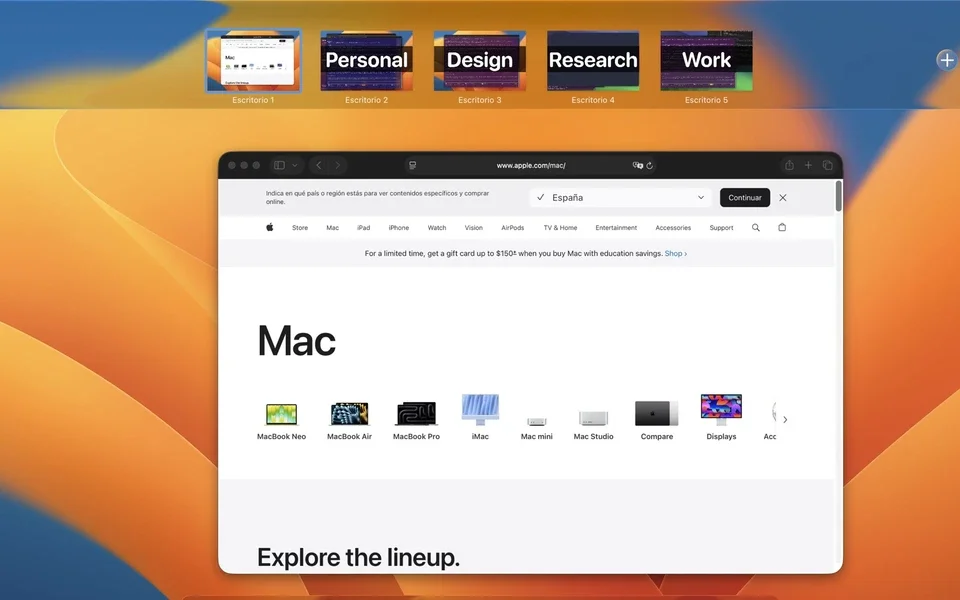
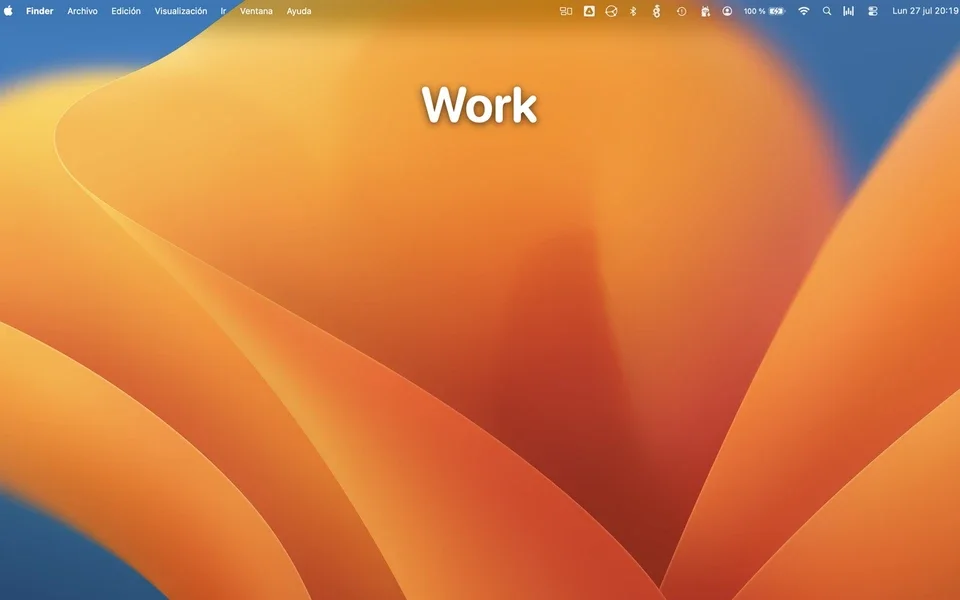
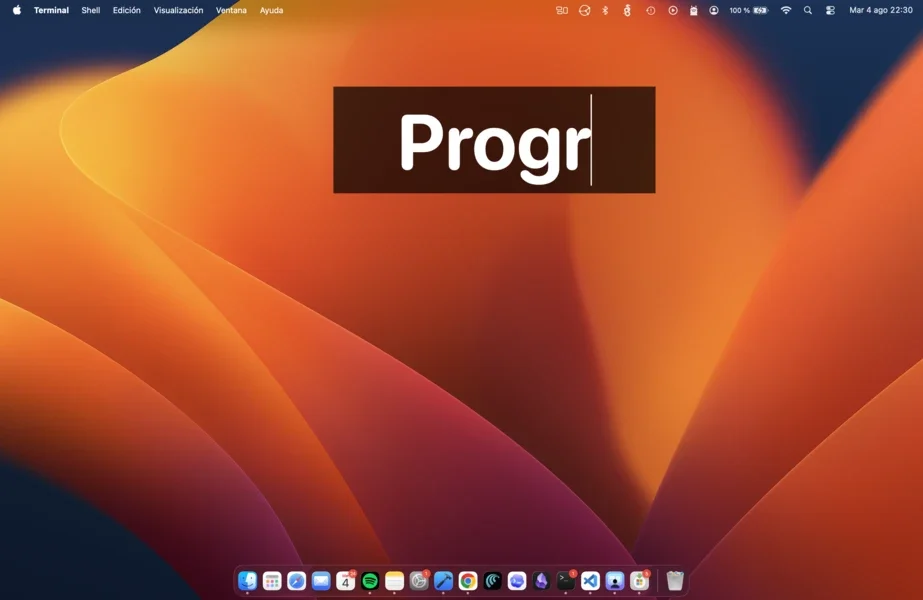
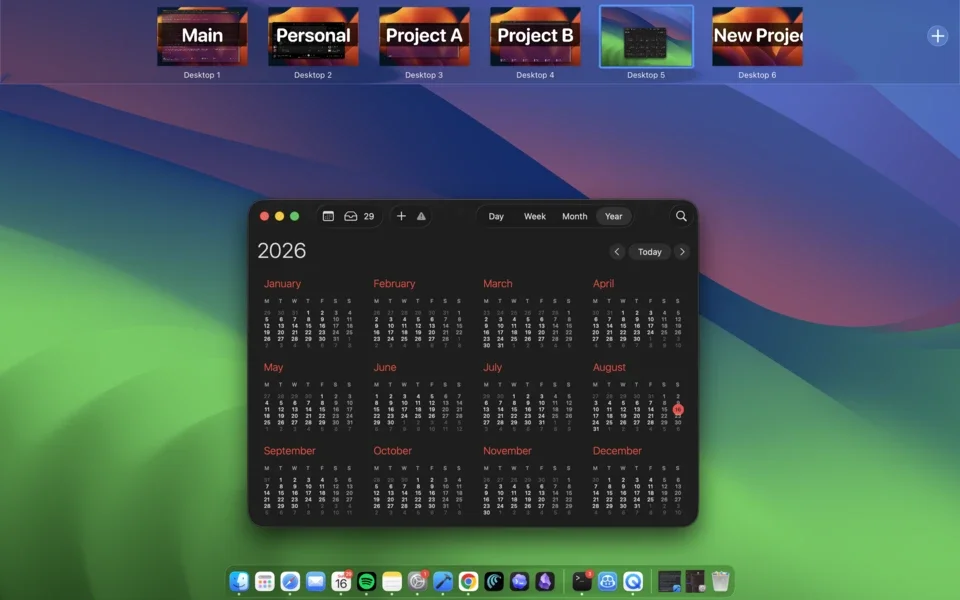
DesktopTitle puts an editable name label on each Space, and the name sits on the desktop itself rather than only in the menu bar. macOS does not let you name virtual desktops, so Mission Control keeps calling them Desktop 1, Desktop 2, Desktop 3. Inactive Spaces show their names in the Mission Control thumbnails, so you can tell them apart at a glance. The label stays always on top.
The desktop names stay on the Mac. The app does no tracking and needs no account. It runs as one build on Apple Silicon and Intel, and it is sandboxed. No SIP changes are required.
It is free for up to 3 desktops. In the Mac App Store version, a single one-time in-app purchase unlocks unlimited desktops and per-screen customization. There is no subscription.
[Release notes coming soon]
Verify the file
Compare the SHA-256 of the file you downloaded with the value below. Files exactly as the publisher released them.
-
desktoptitle-1-0-2.dmg
1.0.2 · DMG · 1.5 MB
SHA-256
2a8a4f763af934567fab25ed733f6b8f38227afd4963154b7ae4e3bc71da6210Check on VirusTotal Get
Files exactly as the publisher released them.
Information
- Seller
- Pixel Solution
- Size
- 1.5 MB
- Category
- Utilities
- Compatibility
macOS 10.4 Tiger or later
- Languages
Afrikaans and 47 more
- Afrikaans, Amharic, Arabic, Armenian, Belarusian, Bulgarian, Catalan, Chinese, Croatian, Czech, Danish, Dutch, English, Estonian, Farsi, Finnish, French, German, Greek, Hebrew, Hindi, Hungarian, Icelandic, Indonesian, Italian, Japanese, Kazakh, Korean, Latvian, Lithuanian, Malay, Norwegian, Polish, Portuguese, Romanian, Russian, Serbian, Slovak, Slovenian, Spanish, Swahili, Swedish, Tagalog, Thai, Turkish, Ukrainian, Vietnamese, Zulu
- Age rating
- All ages
- License
- Proprietary
- Price
- Freemium