Jumpcut0.84 for macOS
Keeps a local history of copied text and pastes it from a keyboard HUD
Free · MIT
You are on Windows — this is the macOS version.

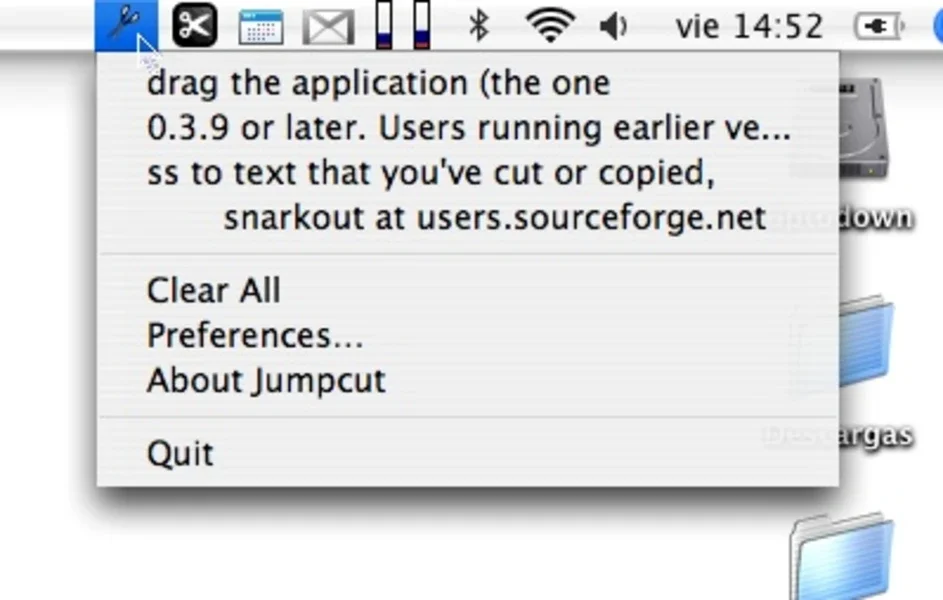
Copy text on a Mac and Jumpcut keeps it. Each copied snippet goes into a local history, and you can paste an earlier item later without going back to the app you took it from. It saves plain text only; image and file objects are not accepted, and nothing leaves the machine. There is no cloud sync.
The program runs from the menu bar, where a scissors icon lists recent clippings. Press Control-Option-V and a translucent HUD appears over whatever you are doing; the arrow keys move through the history, and the chosen item pastes into the current app. Hotkeys are customizable. It stays idle until invoked and has a very low memory footprint. Basic use needs little configuration. You set how many items the history holds, typically up to 99.
Those who copy many snippets on one Mac and prefer the keyboard to visual menus are the intended users, among them developers and writers. The project has been stable for more than fifteen years. Steve Cook moved it from 32-bit to 64-bit compatibility, and the source is kept in a modern repository. It runs on Macs with Intel processors and on Apple Silicon. The MIT License lets the community inspect and fork it.
[Release notes coming soon]
Verify the file
Compare the SHA-256 of the file you downloaded with the value below. Files exactly as the publisher released them.
-
0.84
0.84 · BZ2 · 8.3 MB
SHA-256
ef43d3fee801188a3f6fb9ba14bf738aa2d103bd4986b390e9820e7390c6178cCheck on VirusTotal Get
Files exactly as the publisher released them.
Information
- Seller
- Steve Cook
- Size
- 8.3 MB
- Category
- Power Tools
- Compatibility
macOS macOS 10.15 or later
- Languages
English
- Age rating
- All ages
- License
- MIT
- Price
- Free