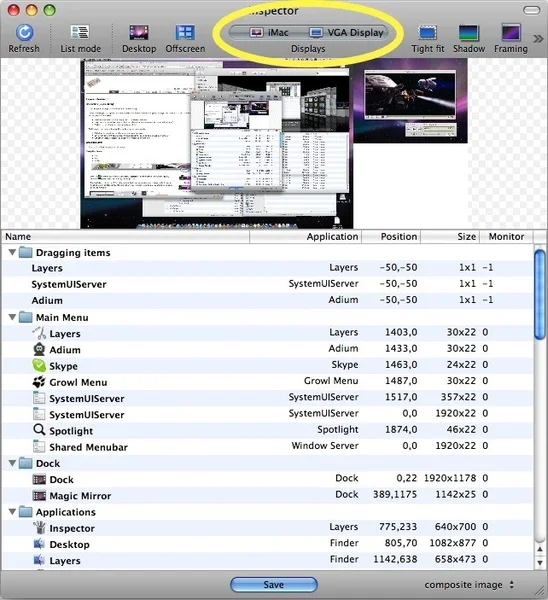
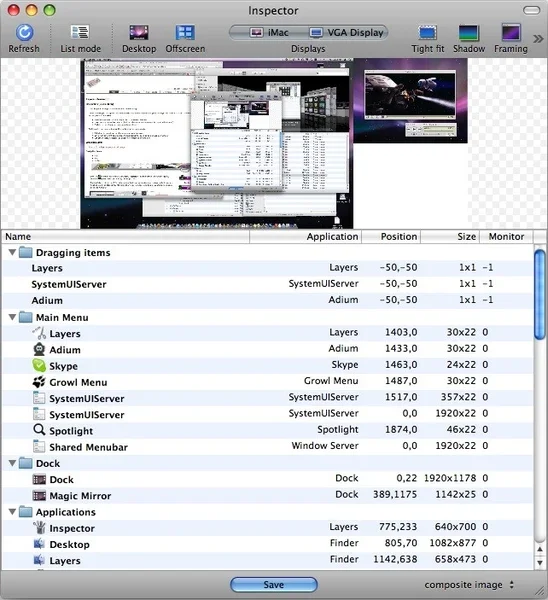
Layers is a screenshot tool for the Mac. An inspection window shows the elements available to capture before you take the shot. Screenshots can be saved as PSD files as well as formats such as PNG, and by default they land in a folder named Layers on the desktop.
How PSD screenshots are layered
In a PSD screenshot, every desktop element gets its own layer: a window, an icon, the Dock. Those layers are sorted into groups. Application windows go in the first group, desktop icons in the second, and Dock icons in the third.
It works with multiple monitors. A recent update added the option to screenshot any website you visit without reloading the URL in another browser.
[Release notes coming soon]
Verify the file
Compare the SHA-256 of the file you downloaded with the value below. Files exactly as the publisher released them.
-
1.6.2
1.6.2 · ZIP · 2.5 MB
SHA-256
60bd77527fad91dadcad76a9bf346b0be70a01ee9c26f65e2264d0c20d35e317Check on VirusTotal Get
Files exactly as the publisher released them.
Information
- Seller
- wuonm
- Size
- 2.5 MB
- Category
- Capture & editing
- Compatibility
macOS Mac OS X or later
- Age rating
- All ages
- License
- Proprietary
- Price
- Trial