MacLoc4.0 for macOS
Locks your Mac session and shows the login screen
Free · Proprietary
You are on Windows — this is the macOS version.
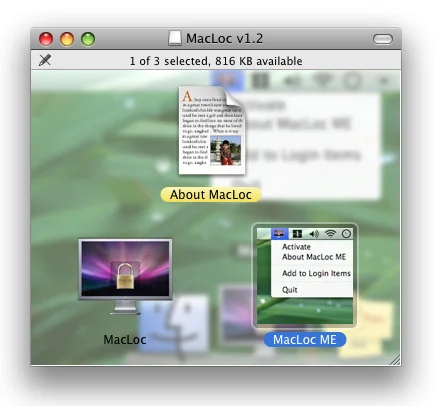
Double-click MacLoc's icon and it locks the current user session and shows the login screen. The desktop comes back exactly as you left it once the password is entered. It's a small Mac application whose only job is that lock.
The login screen's controls stay inactive until you enter the password of the user whose session is active. So does the desktop, and nothing on it gets rearranged while the session is locked.
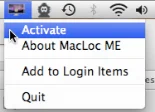
MacLocMe puts an icon in the menu bar, and you lock the session from there.
[Release notes coming soon]
Verify the file
Compare the SHA-256 of the file you downloaded with the value below. Files exactly as the publisher released them.
-
macloc-4.0.dmg
4.0 · DMG · 155.0 KB
SHA-256
2795c2de0d9ff5c5df31fbee1aa4d41a3e8376ba6b03cddb307fc95c8e51eb62Check on VirusTotal Get
Files exactly as the publisher released them.
Information
- Seller
- OurApples.com
- Size
- 155.0 KB
- Category
- Security
- Compatibility
macOS Mac OS X or later
- Languages
English
- Age rating
- All ages
- License
- Proprietary
- Price
- Free