Macs Fan Control1.5.23 for macOS
Sets and monitors Mac fan speeds by temperature
Free · Proprietary
You are on Windows — this is the macOS version. See the Windows version
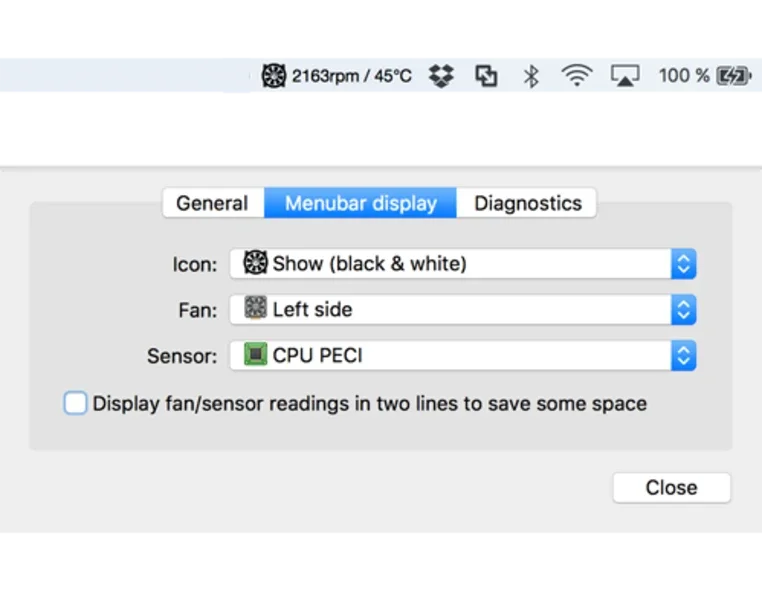
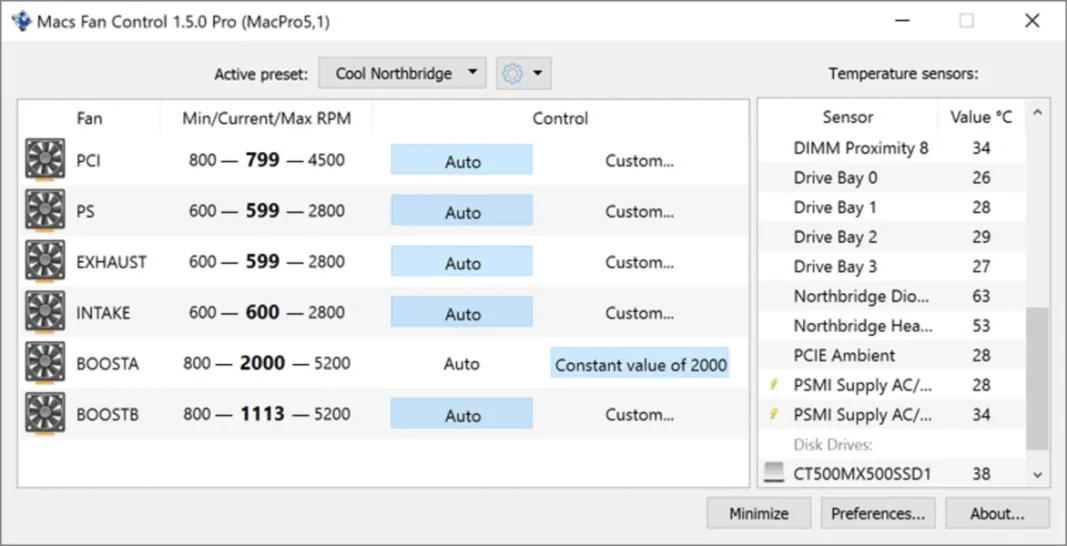
Macs Fan Control sets the speed of the fans in a Mac and shows what the temperature is doing at the same time. It is a third-party thermal management tool from CrystalIDEA, free to download and run in a basic form.
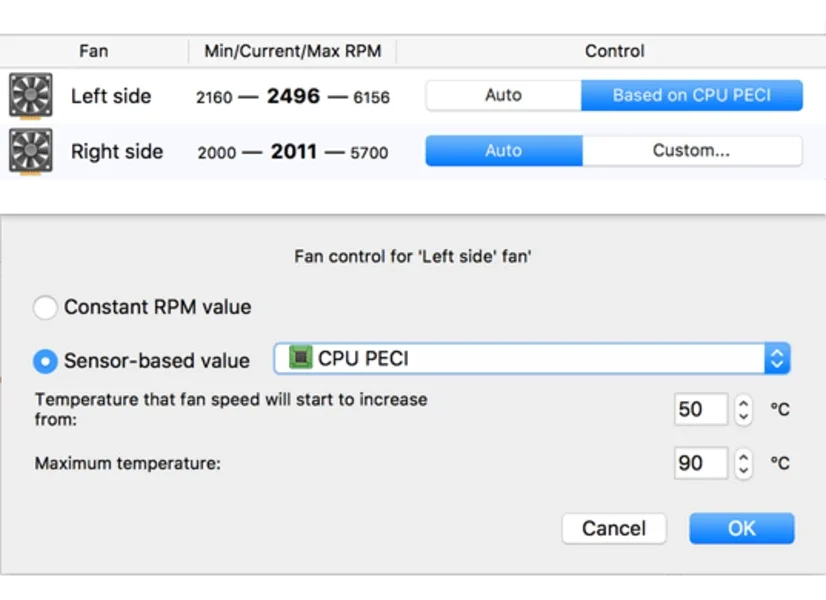
Each fan is listed with its current RPM and the temperature reading that goes with it. The readings can be checked one fan at a time, so you can see which part of the machine is heating up and which fan answers it. Speeds can be left on automatic or fixed by hand; a manual setting overrides the factory fan controls. Fixed speeds let you match airflow to the temperature you are seeing, which helps hold the CPU and logic board away from unsafe heat and cuts the risk of thermal throttling. Bumping fan speeds up earlier also shifts the thermal curve, so the outside of the case stays cooler. That does not stop overheating by itself. High RPM has a cost: fans run that way collect dust faster and need more frequent internal cleaning, and running them there all the time can wear out the bearings early. Running fans at 5000+ RPM is advised against.
The free version covers basic functions. Some features sit behind a paywall. The current version is 1.5.23, and the license is proprietary.
[Release notes coming soon]
Verify the file
Compare the SHA-256 of the file you downloaded with the value below. Files exactly as the publisher released them.
-
macs-fan-control-1-5-23.zip
1.5.23 · ZIP · 22.8 MB
SHA-256
d30936dfc5a8bb616dbf116120ca69a62fceaef359aa03472b3e38ae67e1d926Check on VirusTotal Get
Files exactly as the publisher released them.
Information
- Seller
- CrystallDEA
- Size
- 22.8 MB
- Category
- Maintenance
- Compatibility
macOS
- Languages
English
- Age rating
- All ages
- License
- Proprietary
- Price
- Free
- Platform
- Also available on Windows