Skip to content

Raycast2.13.1.0 for macOS

Mac launcher that opens apps, manages windows and clipboard

Raycast Technologies

Free · Proprietary

Download 2.13.1.0 · 150.7 MB
  • Age rating
    0+
    All ages
  • Category
    Power Tools
  • Developer
    Raycast Technologies
  • Languages
    1
    English
  • Size
    150.7
    MB

Mac

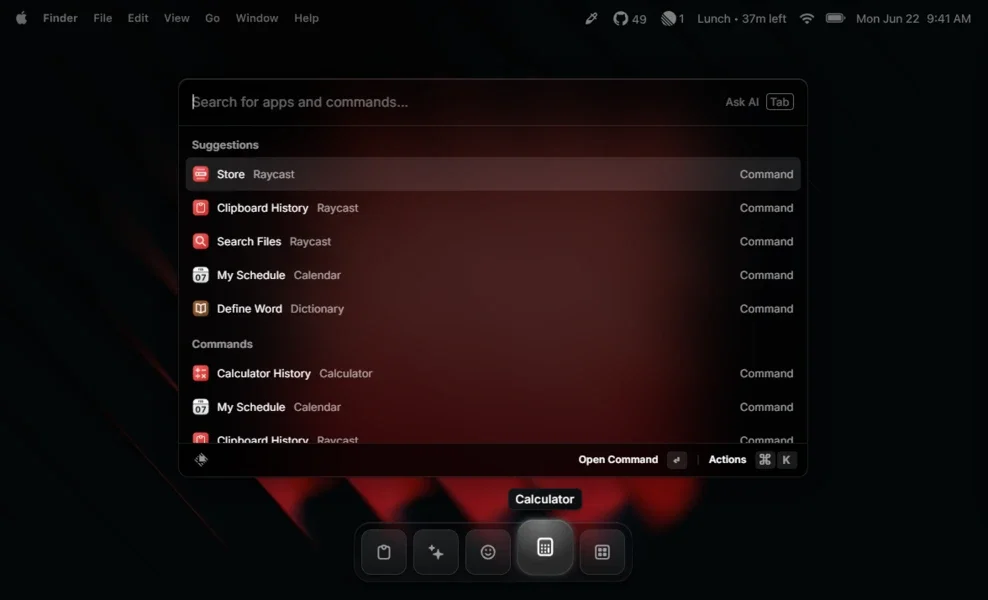
Raycast is a launcher for the Mac. You hit a hotkey, type, and it opens apps instantly. It can stand in for Spotlight. The keyboard reaches every element of macOS, and the tool can also arrange windows so you move between them with shortcuts.

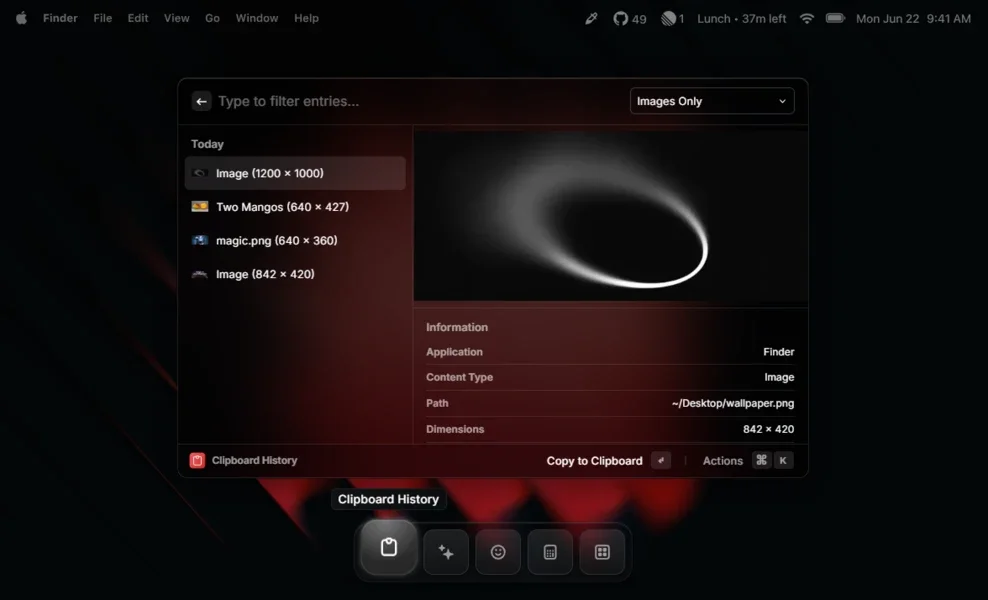
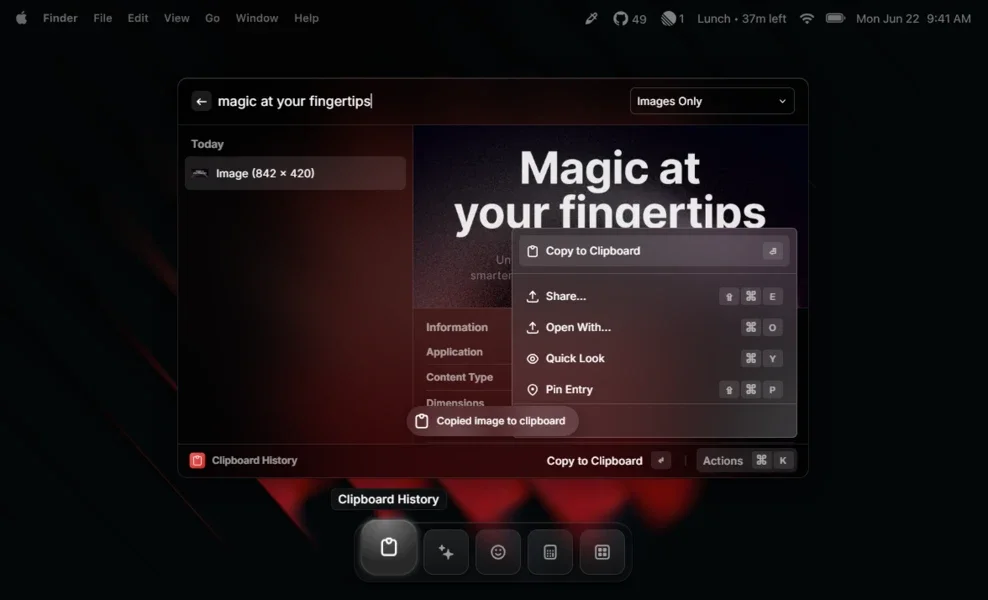
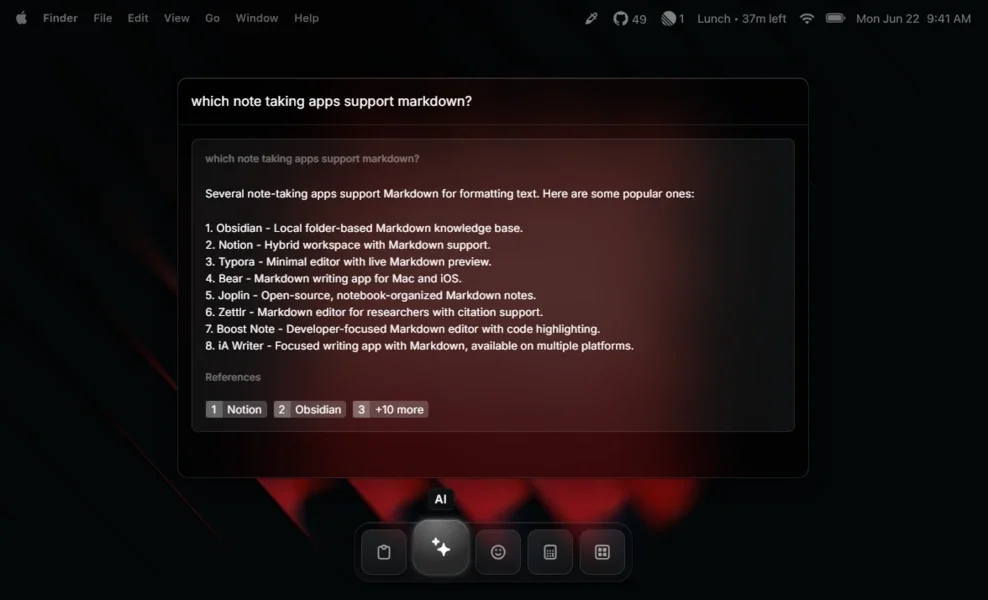
The middle of the program is extensions. You can install them for dozens of apps: CleanShot X for screenshots, Google Translate for translation, Linear for searching and editing tasks. Arc Browser has its own extension too. Beyond that, frequently used text fragments can become shortcuts, and a record is kept of everything copied to the clipboard. The basic mode is free. A paid Pro version adds functionality, including an integrated AI that lets you save workspace setups and open various tools in separate environments.

Extensions install from within the launcher and sit alongside the built-in commands.

[Release notes coming soon]

Version 2.13.1.0

Verify the file

Compare the SHA-256 of the file you downloaded with the value below. Files exactly as the publisher released them.

  • raycast-2-13-1-0.dmg

    2.13.1.0 · DMG · 150.7 MB

    SHA-256

    e62777491febe5bfadf461d3f9a1ce761c2e661e635bc13e6921a16d75660c77 Check on VirusTotal Get

Files exactly as the publisher released them.

Information

Size
150.7 MB
Category
Power Tools
Compatibility
macOS 26.0 Tahoe or later
Languages
English
Age rating
All ages
License
Proprietary
Price
Free

Version history

  • [Release notes coming soon]

    2.13.1.0
  • [Release notes coming soon]

    2.13.0.0
  • [Release notes coming soon]

    2.12.1.0
  • [Release notes coming soon]

    2.12.0.0
  • [Release notes coming soon]

    2.11.1.0
  • [Release notes coming soon]

    2.11.0.0
  • [Release notes coming soon]

    2.10.1.0
  • [Release notes coming soon]

    2.10.0.0
  • [Release notes coming soon]

    2.9.0.0
  • [Release notes coming soon]

    2.8.2.0
  • [Release notes coming soon]

    2.8.1.0
  • [Release notes coming soon]

    2.8.0.0
  • [Release notes coming soon]

    2.7.3.0
  • [Release notes coming soon]

    2.7.2.0
  • [Release notes coming soon]

    2.7.0.0
  • [Release notes coming soon]

    2.7.1.0
  • [Release notes coming soon]

    2.6.3.0
  • [Release notes coming soon]

    2.6.2.0
  • [Release notes coming soon]

    2.6.0.0
  • [Release notes coming soon]

    2.5.3.0
  • [Release notes coming soon]

    2.5.2.0
  • [Release notes coming soon]

    2.5.0.0
  • [Release notes coming soon]

    2.5.1.0
  • [Release notes coming soon]

    2.4.1.0
  • [Release notes coming soon]

    2.4.0.0
  • [Release notes coming soon]

    2.3.0.0
  • [Release notes coming soon]

    2.2.1.0
  • [Release notes coming soon]

    2.1.3.0
  • [Release notes coming soon]

    2.1.2.0
  • [Release notes coming soon]

    2.1.1.0
  • [Release notes coming soon]

    2.1.0.0
  • [Release notes coming soon]

    1.104.25
  • [Release notes coming soon]

    2.0.5.0
  • [Release notes coming soon]

    1.104.24
  • [Release notes coming soon]

    1.104.23
  • [Release notes coming soon]

    1.104.22
  • [Release notes coming soon]

    1.104.11
  • [Release notes coming soon]

    1.104.21
  • [Release notes coming soon]

    1.104.20
  • [Release notes coming soon]

    1.104.19
  • [Release notes coming soon]

    1.104.18
  • [Release notes coming soon]

    1.104.17
  • [Release notes coming soon]

    1.104.16
  • [Release notes coming soon]

    1.104.15
  • [Release notes coming soon]

    1.104.14
  • [Release notes coming soon]

    1.104.13
  • [Release notes coming soon]

    1.104.12
  • [Release notes coming soon]

    1.104.11
  • [Release notes coming soon]

    1.104.10
  • [Release notes coming soon]

    1.104.9

All versions ›