Skip to content

Skim1.7.12 for macOS

PDF reader for Mac with highlighting and post-it style notes

Skim Project

Free · BSD 3-Clause

Download 1.7.12 · 11.2 MB
  • Age rating
    0+
    All ages
  • Category
    Text & documents
  • Developer
    Skim Project
  • Languages
    3
    English
  • Size
    11.2
    MB

Mac

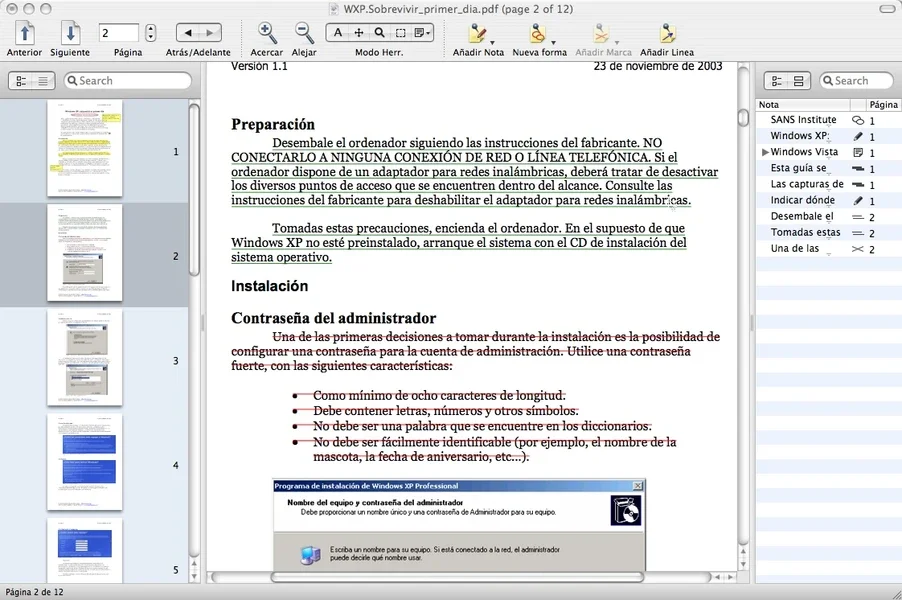
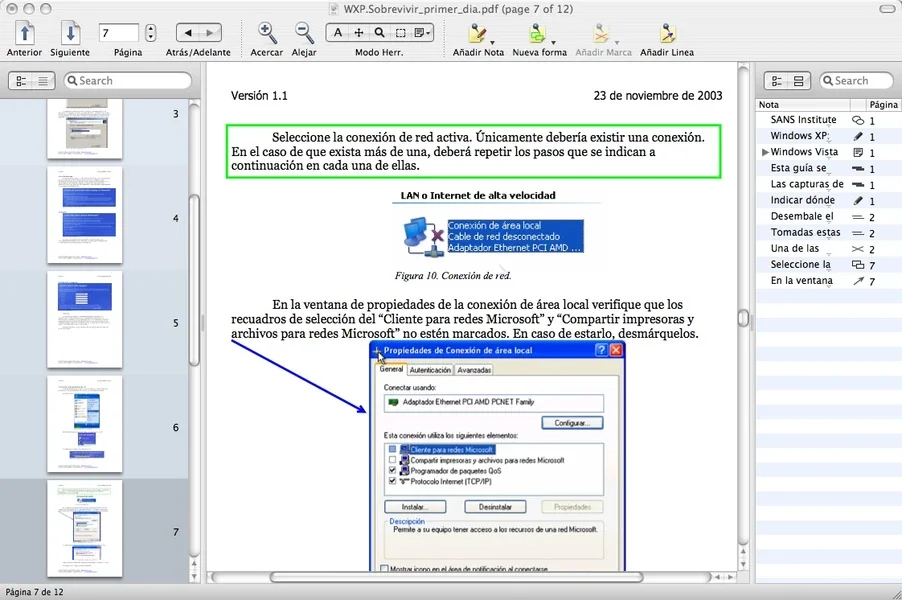
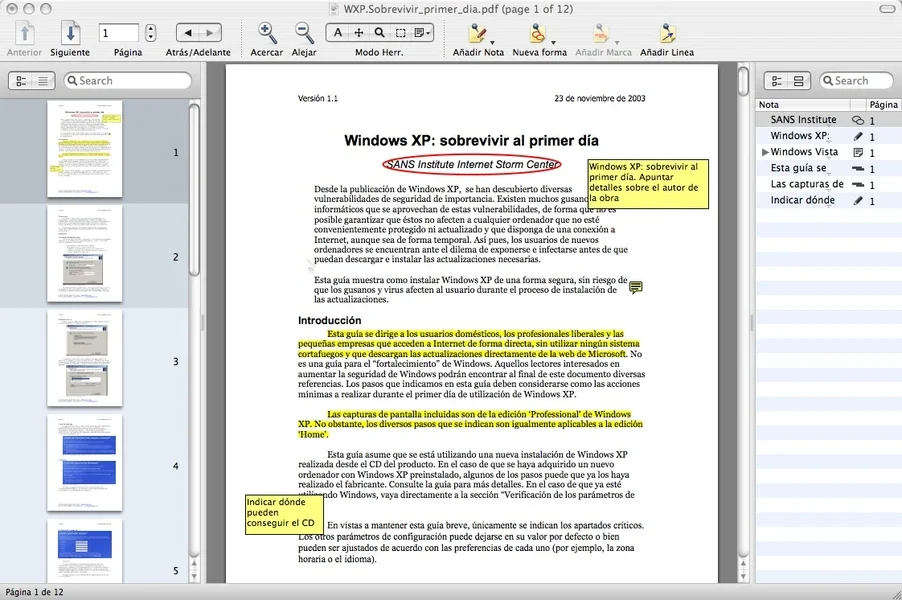
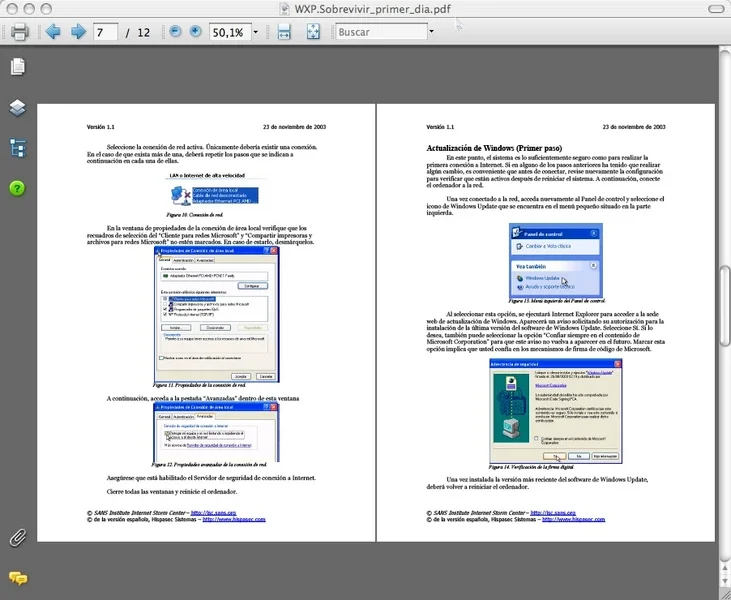
Highlight, underline, cross out text and circle items to mark concepts in a PDF. Skim is a PDF reader for the Mac built around that kind of markup, and it has many note-taking functions on top of the reading.

Notes and the two view panes

There are two note types: one sits on top of the document, the other is a small icon that holds the note's content. The icon type suits long note text. Notes look like post-it notes in shape and color, can be placed anywhere on the page and can be resized.

A tree view on the right shows relationships between notes, arrows, underlining, circles and other objects inserted on a page. One on the left shows relationships between pages in the document.

[Release notes coming soon]

Version 1.7.12

Verify the file

Compare the SHA-256 of the file you downloaded with the value below. Files exactly as the publisher released them.

  • 1.7.12

    1.7.12 · DMG · 11.2 MB

    SHA-256

    12c2a3464cc26e1717a7cc28929123ad09f6bed737f033bdfbdfd43830df8e8c Check on VirusTotal Get

Files exactly as the publisher released them.

Information

Size
11.2 MB
Compatibility
macOS
Languages
English, Polish, Spanish
Age rating
All ages
License
BSD 3-Clause
Price
Free

Version history

  • [Release notes coming soon]

    1.7.12
  • [Release notes coming soon]

    1.7.11
  • [Release notes coming soon]

    1.7.10
  • [Release notes coming soon]

    1.7.9
  • [Release notes coming soon]

    1.7.5
  • [Release notes coming soon]

    1.7.1
  • [Release notes coming soon]

    1.7
  • [Release notes coming soon]

    1.6.20
  • [Release notes coming soon]

    1.6.15
  • [Release notes coming soon]

    1.6.8
  • [Release notes coming soon]

    1.6.4
  • [Release notes coming soon]

    1.6.3
  • [Release notes coming soon]

    1.6.2
  • [Release notes coming soon]

    1.6.1
  • [Release notes coming soon]

    1.5.11
  • [Release notes coming soon]

    1.5.8
  • [Release notes coming soon]

    1.5.7
  • [Release notes coming soon]

    1.5.4
  • [Release notes coming soon]

    1.4.38
  • [Release notes coming soon]

    1.4.28
  • [Release notes coming soon]

    1.4.27
  • [Release notes coming soon]

    1.4.26
  • [Release notes coming soon]

    1.4.24
  • [Release notes coming soon]

    1.4.22
  • [Release notes coming soon]

    1.4.21
  • [Release notes coming soon]

    1.4.20
  • [Release notes coming soon]

    1.4.19
  • [Release notes coming soon]

    1.4.18
  • [Release notes coming soon]

    1.4.14
  • [Release notes coming soon]

    1.4.12
  • [Release notes coming soon]

    1.4.9
  • [Release notes coming soon]

    1.4.8
  • [Release notes coming soon]

    1.4.1
  • [Release notes coming soon]

    1.3.20
  • [Release notes coming soon]

    1.3.19
  • [Release notes coming soon]

    1.3.15
  • [Release notes coming soon]

    1.3.14
  • [Release notes coming soon]

    1.3.13
  • [Release notes coming soon]

    1.3.2
  • [Release notes coming soon]

    1.2.3

All versions ›